


Google’s AI-powered voice assistant, Gemini, is getting a significant upgrade with the addition of Spotify integration. This new feature allows Android users to control their Spotify listening experience using voice commands through Gemini.
How it Works
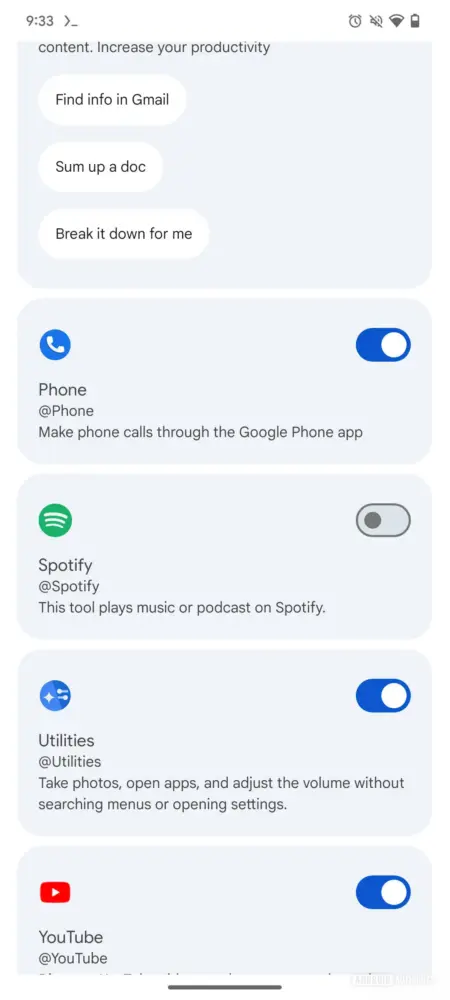
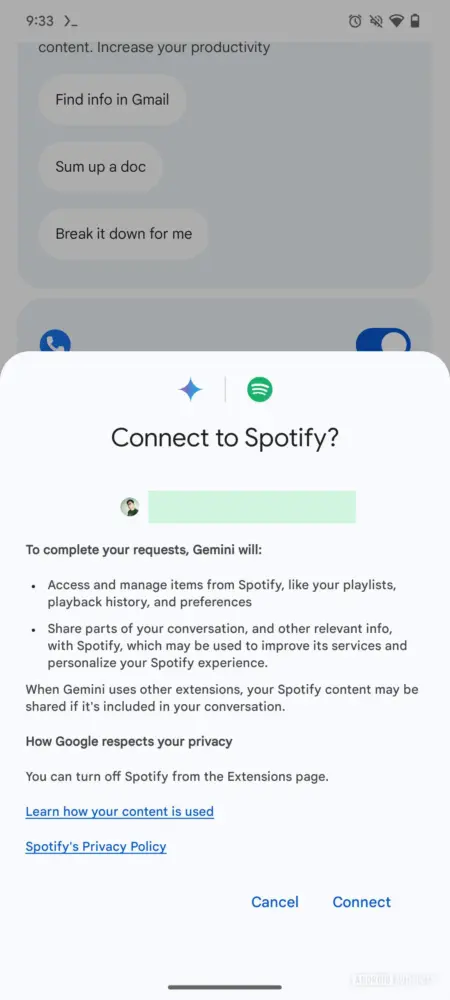
To utilize the Spotify integration, users will need to link their Spotify account to their Google account. Once connected, users can ask Gemini to perform various music-related tasks, including:
- Playing specific songs, albums, or playlists.
- Searching for music based on artist, lyrics, or genre.
- Discovering new playlists based on mood or activity.
Examples of voice commands include:
- “Play my Spotify playlist called .”
- “Search for a Spotify playlist with relaxing music.”
- “Play [song name] by [artist name] on Spotify.”
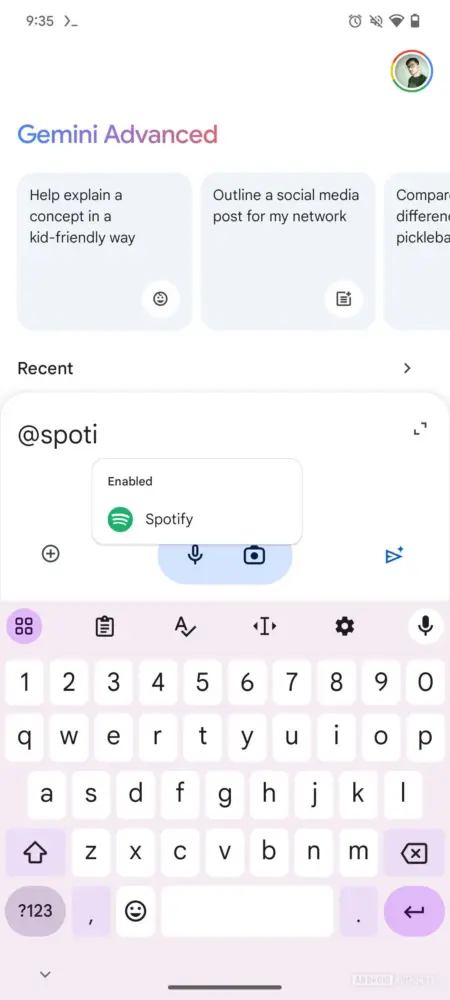
Gemini will default to the music service you used most recently. If you have multiple music services connected, you can specify Spotify in your voice command or use the “@Spotify” mention.
Functionality and Limitations
Based on early reports, Gemini’s Spotify integration allows for background playback without needing to launch the Spotify app directly. However, certain features like playlist creation and radio station control are not yet supported.
Currently, the Spotify extension is limited to Android devices with Gemini’s language set to English. It is not yet available on iOS devices, Gemini on Google Messages, or the web app.
Availability
While the Spotify extension is not yet visible in the Gemini app, Google has published an official support page detailing the setup process and functionality, suggesting an imminent rollout.
This integration expands Gemini’s capabilities and provides users with a more seamless and convenient way to enjoy their favorite music on Spotify using voice commands.