

By using this site, you agree to our Privacy Policy and Terms of Service.
Accept
Absolute Geeks UAEAbsolute Geeks UAE
  • STORIES
    • TECH
    • AUTOMOTIVE
    • GUIDES
    • OPINIONS
  • REVIEWS
    • READERS’ CHOICE
    • ALL REVIEWS
    • ━
    • SMARTPHONES
    • CARS
    • HEADPHONES
    • ACCESSORIES
    • LAPTOPS
    • TABLETS
    • WEARABLES
    • SPEAKERS
    • APPS
  • WATCHLIST
    • TV & MOVIES REVIEWS
    • SPOTLIGHT
  • GAMING
    • GAMING NEWS
    • GAME REVIEWS
  • +
    • OUR STORY
    • GET IN TOUCH
Reading: Sonos voice control embraces Spotify: talk to your tunes
Share
Notification Show More
Absolute Geeks UAEAbsolute Geeks UAE
  • STORIES
    • TECH
    • AUTOMOTIVE
    • GUIDES
    • OPINIONS
  • REVIEWS
    • READERS’ CHOICE
    • ALL REVIEWS
    • ━
    • SMARTPHONES
    • CARS
    • HEADPHONES
    • ACCESSORIES
    • LAPTOPS
    • TABLETS
    • WEARABLES
    • SPEAKERS
    • APPS
  • WATCHLIST
    • TV & MOVIES REVIEWS
    • SPOTLIGHT
  • GAMING
    • GAMING NEWS
    • GAME REVIEWS
  • +
    • OUR STORY
    • GET IN TOUCH
Follow US

Sonos voice control embraces Spotify: talk to your tunes

GEEK DESK
GEEK DESK
Mar 21

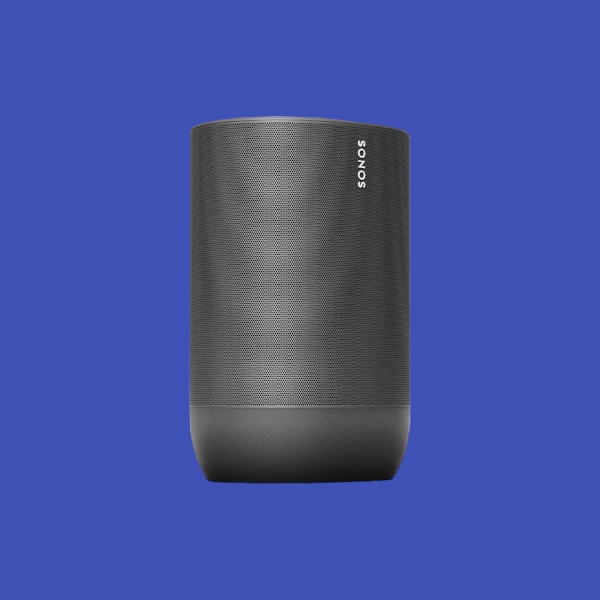
Sonos is leveling up its Voice Control software with the integration of Spotify, the music streaming giant. Now, you can effortlessly control your favorite Spotify tunes using just your voice and a compatible Sonos speaker.

Getting started is remarkably simple. Just say “Hey Sonos, play Spotify,” and your speaker will launch a random Spotify playlist – perfect for those moments when you just want some background music. Want something specific? No problem! Name the playlist (“Discover Weekly,” for instance), and Sonos will obey.

But it’s not just about hitting “play.” Sonos Voice Control empowers you to curate your Spotify library with ease. Add a catchy song to your favorites, give tracks a thumbs-up or thumbs-down, and even request entire genres (“Hey Sonos, play some 90s alternative”) – all with voice commands.

Sonos offers two ways to link your speaker and Spotify account, either by setting Spotify as your default source or through frequent use. Whether you’re a Spotify Premium subscriber or enjoy the free version, you’re good to go. Simply update your Sonos devices to the latest software and start exploring the possibilities.


Share
What do you think?
Happy0
Sad0
Love0
Surprise0
Cry0
Angry0
Dead0

WHAT'S HOT ❰

Hisense partners with Phantom Blade Zero to promote its gaming displays
Grok Voice mode heads to Apple CarPlay, expanding beyond Tesla vehicles
OpenAI adds playful AI pets as floating companions in its Codex coding tool
Fallout Nuka Girl collectible returns with limited exclusive edition
Xiaomi prepares high-performance YU7 GT SUV for May launch
Absolute Geeks UAEAbsolute Geeks UAE
Follow US
AbsoluteGeeks.com was assembled during a caffeine incident.
© Absolute Geeks Media FZE LLC 2014–2026.
Proudly made in Dubai, UAE ❤️
Upgrade Your Brain Firmware
Receive updates, patches, and jokes you’ll pretend you understood.
No spam, just RAM for your brain.
Welcome Back!

Sign in to your account

Username or Email Address
Password

Lost your password?


