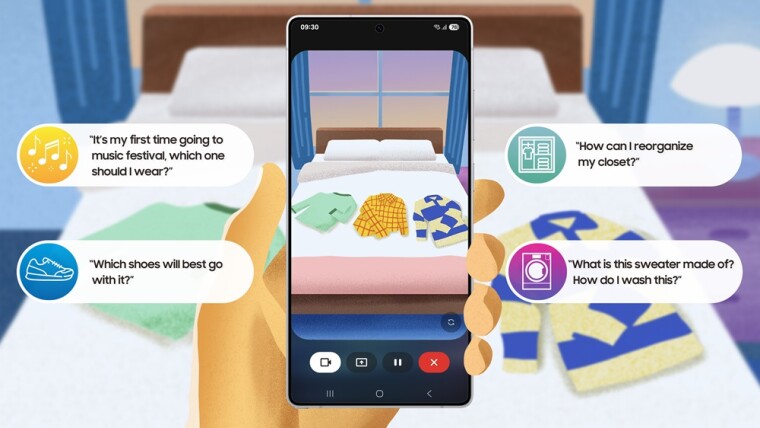
Samsung Galaxy S25 users can now access a new AI-powered feature that turns the phone’s camera into a real-time assistant. With the latest update, users can launch Gemini Live—Google’s visual AI companion—directly from their device to get live help and information based on what’s visible through their camera feed or screen.
Available free to Galaxy S25 users with a Google Account, Gemini Live allows for interactive visual conversations with AI. Whether you’re pointing the camera at a product, text, or object, the feature enables you to ask questions about what you’re seeing and receive immediate feedback. The rollout coincides with the launch of One UI 7, which is gradually arriving on eligible Samsung devices.
To activate the feature, users can press and hold the Galaxy S25’s side button to open Gemini Live. Once launched, the AI can analyze the scene using the camera or shared screen content. You can ask follow-up questions in natural language and get contextual answers in real time.
Gemini Live was first previewed by Google during Mobile World Congress, showcasing its ability to assist with everything from screen-sharing guidance to multilingual conversation. The feature supports over 40 languages and is positioned as Google’s response to ChatGPT’s voice and screen-interaction tools.
Though Samsung’s Galaxy S25 is among the first to support this feature, it’s not exclusive to the device. Gemini Live is also available on the Google Pixel 9 and will soon roll out more widely to Android devices through the Gemini Advanced subscription.
This update further extends the push toward AI-integrated experiences in smartphones. With Gemini Live, the focus shifts from passive AI suggestions to active, real-time visual interaction—opening up new possibilities for accessibility, productivity, and on-the-go assistance.
Whether you’re seeking product information, travel translations, or help identifying something in your environment, the visual AI assistant aims to provide answers based on what your camera sees, without needing to manually describe it.