Music is a powerful way to express ourselves and connect with others. Whether it’s a song that pumps you up for a workout, a melody that evokes bittersweet memories, or a beat that gets the party started, the music we love says a lot about who we are. That’s why Spotify is always looking for new ways to help you share your favorite tunes with the world.
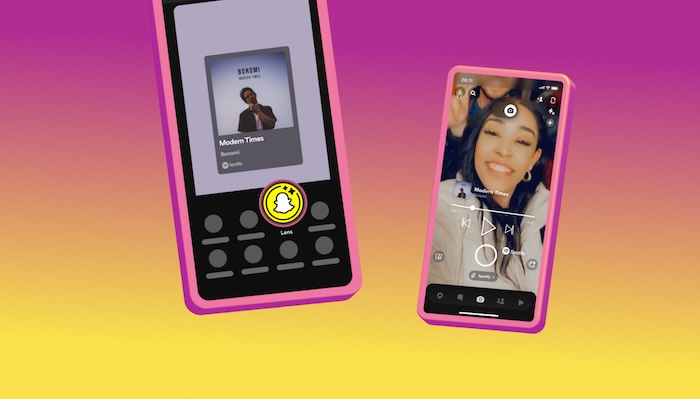
And now, there’s a whole new way to do that on Snapchat! Spotify is introducing the Share Track Lens, a fun and interactive feature that lets you capture the world around you while sharing your favorite songs.
Gone are the days of simply sending a static Spotify link on Snapchat. With the Share Track Lens, you can:
- Express yourself creatively: Use the lens to add a unique touch to your Snaps and stories. Get creative with angles, filters, and text to make your music sharing truly your own.
- Overlay song information on your Snaps: The lens will add the song title, artist name, album cover art, and a link to listen to the track on Spotify directly to your Snap.
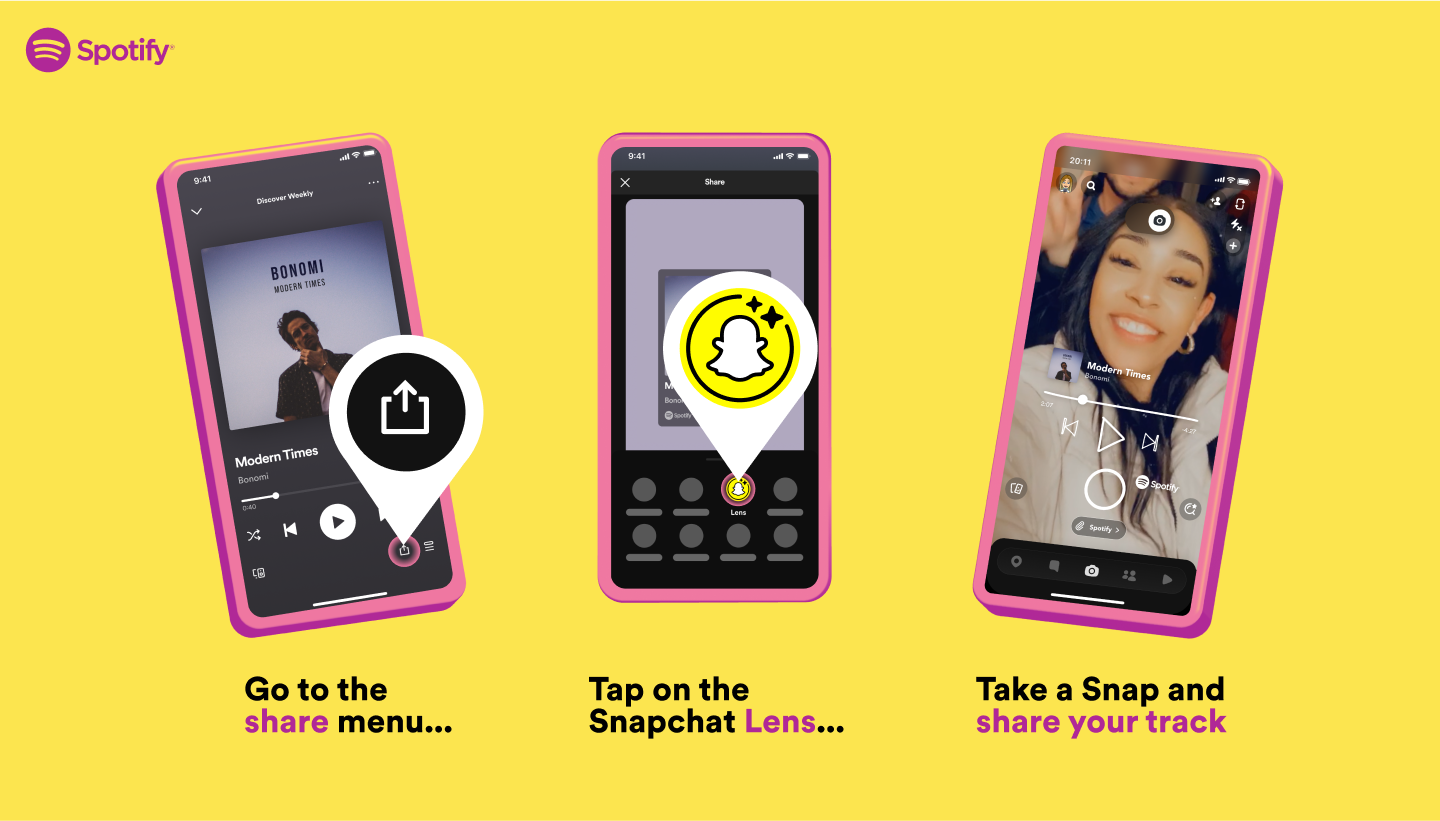
How to Use the Share Track Lens
- Make sure you have the latest versions of both the Spotify and Snapchat apps.
- Open Spotify and choose the song you want to share.
- Tap the “Share” button and select the Snapchat “Lens” icon.
- The Share Track Lens will appear in Snapchat. Point your camera and capture your Snap!
- Add any additional customization you like, then share your Snap to your Story or with friends.
So whether you’re a music lover or just looking for a fun way to add some personality to your Snaps, the Spotify Share Track Lens is definitely worth checking out. It’s rolling out globally now for both Android and iOS users.