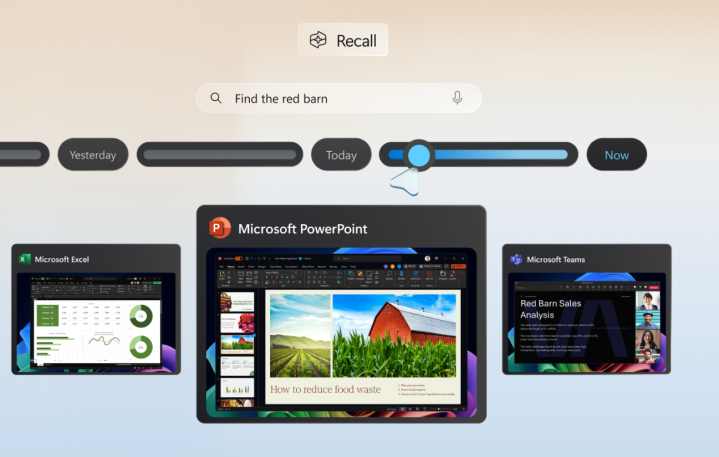
Microsoft’s upcoming Recall AI feature, designed to enhance user productivity, has been generating controversy due to recent developments. While initial plans allowed for the feature to be uninstalled, a recent update to Windows 11 24H2 mistakenly listed Recall under the “Turn Windows features on and off” menu. Microsoft has since clarified that this was an error and the ability to uninstall Recall will not be available upon its official release.
This news comes after Recall faced scrutiny due to potential security vulnerabilities. In response, Microsoft has shifted the feature to an opt-in model and introduced additional security measures, including requiring Windows Hello authentication and full encryption. These changes, coupled with the inability to uninstall Recall, have raised concerns about user control and privacy.
Despite the controversy, Microsoft remains committed to launching Recall. The feature is expected to enter a preview phase in October, with a wider release planned for a later date. It’s worth noting that Recall will only be supported on devices equipped with powerful NPUs, leaving older PCs and even some current-gen “AI PCs” unable to utilize the feature.
Recall was initially positioned as a major selling point for the Copilot+ line of laptops, highlighting the potential of their enhanced NPUs. However, the recent developments have cast a shadow on this marketing strategy, leaving users questioning the balance between innovation and user control in Microsoft’s latest AI venture.
Updated 3/9/24:
Although a recent Windows 11 update made it appear as if users could uninstall the upcoming Recall feature, Microsoft has clarified that this was a bug, and a fix is on the way. The change was noticed last week in the latest 24H2 version of Windows 11, with KB5041865 seemingly adding the option to uninstall Recall from the Windows Features section. Windows senior product manager Brandon LeBlanc addressed the issue, stating, “We’re aware of a problem where Recall is incorrectly listed as an option under the ‘Turn Windows features on or off’ dialog in Control Panel. This will becorrected in a future update.”