

By using this site, you agree to our Privacy Policy and Terms of Service.
Accept
Absolute Geeks UAEAbsolute Geeks UAE
  • STORIES
    • TECH
    • AUTOMOTIVE
    • GUIDES
    • OPINIONS
  • REVIEWS
    • READERS’ CHOICE
    • ALL REVIEWS
    • ━
    • SMARTPHONES
    • CARS
    • HEADPHONES
    • ACCESSORIES
    • LAPTOPS
    • TABLETS
    • WEARABLES
    • SPEAKERS
    • APPS
  • WATCHLIST
    • TV & MOVIES REVIEWS
    • SPOTLIGHT
  • GAMING
    • GAMING NEWS
    • GAME REVIEWS
  • +
    • OUR STORY
    • GET IN TOUCH
Reading: Google’s Circle to Search feature expands to desktop
Share
Notification Show More
Absolute Geeks UAEAbsolute Geeks UAE
  • STORIES
    • TECH
    • AUTOMOTIVE
    • GUIDES
    • OPINIONS
  • REVIEWS
    • READERS’ CHOICE
    • ALL REVIEWS
    • ━
    • SMARTPHONES
    • CARS
    • HEADPHONES
    • ACCESSORIES
    • LAPTOPS
    • TABLETS
    • WEARABLES
    • SPEAKERS
    • APPS
  • WATCHLIST
    • TV & MOVIES REVIEWS
    • SPOTLIGHT
  • GAMING
    • GAMING NEWS
    • GAME REVIEWS
  • +
    • OUR STORY
    • GET IN TOUCH
Follow US

Google’s Circle to Search feature expands to desktop

GEEK DESK
GEEK DESK
Jul 31

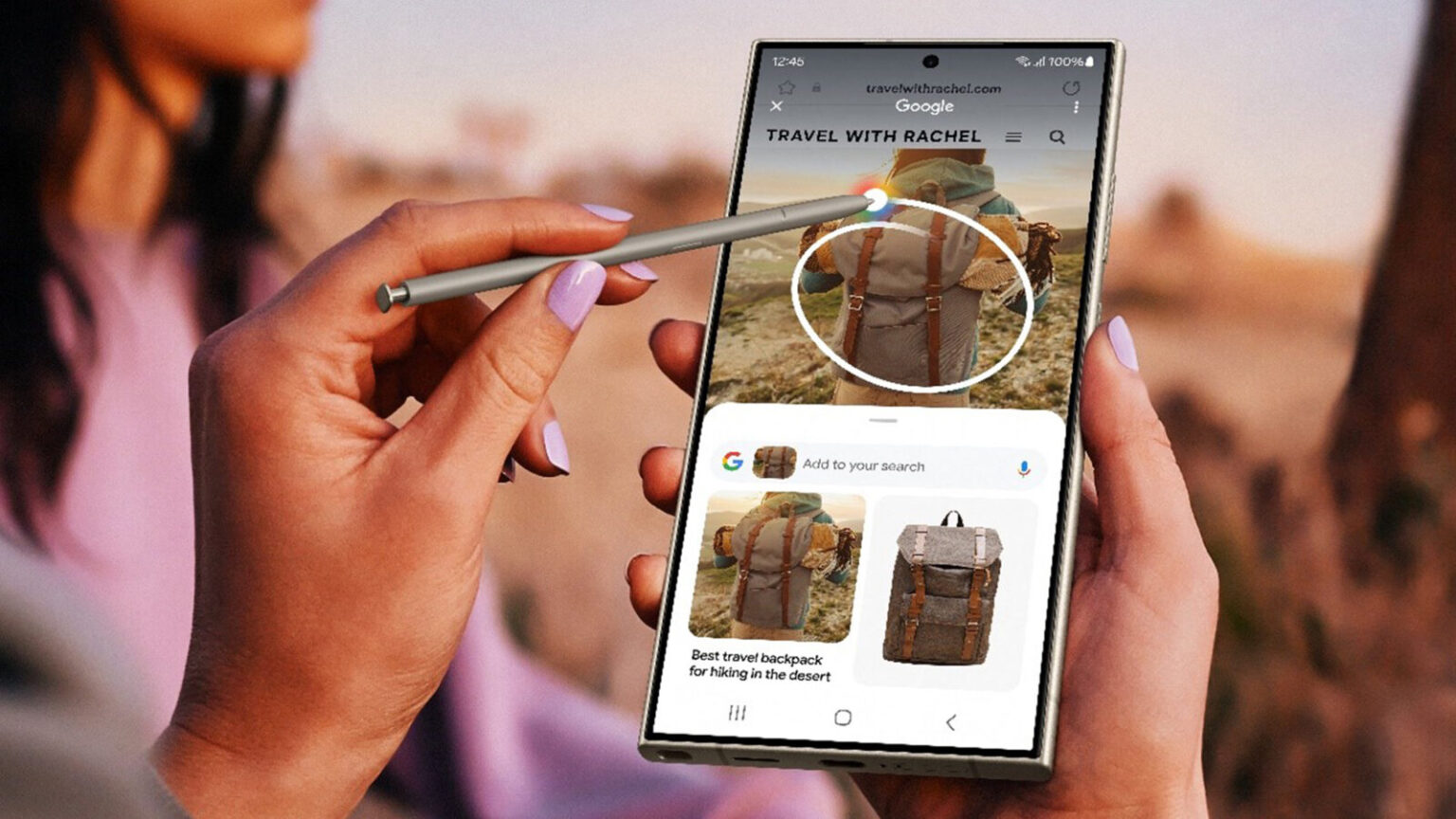
Google has made a significant leap in visual search capabilities by expanding its Circle to Search feature to desktop users.Previously available on select premium Android devices, this innovative tool allows users to search for information based on visual content directly from their computer screens.

Currently in beta for ChromeOS 127 and Chrome 128 (on both Windows and macOS), the feature is expected to be integrated into the regular versions soon. However, it is currently labeled as “Search with Google Lens” for Windows and macOS, while ChromeOS users will find it as “Drag to Search.”

Accessing the feature is simple:

  • macOS or Windows: Select “Search with Google Lens” from the overflow menu in Chrome 128 beta or pin it to the side panel for quick access.
  • ChromeOS: Click the new Google Lens icon in the address bar.

Once activated, users can drag a box around any element on their screen to initiate a search. This seamless integration of visual search into the desktop browsing experience opens up new possibilities for research, shopping, and information discovery.

Google’s official release notes describe the feature as a way to “search anything you see on your screen,” whether it’s within a video, a live stream, or an image on a webpage. The results appear directly in the current tab, allowing for a seamless browsing experience.

With the feature expected to hit the stable channel of Chrome in the coming weeks, desktop users can look forward to a more intuitive and efficient way to search the web.

Share
What do you think?
Happy0
Sad0
Love0
Surprise0
Cry0
Angry0
Dead0

WHAT'S HOT ❰

Hisense partners with Phantom Blade Zero to promote its gaming displays
Grok Voice mode heads to Apple CarPlay, expanding beyond Tesla vehicles
OpenAI adds playful AI pets as floating companions in its Codex coding tool
Fallout Nuka Girl collectible returns with limited exclusive edition
Xiaomi prepares high-performance YU7 GT SUV for May launch
Absolute Geeks UAEAbsolute Geeks UAE
Follow US
AbsoluteGeeks.com was assembled during a caffeine incident.
© Absolute Geeks Media FZE LLC 2014–2026.
Proudly made in Dubai, UAE ❤️
Upgrade Your Brain Firmware
Receive updates, patches, and jokes you’ll pretend you understood.
No spam, just RAM for your brain.
Welcome Back!

Sign in to your account

Username or Email Address
Password

Lost your password?



