

By using this site, you agree to our Privacy Policy and Terms of Service.
Accept
Absolute Geeks UAEAbsolute Geeks UAE
  • STORIES
    • TECH
    • AUTOMOTIVE
    • GUIDES
    • OPINIONS
  • REVIEWS
    • READERS’ CHOICE
    • ALL REVIEWS
    • ━
    • SMARTPHONES
    • CARS
    • HEADPHONES
    • ACCESSORIES
    • LAPTOPS
    • TABLETS
    • WEARABLES
    • SPEAKERS
    • APPS
  • WATCHLIST
    • TV & MOVIES REVIEWS
    • SPOTLIGHT
  • GAMING
    • GAMING NEWS
    • GAME REVIEWS
  • +
    • OUR STORY
    • GET IN TOUCH
Reading: Google Photos ditches ‘Library’ for new ‘Collections’ hub
Share
Notification Show More
Absolute Geeks UAEAbsolute Geeks UAE
  • STORIES
    • TECH
    • AUTOMOTIVE
    • GUIDES
    • OPINIONS
  • REVIEWS
    • READERS’ CHOICE
    • ALL REVIEWS
    • ━
    • SMARTPHONES
    • CARS
    • HEADPHONES
    • ACCESSORIES
    • LAPTOPS
    • TABLETS
    • WEARABLES
    • SPEAKERS
    • APPS
  • WATCHLIST
    • TV & MOVIES REVIEWS
    • SPOTLIGHT
  • GAMING
    • GAMING NEWS
    • GAME REVIEWS
  • +
    • OUR STORY
    • GET IN TOUCH
Follow US

Google Photos ditches ‘Library’ for new ‘Collections’ hub

GEEK DESK
GEEK DESK
Aug 9

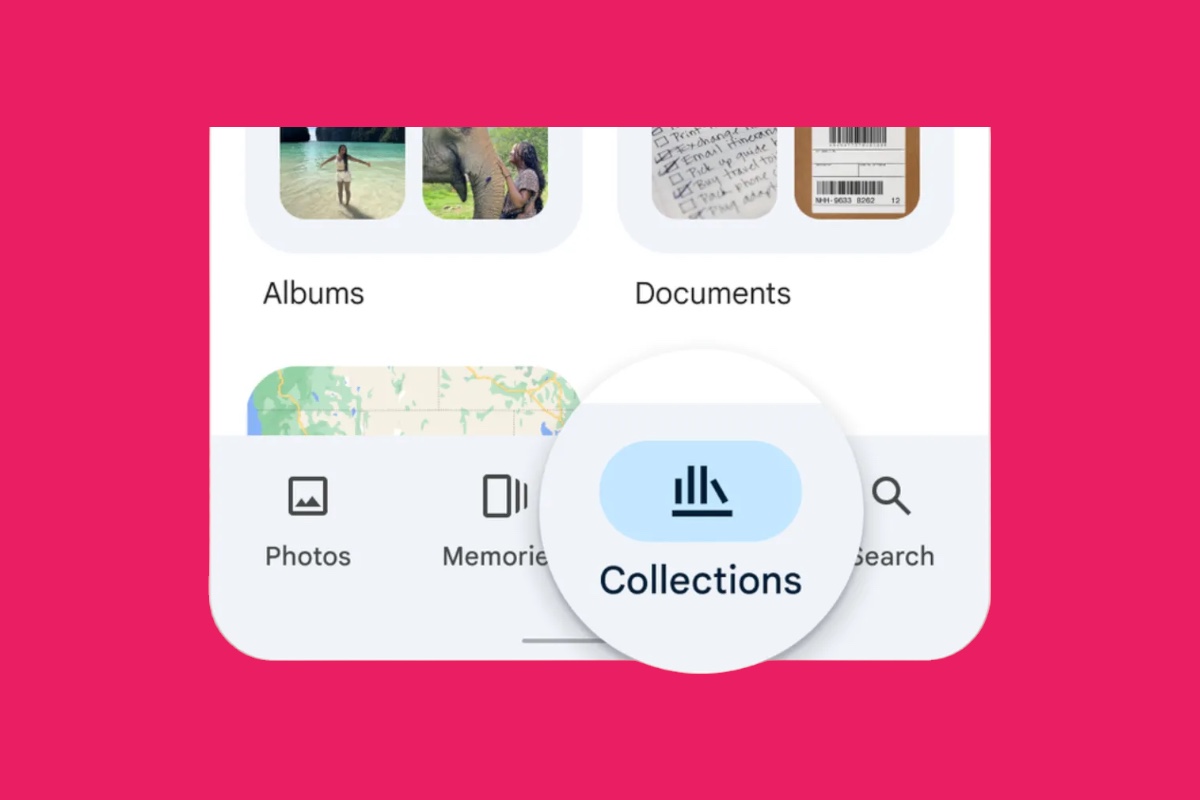
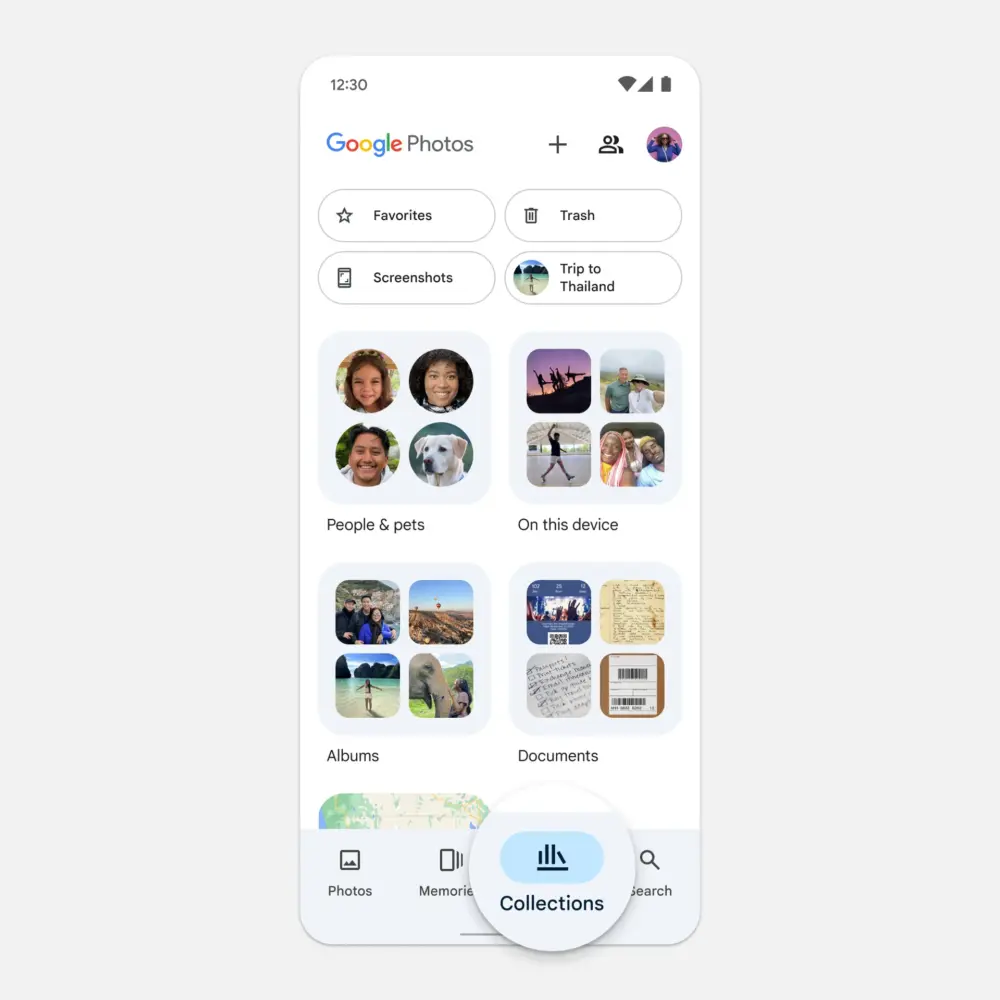
Google Photos is getting a makeover! The familiar ‘Library’ tab is being replaced with ‘Collections’, a central hub for all your albums, shared photos, and even automatically organized folders for people, pets, and places.

This change seems to pave the way for Google’s much-anticipated AI search feature, ‘Ask Photos’, powered by its advanced Gemini model. The search tab itself has also been streamlined, offering suggested search categories like ‘Screenshots’ and ‘Selfies’.

‘Collections’ is rolling out now to Android and iOS users, keeping the same bookshelf icon but with a fresh look and layout. The ‘Utilities’ folder is gone, but its tools have been relocated within the app.

The new ‘Collections’ view offers a more intuitive way to navigate your photos. Instead of digging through multiple tabs, you can now find everything in one place. The app also automatically creates folders for people, pets, and places, making it easy to find specific photos.

For example, if you want to find all the photos of your dog, you can simply go to the ‘Pets’ folder. Or, if you want to find all the photos from your last vacation, you can go to the ‘Places’ folder.
Google Photos is also making it easier to share photos with others. You can now create shared albums and invite people to view or add photos. You can also share individual photos with specific people.

These changes are part of Google’s ongoing effort to make Photos a more user-friendly and helpful app. By simplifying the interface and adding new features, Google is making it easier for people to find, share, and enjoy their photos.


Share
What do you think?
Happy0
Sad0
Love0
Surprise0
Cry0
Angry0
Dead0

WHAT'S HOT ❰

Hisense partners with Phantom Blade Zero to promote its gaming displays
Grok Voice mode heads to Apple CarPlay, expanding beyond Tesla vehicles
OpenAI adds playful AI pets as floating companions in its Codex coding tool
Fallout Nuka Girl collectible returns with limited exclusive edition
Xiaomi prepares high-performance YU7 GT SUV for May launch
Absolute Geeks UAEAbsolute Geeks UAE
Follow US
AbsoluteGeeks.com was assembled during a caffeine incident.
© Absolute Geeks Media FZE LLC 2014–2026.
Proudly made in Dubai, UAE ❤️
Upgrade Your Brain Firmware
Receive updates, patches, and jokes you’ll pretend you understood.
No spam, just RAM for your brain.
Welcome Back!

Sign in to your account

Username or Email Address
Password

Lost your password?


