By using this site, you agree to our Privacy Policy and Terms of Service.
Accept
Absolute Geeks UAEAbsolute Geeks UAE
  • STORIES
    • TECH
    • AUTOMOTIVE
    • GUIDES
    • OPINIONS
  • REVIEWS
    • READERS’ CHOICE
    • ALL REVIEWS
    • ━
    • SMARTPHONES
    • CARS
    • HEADPHONES
    • ACCESSORIES
    • LAPTOPS
    • TABLETS
    • WEARABLES
    • SPEAKERS
    • APPS
  • WATCHLIST
    • TV & MOVIES REVIEWS
    • SPOTLIGHT
  • GAMING
    • GAMING NEWS
    • GAME REVIEWS
  • +
    • OUR STORY
    • GET IN TOUCH
Reading: Acer’s Nitro 5 Notebook gets an update
Share
Notification Show More
Absolute Geeks UAEAbsolute Geeks UAE
  • STORIES
  • REVIEWS
  • WATCHLIST
  • GAMING
  • +
  • STORIES
    • TECH
    • AUTOMOTIVE
    • GUIDES
    • OPINIONS
  • REVIEWS
    • READERS’ CHOICE
    • ALL REVIEWS
    • ━
    • SMARTPHONES
    • CARS
    • HEADPHONES
    • ACCESSORIES
    • LAPTOPS
    • TABLETS
    • WEARABLES
    • SPEAKERS
    • APPS
  • WATCHLIST
    • TV & MOVIES REVIEWS
    • SPOTLIGHT
  • GAMING
    • GAMING NEWS
    • GAME REVIEWS
  • +
    • OUR STORY
    • GET IN TOUCH
Follow US

Acer’s Nitro 5 Notebook gets an update

GEEK DESK
GEEK DESK
Dec 23

Acer has announced its new Nitro 5 gaming notebook which features an NVIDIA® GeForce® TX 1650 4GB graphics card for efficiency.Users can expect stunning visuals and responsive performance from the new processing and graphics technology.

The Nitro 5 is equipped with the 9th Gen Intel® Core™ i7 processor and allows users to enjoy their favorite games in exceptional detail with a choice of 15.6-inch Full HD IPS or 15.6” FHD IPS 144hz panel with an impressive 80% screen-to-body ratio.
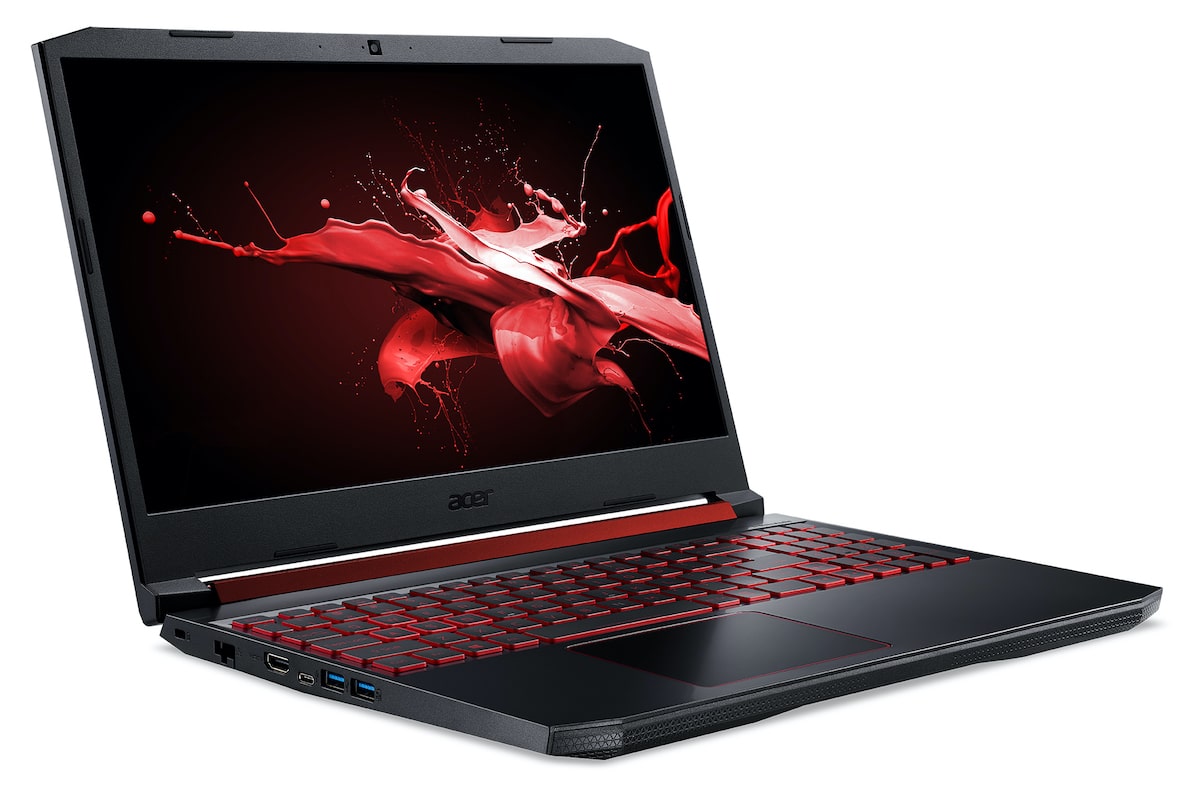
It effortlessly streams gameplay with Gigabit Wi-Fi 5 with 2×2 MU-MIMO technology. Users can also connect supporting gadgets with an array of ports such as HDMI 2.0, USB Type-C 3.1 Gen 1 (up to 5 Gbps), and more.

The Nitro 5 features dual fans, plus Acer CoolBoost™ technology and a dual exhaust port designed to keep it cool during extended gaming sessions. CoolBoost increases fan speed by 10% and CPU and GPU cooling by 9% compared to auto mode.
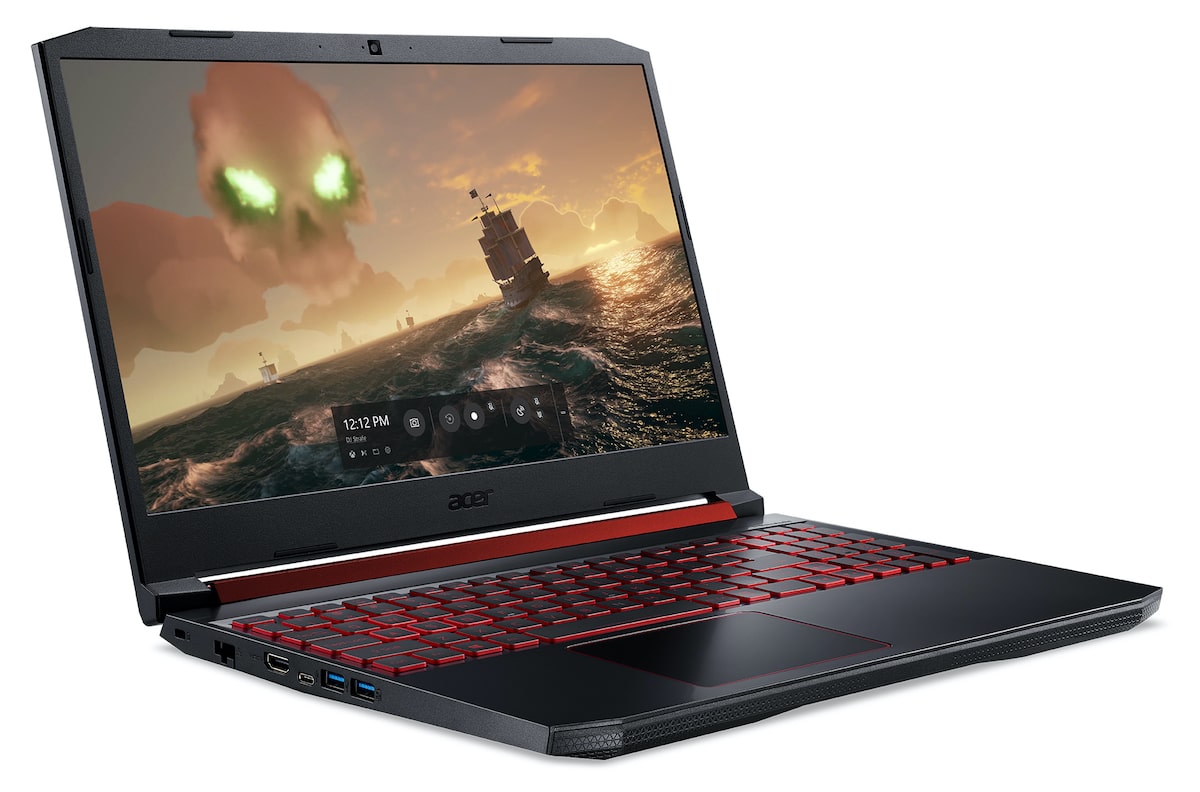
It features Acer’s Network Optimizer to optimize online gaming and keep the data flowing fast and strong. A specially configured easy-to-use GUI (graphical user interface) helps users manage their bandwidth in both Auto Mode — categorizing and prioritizing programs to eliminate network issues — or manually by letting users adjust the priorities, change the bandwidth for each application, or even block specific applications to get the best network experience.

Share
What do you think?
Happy0
Sad0
Love0
Surprise0
Cry0
Angry0
Dead0

WHAT'S HOT ❰

Ugreen 45W GaN charger brings angled display to budget fast charging
Spotify charts next chapter amid 20 years of music streaming shifts.
New Meta Forum app challenges Reddit with Facebook integration
Lego Donkey Kong sets arrive amid renewed game interest
How the Find N6 foldable refines large-screen productivity with AI tools
Absolute Geeks UAEAbsolute Geeks UAE
Follow US
AbsoluteGeeks.com was assembled during a caffeine incident.
© Absolute Geeks Media FZE LLC 2014–2026.
Proudly made in Dubai, UAE ❤️
Upgrade Your Brain Firmware
Receive updates, patches, and jokes you’ll pretend you understood.
No spam, just RAM for your brain.
Welcome Back!

Sign in to your account

Username or Email Address
Password

Lost your password?