
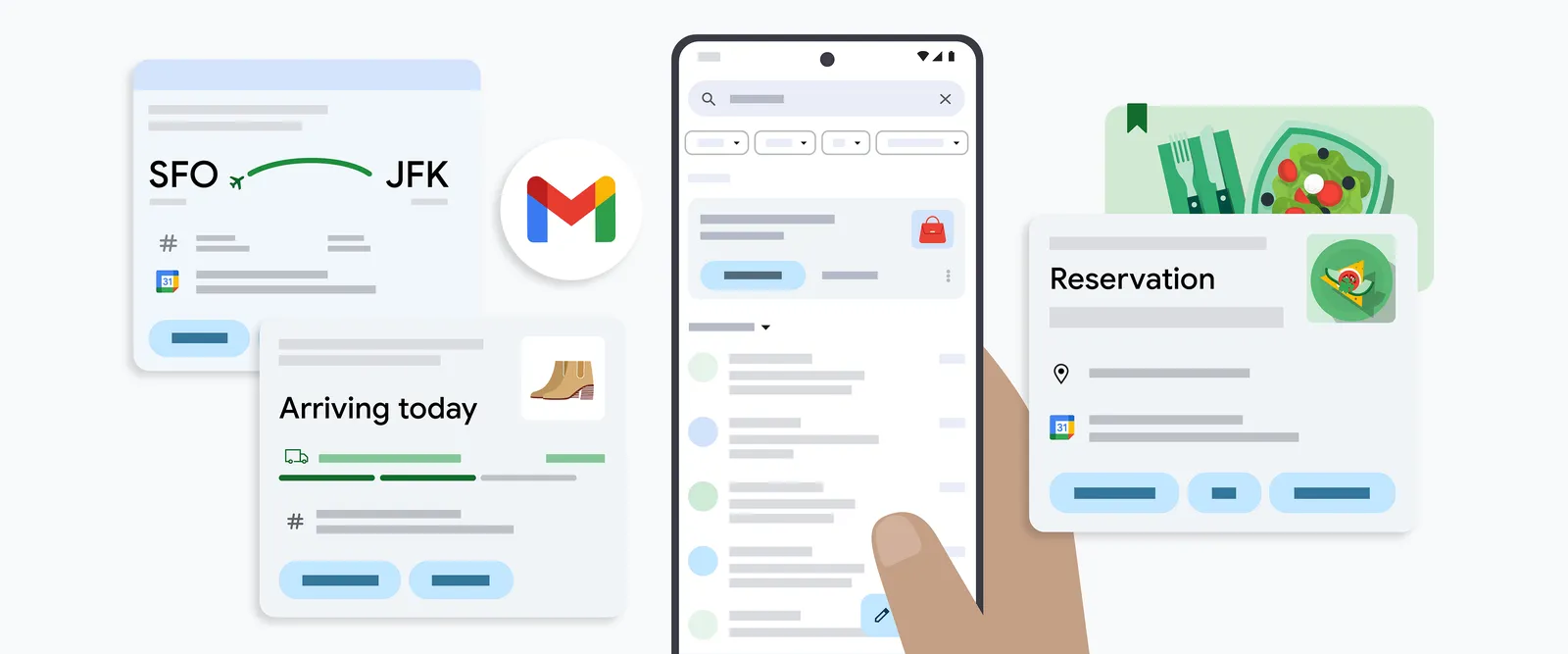
Gmail is getting a major upgrade to its summary cards, making it easier than ever to stay organized and on top of important events, travel plans, bills, and online orders.
These handy cards, which appear at the top of relevant emails, are getting a fresh new look and added functionality. Instead of just displaying information, summary cards will now include interactive buttons that let you take action directly within your inbox.
What’s New?
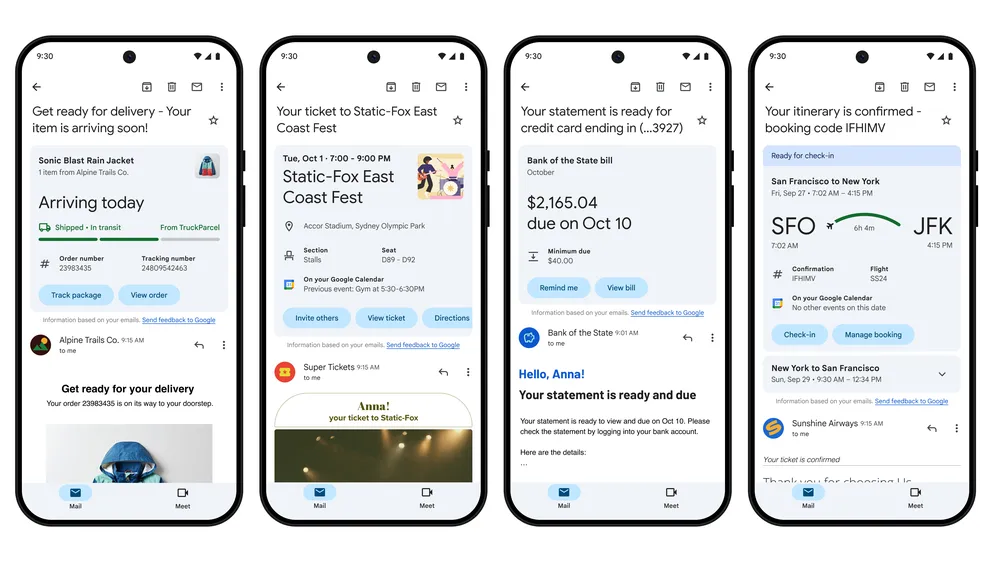
- Purchases: Track your online orders at a glance and see key details like delivery estimates and order summaries.
- Events: RSVP to events, add them to your Google Calendar, invite others, and even get directions – all without leaving your inbox.
- Bills: Set payment reminders or add due dates to Google Tasks to ensure you never miss a deadline.
- Travel: Manage your upcoming trips with ease, check in for flights, and see important details like hotel check-out times.
Behind the Scenes Improvements
Google has also revamped the technology behind summary cards. This means the information displayed is more accurate, up-to-date, and organized across all related emails. For example, you can follow the progress of a package delivery in real-time as updates arrive in your inbox.
More Ways to Access Summary Cards
In addition to appearing at the top of emails, summary cards will be accessible in other areas of Gmail:
- Search: Easily find specific events, bills, or purchases using Gmail’s search function.
- “Happening Soon” Section: A new section in your inbox will highlight upcoming events and deliveries, providing a quick overview of what’s on the horizon.
Rollout
The updated purchase summary cards are rolling out now for individual emails in the Gmail iOS app. Event, bill, and travel summary cards, along with the “Happening Soon” section, will be available in the coming months.