
• Stories
    • Tech
    • Auto
    • Guides
    • Opinions
  • Reviews
    • READERS’ CHOICE
    • ALL REVIEWS
    • ━
    • SMARTPHONES
    • CARS
    • HEADPHONES
    • ACCESSORIES
    • LAPTOPS
    • TABLETS
    • WEARABLES
    • SPEAKERS
    • APPS
  • Entertainment
    • TV & MOVIE REVIEWS
    • SPOTLIGHT
  • GAMING
    • GAMING NEWS
    • GAME REVIEWS
  • m
Reading: Copilot in Windows gets an upgrade: new features and improved accessibility
Font ResizerAa
Font ResizerAa
  • menu
  • SEARCH
  • STORIES
    • TECH
    • AUTOMOTIVE
    • GUIDES
    • OPINIONS
  • REVIEWS
    • READERS’ CHOICE
    • ALL REVIEWS
    • ━
    • SMARTPHONES
    • CARS
    • HEADPHONES
    • ACCESSORIES
    • LAPTOPS
    • TABLETS
    • WEARABLES
    • SPEAKERS
    • APPS
  • Entertainment
    • TV & MOVIE REVIEWS
    • SPOTLIGHT
  • GAMING
    • GAMING NEWS
    • GAME REVIEWS
  • m
Follow US

Copilot in Windows gets an upgrade: new features and improved accessibility

GEEK DESK
GEEK DESK
Feb 21, 2024

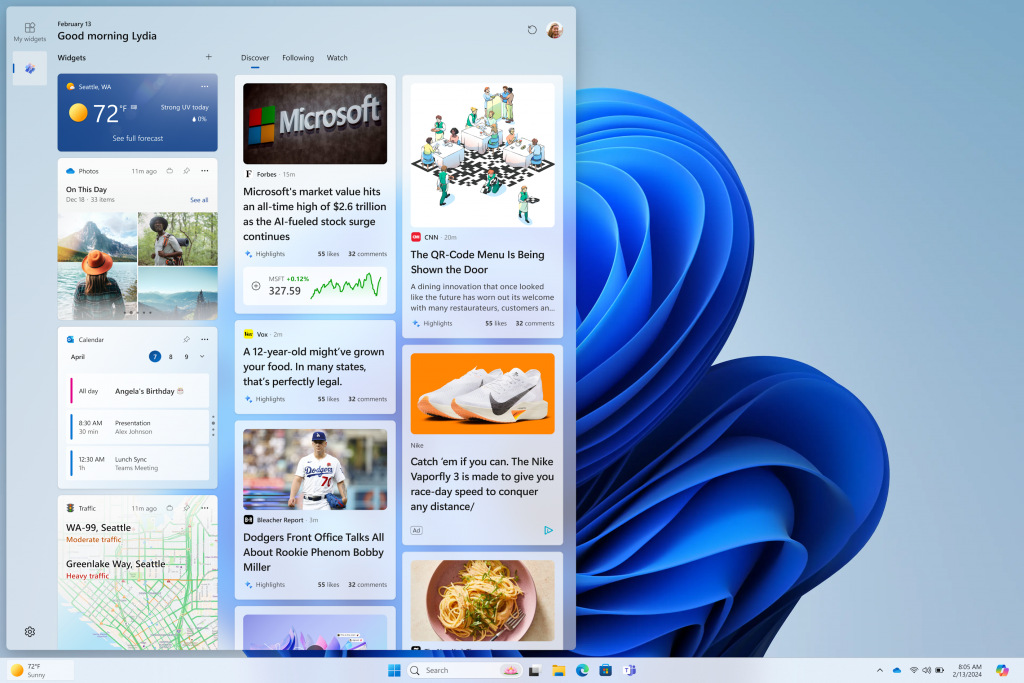
Microsoft just gave Copilot in Windows a significant boost! The latest Windows Insider build introduces powerful features, a focus on accessibility, and even integration with Power Automate Desktop.

Try asking Copilot to turn on Narrator or Live Captions, turn on battery saver, show you available networks, even empty your recycle bin or clean up your storage. Here’s the full list of things you can ask Copilot to do:

  • Ask for available wireless networks.
  • Ask for system or device information.
  • Ask for battery information.
  • Ask to clean storage.
  • Ask to empty recycle bin.
  • Ask to toggle battery saver.
  • Ask to show startup apps.
  • Ask for your IP address.
  • Ask for system, device, or storage information.

Try accessibility features:

  • Ask to turn on narrator.
  • Ask to open voice access.
  • Ask to turn on magnifier.
  • Ask to change text size.
  • Ask to start live captions.
  • Ask to turn on high-contrast.
  • Ask to start voice typing.

Already live, now on the new runtime:

  • Ask to toggle dark/light theme.
  • Ask to toggle Bluetooth.
  • Ask to toggle do not disturb.
  • Ask to add a device.
  • Ask to take a screenshot.
  • Ask to cast your screen to another monitor.
  • Ask to change your background image.
  • Ask to set volume, change volume, or mute/unmute volume.
  • Ask to launch an application.
  • State that certain parts of your PC aren’t working: Audio, Windows Update, Camera, Bluetooth, Printer, Network, others.
  • Ask to snap a window.
  • Ask to start a focus session.

Combined with previous commands and the new Power Automate plugin, Copilot in Windows tackles a whopping 29+ tasks!

What do you think?
Happy1
Sad0
Love0
Surprise0
Cry0
Angry0
Dead0
This tiny AI recorder could make meeting notes almost effortless
Your TCL TV is about to become an Xbox console
Google Gemini can now make music with its new Lyria model
X saves the Twitter name, but could lose ‘Tweet’ forever
Oura is going public, but its smart ring rivals are circling
YouTube changes violence rules just before GTA 6 arrives
Follow US
Caffeine. Chaos. Content.
© Absolute Geeks Media FZE LLC 2014–2026.
Proudly made in Dubai, UAE ❤️
Contact · About · Editorial Policy · Privacy Policy
Welcome Back!

Sign in to your account

Username or Email Address
Password

Lost your password?