By using this site, you agree to our Privacy Policy and Terms of Service.
Accept
Absolute Geeks UAEAbsolute Geeks UAE
  • STORIES
    • TECH
    • AUTOMOTIVE
    • GUIDES
    • OPINIONS
  • REVIEWS
    • READERS’ CHOICE
    • ALL REVIEWS
    • ━
    • SMARTPHONES
    • CARS
    • HEADPHONES
    • ACCESSORIES
    • LAPTOPS
    • TABLETS
    • WEARABLES
    • SPEAKERS
    • APPS
  • WATCHLIST
    • TV & MOVIES REVIEWS
    • SPOTLIGHT
  • GAMING
    • GAMING NEWS
    • GAME REVIEWS
  • +
    • OUR STORY
    • GET IN TOUCH
Reading: WhatsApp introduces Lists, a new way to organize your chats
Share
Notification Show More
Absolute Geeks UAEAbsolute Geeks UAE
  • STORIES
    • TECH
    • AUTOMOTIVE
    • GUIDES
    • OPINIONS
  • REVIEWS
    • READERS’ CHOICE
    • ALL REVIEWS
    • ━
    • SMARTPHONES
    • CARS
    • HEADPHONES
    • ACCESSORIES
    • LAPTOPS
    • TABLETS
    • WEARABLES
    • SPEAKERS
    • APPS
  • WATCHLIST
    • TV & MOVIES REVIEWS
    • SPOTLIGHT
  • GAMING
    • GAMING NEWS
    • GAME REVIEWS
  • +
    • OUR STORY
    • GET IN TOUCH
Follow US

WhatsApp introduces Lists, a new way to organize your chats

GEEK DESK
GEEK DESK
Oct 31

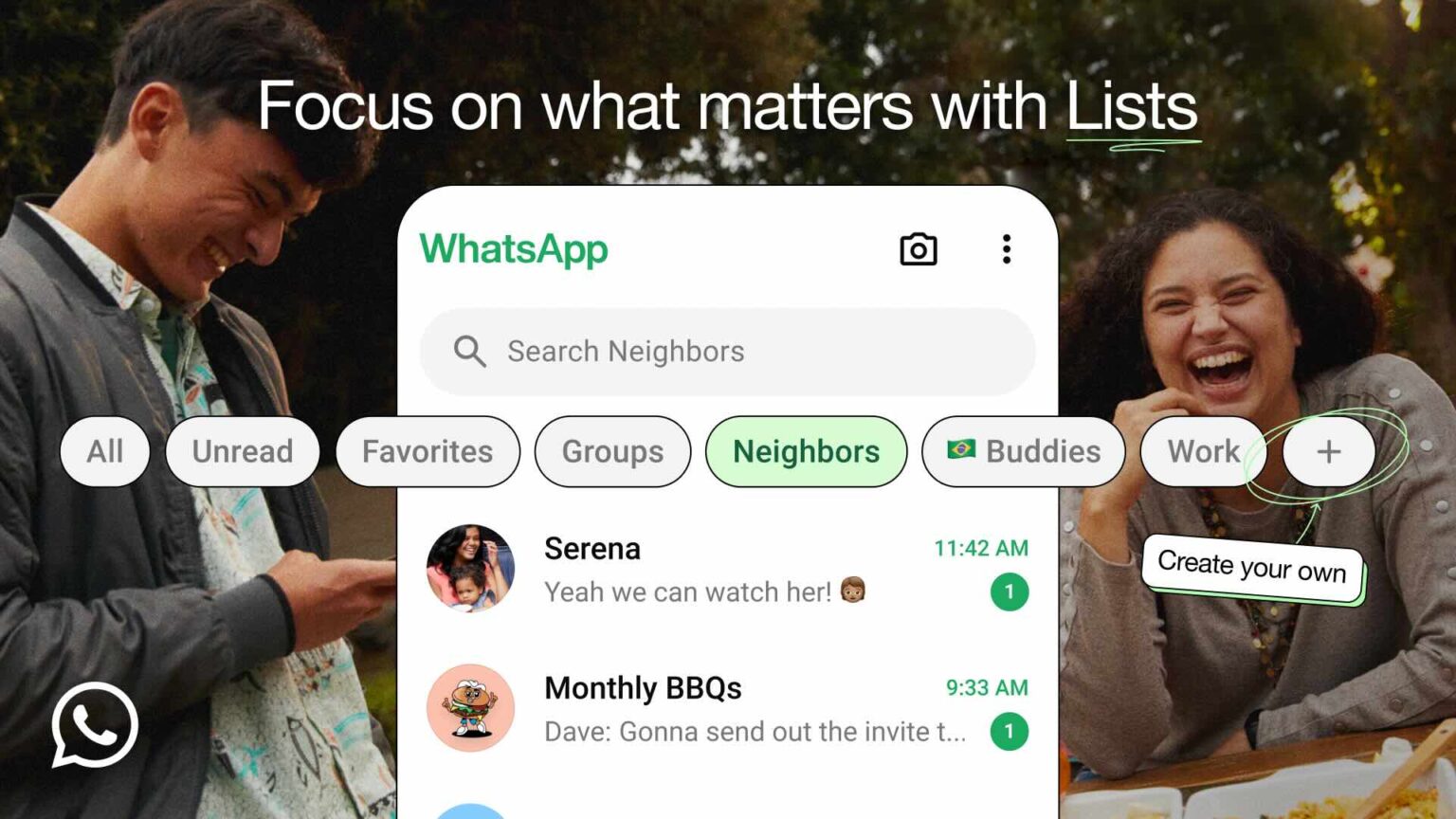
Remember those handy chat filters WhatsApp launched earlier this year? Well, they’ve gotten a serious upgrade. Say hello to “Lists” – a brand-new feature designed to bring order to even the most chaotic WhatsApp chats.

Lists empower you to take control of your conversations by creating custom categories. Think of it as a filing system for your chats. Need to keep track of family conversations? Create a “Family” list. Want to separate work-related messages from your personal chats? Make a “Work” list. The possibilities are endless.

Here’s how it works:

  • Creating a List: Simply tap the “+” button in the filter bar at the top of your Chats tab.
  • Adding Chats: You can add both group chats and individual conversations to any list.
  • Accessing Your Lists: All your created lists will be neatly displayed in the filter bar for easy access.
  • Editing Lists: Long-press on a list to make changes or remove it entirely.

This update builds on the existing chat filter functionality, providing a more personalized and flexible way to manage your conversations. Whether you’re juggling multiple group projects, coordinating with family members, or simply trying to keep your chats tidy, Lists can help you stay focused on the conversations that matter most at any given moment.

Lists are starting to roll out to WhatsApp users now and will be available to everyone in the coming weeks. Keep an eye out for this helpful new feature and get ready to conquer your WhatsApp clutter!


Share
What do you think?
Happy0
Sad0
Love0
Surprise0
Cry0
Angry0
Dead0

WHAT'S HOT ❰

Huawei launches watch fit 5 series pre-orders in the uae with practical fitness features
HONOR opens sales for 600 Series with emphasis on AI camera and large battery
Olivia Rodrigo to front FC Barcelona jersey for El Clásico in latest Spotify partnership
HP expands HyperX lineup with Clutch Talon controller and Cloud Stinger 3 headsets
Urban Armor Gear (UAG) acquires Nomad Goods in latest mobile accessories consolidation
Absolute Geeks UAEAbsolute Geeks UAE
Follow US
AbsoluteGeeks.com was assembled during a caffeine incident.
© Absolute Geeks Media FZE LLC 2014–2026.
Proudly made in Dubai, UAE ❤️
Upgrade Your Brain Firmware
Receive updates, patches, and jokes you’ll pretend you understood.
No spam, just RAM for your brain.
Welcome Back!

Sign in to your account

Username or Email Address
Password

Lost your password?