• STORIES
    • TECH
    • AUTOMOTIVE
    • GUIDES
    • OPINIONS
  • REVIEWS
    • READERS’ CHOICE
    • ALL REVIEWS
    • ━
    • SMARTPHONES
    • CARS
    • HEADPHONES
    • ACCESSORIES
    • LAPTOPS
    • TABLETS
    • WEARABLES
    • SPEAKERS
    • APPS
  • WATCHLIST
    • TV & MOVIES REVIEWS
    • SPOTLIGHT
  • GAMING
    • GAMING NEWS
    • GAME REVIEWS
  • +
    • OUR STORY
    • GET IN TOUCH
Reading: Spotify introduces downloads on the Apple Watch for offline & phone-free listening
Share
Notification Show More
  • STORIES
    • TECH
    • AUTOMOTIVE
    • GUIDES
    • OPINIONS
  • REVIEWS
    • READERS’ CHOICE
    • ALL REVIEWS
    • ━
    • SMARTPHONES
    • CARS
    • HEADPHONES
    • ACCESSORIES
    • LAPTOPS
    • TABLETS
    • WEARABLES
    • SPEAKERS
    • APPS
  • WATCHLIST
    • TV & MOVIES REVIEWS
    • SPOTLIGHT
  • GAMING
    • GAMING NEWS
    • GAME REVIEWS
  • +
    • OUR STORY
    • GET IN TOUCH
Follow US

Spotify introduces downloads on the Apple Watch for offline & phone-free listening

GEEK DESK
GEEK DESK
May 23

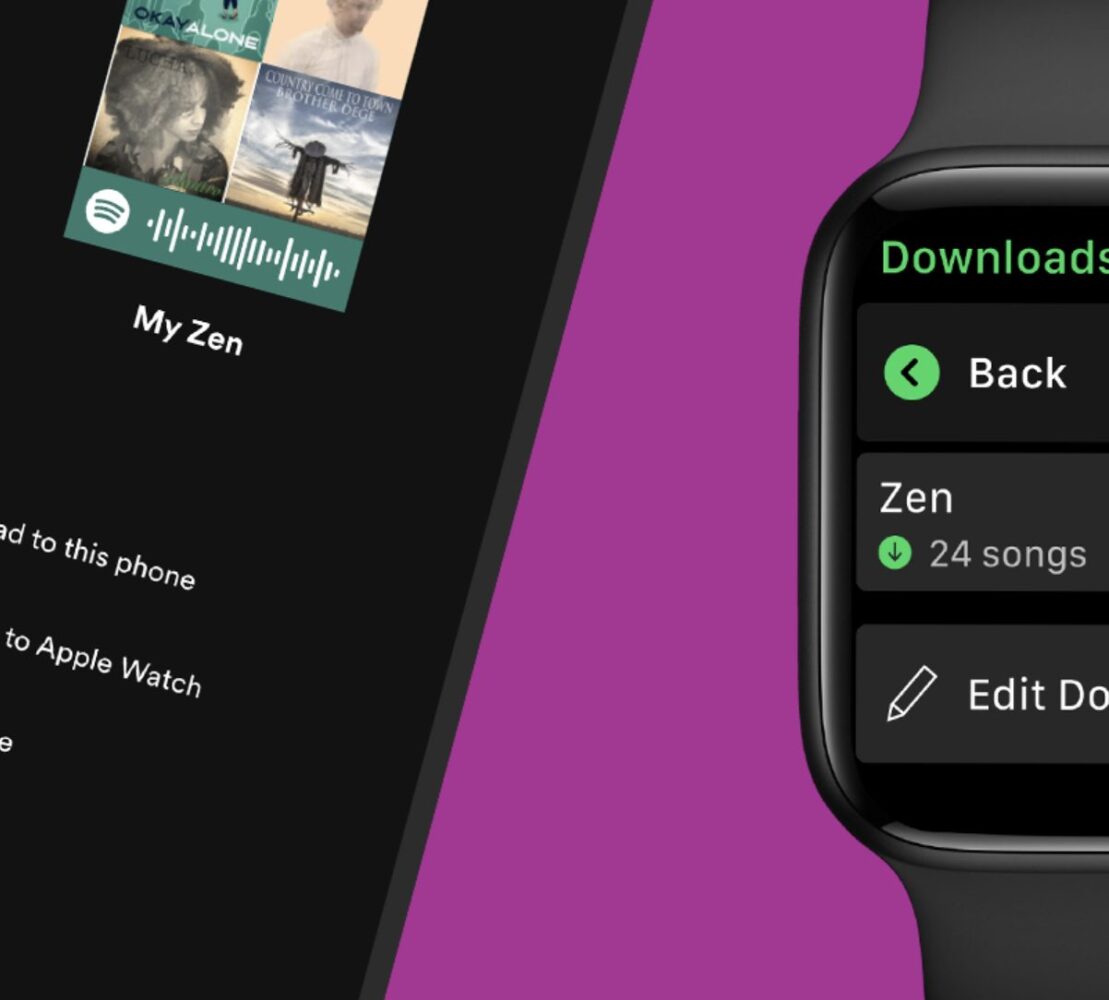
Spotify has rolled out the ability to download your favorite playlists, albums, and podcasts on Apple Watch for Spotify Premium users. Heading out for a run but still want to take your tunes? Here’s how:

  • Find the music and podcasts you want to download on your watch. 
  • Select the playlist, album, or podcast and press the three dots (…) and choose “Download to Apple Watch.” 
  • To check on the progress, head over to the Downloads section on the watch. 
  • Once playlists, albums, or podcasts in your library are downloaded, you’ll see a little green arrow next to their names.
  • Connect your headphones and start listening, no matter where you are!

This highly requested feature joins an array of already existing functionality for Spotify on Apple Watch, including:

  • Connect & Control: All users can control playback—seamlessly playing, pausing, and skipping tracks or podcast episodes—directly from your wrist. 
  • Streaming: As a Premium user, you can already stream* your favorites from the watch, and now you don’t even have to take your phone with you. 
  • Siri Integration: With Siri support on Apple Watch, you can just say “Hey, Siri” followed by your command to play your favorite songs, artists, albums, playlists, and podcasts. You can also “Like” music, ask what’s currently playing, and control your media settings like volume, skip track, play, and pause.

Taken together, these features create a true offline and phone-free experience. The new offline capability will be rolling out to all Premium users globally over the coming weeks. 

Full details can be found here.

Share
What do you think?
Happy0
Sad0
Love0
Surprise0
Cry0
Angry0
Dead0

WHAT'S HOT ❰

Dragon Ball Cross Force brings new mechanics to Fusion World TCG
2026 FIFA World Cup: how to watch Saudi Arabia vs Uruguay in the UAE
Asus launches affordable GaN charging hub
Microsoft considers restructuring Xbox amid rising hardware costs
Freelander 8 debuts at Abu Dhabi forum ahead of Middle East launch
AbsoluteGeeks.com — assembled by Absolute Geeks Media FZE LLC during a caffeine incident. © 2014–2026. All rights reserved.
Follow US
AbsoluteGeeks.com was assembled during a caffeine incident.
© Absolute Geeks Media FZE LLC 2014–2026.
Proudly made in Dubai, UAE ❤️
Upgrade Your Brain Firmware
Receive updates, patches, and jokes you’ll pretend you understood.
No spam, just RAM for your brain.
Welcome Back!

Sign in to your account

Username or Email Address
Password

Lost your password?