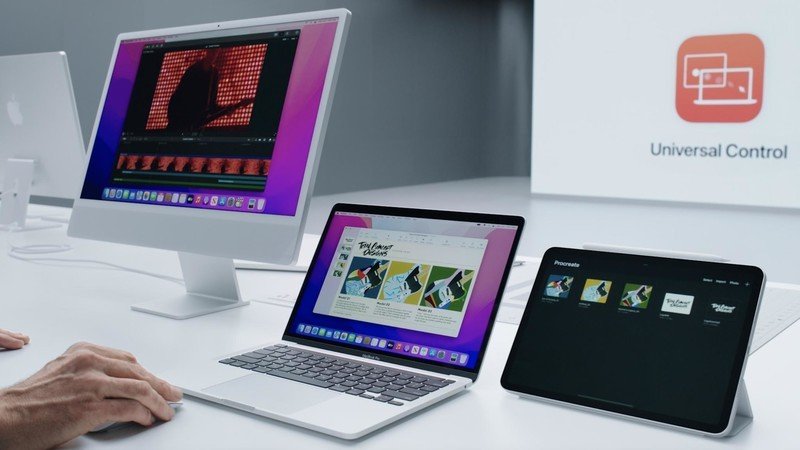
Universal Control is now available in Apple’s latest developer beta releases of macOS Monterey 12.3 and iPadOS 15.4.
In addition, the first developer beta of iOS 15.4 is also out and includes updates like the ability to use Face ID while wearing a mask, new emoji such as heart hands, biting lip, hamsa, and several others, as well as the ability to copy text from objects using the camera while in the Notes or Reminders apps. iPhone users who want to experience iOS 15.4 before it is available can use a secondary device to sign up for the beta software program here: https://beta.apple.com/sp/betaprogram.

Universal Control Quick Instructions
1. When you first connect your Mac and iPad by moving the pointer to the edge of the screen, you will see the icon of the device you are connecting from.
2. For desktop Macs that you want to set up all the time for Universal Control, such as a workspace setup with iMac and MacBook, you can set it up to work with Universal Control continuously in Displays System Preferences.
If at least one device is a portable device such as an iPad or MacBook, you’ll have to reconnect by pushing through each time after the device is in range but has been moved or put to sleep.
3. If you want to arrange the devices after connecting, you can always do this in Display Preferences, as you would with an external display. This makes the pointer move smoothly between screens without suddenly jumping higher or lower. This is also useful if, for example, you have a hot corner on the lower right hand corner of the Mac set to “Quick Note” and don’t want that part of the edge to be used for Universal Control.
Full hands-on with Universal Control to follow soon.