By using this site, you agree to our Privacy Policy and Terms of Service.
Accept
Absolute Geeks UAEAbsolute Geeks UAE
  • STORIES
    • TECH
    • AUTOMOTIVE
    • GUIDES
    • OPINIONS
  • REVIEWS
    • READERS’ CHOICE
    • ALL REVIEWS
    • ━
    • SMARTPHONES
    • CARS
    • HEADPHONES
    • ACCESSORIES
    • LAPTOPS
    • TABLETS
    • WEARABLES
    • SPEAKERS
    • APPS
  • WATCHLIST
    • TV & MOVIES REVIEWS
    • SPOTLIGHT
  • GAMING
    • GAMING NEWS
    • GAME REVIEWS
  • +
    • OUR STORY
    • GET IN TOUCH
Reading: Google Maps rolls out Glanceable Directions globally
Share
Notification Show More
Absolute Geeks UAEAbsolute Geeks UAE
  • STORIES
    • TECH
    • AUTOMOTIVE
    • GUIDES
    • OPINIONS
  • REVIEWS
    • READERS’ CHOICE
    • ALL REVIEWS
    • ━
    • SMARTPHONES
    • CARS
    • HEADPHONES
    • ACCESSORIES
    • LAPTOPS
    • TABLETS
    • WEARABLES
    • SPEAKERS
    • APPS
  • WATCHLIST
    • TV & MOVIES REVIEWS
    • SPOTLIGHT
  • GAMING
    • GAMING NEWS
    • GAME REVIEWS
  • +
    • OUR STORY
    • GET IN TOUCH
Follow US

Google Maps rolls out Glanceable Directions globally

GEEK DESK
GEEK DESK
Feb 28

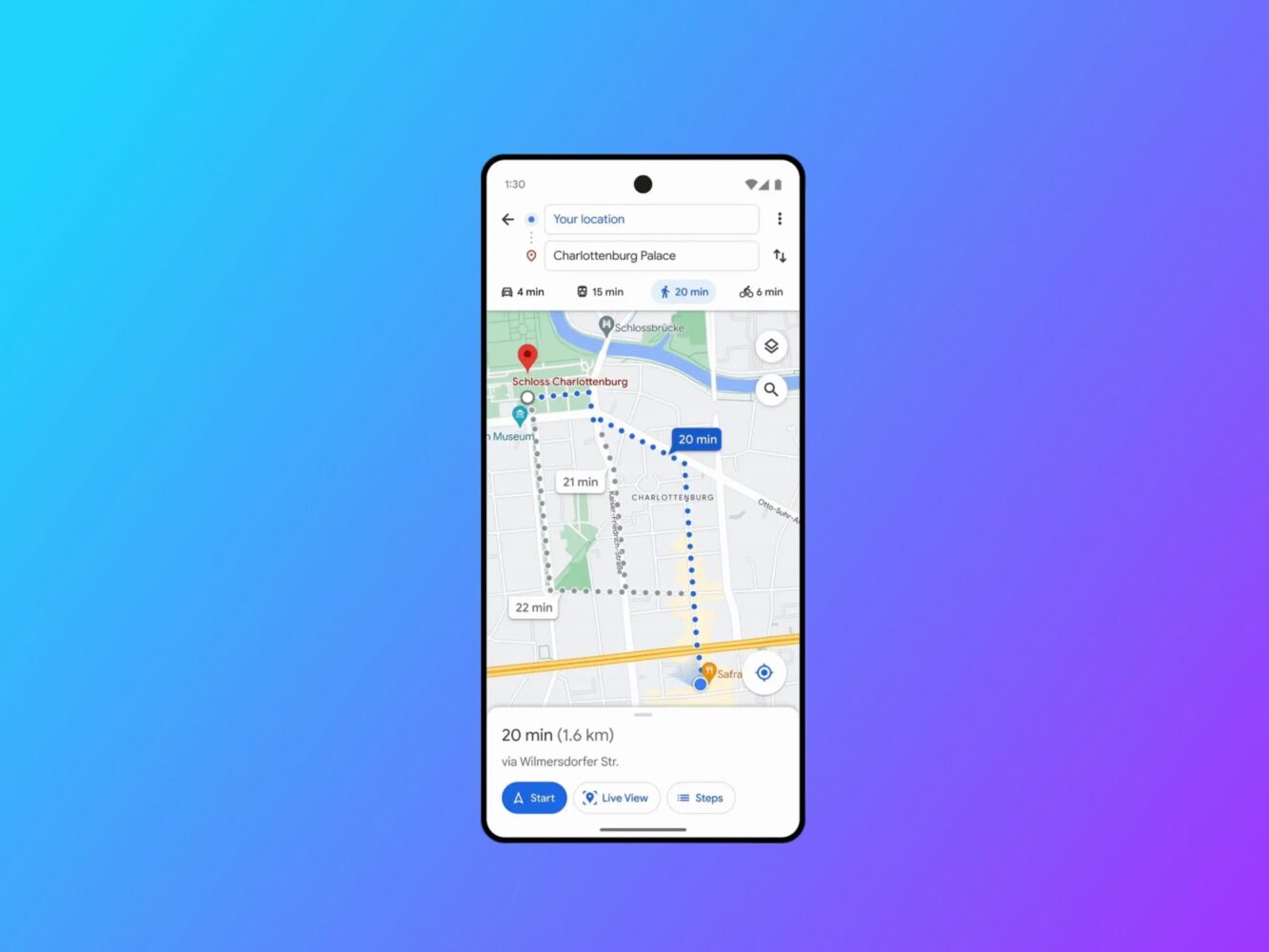
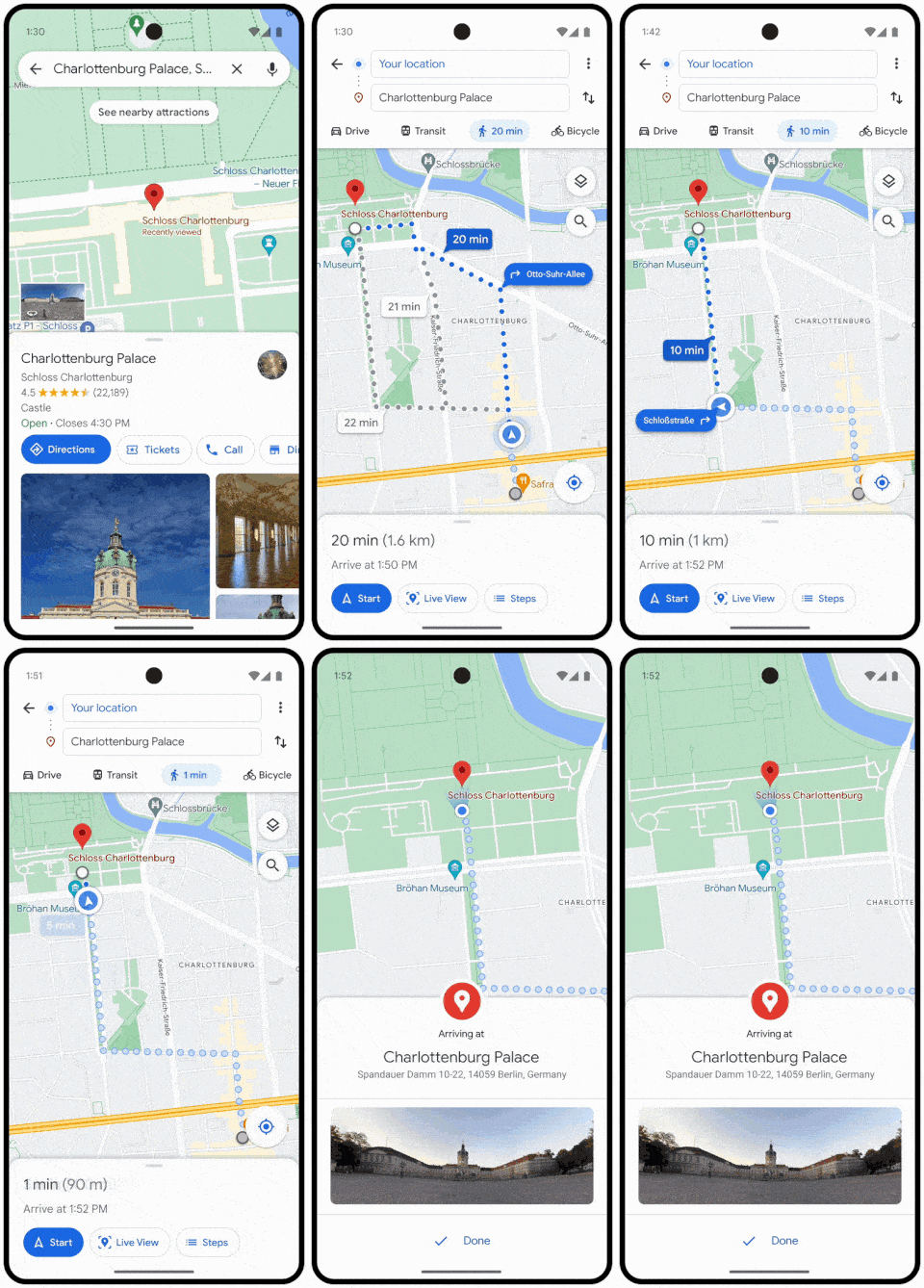
Google announced the “glanceable directions” feature way back in February 2023, promising to streamline your navigation experience. After months of waiting (and nearly a year since its initial announcement), it appears the feature is finally rolling out widely.

What Are Glanceable Directions?

This handy feature brings essential trip information straight to your lock screen. This includes your real-time ETA, turn-by-turn directions, and even a route overview – all without having to unlock your phone. If you switch routes or take a detour, glanceable directions automatically update, ensuring you stay on track.

Why It Matters

Glanceable directions are perfect for walking, biking, or driving. They minimize the need to fiddle with your phone while on the go, making navigation simpler and safer. You can easily check your progress, even if you’re just broadly familiar with the area and don’t need full step-by-step guidance.
How to Enable Glanceable Directions

While the rollout seems widespread, the feature is sadly disabled by default. Here’s how to activate it:

  1. Open Google Maps.
  2. Tap your profile icon (top right corner).
  3. Go to Settings -> Navigation settings.
  4. Scroll down past the “Map Display” section.
  5. Toggle on “Glanceable directions”.
Share
What do you think?
Happy0
Sad0
Love0
Surprise0
Cry0
Angry0
Dead0

WHAT'S HOT ❰

Huawei launches watch fit 5 series pre-orders in the uae with practical fitness features
HONOR opens sales for 600 Series with emphasis on AI camera and large battery
Olivia Rodrigo to front FC Barcelona jersey for El Clásico in latest Spotify partnership
HP expands HyperX lineup with Clutch Talon controller and Cloud Stinger 3 headsets
Urban Armor Gear (UAG) acquires Nomad Goods in latest mobile accessories consolidation
Absolute Geeks UAEAbsolute Geeks UAE
Follow US
AbsoluteGeeks.com was assembled during a caffeine incident.
© Absolute Geeks Media FZE LLC 2014–2026.
Proudly made in Dubai, UAE ❤️
Upgrade Your Brain Firmware
Receive updates, patches, and jokes you’ll pretend you understood.
No spam, just RAM for your brain.
Welcome Back!

Sign in to your account

Username or Email Address
Password

Lost your password?