Google has significantly updated its Family Link app, providing parents with enhanced tools and a redesigned interface to manage their children’s device usage. These improvements aim to simplify the process of monitoring screen time, controlling app access, and establishing healthy digital boundaries.
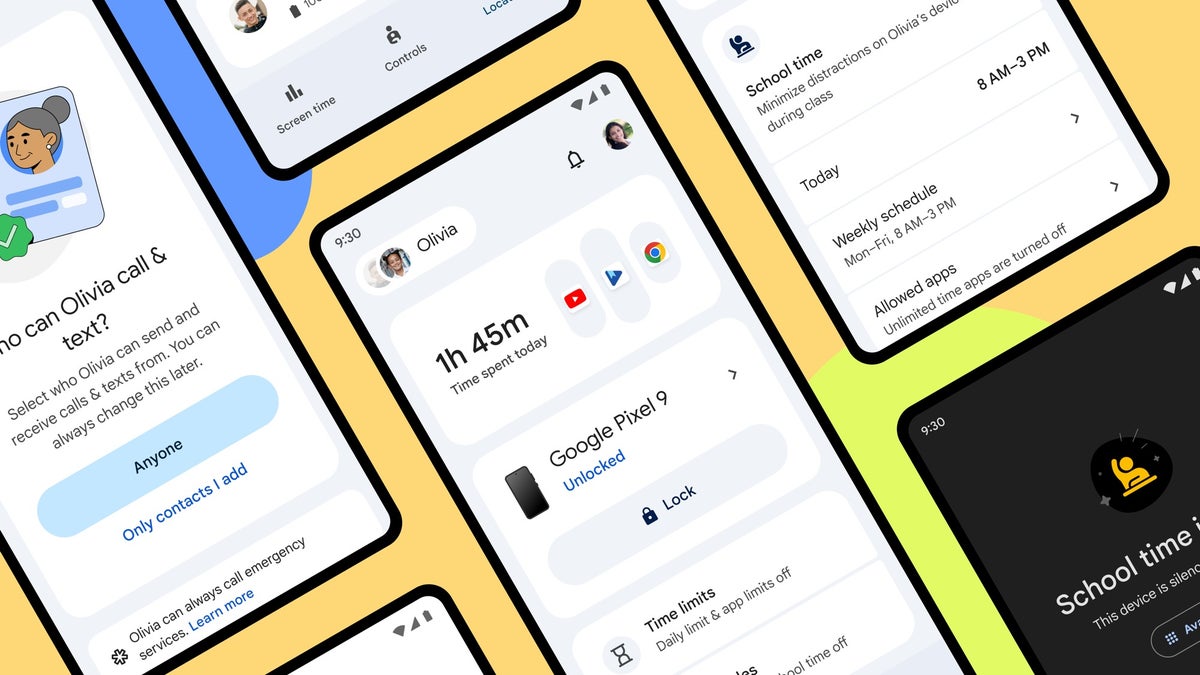
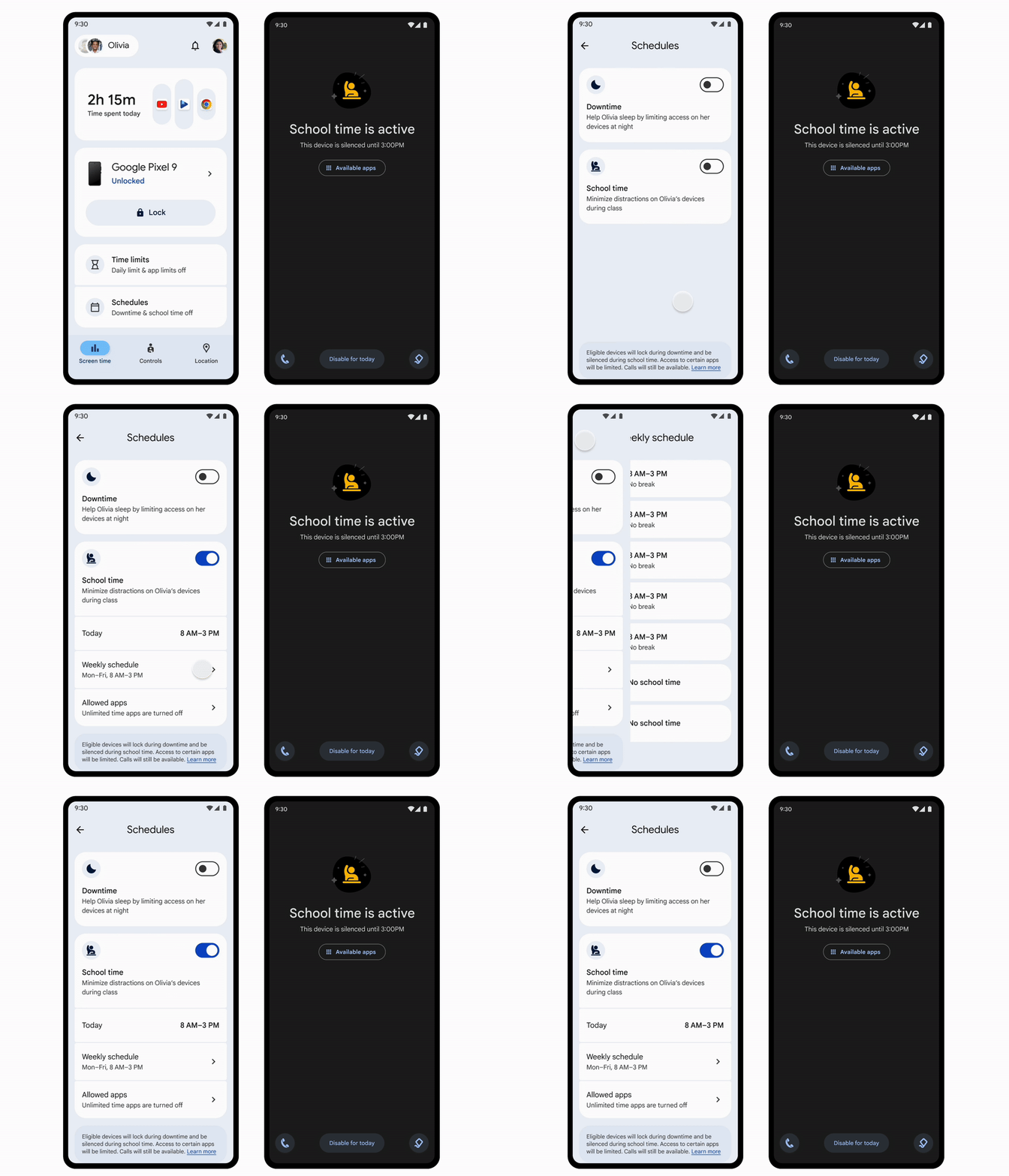
The updated Family Link app features a streamlined design, including a dedicated “Screen Time” tab. This central hub consolidates all the tools for managing device usage, offering at-a-glance summaries of app and device activity, along with the ability to set daily time limits. Scheduling “Downtime,” periods when device access is restricted, is also simplified. A new feature, “School time,” is designed to minimize distractions during school hours. The “Controls” tab provides a single location for managing account settings, privacy options, and content filters, including app download approvals and website blocking. For parents managing multiple children and devices, Family Link now offers a simplified way to switch between profiles and adjust settings from a single page.
The “School time” feature, previously available only on smartwatches like the Fitbit ACE LTE and Samsung Galaxy Watch for Kids, is now expanding to Android phones and tablets. This feature allows parents to set schedules that limit device functionality and silence notifications during school hours, promoting focus on learning. Parents can customize “School time” by selecting which apps are restricted and which are allowed. The schedule can be easily adjusted for breaks, holidays, or other times when restrictions shouldn’t apply. Importantly, “School time” still allows kids to make emergency calls, ensuring safety while promoting responsible device use.
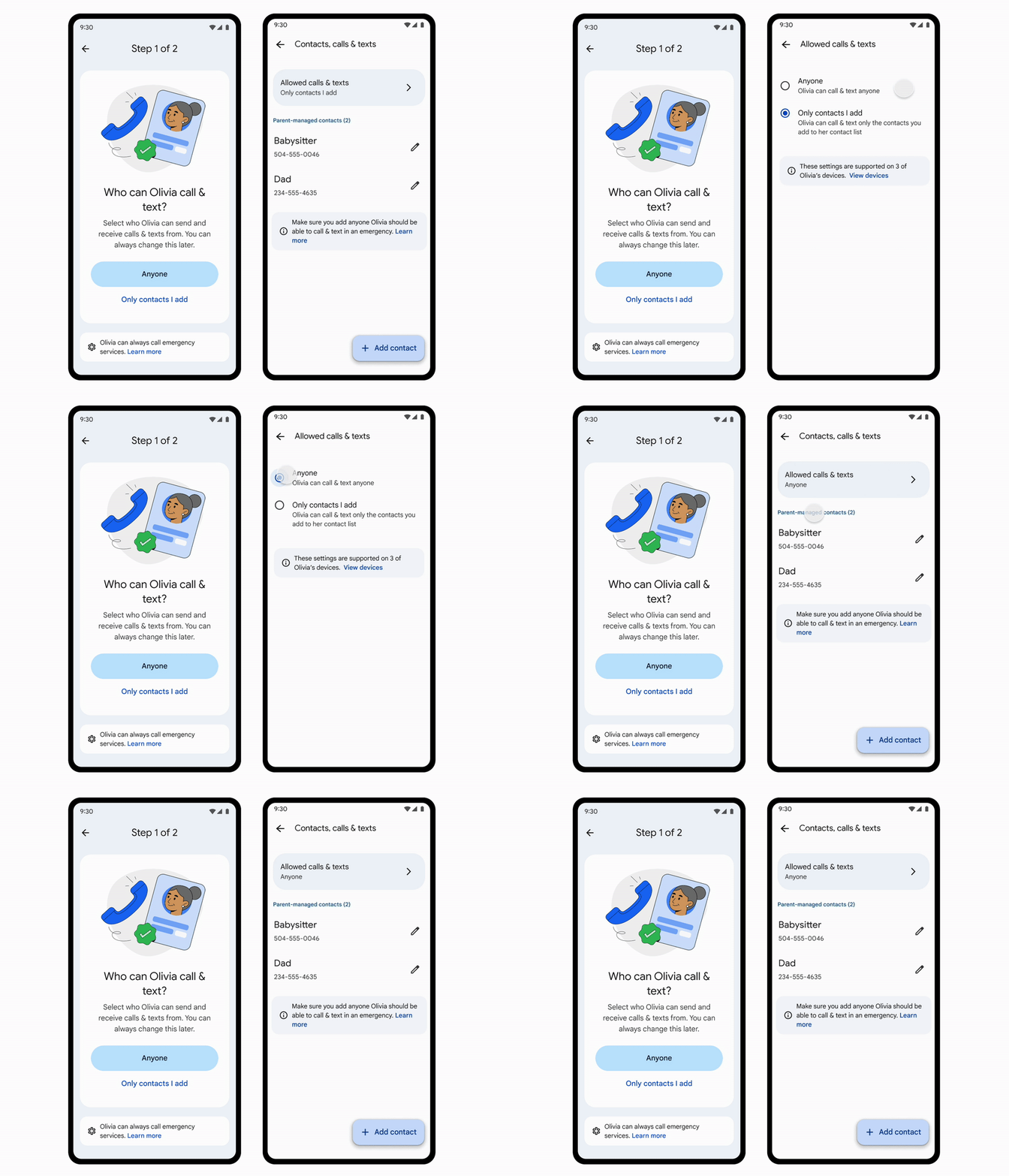
Another valuable update is the ability for parents to manage their child’s contacts on Android phones. Similar to the feature already available on the Galaxy Watch for Kids, parents can now approve contacts for their children’s phones directly through Family Link. This allows parents to control who their children can call and text using Google Messages and the phone’s dialer app. Children can also request to add new contacts, which parents can then approve or deny. These contact restrictions apply only to the Google Messages and Phone apps and do not affect third-party communication apps. This feature requires the child’s phone to be running Android 14 or higher.
These updates to Family Link provide parents with more granular control over their children’s digital experiences. The redesigned interface and new features like “School time” and parent-managed contacts make it easier to set boundaries, encourage healthy habits, and promote online safety. By offering these tools, Google aims to help families find a better balance between technology and other important aspects of life.