Google is adding a new layer of automation to Chrome with the rollout of a feature it calls Auto Browse, marking a shift in how the browser is expected to assist users. Rather than simply helping people find information faster, Chrome is now beginning to act on their behalf by navigating websites, clicking through pages, and completing routine tasks with minimal user input.
Auto Browse is powered by Gemini 3 and operates through Chrome’s Gemini side panel, which places conversational AI directly alongside the browsing experience. While Google has experimented with AI features in Chrome before, this is the company’s clearest attempt yet to turn the browser into a task-oriented agent instead of a passive tool. The goal is not to replace manual browsing entirely, but to reduce the friction involved in repetitive or time-consuming online workflows.
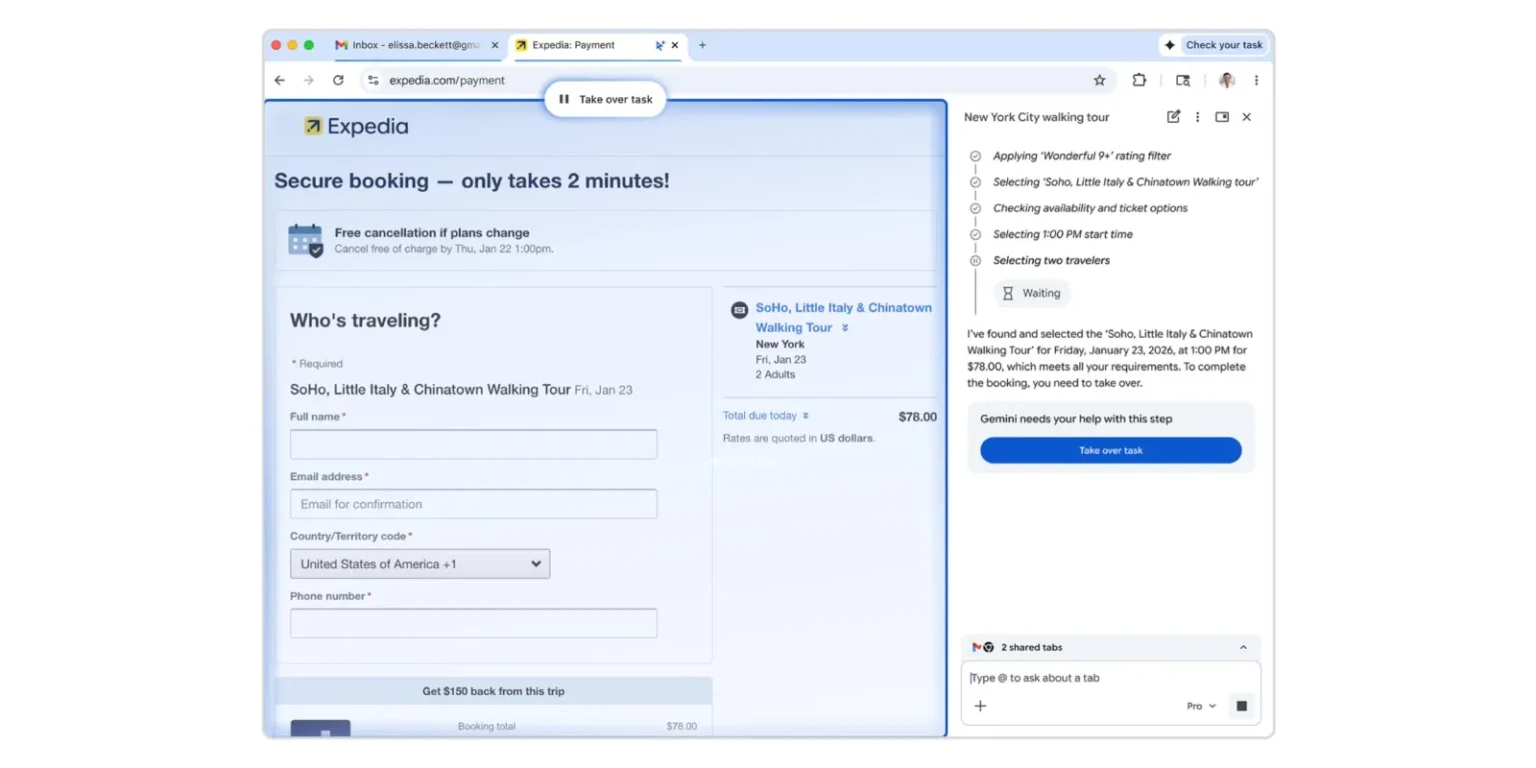
In its current form, Auto Browse is best suited for structured tasks that follow predictable steps. Google highlights use cases such as comparing flight or hotel prices across different dates, scheduling appointments, filling out online forms, collecting documents, managing subscriptions, checking billing status, and renewing licenses. In demonstrations, users can provide the AI with contextual information, such as a spreadsheet or image, and instruct it to complete a form or search multiple sites accordingly.
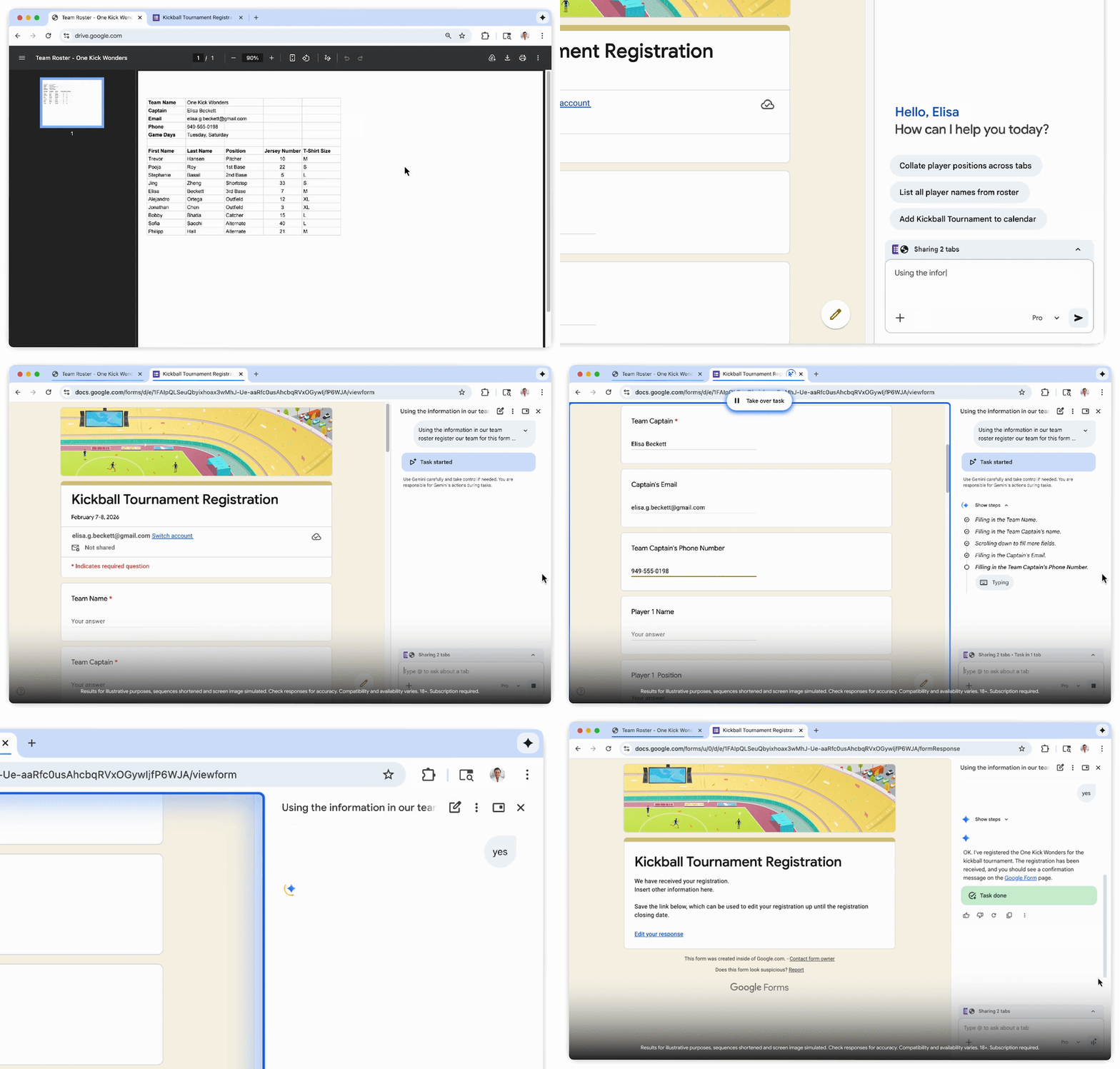
The feature also extends beyond simple form-filling. In more involved examples, users can ask Chrome to browse marketplaces like Etsy to find items that match a reference image, apply constraints such as budget limits, and add selected products to a cart. These actions are carried out directly in the browser, with Chrome visibly navigating pages as it works. Tabs being controlled by Auto Browse are highlighted in blue, and users can interrupt the process at any time by taking over the task manually.
From a product perspective, Auto Browse reflects Google’s broader push to integrate generative AI into everyday tools in a way that emphasizes utility over novelty. By embedding automation inside Chrome, the company is effectively testing how comfortable users are with an AI that performs actions rather than just offering suggestions. That shift also raises familiar questions around accuracy, trust, and oversight, which is why Google has limited the initial rollout.
For now, Auto Browse is available only to subscribers on Google AI Pro and AI Ultra plans in the United States. Access is further restricted to users who are signed into Chrome, using the latest version of the browser in English (US), and running it on supported platforms including macOS, Windows, iPhone, and iPad. Users must also be over 18, reflecting Google’s cautious approach to automation that can directly interact with accounts and services.
Auto Browse does not fundamentally change what the web is, but it does change how users may interact with it. If the feature proves reliable, it could shift expectations around browsers from being tools for navigation to systems that actively execute tasks. Whether users are ready for that level of delegation, and how widely Google expands access, will determine whether Auto Browse becomes a niche convenience or a defining feature of Chrome’s future.