Apple has officially launched Apple Intelligence, its highly anticipated personal intelligence system, marking a significant leap forward in how we interact with our devices. This free software update, available with iOS 18.1, iPadOS 18.1, and macOS Sequoia 15.1, infuses iPhones, iPads, and Macs with powerful AI capabilities designed to enhance productivity, creativity, and everyday tasks. Let’s explore the key features and implications of this groundbreaking technology.
Apple Intelligence: A New Breed of AI
Apple Intelligence is not just another AI assistant. It’s a comprehensive system that leverages Apple silicon to understand and generate language and images, seamlessly integrate with apps, and draw from personal context to provide a truly personalized and intelligent experience. This launch represents the first wave of Apple Intelligence features, with a roadmap of exciting capabilities planned for the future.
Writing Tools: Empowering Users with AI-Enhanced Language
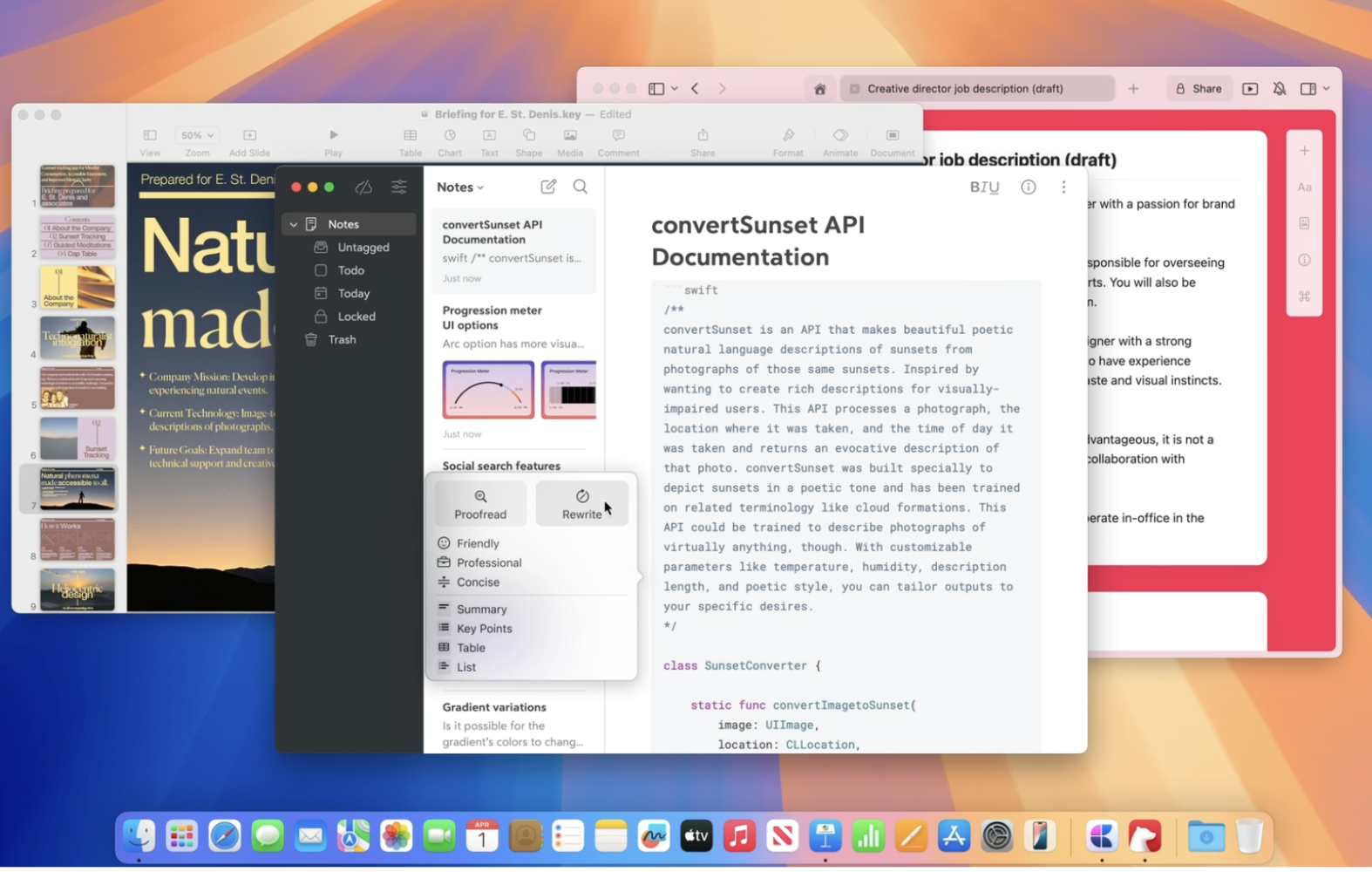
One of the most impactful applications of Apple Intelligence is its integration into writing workflows. Writing Tools are deeply embedded across Apple’s operating systems, empowering users to refine their writing in virtually any application, from emails and messages to documents and social media posts.
- Rewrite: This feature allows users to explore different versions of their text, adjusting the tone to match the specific context and audience. Whether aiming for a professional, concise, or friendly tone, Rewrite helps users craft the perfect message.
- Proofread: Say goodbye to typos and grammatical errors. Proofread intelligently checks for errors in grammar, word choice, and sentence structure, offering helpful suggestions and explanations to improve writing quality.
- Summarize: Condensing lengthy text is a breeze with Summarize. This feature can automatically generate concise summaries of articles, emails, or documents, presented in various formats such as paragraphs, bullet points, tables, or lists.
Siri: A More Conversational and Capable Assistant
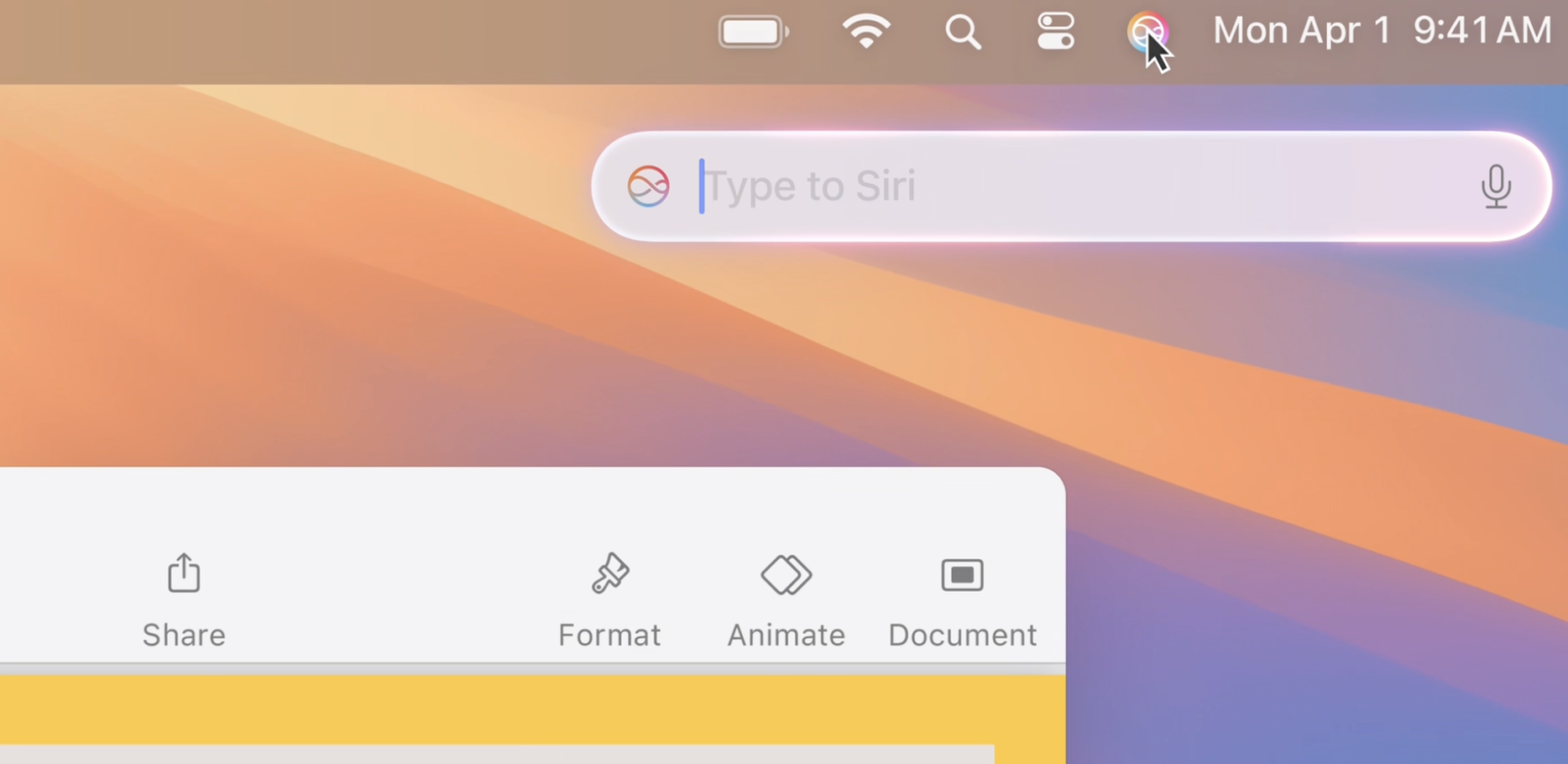
Siri has undergone a significant transformation with Apple Intelligence. The familiar voice assistant is now more conversational, flexible, and integrated into the user experience. Siri boasts a new design and enhanced language understanding capabilities, allowing for more natural and intuitive interactions. Users can seamlessly switch between voice and text input, and Siri can maintain context across multiple requests, making conversations more fluid and efficient.
Furthermore, Siri has gained extensive product knowledge, enabling it to answer a wide range of questions about Apple devices and features. Whether you need help taking a screenshot, sharing a Wi-Fi password, or troubleshooting an issue, Siri is now a more knowledgeable and helpful assistant.
Photos App: Unlocking the Power of Visual Intelligence
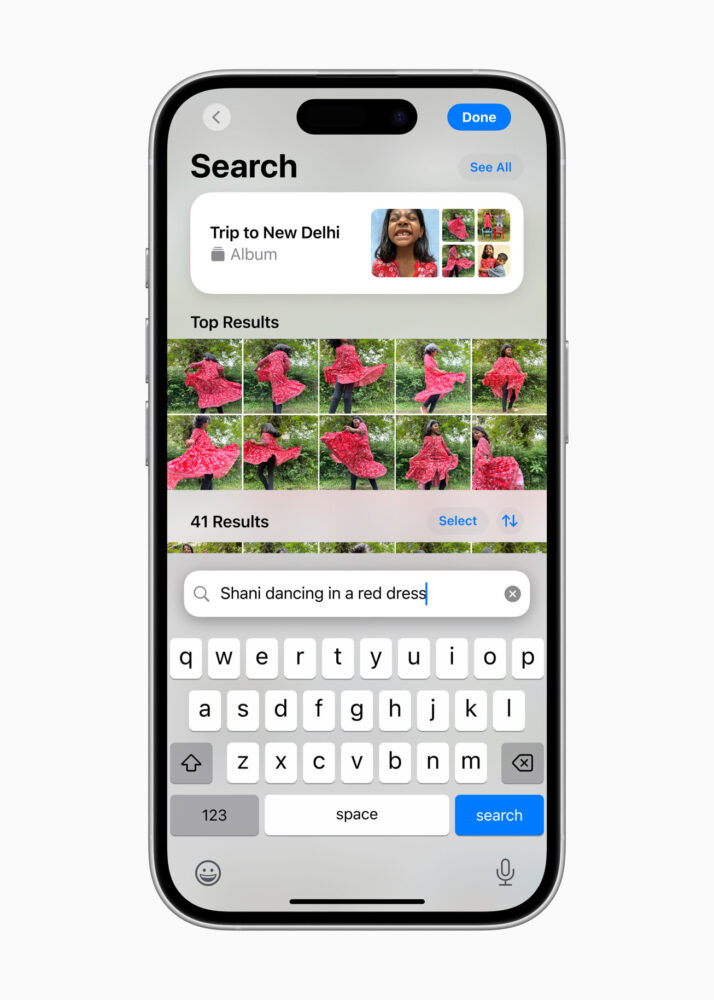
The Photos app receives a significant intelligence boost with Apple Intelligence. Natural language search allows users to find specific photos and videos by simply describing what they are looking for. For example, you can search for “photos of my dog playing in the park” or “videos of my family vacation in Italy.”
The Clean Up tool intelligently removes unwanted objects or people from photos, allowing users to perfect their pictures without complex editing tools. The Memories feature can automatically create movies based on user descriptions, weaving together photos and videos into captivating narratives.
Prioritize and Stay Focused
Apple Intelligence introduces new ways to manage information and stay focused in a world of constant digital distractions. In Mail, Priority Messages highlights urgent emails, ensuring that important communications don’t get lost in the inbox. Summaries provide quick overviews of messages without needing to open them, saving time and improving efficiency.

Notification summaries on the Lock Screen offer concise overviews of important notifications, allowing users to quickly assess what needs their attention. A new Focus mode, Reduce Interruptions, filters notifications to surface only the most critical alerts.
The Notes and Phone apps gain the ability to record, transcribe, and summarize audio, making it easier to capture and recall important information from meetings, lectures, or phone calls.
More to Come: The Future of Apple Intelligence
This is just the beginning for Apple Intelligence. Apple has outlined a roadmap of upcoming features, including:
- Genmoji: Create personalized and expressive emoji based on text descriptions or photos.
- Image Playground: Generate playful and creative images using AI.
- Image Wand: Enhance notes with automatically generated images based on surrounding content.
- Camera Control: Access information about objects and places in real-time using the iPhone camera, translating text, and interacting with the world around you.
- Priority Notifications: Intelligently surface the most critical notifications based on your preferences and context.
- Enhanced Siri: Even more capable and personalized assistance, with the ability to take actions across apps and leverage personal context.
Privacy at the Core
Apple has built Apple Intelligence with a strong emphasis on privacy. On-device processing ensures that personal data remains secure. For tasks requiring more processing power, Private Cloud Compute extends privacy protections to the cloud, ensuring that user data is never stored or shared with Apple. In a groundbreaking move for the industry, Apple has also allowed independent experts to inspect the code running on its servers to verify its privacy practices.
Availability
The first set of Apple Intelligence features is available now as a free software update. Apple plans to expand language support in the coming months, making Apple Intelligence accessible to a wider audience.
With Apple Intelligence, Apple has ushered in a new era of personal AI, empowering users with intelligent tools and features that enhance productivity, creativity, and everyday life, all while upholding the company’s strong commitment to privacy.