Final Cut Pro
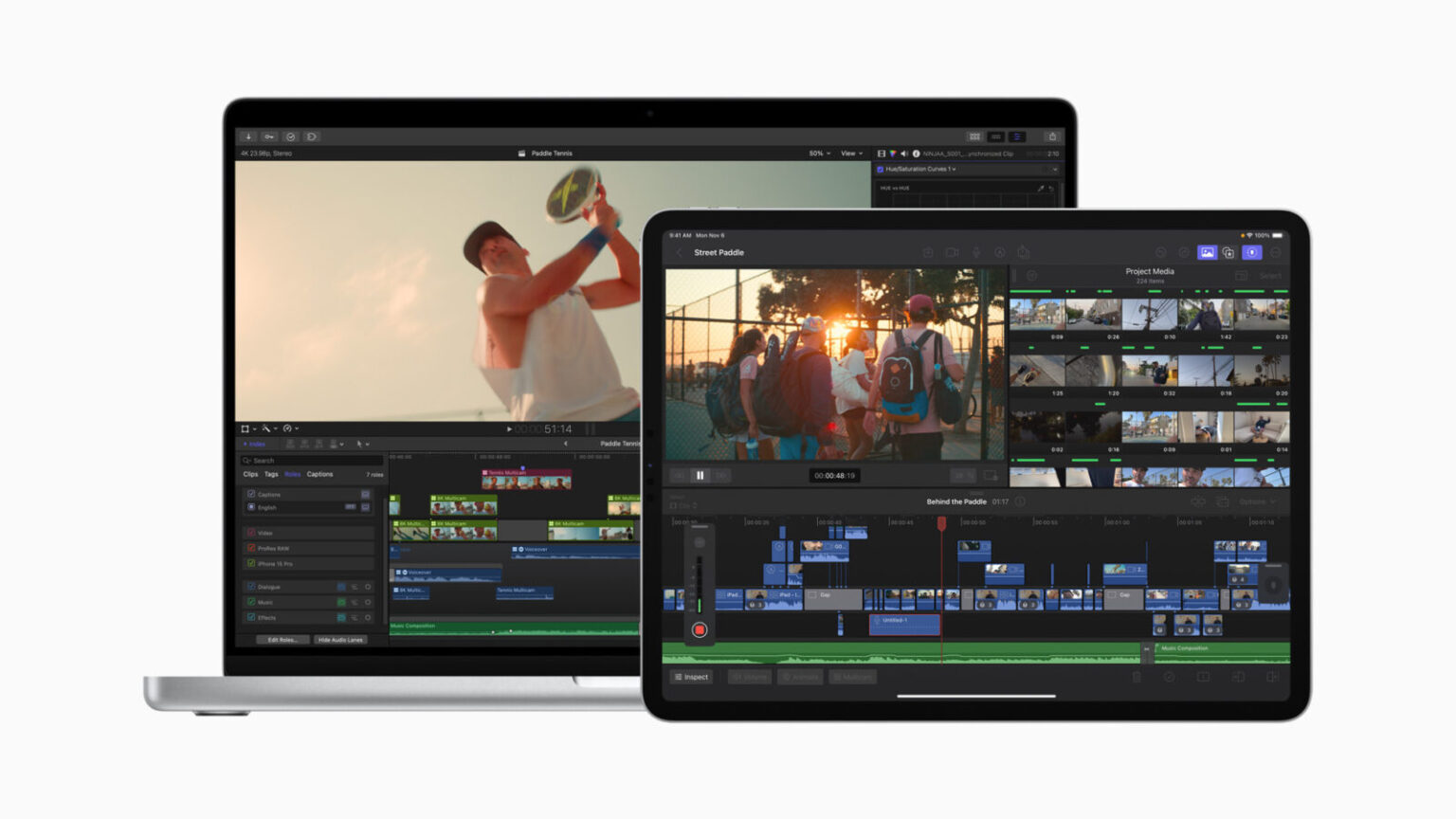
Apple announced updates to Final Cut Pro across Mac and iPad, offering new features that help streamline workflows. Final Cut Pro now includes improvements in timeline navigation and organization, as well as new ways to simplify complex edits. The apps leverage the power-efficient performance of Apple silicon along with an all-new machine learning model for Object Tracker, and export speeds are turbocharged on Mac models powered by multiple media engines. Final Cut Pro for iPad brings new features to further enhance the portable Multi-Touch editing experience, including support for voiceover recording, expanded in-app content options, added color-grading presets, and workflow improvements. These updates to Final Cut Pro will be available later this month on the App Store.
New in Final Cut Pro for Mac
The latest update to Final Cut Pro for Mac offers creators new tools for simplifying complex edits and turbocharged export speeds.
Powerful Organization Tools
Final Cut Pro introduces automatic timeline scrolling, making it easier for users to stay focused by keeping their clips in view under the playhead during playback. Editors can dynamically adjust their timeline view during playback by using the Zoom tool or keyboard shortcuts.
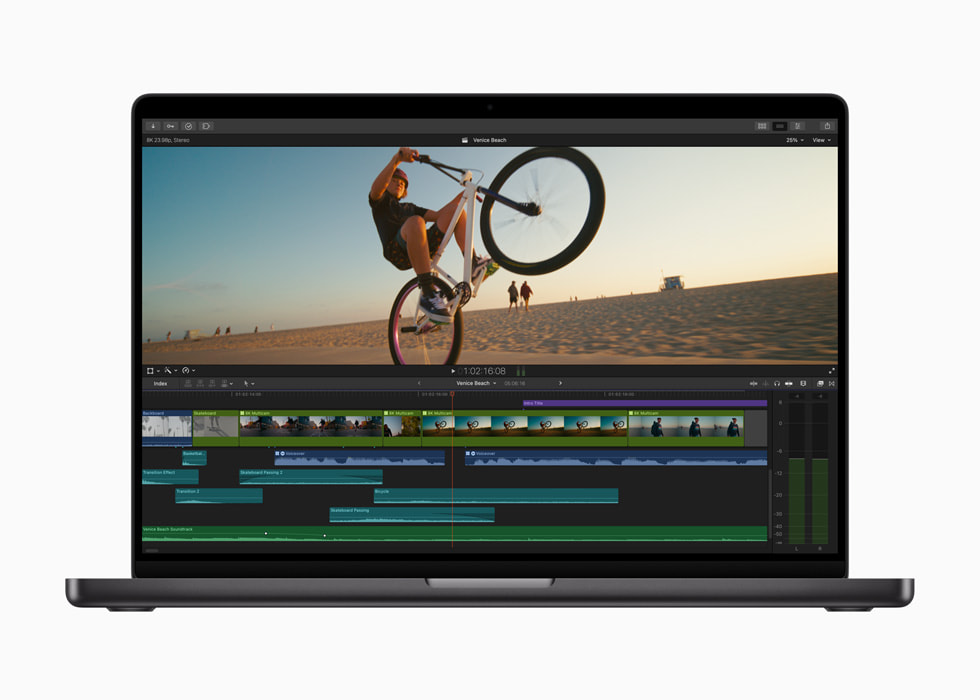
This update will also allow editors to see the organization of their timeline at a glance and easily differentiate clips by assigned role, improving the experience of viewing video and audio role colors. The distinct colors also let users identify and highlight clips by role using the timeline index.
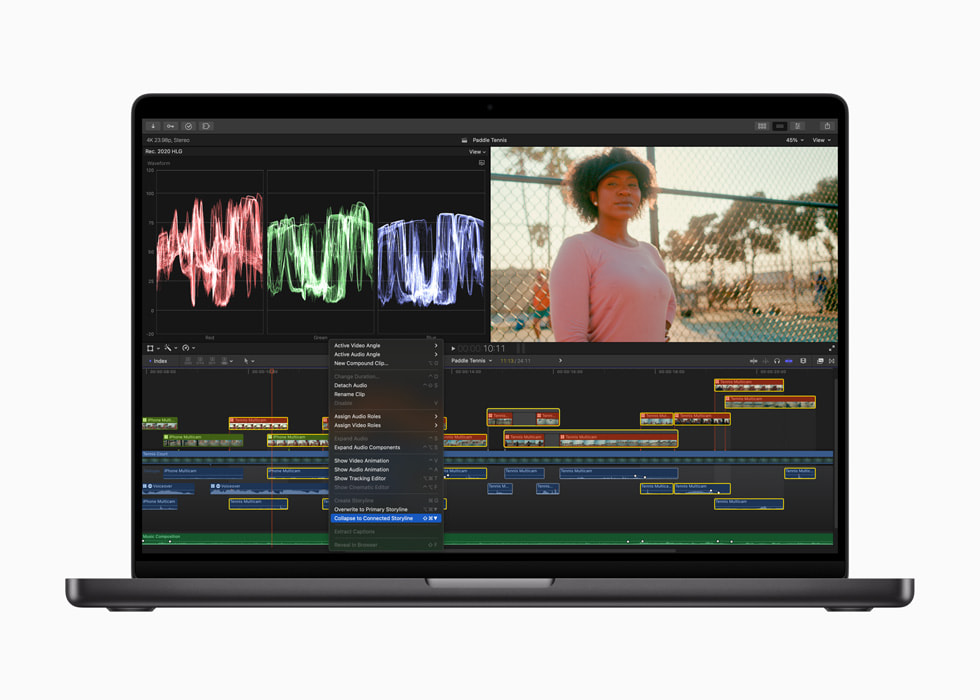
Editors can now work more efficiently than ever by quickly cleaning up complex sections of the timeline, and can fine-tune the edit by combining a selected group of overlapping connected clips into a single connected storyline. To further streamline organization, editors can also combine connected clips with existing connected storylines.
More Optimization for Apple Silicon
Users can speed up H.264 and HEVC exports by automatically sending video segments to available media engines for simultaneous processing.
Object tracking now offers a wide range of possibilities for creating remarkable effects with its all-new machine-learning model. Results are improved when using Object Tracker to analyze the movement of faces and other objects on Mac computers with Apple silicon. Final Cut Pro will choose the most suitable analysis when the analysis method is set to automatic.
New in Final Cut Pro for iPad
The latest update to Final Cut Pro for iPad delivers a powerful set of tools for video creators to record, edit, finish, and share, all from one device.
New Voiceover Capabilities
Creators can easily record narration and live audio directly in the timeline using the built-in microphones or external microphones on their iPad. Users can tap record as they play their timeline, or find the exact point where they want to start a voiceover and use a countdown to start.
Workflow Benefits
Users can now turn stabilization on in the pro camera mode to improve shaky footage for smoother videos, or turn it off to emphasize action and movement. Footage can be ingested directly into a project, so creators can start editing even faster with new enhancements such as connected storylines.
Creators can increase their efficiency by combining a selected group of connected clips or storylines and consolidating them into a single connected storyline. The new group command combines the power of the Magnetic Timeline with connected clips, and organizes the timeline.
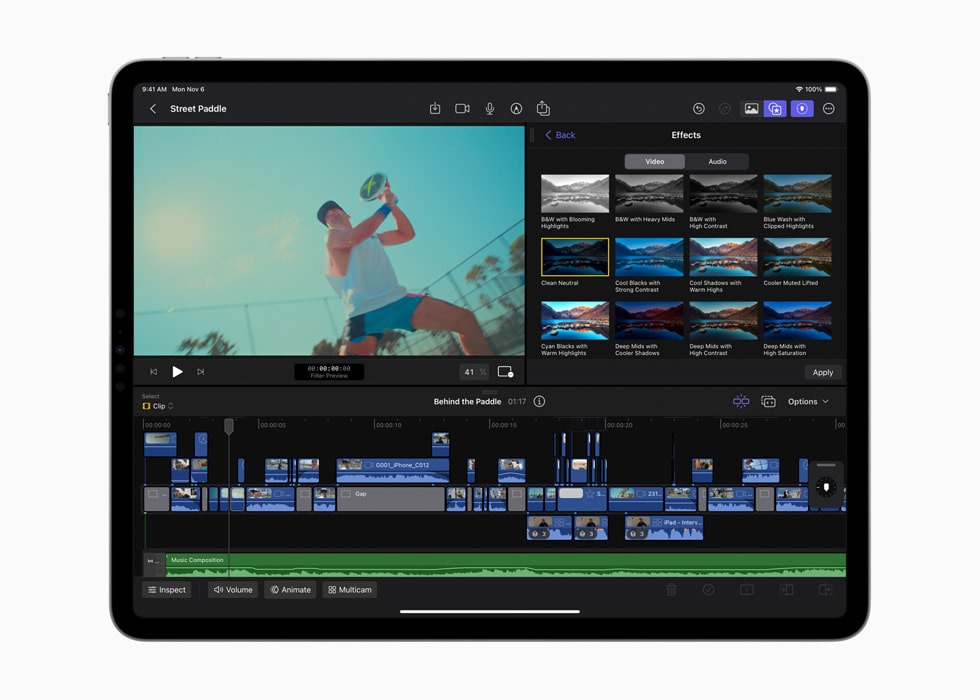
New keyboard shortcuts for voiceover and grouping clips help further increase editing speed. Users can now finish their videos with a number of stunning new color-grading presets and a selection of new titles and generators to dial in the perfect look.
Final Cut Pro for iPad also supports the ability to import projects created in iMovie for iOS, and iPad users can export their Final Cut Pro projects to Mac for additional tools, like advanced color correction and expanded third-party content options.2
Pricing and Availability
- Final Cut Pro 10.7 will be available later this month as a free update for existing users and AED 1,199.99 for new users on the Mac App Store. All users can download a free 90-day trial of Final Cut Pro.
- Final Cut Pro for iPad 1.3 will be available later this month as a free update for existing users, and available on the App Store for AED 19.99 per month or AED 199 per year with a one-month free trial.
Logic Pro
Apple also updated Logic Pro with powerful new features available across Mac and iPad. With the new Mastering Assistant and its professional palette of intuitive sound-shaping tools, musicians can deliver a release-ready mix faster than ever. Logic Pro for Mac now gets sample manipulation with Sample Alchemy, and the radical reshaping and reshuffling capabilities of Beat Breaker. Logic Pro for iPad offers even more powerful features, including Quick Sampler Recorder mode, which allows users to quickly capture “found sounds” using the built-in microphone in iPad and instantly create custom playable instruments. Producers and beat makers with their own collections of samples can quickly build kits or custom instruments using improved multitasking features such as Split View and Stage Manager. And users can work easily between Mac and iPad with project round-tripping, taking the music-making experience on the road or to the studio.
New Features Coming to Mac and iPad
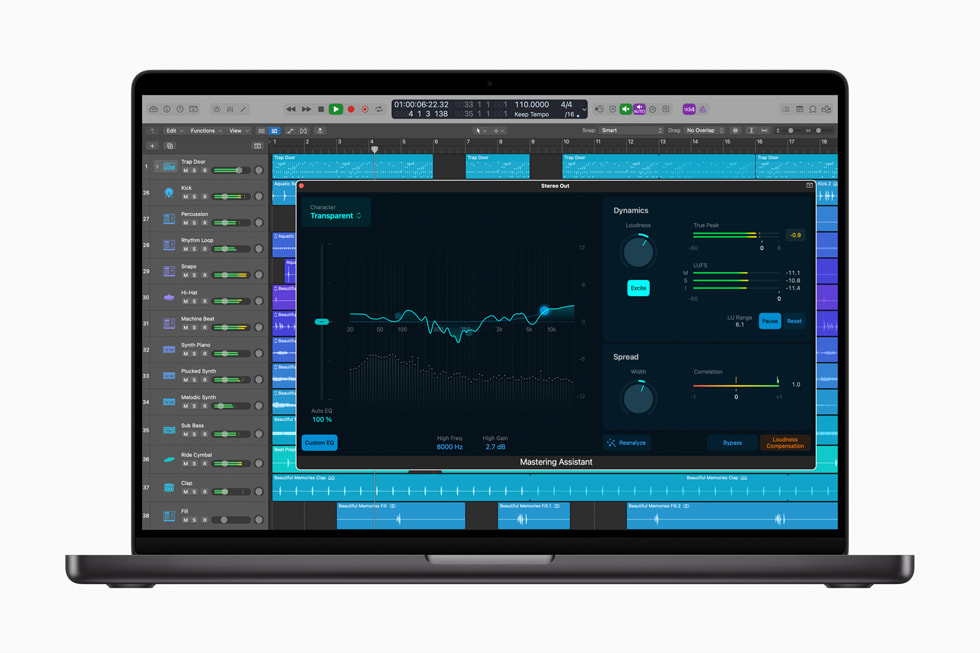
Mastering Assistant offers creators a quick and easy way to add that final professional polish for a release-ready mix. Once a mix is complete, Mastering Assistant can instantly analyze the audio and make expert refinements to the sound, adjusting elements such as the dynamics, frequency balance, timbre, and loudness. Creators can also use Mastering Assistant’s initial processing as a starting point and then fine-tune each setting with intuitive controls, allowing for a mix that sounds great both in the car and in the club.
Logic Pro now supports 32-bit float recording when used with compatible audio interfaces. This helps artists minimize the digital clipping that can occur when recording more dynamic instruments or performances. With 32-bit float, even recordings made at lower levels can be easily amplified without increasing the noise floor, providing studio-quality audio and flexibility in post-production.
New in Logic Pro for Mac
Introduced on Logic Pro for iPad earlier this year, Sample Alchemy and Beat Breaker are now available in Logic Pro for Mac. Sample Alchemy allows users to transform a single audio sample into a playable instrument using a variety of techniques, including granular, additive, and spectral synthesis. Artists can now create a wide range of unique sound beds, pads, effects, and rhythms, pushing the boundaries of creativity.
With the Beat Breaker multieffect plug-in, creators can radically reshape and reshuffle audio in real time, slicing audio, rearranging it, and adding scratching effects. By altering the speed, direction, volume, and number of repeats for each slice, musicians can effortlessly define complex patterns that can be changed on the fly.
The Tools menu in the Tracks area and time-based editors now includes Slip and Rotate tools, enabling users to move content within audio and software instrument regions without altering the region boundaries.
New in Logic Pro for iPad
The Quick Sampler plug-in allows users to quickly create sampler instruments from virtually any sound. With the new Recorder mode, users can create instruments and drum kits by directly recording audio with the built-in microphone or a connected audio input, allowing for instrument creation to happen just about anywhere.
Now creators can move seamlessly between Logic Pro and other apps like Voice Memos or the Files app using Split View and Stage Manager. Split View allows users to open two different apps — or two windows from the same app — by splitting the screen into resizable views, while Stage Manager allows users to resize windows, see multiple overlapping windows in a single view or tap to switch between apps, and more.
Users can quickly find the perfect sound in the Browser by simply dragging up or down with a finger to preview multiple samples, loops, or instruments. Additionally, users can select and drag their own samples from the Files app to Logic Pro to easily build drum kits or add stems to a project.
Logic Pro adds to its popular in-app Lessons with additional instruction covering a broad range of topics, including Mastering Assistant, Sample Alchemy, Beat Breaker, beat making, automation, sound packs, and Play Surfaces. The Hybrid Textures sound packs also come to Logic Pro for iPad, offering creators new material to explore the power and depth of Sample Alchemy.
Pricing and Availability
- Logic Pro 10.8 is available today as a free update for existing users and for AED 799.99 for new users on the Mac App Store.
- Logic Pro for iPad 1.1 is available today as a free update for existing users, and available on the App Store for AED 19.99 per month or AED 199 per year, with a one-month free trial for new users.