AI (Artificial Intelligence) has come a long way and there are so many things that it can do today that were unthinkable until a few years ago. Today we talk about the one where AI can look through the photo to find information.
Google Launched “Lens” in 2017 which first came in the Google Pixel 2 and followed in other devices later. Samsung launched the “Bixby Vision” in 2018 which was on similar lines, although wasn’t as accurate as Google Lens when it came to recognising stuff. Huawei too has its own version known as the “HiVision”. This too has similar features.
Apple is a bit late to the party and has launched “Live Text” on the same lines; combined with Visual Look Up and Photo Search in Spotlight it works quite similar to Google Photos.
So what are these features?
Most of our readers would be aware of what these AI features do, but for the uninitiated, you can search for things like text, phone numbers, email ids, objects, pets, monuments etc. through your photos and the AI will look through the photos to find it in the set of photos that you’re looking up.
What’s the difference between all of these?
Each one has a couple of features that are different, but otherwise they’re quite similar, at least on paper. It is only in the real world that we’ll know how they perform differently. Google here has the advantage of the vast amount of data at its disposal and so certain search results are more accurate. Apple has the advantage of seamless software and hardware integration as well as the ecosystem. The Live Text is well integrated in the native camera app which might not always be the case for Google Lens since there are a lot of Android Phone manufacturers. That being said, Bixby Vision and HiVision integrate well in the in-built camera but is obviously limited to Samsung and Huawei respectively, so we won’t be discussing much about those in this article.
Live View v/s Lens
Since Apple’s Live Text is only available in beta (iOS 15) for now, we’ll have to wait for a bit and see how it performs. Meanwhile Google Lens has been around for a while and has proven itself to work quite well. Google Lens does have features like Live Translation where you just point at the text and it translates it in real time without having to click the picture which seemed to be missing in Apple’s Live Text. Google supports over 100 languages for translation which is quite an advantage compared to 7 for Apple’s Live Text.

Most of the other stuff is almost identical. They can both detect various objects, food items, monuments, dog breeds etc.
Now let’s talk about the related features that Apple showcased – Visual Look Up and the Photo Search in spotlight – which “looks through” your photos and searches for things in them. Visual Look up can be achieved via Google Lens and the photo search in spotlight works similar to Google Photos. Both of these do similar things like scanning for various kinds of information in your photos. In Apple’s recent Keynote, Craig Federighi spoke about looking up photos for text, phone numbers, art, books, nature, pets, and landmarks; all of which is possible in Google Lens for individual photos and in Google Photos to look through a bunch of photos. It’s just how well they search for various things and what all items they can search for that will differ.
Real World Scenarios
A practical implication here would be the way it works with the native camera app. There have been numerous times when I have seen a phone number outdoors and taken a picture. By default, I’m clicking it using the in-built camera app and here’s where I feel that Apple’s Live Text might be a tad bit faster (require lesser amount of clicks and is more straightforward) to be able to call a phone number as compared to Google Lens. There are mostly just these subtle differences between the various AI apps.
Something I noticed with Google Lens on my Huawei phone is that it worked well when clicking a photo live as opposed to from a gallery. When looking for something in a photo that had already been clicked, it took a bit longer.
As far as looking through a bunch of photos is concerned, I put the search term “Burj Khalifa” in my Google Photos and the search results were not bad. It did pull up a lot of photos of Burj Khalifa that I had clicked but it also showed photos of some other buildings that I’ve clicked in various parts of Dubai, like Burj-Al-Arab. Something interesting that I noticed here is that when I searched for a particular landmark, it not only showed photos of that landmark but also photos clicked in that area since my photos are geotagged. This is quite helpful when you’re looking through photos which you’ve clicked in a city you might have visited, and you try searching for photos which you’ve clicked near a monument but do not remember the name of the area that it is located in.
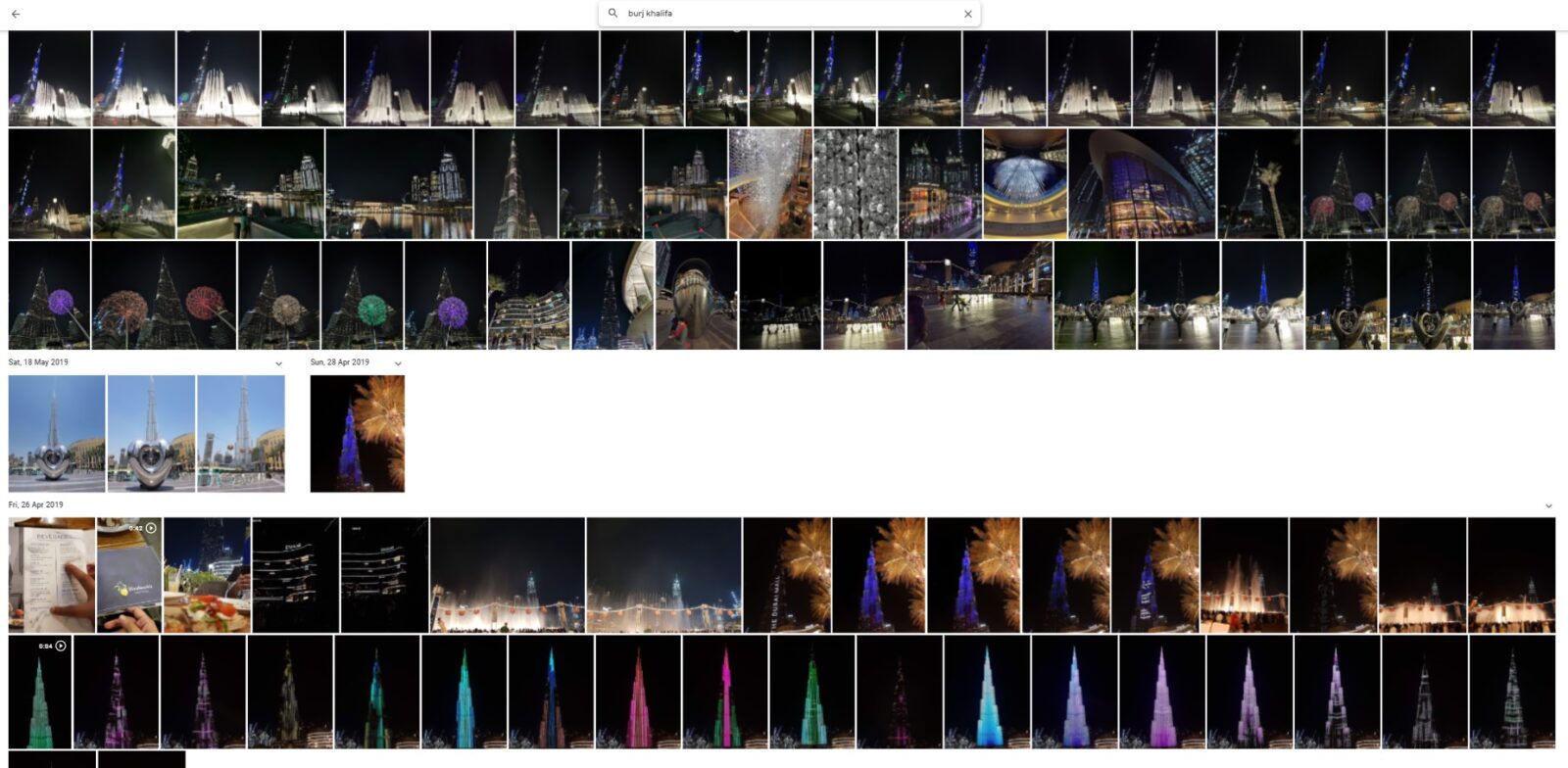
That being said, you can search for photos in various areas too. I searched for “JLT”, “Barsha” etc. and Google Photos was quite impressive although it took a wider area (about 5km radius) when searching for photos from a place.
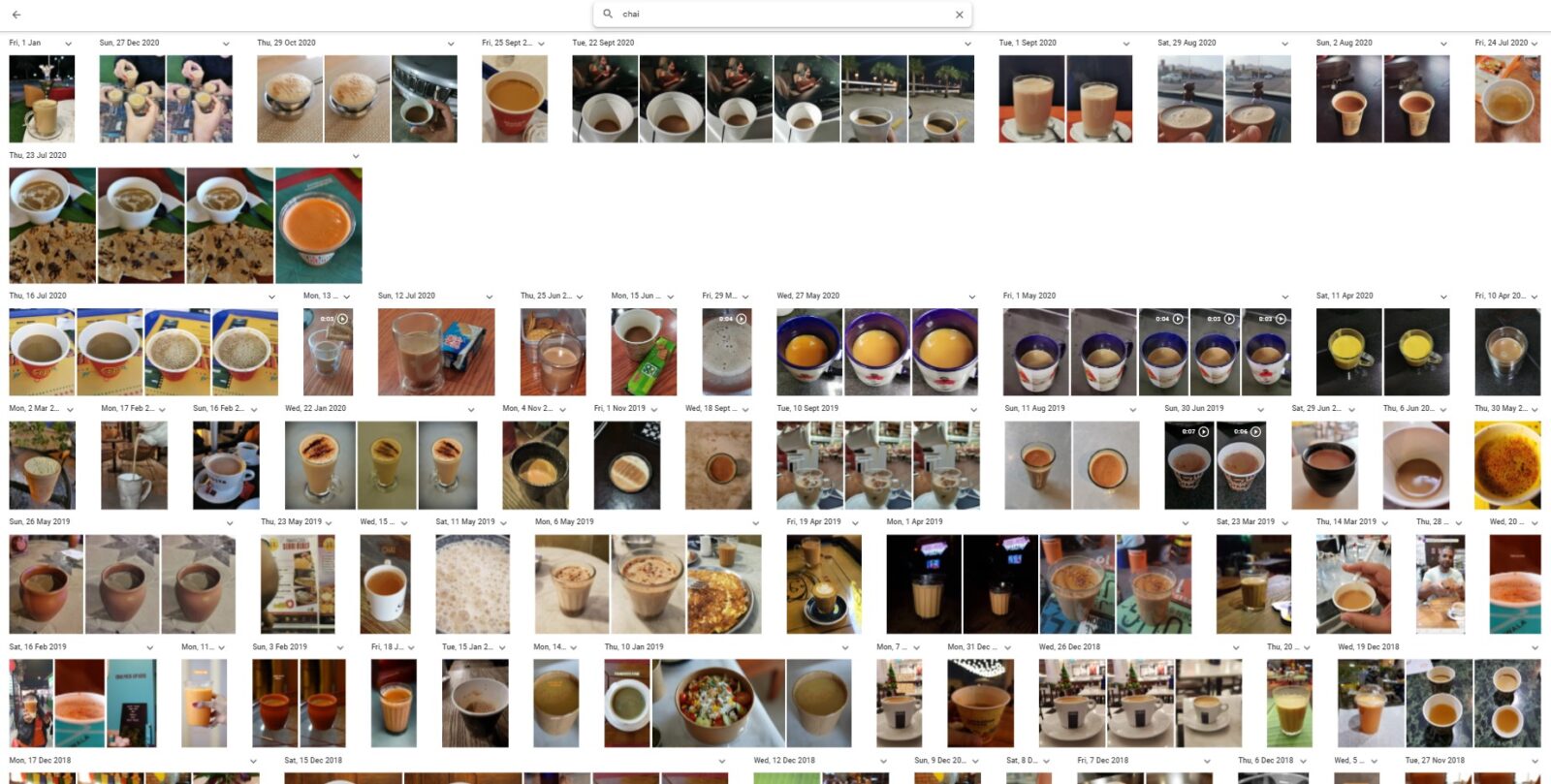
I also tried searching for “chai” in Google Photos and I was pleasantly surprised with the search results. It correctly showed most of the photos which had chai in them. The search results for “tea” were different from the results for “chai”. Now that is one karak AI right there!
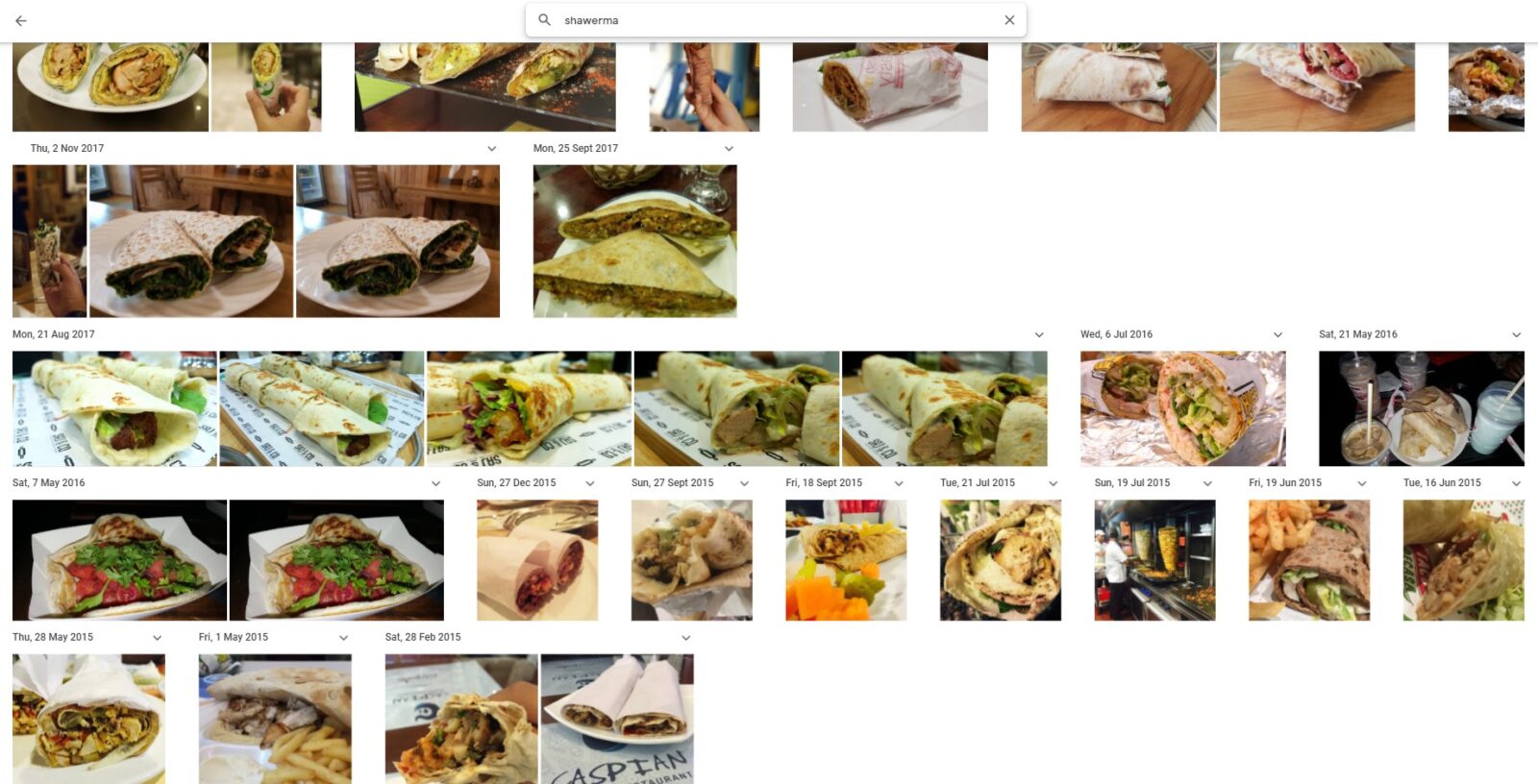
I also searched for “shawarma” and Google’s AI definitely got me craving for it now.
The performance of Apple’s Live Text remains to be seen once iOS 15 is rolled out to everyone. Let us know your take on Google Lens or any similar AI. If you’re reading this at a time when you’re already on iOS 15, let us know your views about Apple’s Live Text.
In the meanwhile, I’ll go get myself a shawerma and chai.