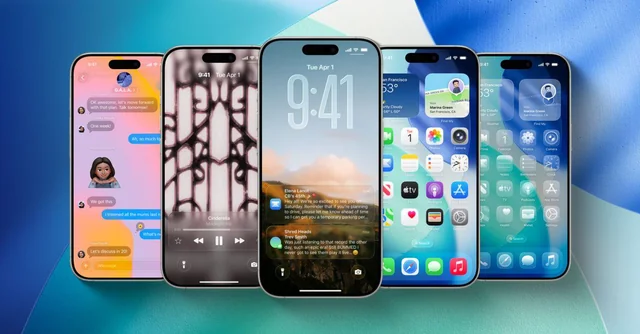
Apple’s iOS 26.1 beta 4 introduces a small but meaningful tweak for users divided over the company’s new “Liquid Glass” aesthetic. The update adds an option to reduce the transparency that defines the design language, offering a more opaque and visually stable look across the interface. The setting also appears in the latest betas of iPadOS 26.1 and macOS 26.1, extending the feature to the entire ecosystem.
Liquid Glass debuted with iOS 26 as part of Apple’s latest design overhaul, characterized by layered translucency and motion effects meant to give the interface a sense of depth. While visually striking, the style has drawn mixed reactions from users who find the transparency distracting or less legible, especially in bright or colorful environments. The new beta directly addresses that feedback by letting users opt for a more solid, higher-contrast appearance.
The new option is available in the Display & Brightness section of Settings on iPhone and iPad, and in the Appearance section of System Settings on Mac. It’s a simple on-or-off switch rather than a slider, meaning users can either keep the full transparent effect or switch to a tinted mode that increases opacity systemwide. Once enabled, the change affects Apple’s apps, notifications, and any third-party apps built with Liquid Glass elements.
This adjustment follows a turbulent testing phase for Apple’s new design direction. Earlier beta builds of iOS 26.1 had already experimented with heavier opacity, but Apple ultimately reverted to a more transparent look before release. The latest beta suggests the company is now seeking a balance between its stylistic ambitions and user preferences, recognizing that not every environment—or every eye—benefits from the same level of visual fluidity.
Developers can access the new beta versions of iOS 26.1, iPadOS 26.1, and macOS 26.1 starting today, with a public beta expected soon. Whether Apple will continue refining Liquid Glass ahead of the final release remains to be seen, but this update gives users more control over how much transparency they want on their screens—a subtle but welcome shift toward customization.