• Stories
    • Tech
    • Auto
    • Guides
    • Opinions
  • Reviews
    • READERS’ CHOICE
    • ALL REVIEWS
    • ━
    • SMARTPHONES
    • CARS
    • HEADPHONES
    • ACCESSORIES
    • LAPTOPS
    • TABLETS
    • WEARABLES
    • SPEAKERS
    • APPS
  • WATCHLIST
    • TV & MOVIES REVIEWS
    • SPOTLIGHT
  • GAMING
    • GAMING NEWS
    • GAMING REVIEWS
  • m
  • menu
  • SEARCH
  • STORIES
    • TECH
    • AUTOMOTIVE
    • GUIDES
    • OPINIONS
  • REVIEWS
    • READERS’ CHOICE
    • ALL REVIEWS
    • ━
    • SMARTPHONES
    • CARS
    • HEADPHONES
    • ACCESSORIES
    • LAPTOPS
    • TABLETS
    • WEARABLES
    • SPEAKERS
    • APPS
  • WATCHLIST
    • TV & MOVIES REVIEWS
    • SPOTLIGHT
  • GAMING
    • GAMING NEWS
    • GAMING REVIEWS
  • m
Follow US

How to use Gmail’s meeting-scheduling feature

GEEK DESK
GEEK DESK
Sep 17

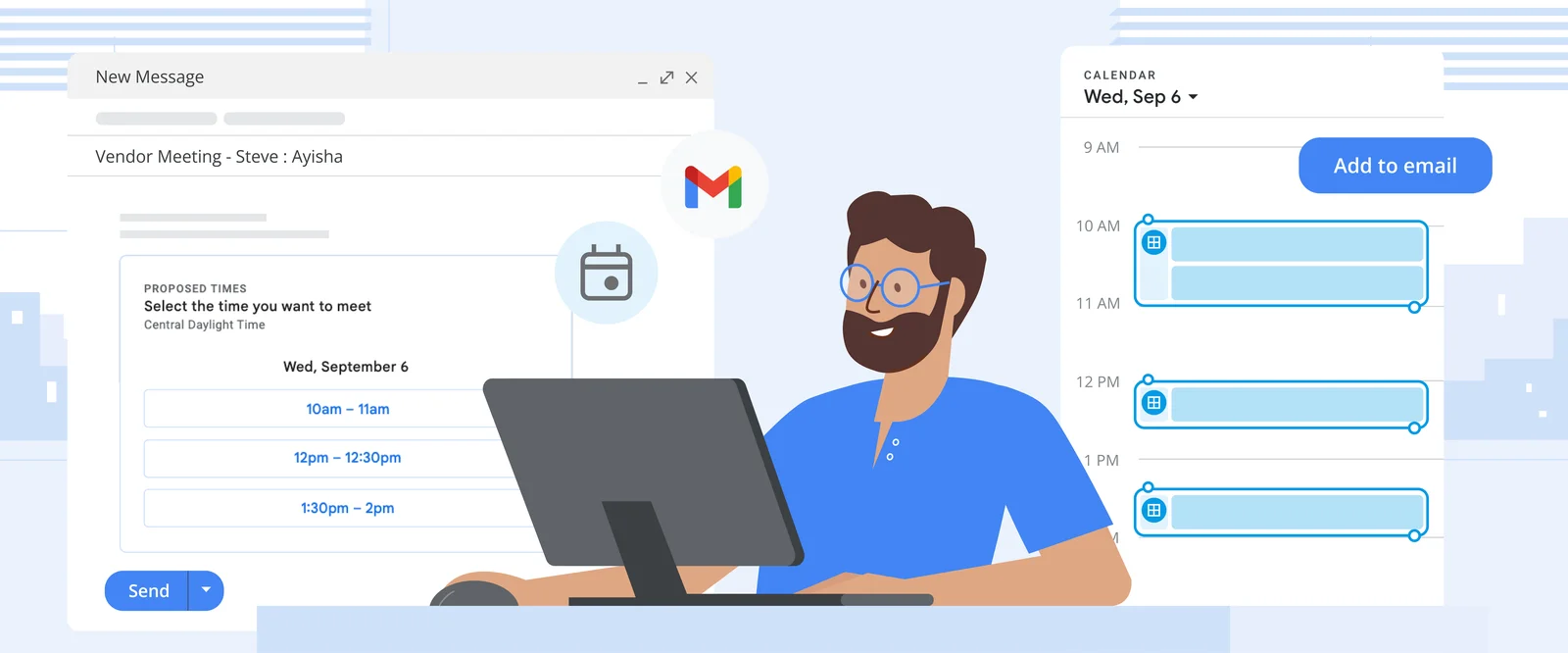
With the latest updates, you can now schedule meetings and find slots to meet directly from your Gmail inbox, without needing to navigate separately to your Google Calendar. You can also create the usual detailed calendar events you’re used to from your inbox.

Here’s how to find time to meet in Gmail

  1. Compose a new email with recipients, or open a reply to an email you’ve received from someone you need to meet with.
  2. Click the Calendar icon at the bottom of your message. If you can’t see this option, click the More options icon (the three dots) and hover over “Set up a time to meet.”
  3. Select “Offer times you’re free.”
  4. Your calendar will open in a pane to the right of the email. Select one or more open time slots that work for you. You can add multiple time slots per day or add time slots on different days.
  5. Click “Next,” then fill out relevant fields (the title of your meeting, duration, location and description).
  6. Click “Add to email” to send your proposed times to your email recipients. From there, they can choose the time that works best for them. Once they choose, the event will appear on both your calendars.
What do you think?
Happy0
Sad0
Love0
Surprise0
Cry0
Angry0
Dead0
Commodore 77 revives 1980s computing with a Cyberpunk twist
Apple Maps ads are here, and this is where they appear
Claude memory now follows you between chat and Cowork
The Garmin Fenix 9 Pro goes big on premium upgrades
Apple cuts its infamous Polishing Cloth price to just $9
Nothing OS 5.0 adds deeper customization and Android 17 features
Follow US
Caffeine. Chaos. Content.
© Absolute Geeks Media FZE LLC 2014–2026.
Proudly made in Dubai, UAE ❤️
Contact · About · Editorial Policy · Privacy Policy
Welcome Back!

Sign in to your account

Username or Email Address
Password

Lost your password?