Every geek eventually hits the same wall. Your phone screams that storage is full, your family photos live in three cloud accounts you half-remember the passwords for, and somewhere in a drawer sits an external drive labelled “BACKUP FINAL v2” that nobody has touched since the last console generation. A network-attached storage box fixes that mess by giving you a private cloud you actually own, and UGREEN’s NASync lineup has become one of the more interesting ways to get there without paying old-guard NAS money. With the fall sale knocking up to 21% off the NAS range and up to 50% off select MagFlow chargers, this is a good moment to buy, but only if you pick the right box for the job.
This guide explains what the numbers actually mean in daily use, which features matter far less than you’d think, and where your money works hardest. Some of these deals are excellent, a couple are merely fine, and at least one bundle is cheaper to assemble yourself. Let’s sort the loot from the vendor trash.
Why a NAS beats yet another cloud subscription
A cloud storage plan is a subscription that never ends, and the price climbs exactly when your photo library, 4K videos and game captures do. A NAS is a one-time hardware purchase plus drives, after which the storage is yours, sitting on your network and reachable from your phone, laptop or TV without a monthly toll booth. It’s the difference between renting forever and finally buying the place, with the same catch that you’re now the one responsible when something leaks. That trade is worth it for most households, but only if you go in with realistic expectations.
The biggest one is that a NAS is not automatically a backup. RAID protects you from a dead drive, not from accidental deletion, ransomware or a power surge frying the whole unit. The classic 3-2-1 approach of three copies, two types of media and one off-site copy still applies, and a NAS simply makes that far easier to pull off. Treat it as the always-on heart of your backup plan rather than a magic vault, and you’ll be much happier with whatever you buy.
Processors, memory and networking in plain English
Every model in this sale handles backups and file sharing comfortably; the processor decides what else it can do. Running Docker containers, virtual machines, media transcoding or AI photo indexing all lean on the CPU and memory. The Intel N100 in the DXP2800 is a frugal quad-core chip that home-server fans love because it sips power while handling everyday media duties, while the Pentium Gold, Core i3 and Core i5 models buy headroom for multiple users and heavier workloads. That headroom is brilliant if you’ll use it and pure bragging rights if you won’t.
Networking is where buyers most often overspend or underspend. Standard 1GbE tops out around 125MB/s in theory, fine for streaming and phone backups but sluggish for big video projects, while 2.5GbE roughly multiplies that by two and a half and is the sensible modern baseline. 10GbE pushes theoretical throughput past 1GB/s, but only if your PC, switch and cabling can keep up. Buying a 10GbE NAS and plugging it into a basic router is like parking a Ferrari in a school zone; the capability exists, but your network decides whether you ever see it.
Bays, RAID and the drive tax
These NASync units are diskless, so the price you pay covers the enclosure only, and drives are a separate and often larger expense. Four large hard drives can easily cost more than the four-bay NAS holding them, and the “up to” capacities assume every bay filled with the biggest drives money can buy. Plan around the drives you can afford today, with room to grow. More bays also unlock better RAID options: two bays usually means mirroring one drive onto the other and halving usable space, while four or more allow parity setups that protect your data while sacrificing less capacity.
The same healthy skepticism applies to labels like “enterprise-grade” or “AI photo organization.” A desktop NAS for small teams is still a desktop NAS, and AI photo features vary widely in quality, so judge them on your own library rather than the label. Buy these boxes for what they concretely offer, meaning bays, ports, memory and processor, and you won’t be disappointed.
UGREEN NASync DXP2800: the sweet spot most people should buy
If I had to point a friend at one NAS in this sale, it would be the DXP2800 at $346.99, down 21% from $439.99 and the deepest percentage cut in the NASync range. The Intel N100, 8GB of DDR5 and 2.5GbE put it in a different league from entry-level boxes, and the two M.2 NVMe slots add flexibility for faster storage tiers. With support for up to 80TB, it covers years of photo backups, a respectable media library and light file sharing for a small team. That mix of a capable x86 chip and faster networking is what turns a NAS from a backup bucket into a genuinely useful home server.
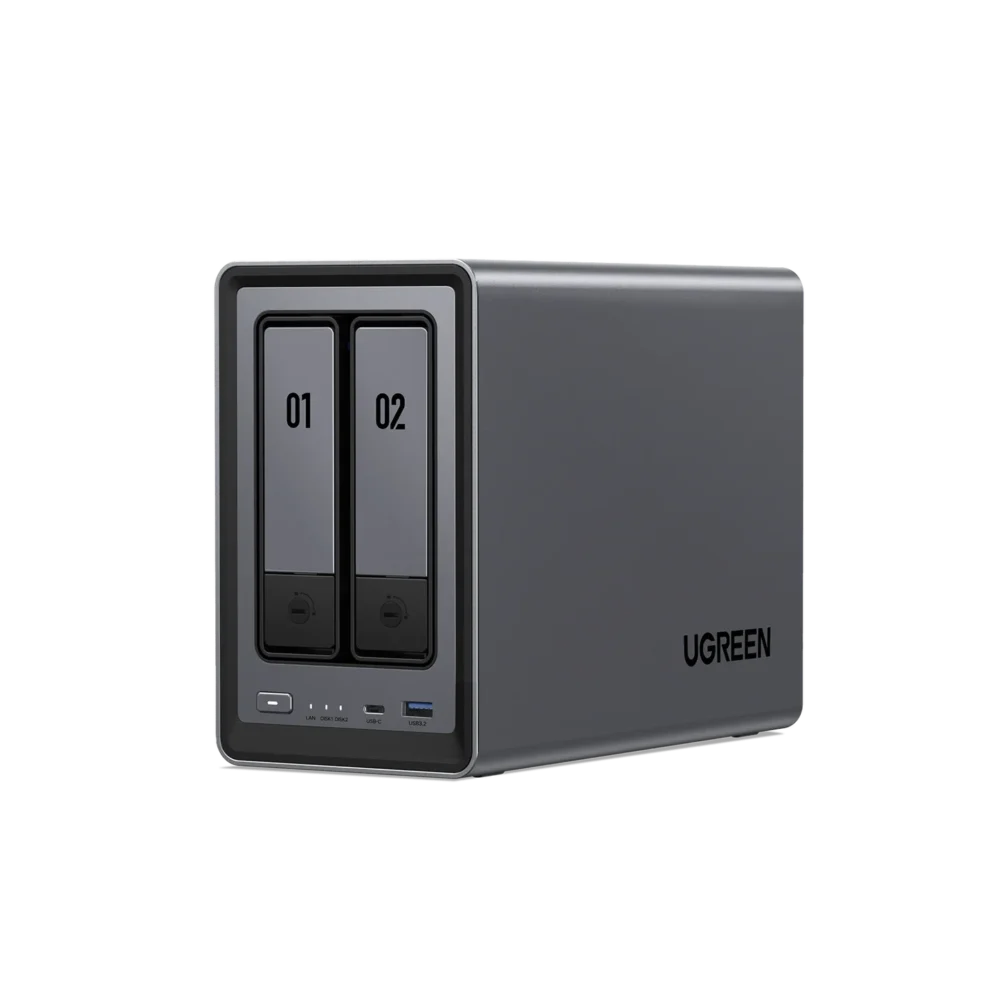
The limitation is simply that two bays is two bays. Mirrored drives halve your usable space, and expanding later means swapping drives rather than adding more. Creators juggling large video projects or anyone building a serious 4K library should look at four bays instead. For absolute beginners on a tight budget, the DH2300 at $215.99 (20% off $269.99) offers two bays, up to 64TB, 4GB of LPDDR4X and cross-device backup, but its 1GbE port and limited memory mean tinkerers will outgrow it fast, and that price ends today, October 7, before rising to $239.99.
DH4300 Plus vs DXP4800 Plus: two very different four-bays
The DH4300 Plus, at $351.99 (20% off $439.99), is the family-and-home-office four-bay, with up to 128TB, 8GB of LPDDR4X, 2.5GbE, Docker support, NFC quick-connect, 4K HDMI and AI photo management. For a household that wants four bays for better RAID protection and long-term growth without paying for workstation features, it’s arguably the smartest four-bay here. It costs almost exactly the same as the DXP2800, so the choice comes down to whether you value extra bays or the DXP2800’s x86 processor and NVMe slots.
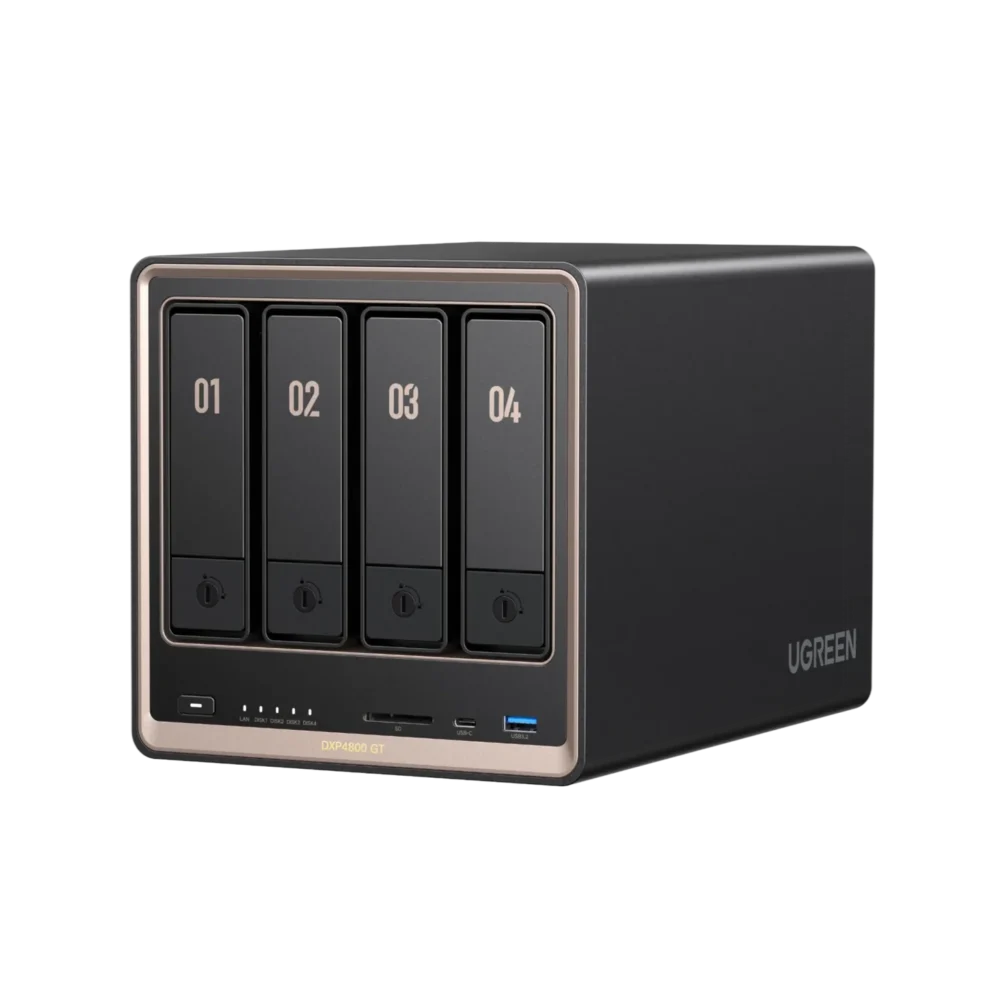
The DXP4800 Plus, at $583.99 (20% off $729.99), is the enthusiast’s pick, with a Pentium Gold 8505, 8GB of DDR5, 10GbE plus 2.5GbE, dual M.2 NVMe slots, 4K HDMI, Docker and virtual machine support, and up to 144TB. That 10GbE port is the real differentiator and future-proofs you for a network upgrade. The DXP4800 Pro at $699.99 (13% off $799.99) adds a Core i3-1315U and memory expandable to 96GB, which matters for VM-heavy homelabs, but for everyone else the extra $116 buys little you’ll notice day to day.
DXP6800 Pro, DXP8800 Plus and DXP480T Plus: the pro tier
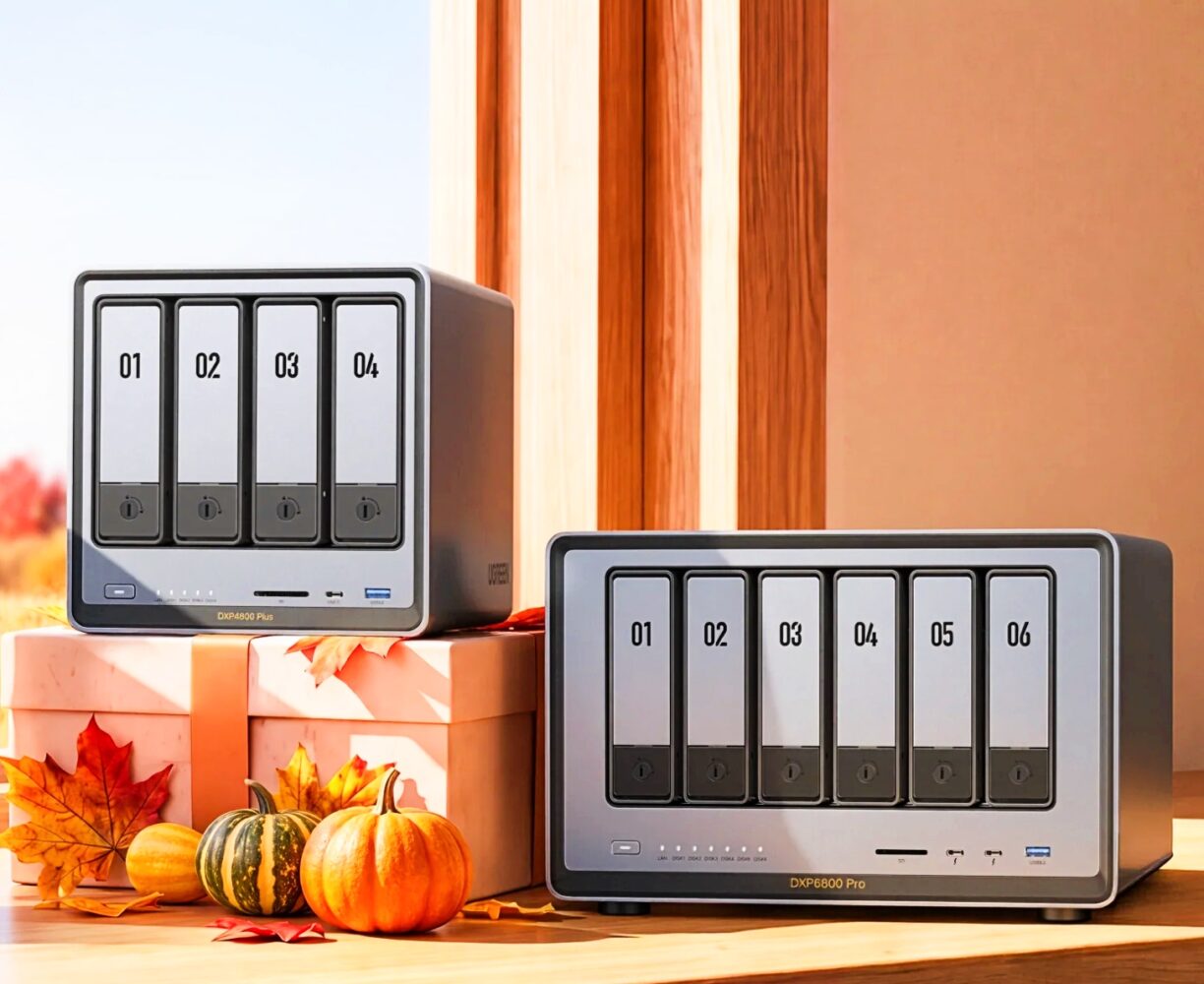
The DXP6800 Pro drops to $967.99 from $1,209.99, packing a Core i5-1235U, 8GB of DDR5, dual 10GbE and dual Thunderbolt 4 behind six bays supporting up to 208TB. Thunderbolt lets a video editor connect a workstation directly at high speed without building a 10GbE network, which makes this a strong creator and small-studio box. The DXP8800 Plus, at $1,207.99 (down from $1,509.99), stretches the same 12th Gen Core i5 approach to eight bays plus two NVMe slots and up to 272TB, with encryption and multifactor authentication for teams that can’t afford to lose data. Just remember the drive tax scales brutally with eight bays, so home users chasing the biggest number should buy a four-bay with better drives instead.
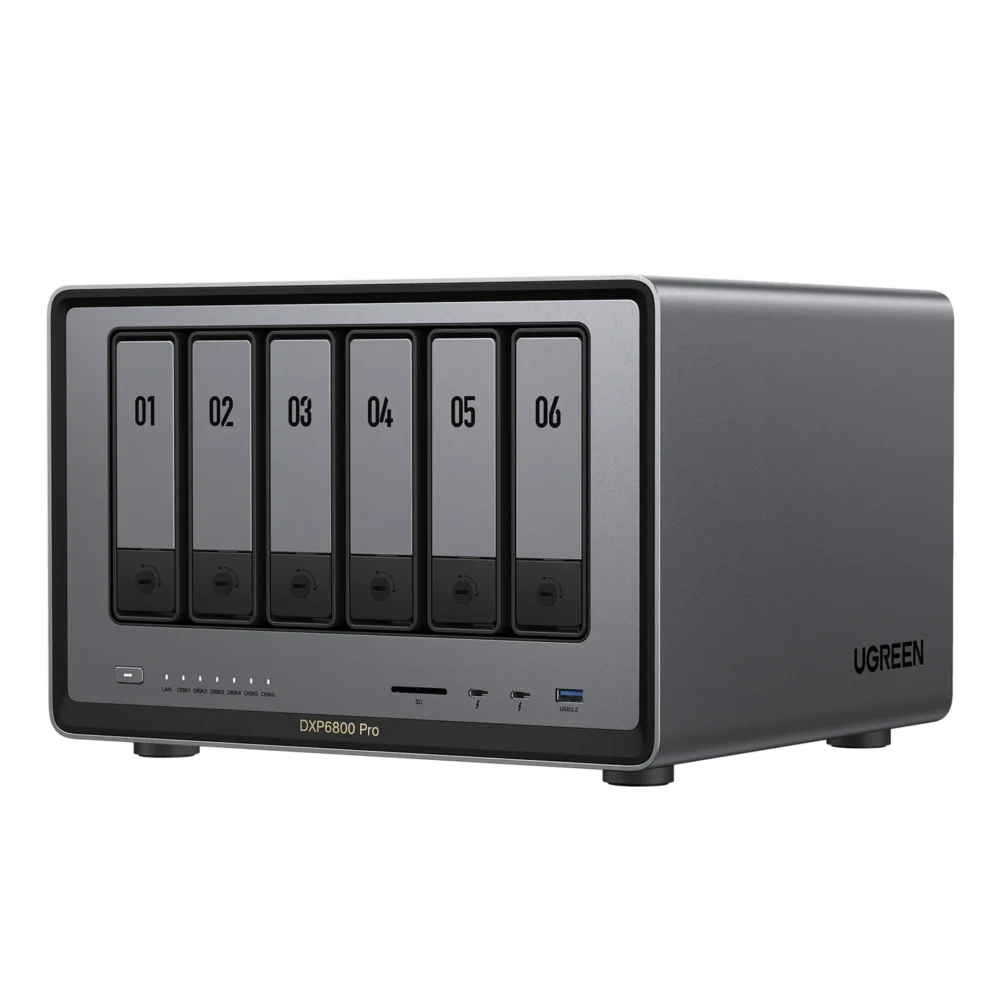
The DXP480T Plus, at $799.99 (down from $999.99), swaps hard drive bays for four M.2 NVMe slots and up to 32TB of all-flash storage, alongside 10GbE, 8K HDMI, dual Thunderbolt 4 and Core i5 processing. It’s silent, responsive and ideal for active editing projects, but large NVMe drives cost far more per terabyte than hard drives. Pair it with cheaper bulk storage for finished work, because as a do-everything archive it makes little financial sense.
The UPS bundles: smart idea, but check the math
A NAS losing power mid-write is one of the easiest ways to corrupt data, so a UPS is genuinely wise. The US3000 is $99.99 (20% off) and the US2000 is $59.99 (25% off), and the UGREEN Official Store runs NAS + UPS bundles through October 9. The standout is the DXP4800 Plus + US3000 at $659.99, roughly $24 cheaper than buying both at their individual sale prices between October 6 and 9.
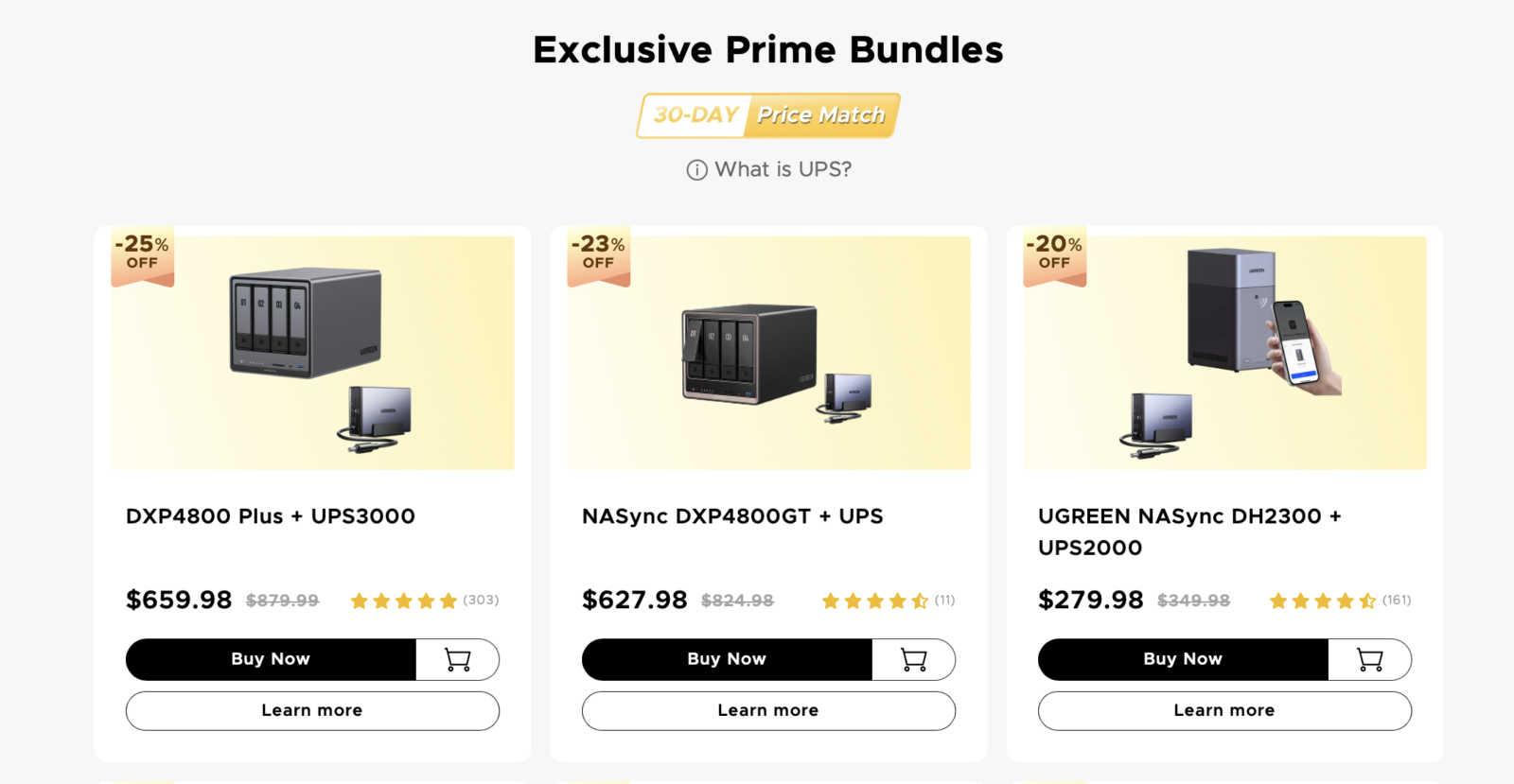
Not every bundle is a win, though. During that same window, the DXP2800 + US3000 bundle at $451.98 and the DXP4800 Pro + US3000 at $804.99 each work out about $5 more than buying separately, while the DH4300 Plus + US3000 costs exactly the same either way. The DH2300 flips the other way after today, when its standalone price rises, making the DH2300 + US2000 bundle at $279.98 about $20 cheaper on October 8 and 9.
MagFlow and Nexode chargers for the rest of your desk
The MagFlow deals run through October 11, with the lowest prices from October 5. The real bargain is the MagFlow 2-in-1 Foldable Magnetic Wireless Charger at $29.99, half its $59.99 price, which folds flat for travel, opens into a magnetic stand, supports Qi2 25W charging and adds an earbuds pad. It’s an easy grab for travellers, though you’ll only see 25W speeds on phones that support the faster Qi2 standard. The MagFlow Pro 3-in-1 Stand at $124.99 (22% off) charges an iPhone, Apple Watch and AirPods at once with active cooling and an included 45W charger, making it a tidy nightstand or desk upgrade.

The MagFlow Pro Power Bank at $94.99 (37% off) is the gadget-lover’s pick, with micro-pump liquid cooling, 10,000mAh, a built-in 45W USB-C cable and a smart display, though nearly $95 for that capacity means you’re paying a premium for the cooling trick. UGREEN’s own charging-speed and temperature figures will vary with your phone, case and room temperature, so treat them as best-case. For laptop-heavy setups, the Nexode Pro 160W charger with retractable cable at $94.99 and the 300W desktop charger at $169.99 are worth a look if you want to consolidate multiple bricks.
Bottom Line
For most first-time buyers, the DXP2800 at $346.99 is the sweet spot, pairing a capable N100, 8GB of DDR5, 2.5GbE and NVMe slots at a price that leaves room for decent drives. Families who want four bays without workstation features should look hard at the DH4300 Plus, while beginners on a tight budget can grab the DH2300 today or via its UPS bundle from October 8. Enthusiasts will get the most from the DXP4800 Plus, ideally in its $659.99 UPS bundle, which is the best-value bundle in the sale.
Creators should weigh the DXP6800 Pro for Thunderbolt editing or the DXP8800 Plus for maximum bays, with the DXP480T Plus suited to fast all-flash project storage. Skip the DXP4800 Pro unless you need its 96GB memory ceiling, compare bundle prices against individual sale prices before checkout, and always budget for drives first.