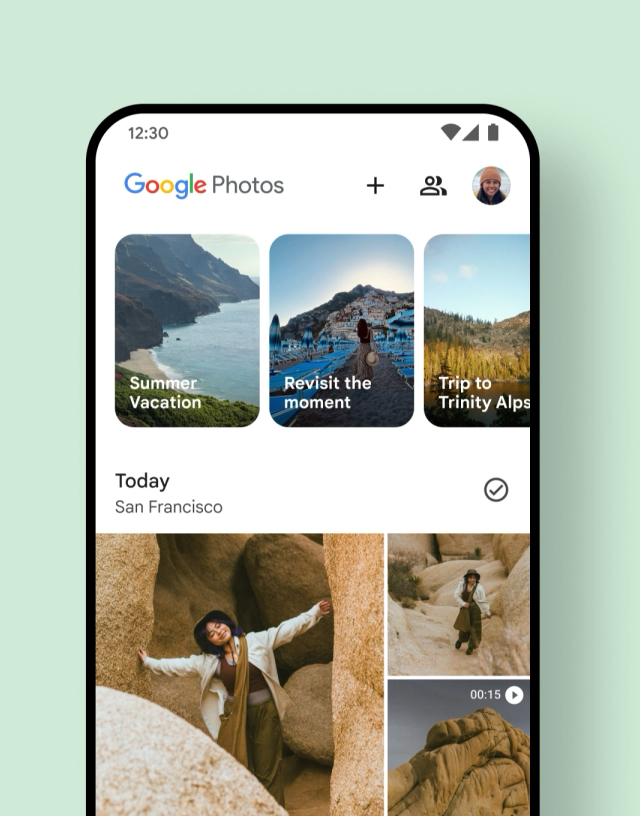
Google Photos is rolling out a redesigned navigation bar on Android that shifts from a traditional docked bottom bar to a floating pill-shaped element. This change, now appearing more widely via a server-side update on version 7.82, provides slightly more screen space for photos and content around the navigation controls. The floating bar includes tabs for Photos, Collections, and Create, with an indicator on the left showing the active feed and a circle on the right for search or the Gemini-powered Ask Photos feature.
The update also repositions the day indicator into a separate floating pill at the top of the screen, which appears during scrolling and fades away after a moment. Users who prefer the previous layout can adjust it through the three-dot menu under Photos view settings by enabling “Show dates in grid,” restoring centered date labels like Today and Yesterday instead of the former left-aligned style. This brings the Android experience closer to what iOS users have had since February, highlighting Google’s pattern of staggered platform rollouts.
In practice, the floating design aims to modernize navigation while keeping core sections accessible, joining similar implementations in Google Chat and Finance. However, it aligns only loosely with Google’s Material 3 Expressive components, where the closest equivalent is described as a floating toolbar rather than primary navigation. Such incremental UI tweaks have become common in Google’s apps, often testing how much visual breathing room users appreciate versus the predictability of fixed bars. Early feedback may reveal whether the pill reduces accidental taps or simply adds another layer of motion that some find unnecessary on smaller screens.
Google Photos has long served as a central hub for photo management, backups, and editing on Android devices, accumulating features like AI search and organization tools over the years. This navigation adjustment feels like a refinement rather than a major functional leap, focusing on aesthetics and minor usability gains at a time when the app already handles vast libraries effectively. The integration of Gemini access directly in the bar underscores the company’s push toward AI assistance, though reliance on server-side delivery means not every user on version 7.82 will see it immediately, requiring force stops or patience for the rollout.
Compared to earlier overhauls in Google’s ecosystem, this one is relatively understated, avoiding the disruption sometimes seen in broader redesigns. It reflects ongoing efforts to unify visual language across services while accommodating different device sizes and user habits. For heavy users who scroll through extensive collections daily, the extra content visibility could prove welcome, yet the option to revert dates suggests Google anticipates varied preferences. As with many Android updates, real-world value will depend on how seamlessly it integrates into existing workflows rather than standing out as a highlighted novelty.
Overall, the shift illustrates Google’s steady iteration on its flagship photo app amid broader platform changes, balancing familiarity with subtle evolution. Users can check the app directly to see if the new bar has arrived on their devices, with force-stopping from App info potentially accelerating visibility in some cases.