

An HDMI cable is an HDMI cable, right? Not quite. HDMI technology has evolved through multiple revisions over the years, each increasing bandwidth to support higher resolutions, refresh rates, and features. While this progress benefits modern displays and sources, it creates practical headaches for users trying to match the right cable to their setup. Many end up with older cables that fall short when paired with new 4K or 8K TVs and gaming consoles.
The issue stems partly from the cables’ similar appearance. Connectors have stayed largely unchanged since HDMI’s early days, so a cable from a decade ago will physically fit into today’s equipment. Manufacturers vary colors and outer materials, but without clear labeling, distinguishing capabilities at a glance proves difficult. Retail descriptions like “4K ready” or “high performance” often remain vague, leaving buyers uncertain about actual supported resolutions and refresh rates.
HDMI’s development reflects broader advances in video technology. HDMI 1.4 introduced basic 4K support at 30Hz, sufficient for many films but limiting for gaming. HDMI 2.0 brought 4K at 60Hz along with improved HDR. HDMI 2.1 pushed further with 4K at 120Hz, 8K options, variable refresh rate (VRR), auto low latency mode (ALLM), and enhanced audio return channel (eARC). Newer standards like those offering 96Gbps bandwidth aim to handle uncompressed high-chroma formats. Yet official cable categories—High Speed, Premium High Speed, Ultra High Speed, and emerging higher-bandwidth options—can confuse rather than clarify. Backward compatibility masks problems until users demand more from their systems.
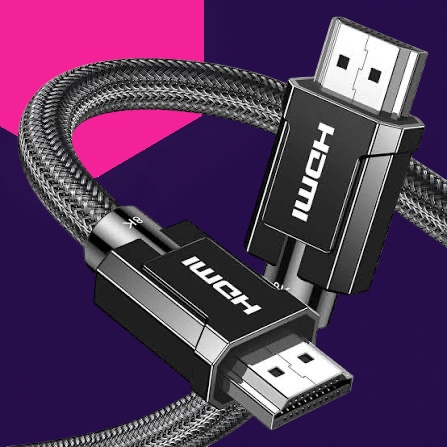
UGREEN 8K HDMI 2.1 Cable
Common signs of an underperforming cable include failure to achieve the full resolution or refresh rate advertised by the display, unavailable advanced features on consoles like the PS5 or Xbox Series X, reduced audio quality, flickering, black screens, or handshake issues. These problems often appear only at higher settings, even when the TV and source device support them fully. In setups with signal-passing devices like receivers or switches, the weakest link in the chain determines overall performance.
Identifying an existing cable requires close inspection. Look for imprints on the sleeve or connector indicating “Ultra High Speed” or similar certifications. Some newer cables feature QR codes for verification. Packaging, if retained, provides the clearest details. Absent markings, the cable may predate current standards. Testing in a non-permanent setup helps confirm suitability before routing through walls or furniture. Labeling verified cables prevents future mix-ups.
For those upgrading to higher-end 4K TVs or demanding gaming rigs, replacing inadequate cables often becomes necessary. While not every user needs the highest-spec options—casual viewing at 4K 60Hz may work fine with mid-tier cables—pushing refresh rates or enabling features like VRR rewards proper bandwidth. The HDMI standard’s evolution highlights a recurring theme in consumer electronics: incremental improvements that demand ongoing attention to supporting accessories. Choosing thoughtfully avoids frustration and ensures the display performs as intended.