
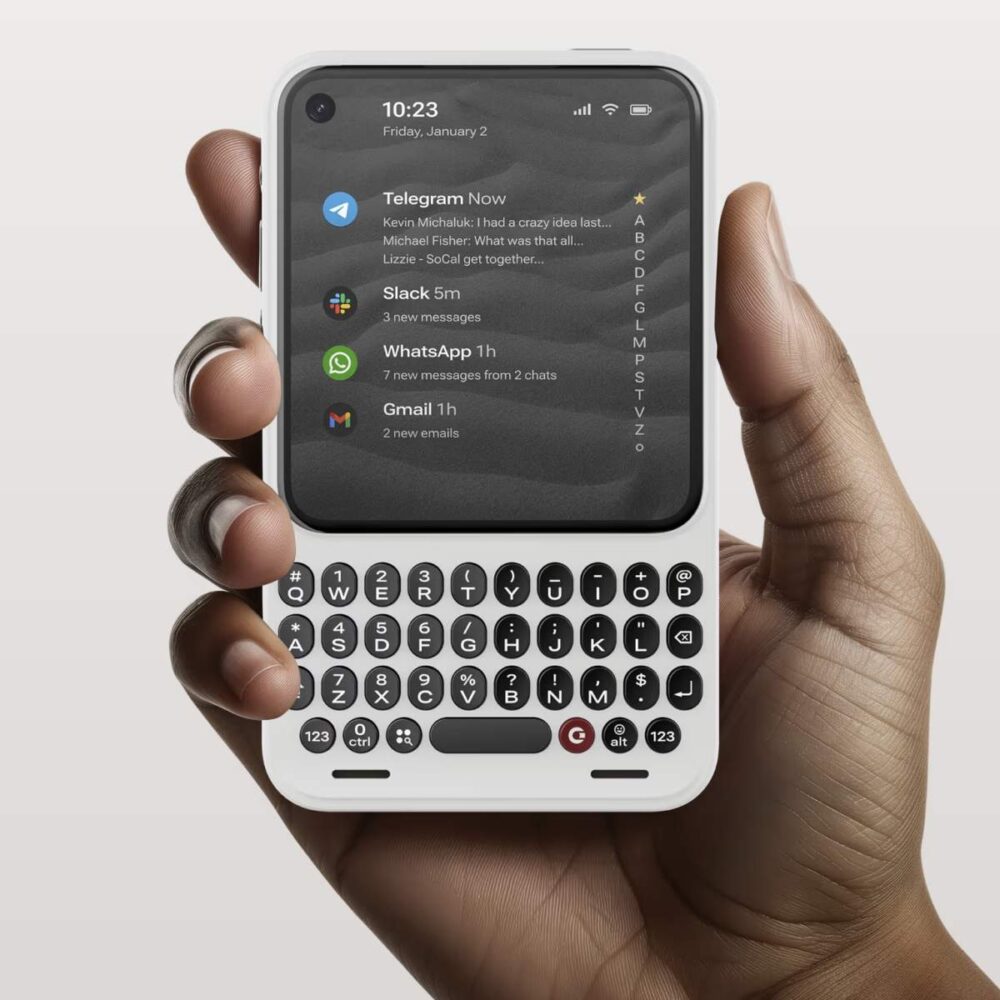
The Clicks Communicator has surfaced with its first software demonstration on actual hardware, offering a glimpse into a physical keyboard phone that aims to carve out space in a market long dominated by sleek, keyboard-free designs. This pre-production unit arrives at a time when many users express fatigue with on-screen typing and endless scrolling, echoing the appeal of older devices like BlackBerry phones that once prioritized productivity through tactile input. While the concept feels nostalgic, its execution in 2026 will depend on whether the software can deliver meaningful advantages over standard Android experiences without introducing new frustrations.
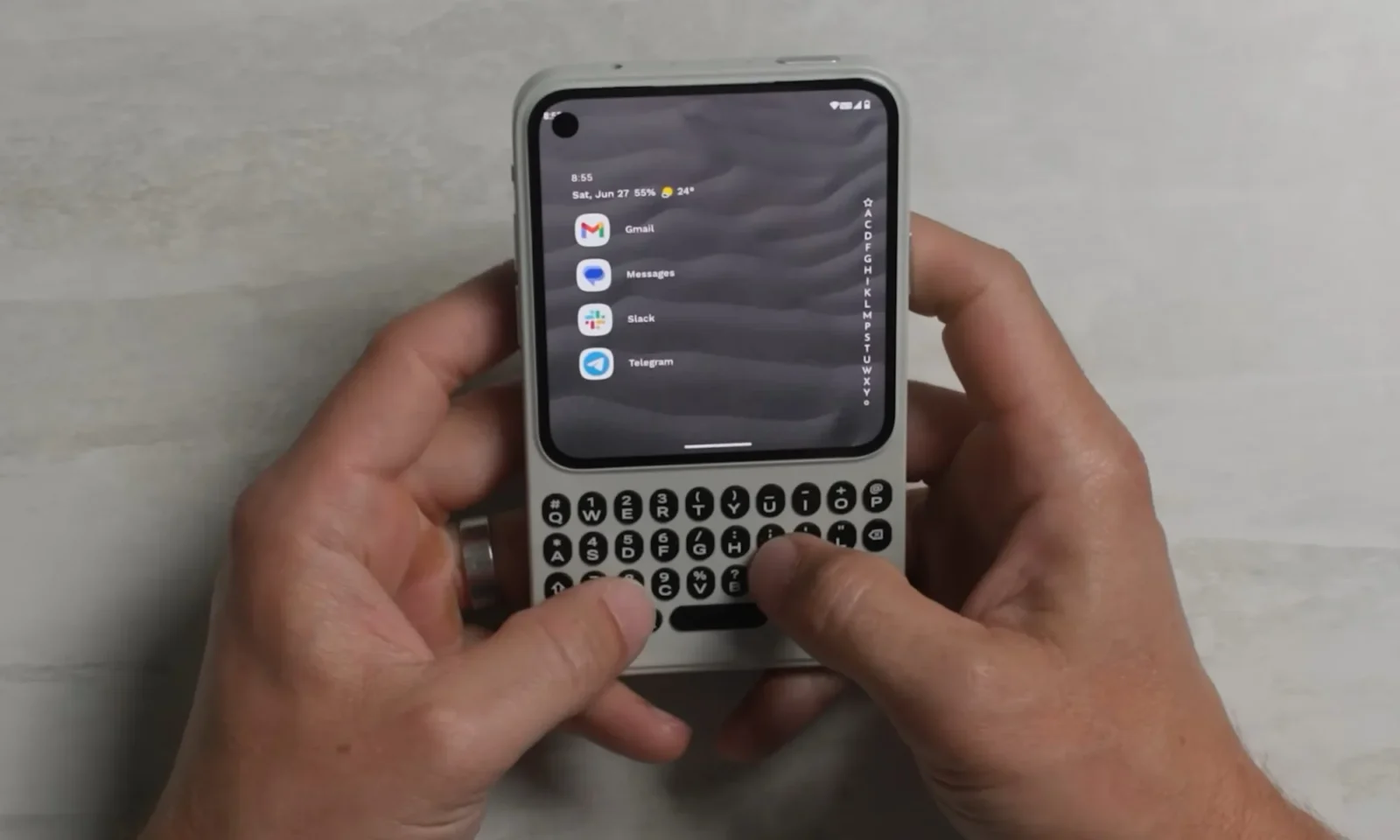
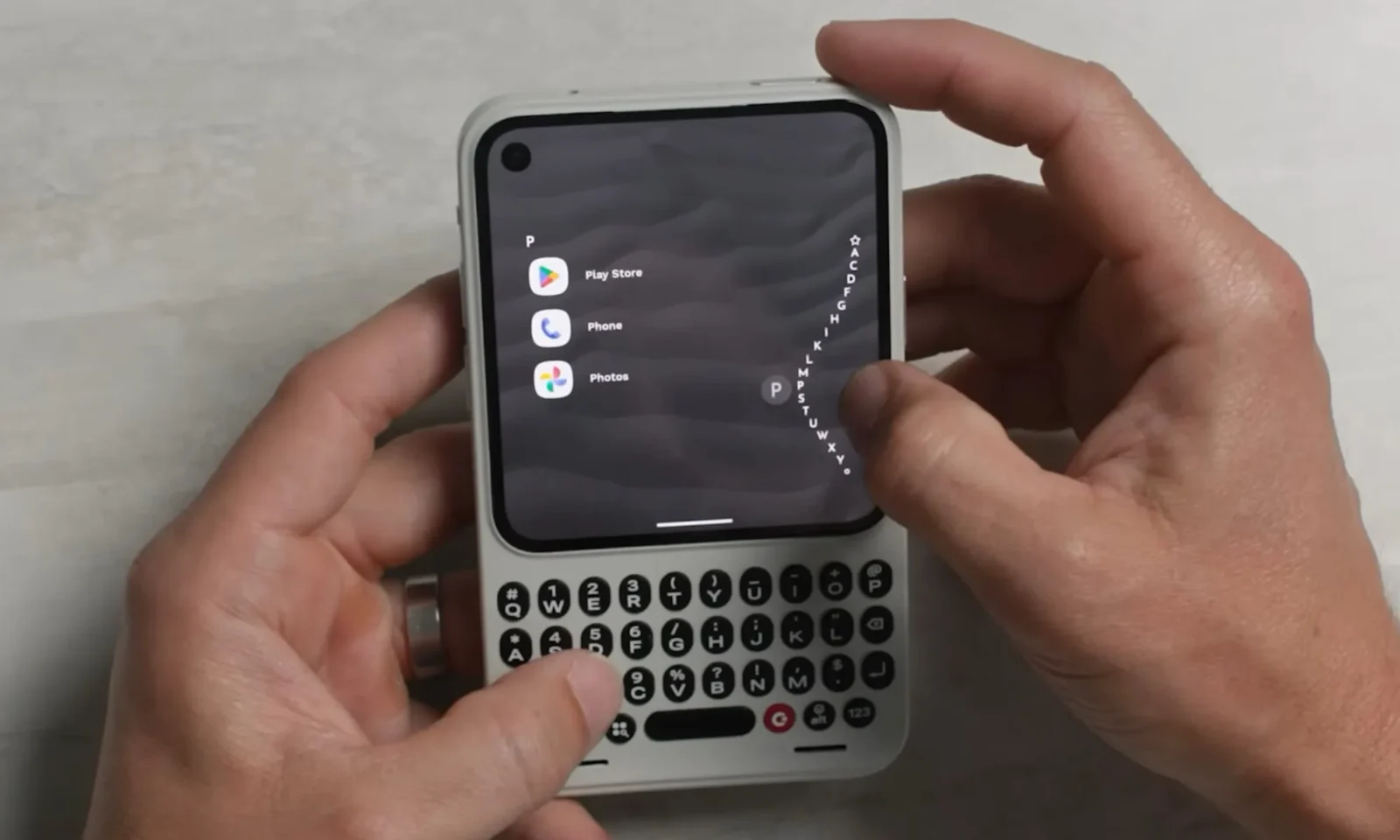
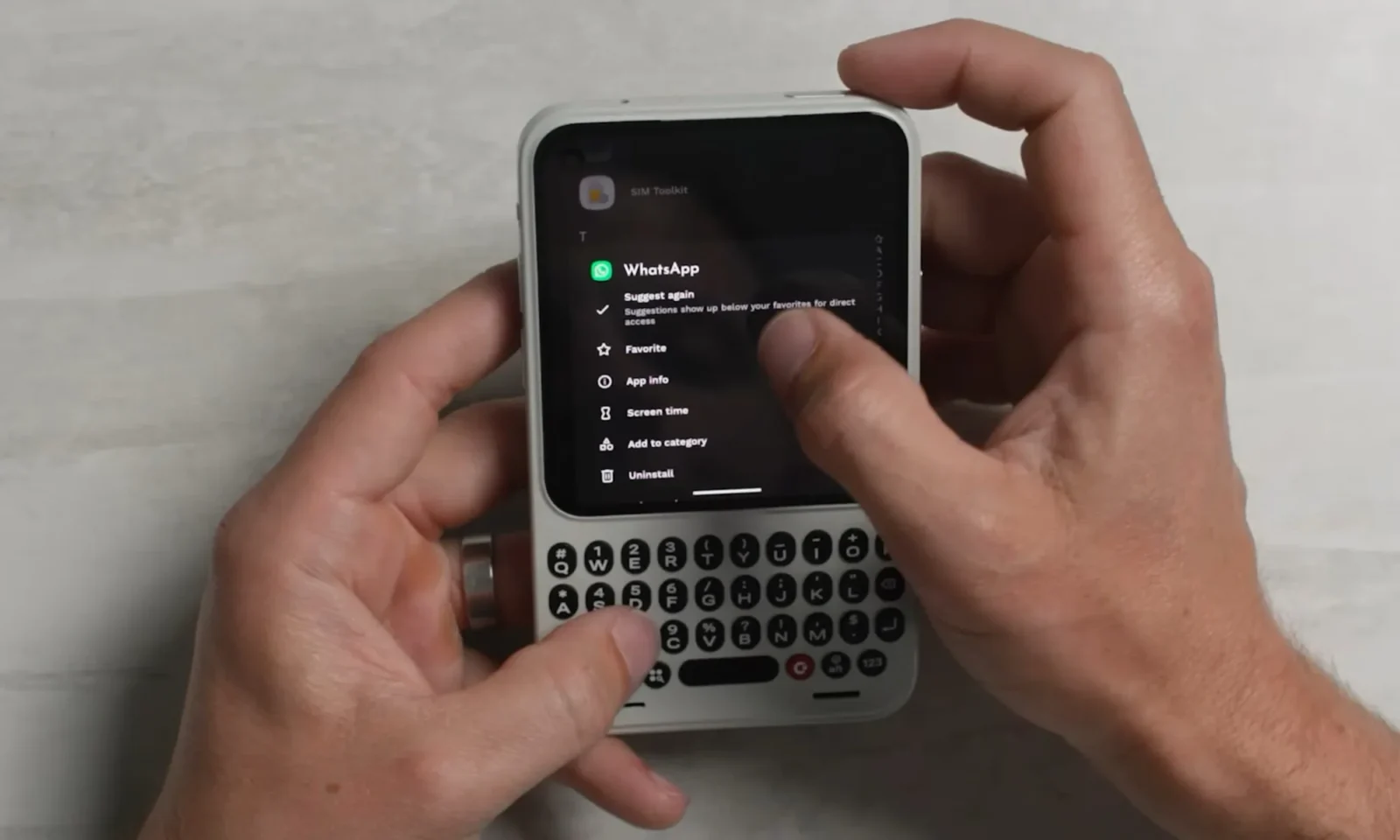
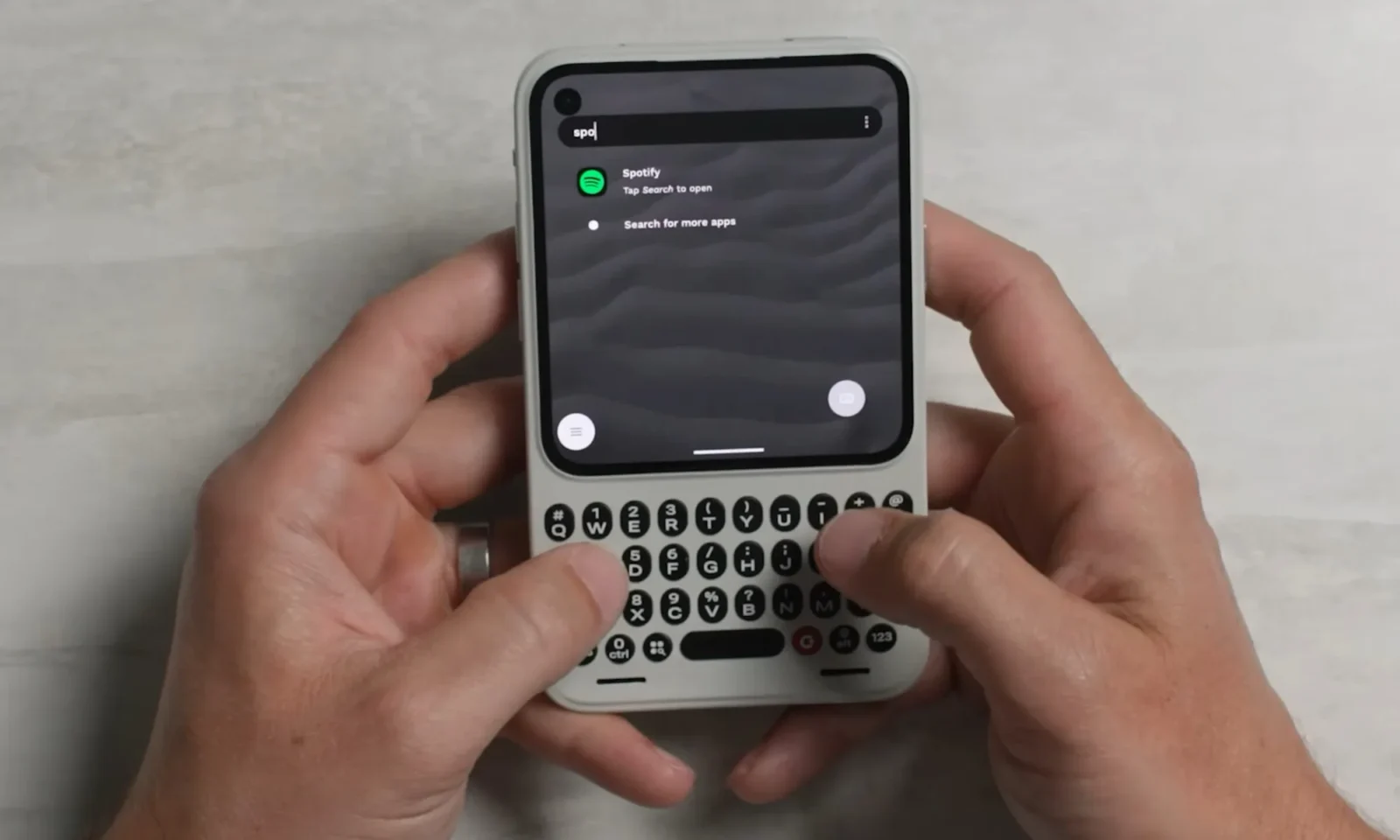
Upon unlocking the device, the home screen focuses on frequently used apps for messaging, email, and quick tasks, arranged along a side ribbon via a customized Niagara launcher. This setup keeps core tools accessible with minimal navigation, allowing users to pin favorites, reorder them, and launch searches simply by typing. Demonstrations showed rapid access to apps like Spotify, complete with artist selection and playback controls through widgets, without needing to dive deeper into menus. Message previews appear directly on the home screen, enabling quick replies and dismissals. These elements suggest a launcher tuned for efficiency rather than visual flair, though its long-term value will hinge on customization depth and integration with everyday Android apps.
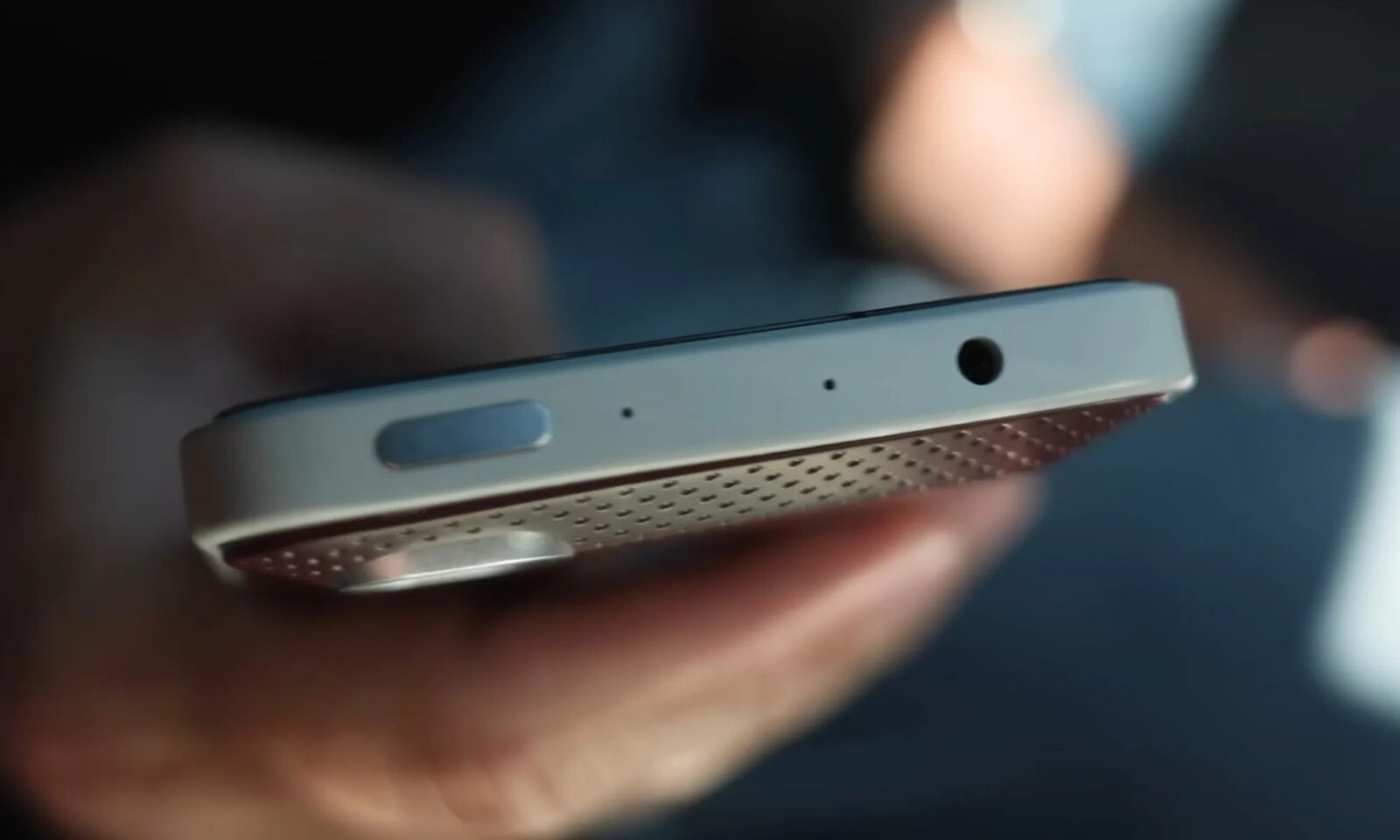
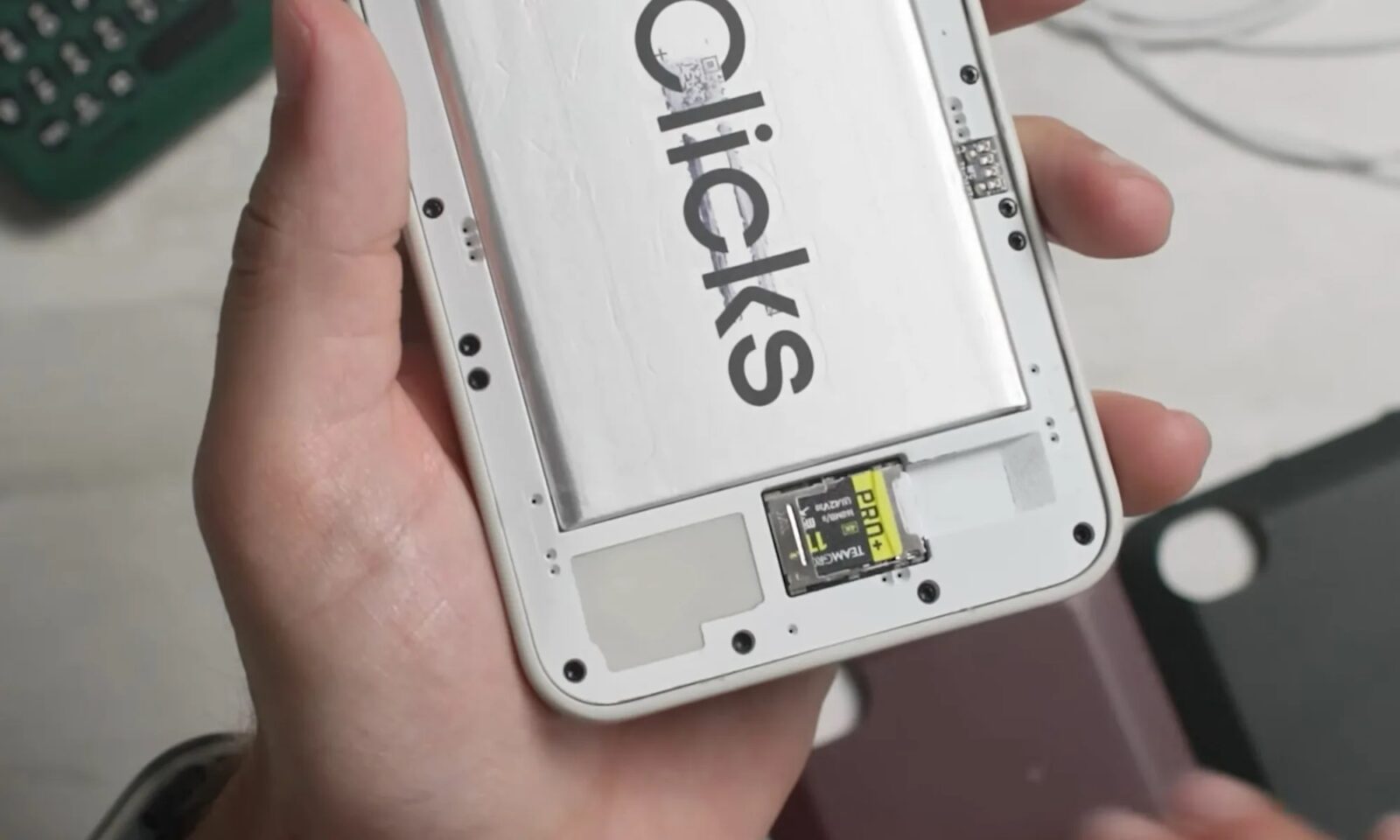
Hardware complements this software focus with practical additions often absent from contemporary flagships. Three microphones positioned for better call clarity and voice notes, a 3.5mm headphone jack, dual speakers, and a barometric sensor for improved location and weather accuracy round out the package. The fingerprint sensor embedded in a contoured space bar stands out, letting users authenticate while keeping hands in typing position—an ergonomic choice that addresses a common pain point. Support for physical SIM cards and microSD storage up to 2TB further emphasizes expandability over the cloud-dependent minimalism of many modern phones. These features recall an era when devices offered more built-in versatility, yet they also raise questions about manufacturing costs and whether consumers will pay a premium for them in an age of affordable all-screen alternatives.
The Communicator enters a landscape already populated by deliberate counterpoints to smartphone overload, such as the upcoming Minimal Phone 2 with its e-paper display and refined keyboard. Both highlight growing interest in slower, more intentional mobile experiences amid concerns over attention fragmentation. Historically, physical keyboards thrived in professional settings before touch interfaces and predictive text largely supplanted them for speed and portability. Clicks’ approach attempts to blend that tactile feedback with contemporary software, but pre-production status means refinements are still incoming, with a Q4 launch timeline. Early impressions appear positive for typing enthusiasts, yet real-world durability, battery life under load, and app ecosystem quirks will determine if it moves beyond niche appeal.
Challenges remain evident. Software updates arrive weekly, signaling active development, but seamless performance across diverse use cases cannot be assumed yet. The device’s keyboard-centric design may limit one-handed operation compared to gesture-heavy rivals, and its appeal could stay confined to users who miss dedicated input hardware or need reliable expandability. Still, in a year filled with foldable iterations and wireless charging advancements, the Communicator underscores that thoughtful hardware-software pairings continue to find audiences seeking alternatives to the status quo. Its success will rest on balancing familiarity with modern expectations rather than merely reviving past forms.