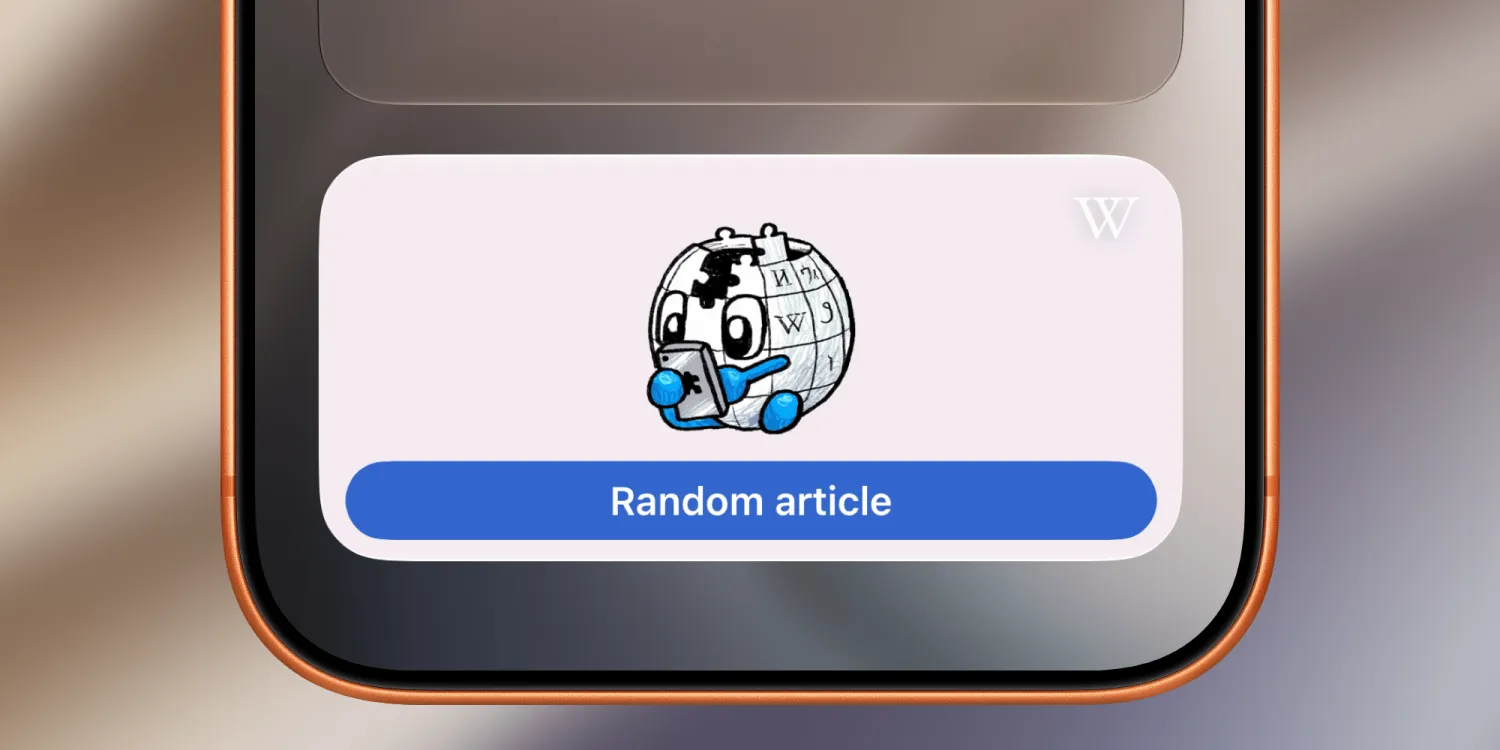
Wikipedia has expanded its iPhone and iPad app with a new Home Screen widget designed to make discovering articles a little more spontaneous. The latest Wikipedia iOS update introduces a Random Article widget, giving users a quick way to jump into the encyclopedia without searching for a specific topic.
The new Wikipedia widget is available in both small and medium sizes for the iPhone and iPad Home Screen. A single tap opens a completely random Wikipedia entry, turning casual curiosity into an easy habit. Rather than returning to the Home Screen for another surprise, the app also includes a built-in randomizer button, allowing users to continue browsing unrelated topics with successive taps.
The feature reflects one of Wikipedia’s most enduring strengths. While many people use the online encyclopedia to answer specific questions, a significant part of its appeal has always been unexpected discovery. Countless users have found themselves moving from one linked article to another, spending far longer exploring subjects than originally intended. By bringing the random article function directly to the Home Screen, the Wikipedia iOS app reduces the steps needed to recreate that experience.
Although the addition is relatively small compared to major feature updates, it aligns with a broader trend of developers using Home Screen widgets as functional shortcuts instead of simply displaying information. Early widget designs often focused on glanceable data such as weather forecasts, calendars, or reminders. More recent implementations increasingly encourage direct interaction, making widgets an extension of the app rather than a passive display.
The update also builds on recent improvements to the Wikipedia mobile experience. Earlier this year, the app introduced a historical trivia game that challenges users with facts from different periods in history, adding another way to engage with the encyclopedia beyond traditional article reading. Together, these additions suggest an effort to make the official Wikipedia app more interactive while still keeping its primary focus on providing access to free knowledge.
For long-time Wikipedia readers, the Random Article widget may become one of the app’s more entertaining features. Whether it surfaces an obscure historical figure, a forgotten scientific concept, or an unexpected cultural reference, the experience remains unpredictable by design. That unpredictability has long been part of Wikipedia’s appeal, encouraging exploration that often leads users to subjects they never intended to read about.
The new Random Article widget is included in the latest version of the Wikipedia app for iPhone and iPad, and can be added from the standard iOS widget gallery after updating the application.