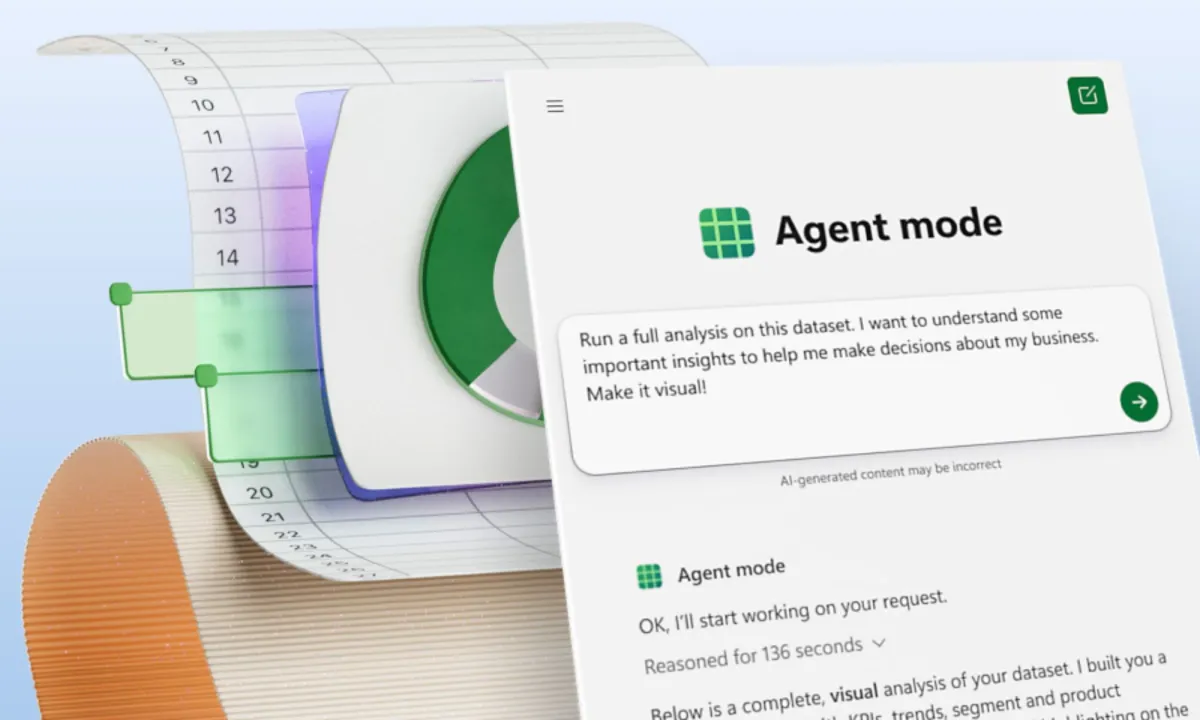
Microsoft is expanding its push into workplace automation with the rollout of Agent Mode in Office apps, a new layer of AI assistance built into Word, Excel, and soon PowerPoint. The feature sits on top of Microsoft 365 Copilot and lets users issue plain-language requests that the AI then translates into documents, spreadsheets, or presentations with minimal manual input.
In practice, that means tasks that once required a mix of formulas, formatting, and data wrangling can now be handled through short instructions. A line such as “analyze this sales data and make it visual” can prompt Excel to generate formulas, charts, and a complete report. In Word, the system can reorganize dense information into polished documents, adding requested changes along the way. The goal, according to Microsoft, is to reduce time spent on repetitive tasks and make working with Office files feel more conversational.
Agent Mode builds on earlier features like Deep Research and the Researcher agent, which could scan files or external sources to create reports. The difference here is integration: instead of separate tools, Office apps themselves now act as AI collaborators. Microsoft has also confirmed that its Office suite will support multiple underlying AI models. Alongside OpenAI’s GPT-based system, Anthropic’s Claude is being introduced into Office to handle document creation and editing directly, including Excel, PowerPoint, Word, and PDF files, even without manually opening them.
For now, Agent Mode is rolling out to Microsoft 365 Copilot subscribers and users of Microsoft 365 Personal or Family on the web, with desktop app support to follow. Claude-powered features are also available in the US starting today.
The addition of multiple AI models inside Office marks a shift in how Microsoft envisions productivity software. Instead of static tools, Word, Excel, and PowerPoint are being reframed as interactive environments where AI acts less like a spellchecker and more like a collaborator capable of producing full projects. Whether this leads to greater efficiency or simply new forms of dependency on automation will depend on how widely users adopt the system — and how reliable the AI proves to be when handling real business data.