TL;DR: iOS 27 and iPadOS 27 excite me because Apple is using AI to remove everyday friction rather than just adding another chatbot. Siri AI, personal context, Visual Intelligence, smarter Shortcuts, better Photos tools, Safari improvements and stronger performance could make this one of Apple’s most useful software upgrades in years.
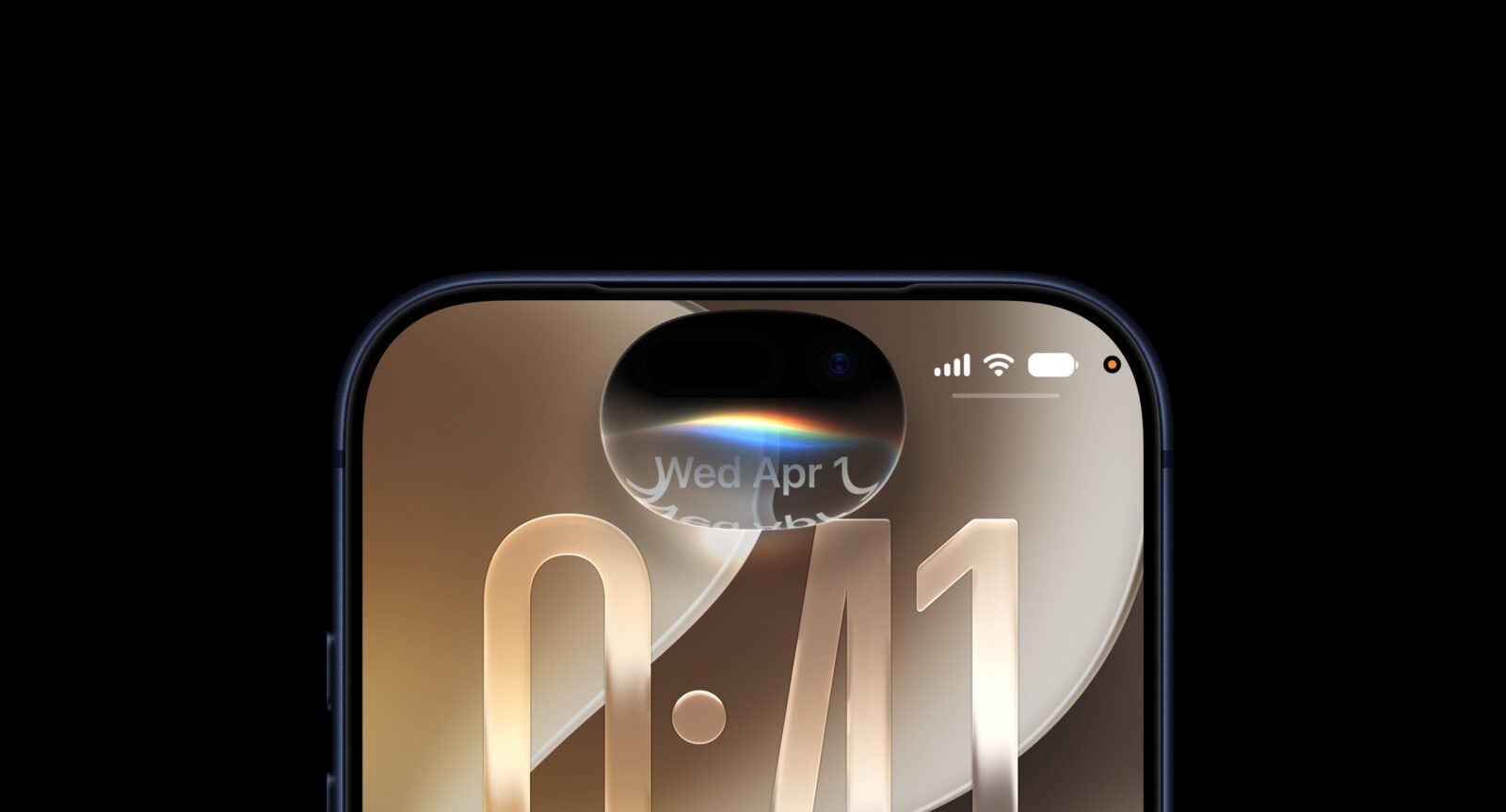
Every year Apple gives me a new version of iOS and iPadOS, and every year I end up asking the same question: how much of this will actually change the way I use an iPhone or iPad once the keynote fireworks are over? With iOS 27 and iPadOS 27, I think the answer could be “quite a lot.” Not because Apple has reinvented the Home Screen or discovered another way to make icons shimmer, but because this update is focused on making everyday tasks faster, easier and considerably more intelligent.
The headline attraction is obviously Siri AI, Apple’s long-awaited attempt to turn Siri into the assistant it has spent years promising. But after digging into everything Apple is bringing to iOS 27 and iPadOS 27, Siri is only part of what makes this update interesting. Performance improvements, smarter automation, better photo tools, more useful Safari features and some surprisingly thoughtful iPadOS upgrades make this feel more substantial than the usual annual software refresh.
I’m looking at iOS 27 and iPadOS 27 as major platform upgrades rather than a pile of disconnected features. The more I go through what Apple has changed, the clearer the theme becomes: less friction, more context and fewer moments where I need to jump between apps just to complete something simple. That is exactly where I want iOS and iPadOS to go.
Siri AI is the upgrade I have been waiting years for
Let’s get the obvious one out of the way first. Siri AI is easily the most important addition to iOS 27 and iPadOS 27 because Siri desperately needed something more dramatic than another animation and a slightly better ability to understand when I’ve butchered the name of a song.
The new Siri is built around much more natural conversations. I can speak or type normally, continue with follow-up questions and interact with it more like a modern AI assistant rather than carefully feeding it short commands and hoping the wording survives contact with reality. Siri can also handle broader questions using information from the web, which finally gives it the kind of general knowledge I expect from an assistant in 2026.
But that isn’t what excites me most.
What matters is that Siri is becoming much more deeply connected to the iPhone and iPad themselves. Apple has spent years sitting on an enormous advantage over standalone AI assistants: it controls the operating system, the apps and the device underneath them. iOS 27 finally feels like Apple is starting to exploit that properly.
I don’t need Siri to impress me by explaining quantum mechanics. I need it to understand what I’m doing and help me get things done without turning every request into a mini boss battle.
Personal context could be Siri AI’s killer feature
This is probably the part of Siri AI I find most compelling.
My iPhone is full of useful information scattered across Messages, Mail, Photos, Notes and Files. Finding something later often depends on remembering where it came from, when I received it and what words were used. That isn’t particularly intelligent for a device that knows all of those things already.
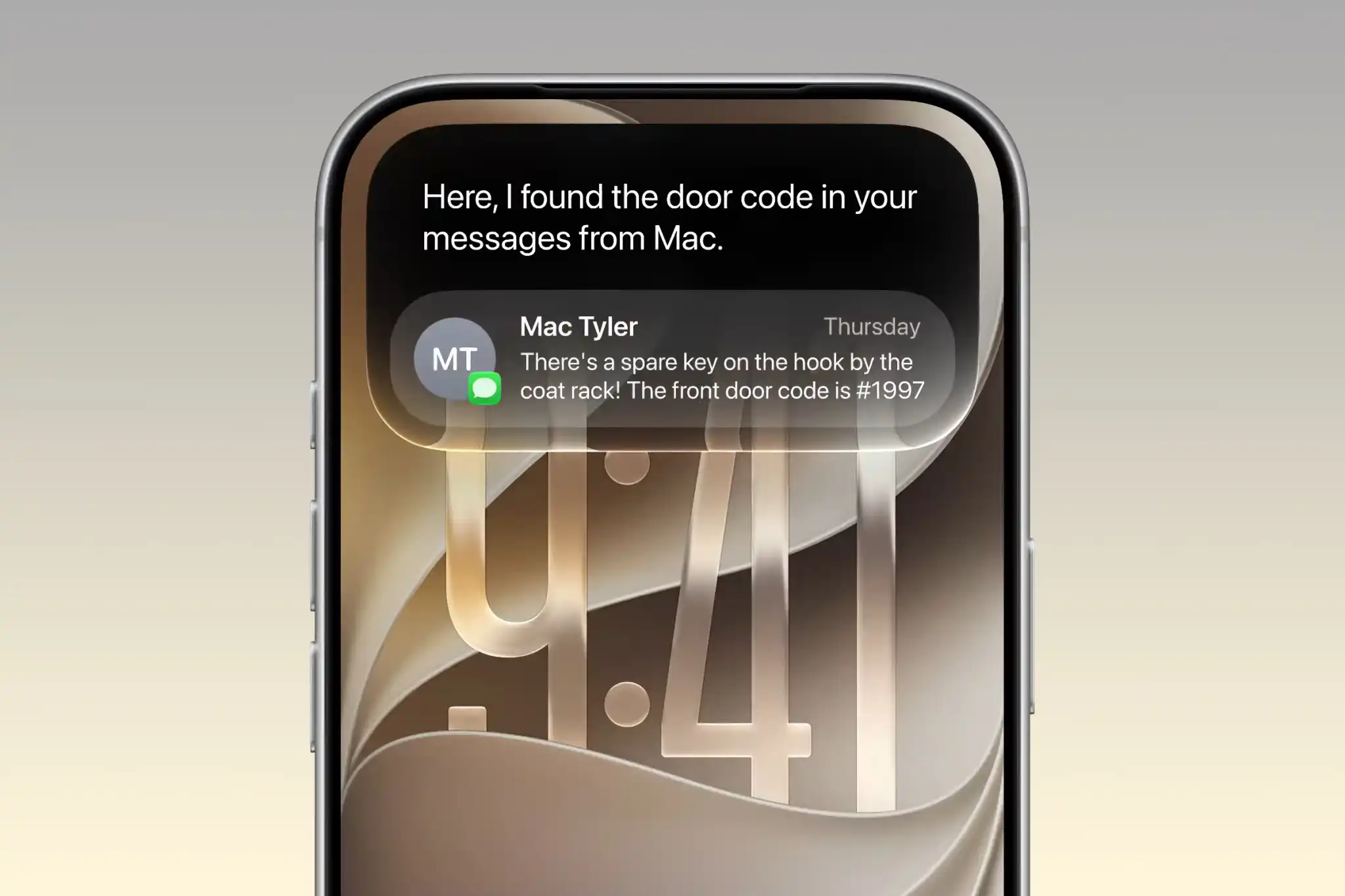
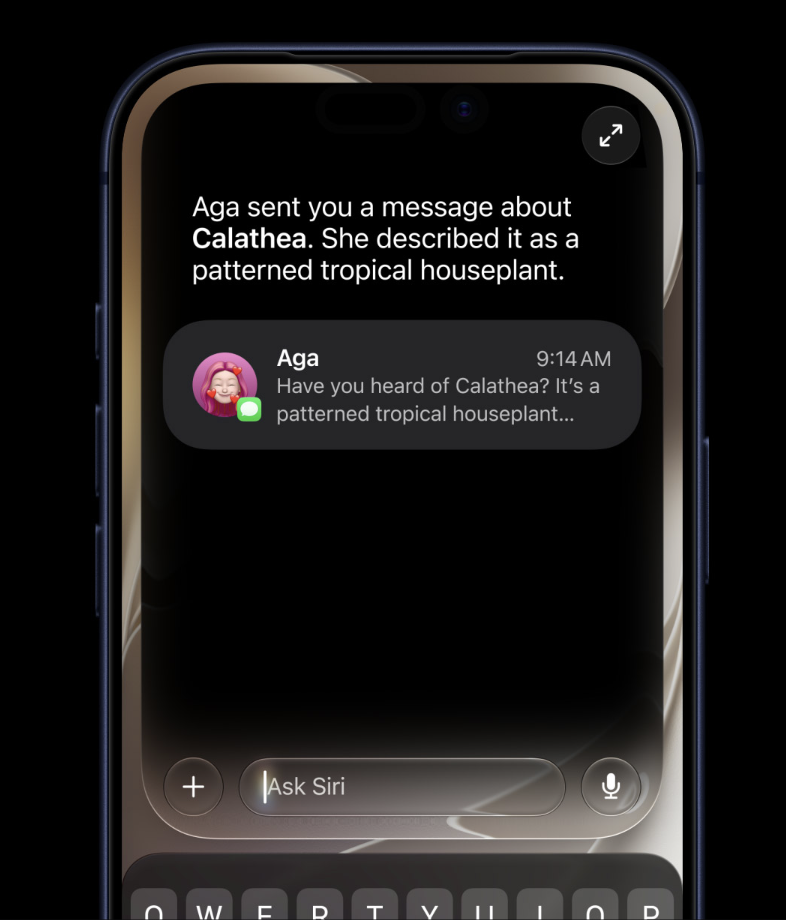
Siri AI is designed to understand personal context and retrieve information from across the device based on natural requests. That means I can theoretically ask for the restaurant someone recommended, an email containing a booking, a photo from a specific trip or a note I barely remember writing without having to know exactly where it lives.
That’s the kind of AI I actually want.
The industry is obsessed with making AI generate things. Apple has a much more interesting opportunity: using AI to help me find and use things I already have. My Photos library alone has enough digital archaeology to keep Indiana Jones busy for several sequels, so anything capable of making that archive more accessible gets my attention immediately.
Siri controlling apps matters more than Siri answering trivia
Siri AI can also perform actions across supported apps, and I think this is where the assistant becomes genuinely useful.
Instead of simply telling me information, Siri can understand what I’m currently doing and potentially act on it. That could mean editing a message, creating a reminder, adding music to a playlist, modifying a photo or creating an event based on information already on screen.
This is the direction I want AI assistants to take.
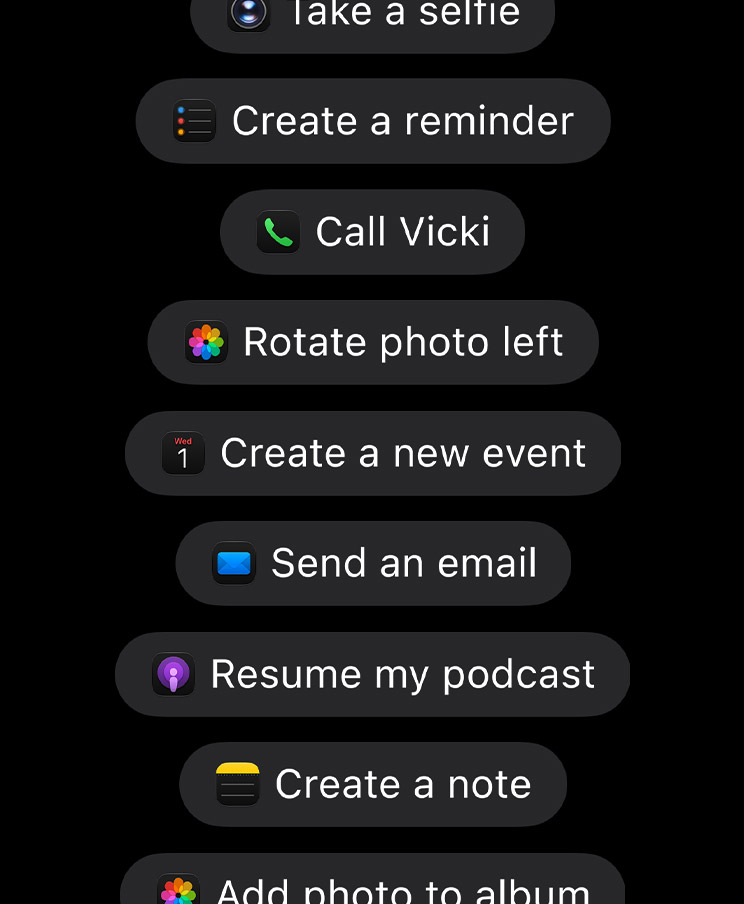
We’ve already established that artificial intelligence can write poems, generate pictures and explain black holes. Fantastic. What I want from the AI inside my phone is considerably less glamorous: save me taps.
If Siri can understand what’s on my screen, recognise what I want and carry out an action without forcing me through three apps and six menus, that’s real progress. The best AI feature isn’t necessarily the one that looks most impressive in a demo. It’s the one that quietly removes thirty seconds of nonsense from something I do every day.
The dedicated Siri app makes more sense than I expected
Giving Siri its own app initially sounds slightly strange. Siri has always lived everywhere, so putting it inside an icon feels a little like giving Spotlight its own apartment.
But with Siri becoming more conversational, I actually understand the logic.
Long AI conversations are different from quick voice commands. If I’m researching something, brainstorming, working through a document or asking several connected questions, I want that conversation to persist. I don’t want it evaporating the second the assistant interface disappears.
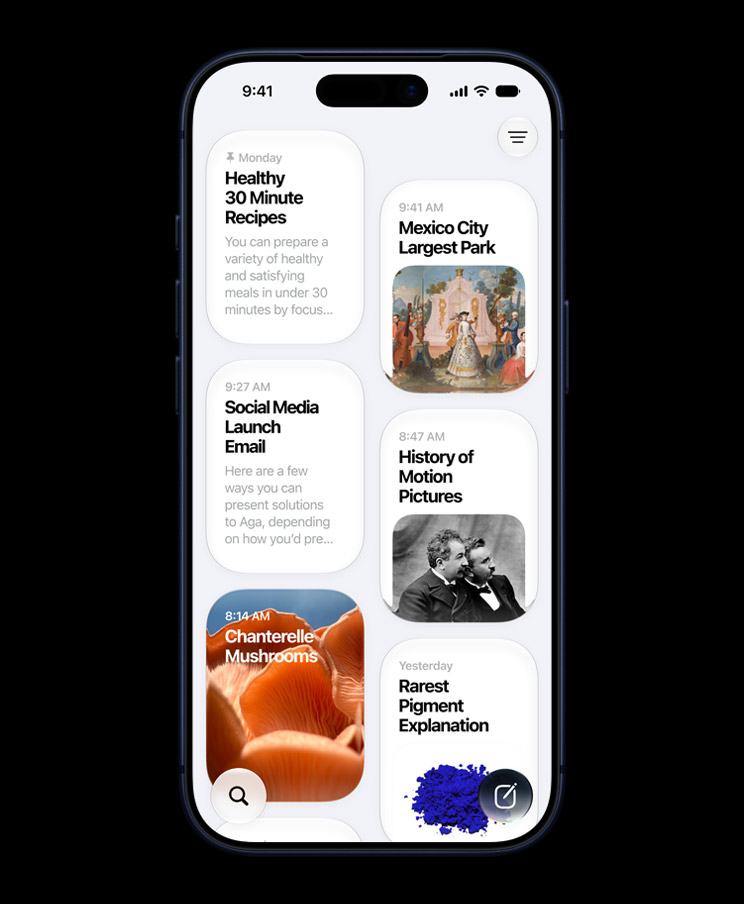
A dedicated Siri app gives those longer interactions somewhere to live. Conversations can be revisited and continued instead of constantly restarting from zero.
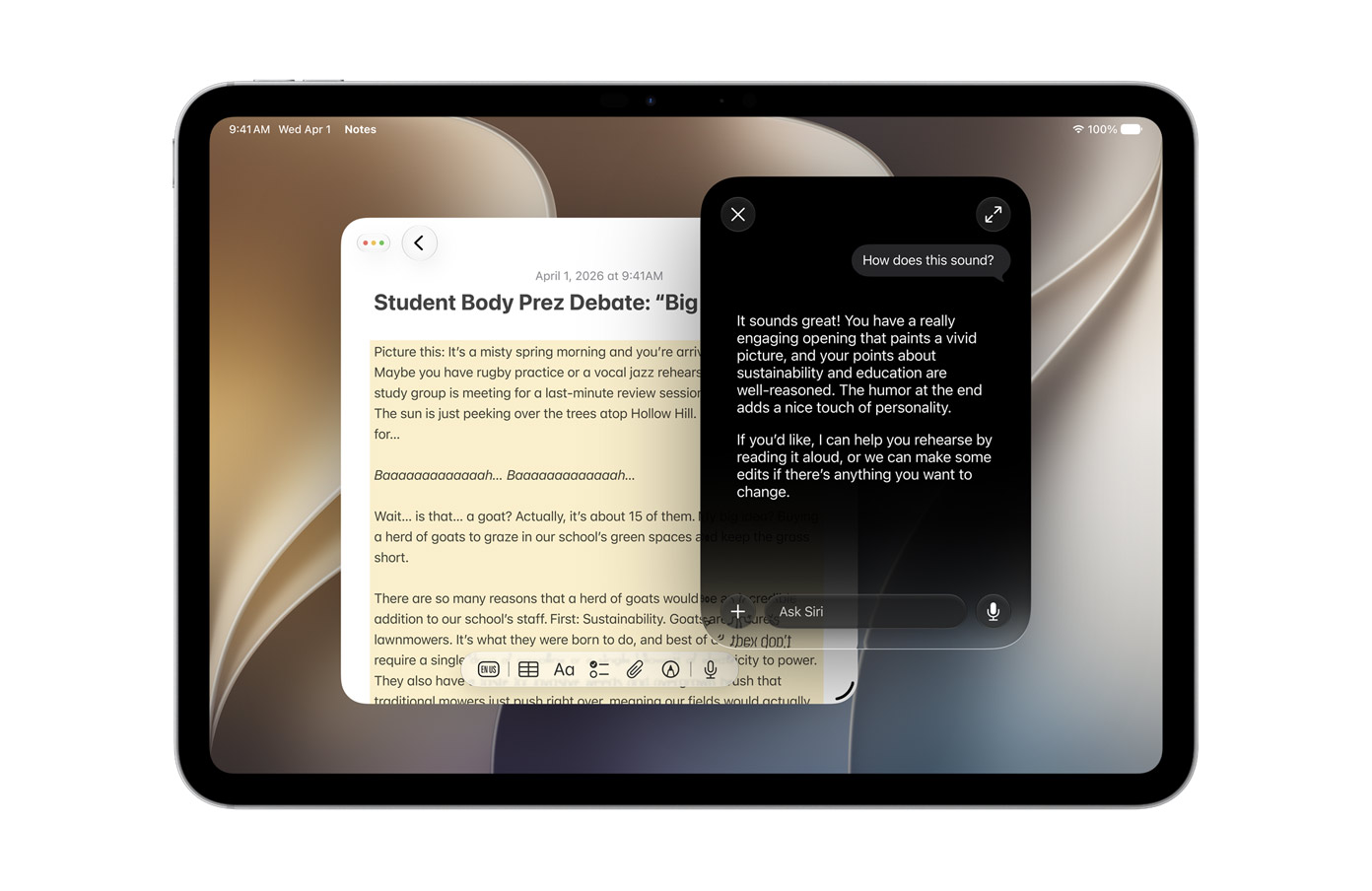
I think that becomes particularly useful on iPad. Siri sitting alongside Safari, Notes or Files makes much more sense as a productivity tool than an assistant that briefly floats over whatever I’m doing and then vanishes.
Quick requests can still feel like Siri. Longer work can feel like an actual AI workspace.
That’s a sensible separation.
Visual Intelligence finally feels properly integrated
Visual Intelligence is another feature where I think Apple’s biggest achievement is removing steps.
On iPhone, I can use the camera to show Siri what I’m looking at and ask about it directly. The important part isn’t simply object recognition. Phones have been identifying objects for years. What matters is being able to turn what the camera sees into a conversation or an action without bouncing through multiple applications.
That’s how visual AI should work.
I don’t want to photograph something, open another app, upload the picture and then explain why I uploaded it. If I’m looking at something unfamiliar, I want to point the camera at it and ask.
The same logic applies to onscreen information. Siri being aware of what I’m currently viewing makes contextual requests much more natural. Instead of describing an image, address, message or piece of information manually, I can refer to what’s already there.
That’s a subtle shift, but it changes the relationship between the assistant and the operating system. Siri stops waiting in another dimension until summoned and starts understanding the context I’m already working inside.
iPadOS 27 makes Visual Intelligence even more interesting
I actually think Visual Intelligence has even more potential on iPad because Apple Pencil changes the interaction.
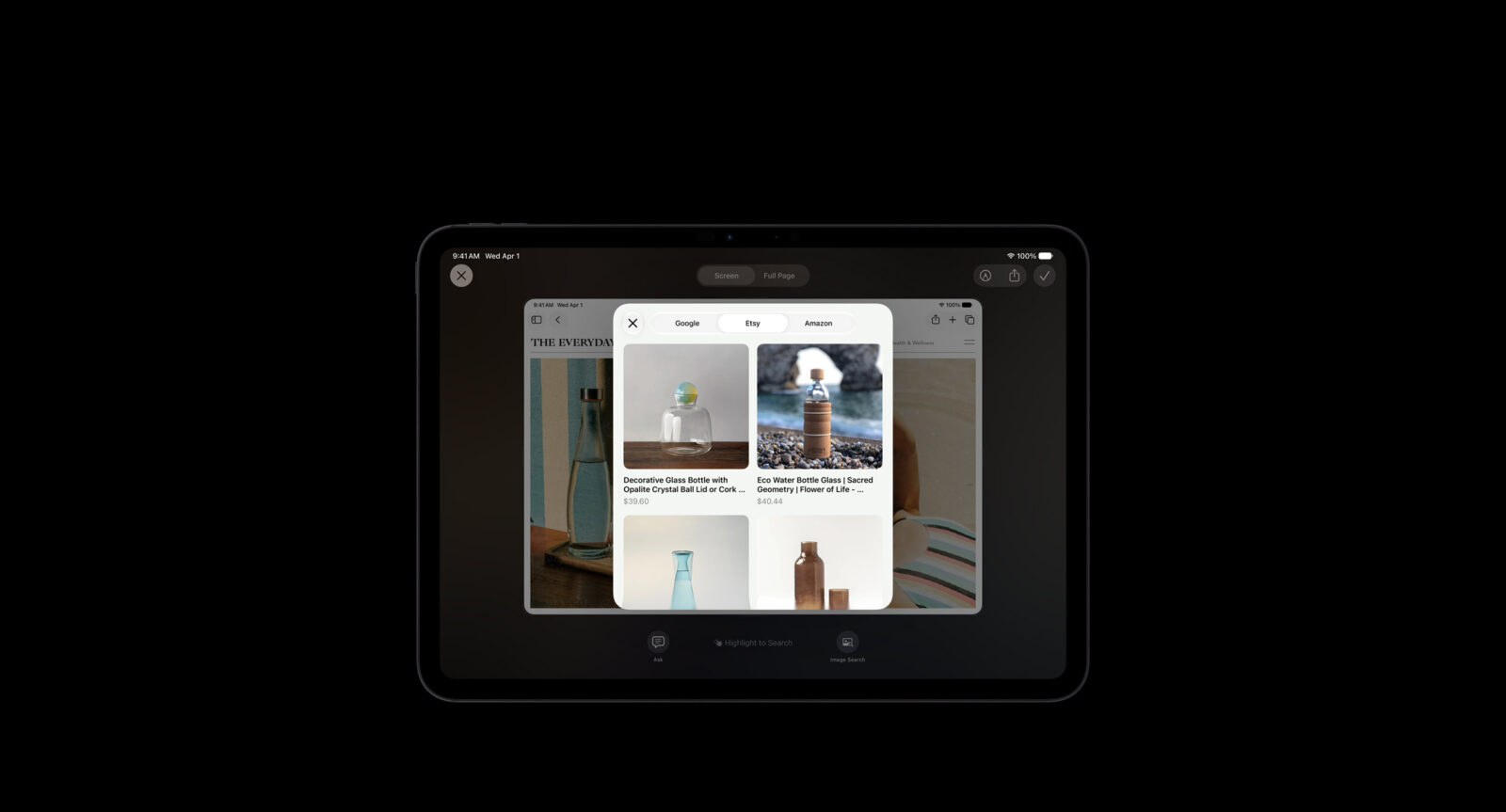
On a compatible iPad, I can identify specific parts of what I’m viewing and direct Siri toward them using touch or Apple Pencil. That creates a much more natural way to investigate documents, diagrams, images and other visual material.
This is where the iPad starts doing things that make sense specifically because it’s an iPad.
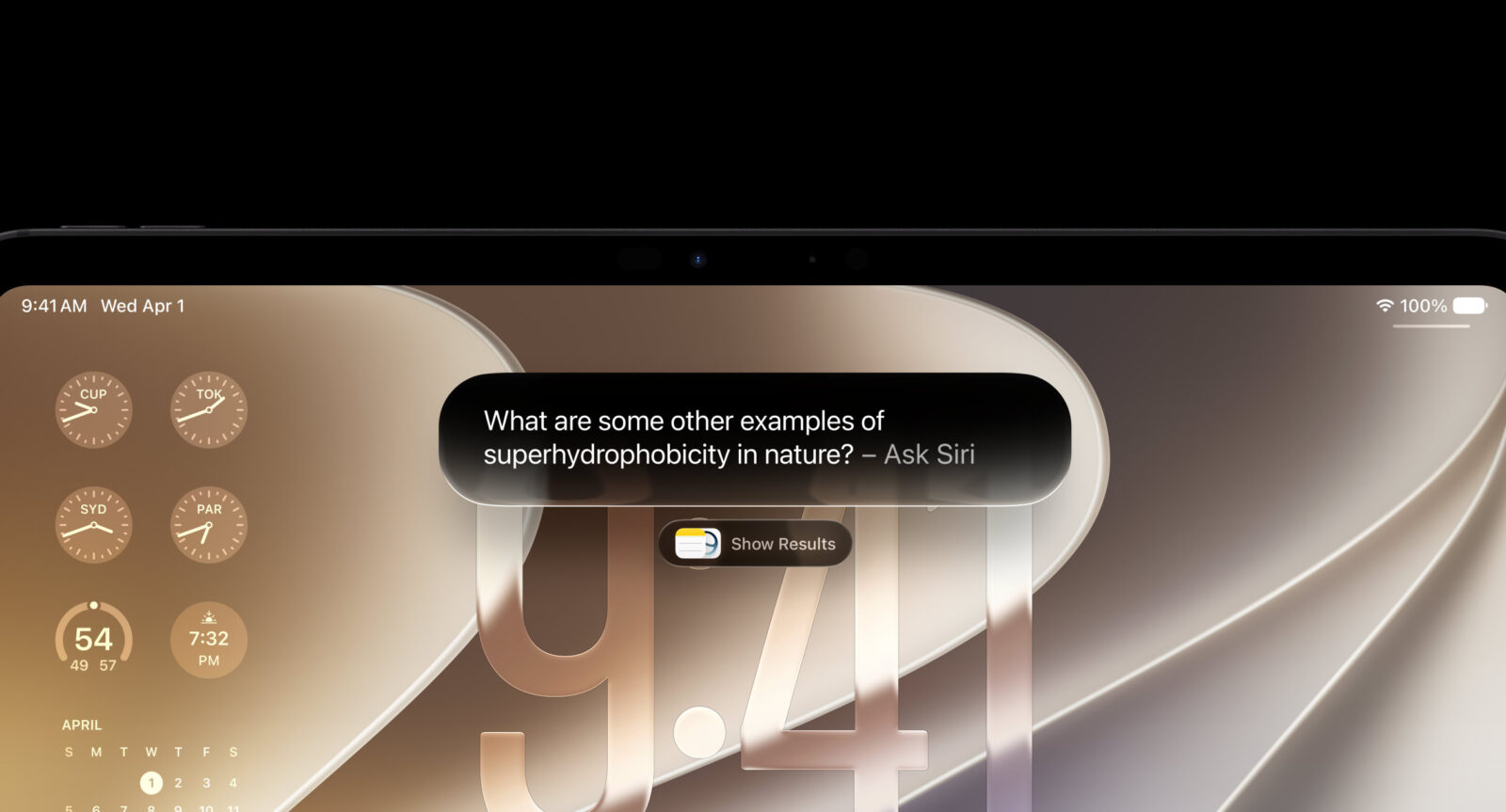
I could be reading a technical document and focus on one component, looking through a diagram and ask about a particular section, or working with an image and point directly at the object I want explained. Rather than typing a description of what I’m interested in, I can literally point at it.
That’s exactly the kind of differentiation iPadOS needs.
I don’t want Apple turning the iPad into a touchscreen MacBook one feature at a time. I want Apple taking advantage of the screen, touch input and Pencil to build workflows that feel unique to the device.
iPadOS 27 appears to understand that much better.
Siri’s writing tools make more sense on iPad
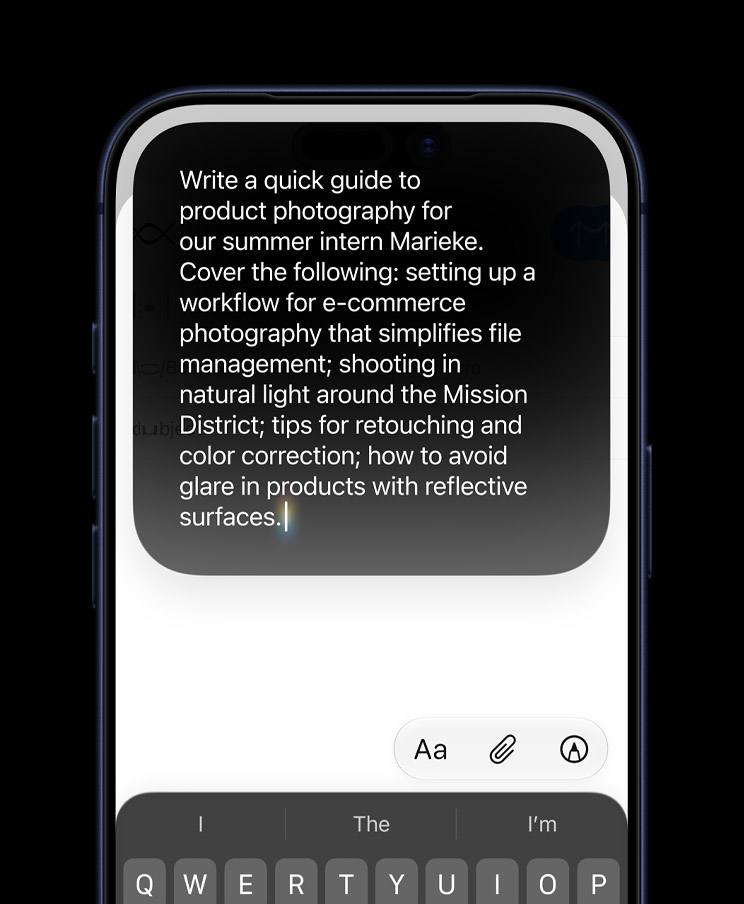
Apple is integrating Siri AI throughout text entry, allowing it to help generate, rewrite and critique text. On the surface, that sounds like another generative writing feature in an industry already drowning in them.
I’m much more interested in what happens when those tools interact with Notes and handwritten material.
The iPad is already one of the best devices Apple makes for handwritten notes, particularly for students and anyone who thinks visually. The problem has always been what happens afterward. Handwritten information can easily become something I captured once and then never properly use again.
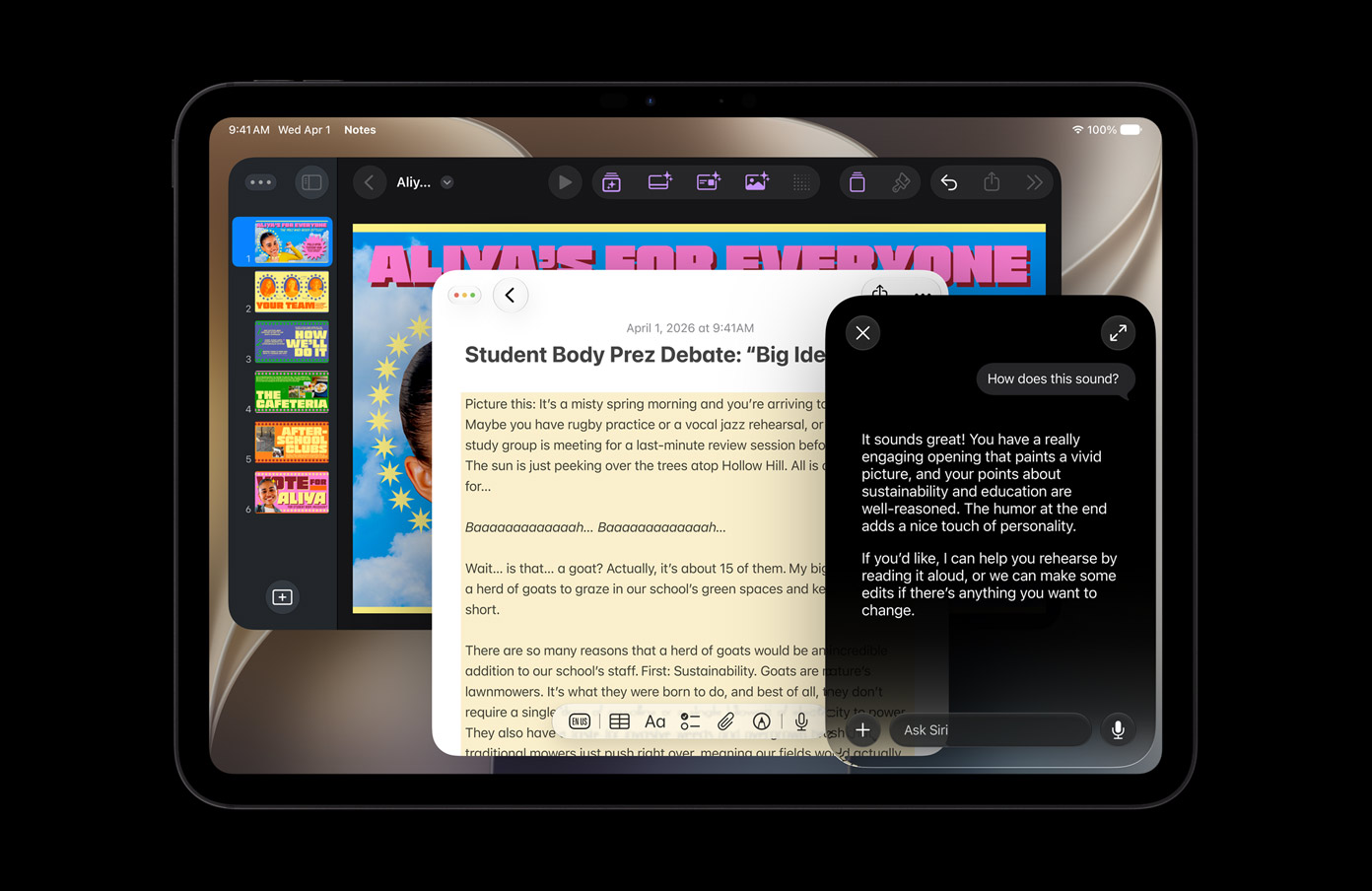
If Siri can understand those notes, retrieve them and help reorganise their information, that changes their value considerably.
I don’t care about AI producing another generic paragraph on demand. I’m far more interested in giving intelligence to information I’ve already created.
Turning handwritten lecture notes into something I can search, reorganise or turn into a more useful study resource is exactly where AI earns its place rather than simply showing off.
Natural-language Shortcuts could be one of iOS 27’s smartest ideas
Shortcuts is fantastic.
Shortcuts is also intimidating.
Apple has spent years building an incredibly powerful automation system that a huge number of people probably open once, stare at for several seconds and then quietly close before anything catches fire.
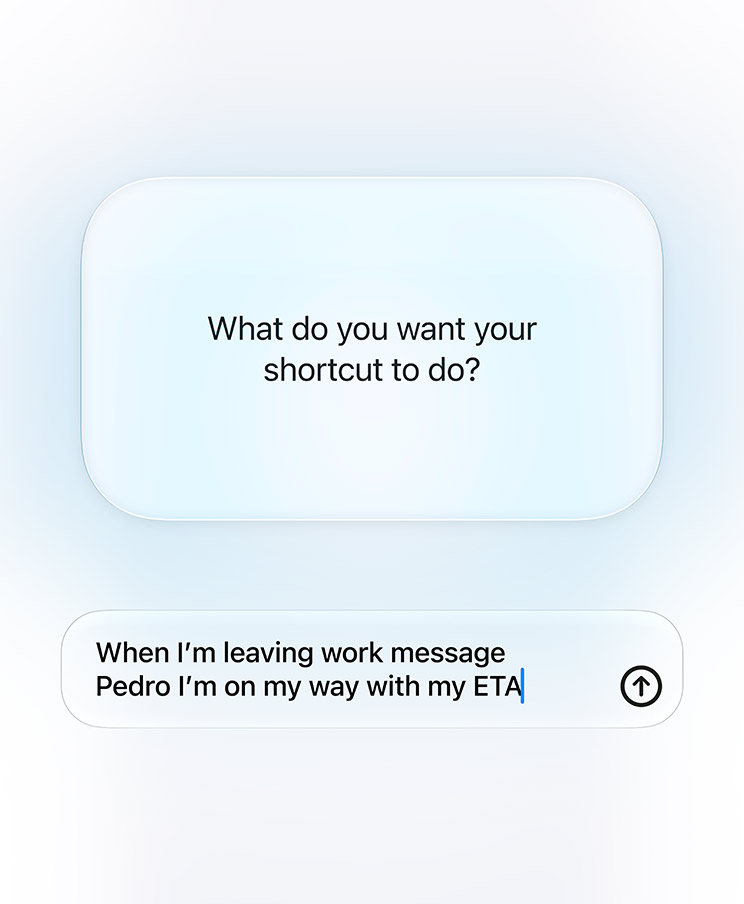
iOS 27 and iPadOS 27 tackle that problem by letting me describe the Shortcut I want instead of manually constructing every action.
This is one of those features that sounds smaller than it actually is.
Automation has always had an accessibility problem. The more powerful the workflow becomes, the more technical knowledge tends to be required to build it. AI is exceptionally well suited to sitting between those two worlds.
If I can explain that I want my iPhone to send someone my ETA when I leave work, or configure a particular workspace automatically on my iPad, I don’t necessarily need to understand every action underneath it.
The power was already there. Apple is simply removing the requirement that I learn how the sausage is made.
And frankly, I didn’t want to see the sausage anyway.
The Photos AI tools are the kind of generative AI I actually want
Apple is expanding Photos with tools including improved Clean Up, Extend and Spatial Reframing.
These are much more interesting to me than generic AI image generation.
Clean Up is about fixing distractions in a photograph. Extend can expand the edges of an image when the original framing is too tight. Spatial Reframing provides additional freedom to adjust how a photograph is composed after it has already been captured.
These features solve actual photography problems.
We’ve all taken a photo that’s nearly right. Maybe something ugly wandered into the background. Maybe the framing cut off part of what mattered. Maybe I took the shot slightly too tight because the person behind me was already sighing aggressively while waiting for their turn.
AI being able to rescue that photograph is useful.
Obviously, quality matters. Generative editing only works if the repaired areas look believable. Nobody wants their holiday photo repaired with architecture that suddenly obeys Doctor Strange physics.
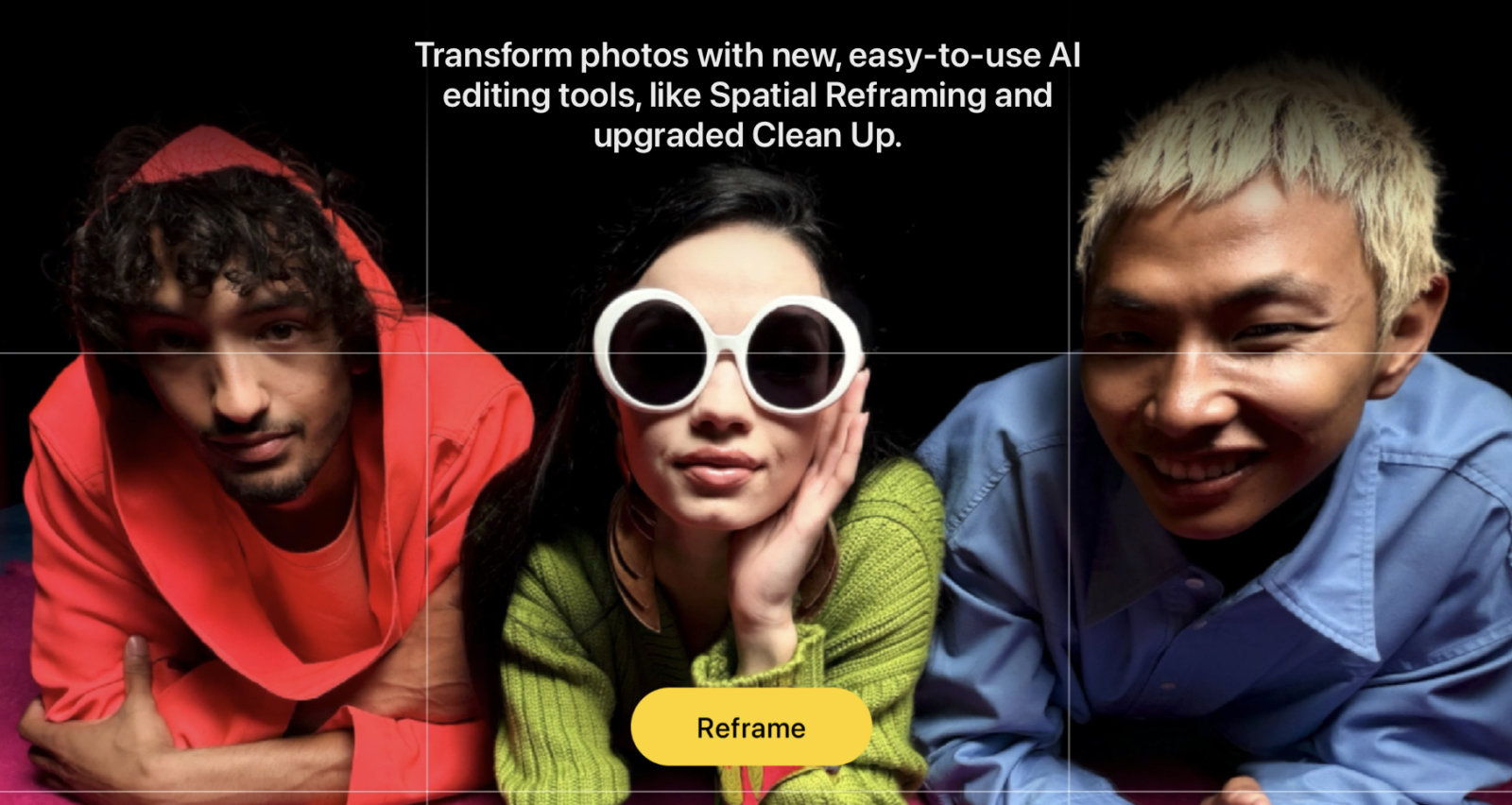
But conceptually, this is exactly where I want computational photography moving. Help me improve the photo I actually took rather than constantly encouraging me to generate one that never existed.
Safari Notify Me might become one of my favourite iOS 27 features
One of the smallest features in iOS 27 could end up being one of the ones I use most.
Safari Notify Me can monitor webpages for changes and alert me when something relevant happens, such as a product returning to stock or a price changing.
I love this idea because it removes pointless checking.
We’ve all had that webpage we keep refreshing. Maybe it’s something sold out, something we’re waiting to book or a product we’re hoping gets discounted. It’s the digital equivalent of repeatedly opening the fridge even though you already know nothing new has appeared inside.
Safari doing that monitoring for me is exactly the sort of background intelligence an operating system should provide.
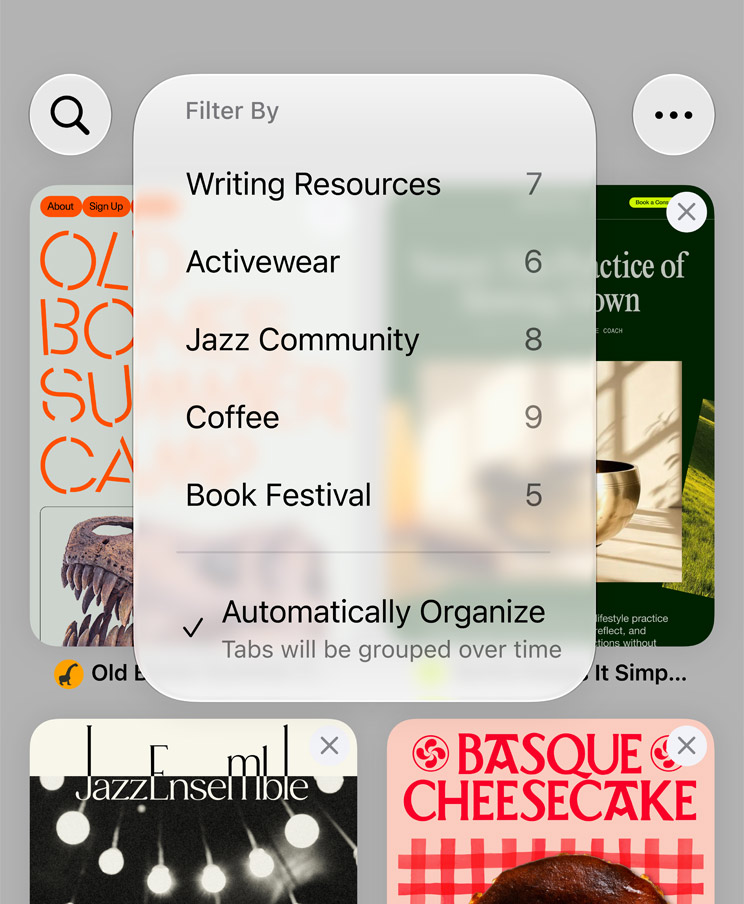
Automatic tab organisation is another welcome addition. I am absolutely not admitting how many Safari tabs I can accumulate, but I will say that automatic grouping sounds much more useful than confronting my poor life choices manually.
Neither feature looks revolutionary.
Both could make Safari noticeably better every day.
Performance could be iOS 27’s most important upgrade
For all the AI talk, one of the things I like most about iOS 27 is Apple’s emphasis on performance.
Apple is making changes around CPU utilisation, memory management, display rendering, search and overall responsiveness. Those improvements aren’t as marketable as a giant new AI feature, but they potentially benefit almost everything I do on the device.
This matters because speed is one of the few upgrades nobody needs explained.
If apps open faster, animations feel smoother, photos appear more quickly and everyday navigation has less hesitation, I notice immediately. I don’t need a tutorial. I don’t need a supported language. I don’t need to remember which menu contains the feature.
The phone simply feels better.
That’s especially important as devices age. A major operating-system update making older supported hardware feel fresher is far more valuable than adding another feature that only works on the newest model.
Apple’s hardware has been ridiculously fast for years. I’d rather see software extracting more of that performance than watching another processor spend most of its life waiting for applications to catch up.
iPadOS 27 needs performance improvements even more
The iPad has always had a slightly strange relationship with performance.
Apple keeps putting desktop-class chips inside tablets, and then parts of iPadOS occasionally behave as though nobody told the software what hardware it was running on.
An M-series iPad Pro isn’t lacking horsepower. The challenge has always been converting that horsepower into an experience that actually feels as capable as the specifications suggest.
That’s why performance and responsiveness improvements matter so much in iPadOS 27.
I want file handling to feel instant. I want moving around the system to feel effortless. I want multitasking to respond without the operating system reminding me that it’s still negotiating with itself.
The iPad doesn’t need more benchmark victories. It already has enough silicon muscle to arm-wrestle plenty of laptops.
What it needs is software that makes all that power visible in normal use.
iPadOS 27 appears much more focused on that, and I’m far more excited about it than another headline claiming the latest M-series chip is 37 percent faster at a task nobody performs.
Liquid Glass is staying, but refinement is exactly what it needed
Liquid Glass was never going anywhere after one year.
Apple invested far too much in its translucent visual language to turn around and pretend the entire thing was a collective fever dream.
What iOS 27 and iPadOS 27 need to do is make it better.
I don’t dislike the idea behind Liquid Glass. When it works, it gives Apple’s operating systems a distinctive futuristic identity. The problem comes when translucency starts interfering with readability or when controls look beautiful sitting inside a promotional render but become harder to understand in actual use.
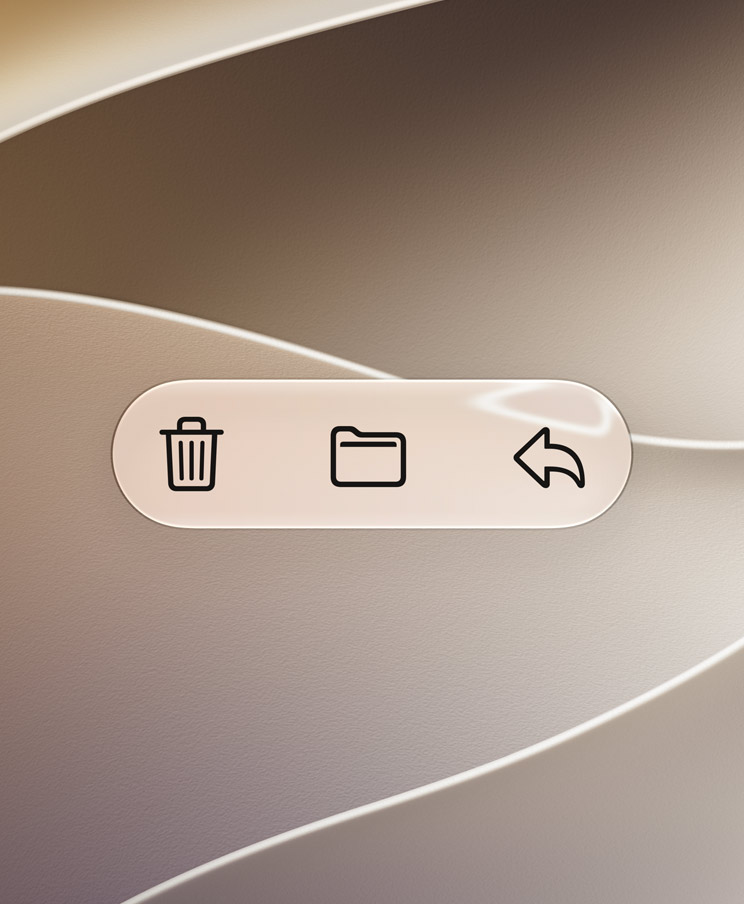
Refining contrast, readability and the amount of visual transparency is the right approach.
I want the fancy sci-fi interface. I just don’t want every button looking like a ghost trapped behind a shower door.
Apple doesn’t need to abandon Liquid Glass. It needs to make the design disappear when I’m actually trying to use the device.
That’s what good interface design eventually does.
Passwords becoming more proactive is exactly what security needs
Apple’s Passwords app can already warn me when passwords are weak or compromised. That’s useful, but there’s an obvious problem with most security warnings: they still depend on me doing something afterward.
Humans are spectacularly bad at that.
Tell someone they have 28 compromised passwords and there’s a very good chance they’ll stare at the warning, feel terrible about their cybersecurity for approximately nine seconds, and then open TikTok.
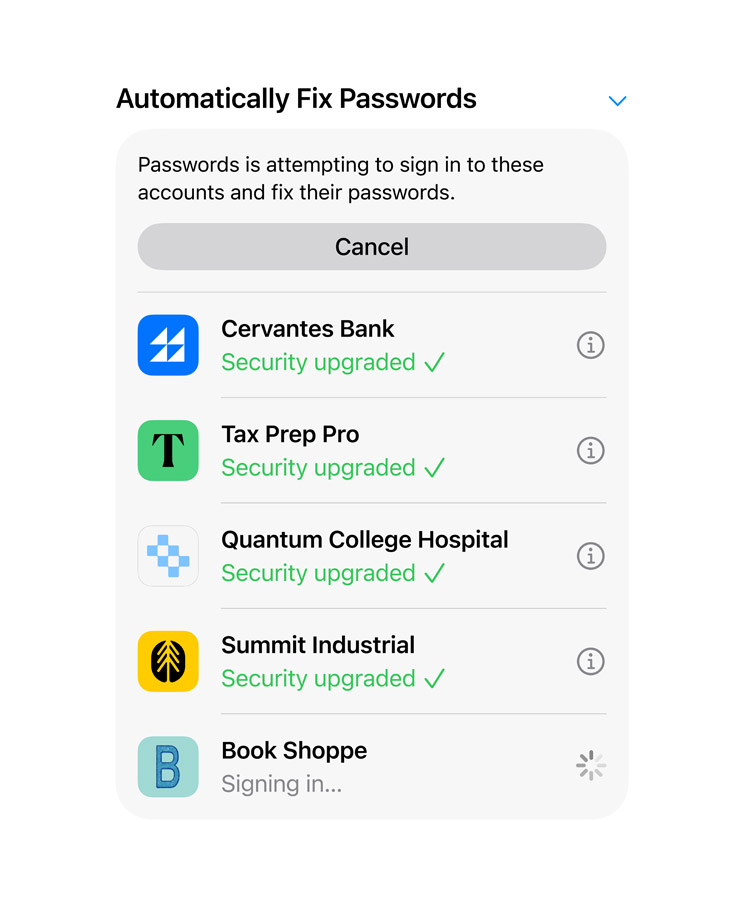
iOS 27 pushes further by making supported password changes easier and more automatic.
That’s what security needs.
The best security feature isn’t the one that gives me the most frightening notification. It’s the one that makes the safer behaviour easier than ignoring the problem.
Anything that reduces the friction involved in replacing bad credentials is a win in my book.
Call Context is exactly the kind of AI feature I want
Call Context is another feature that doesn’t sound spectacular until I think about how often I could actually use it.
When I’m speaking with a business, Siri can surface information relevant to that conversation. If I’m calling an airline, for example, the system can help bring up booking information stored elsewhere on the device.
This is personal context being used properly.

I don’t need an AI assistant writing a haiku about my flight confirmation. I need it to find the booking reference before an automated phone system sends me back to the main menu for the fourth time.
That’s the difference between AI as a demo and AI as infrastructure.
When intelligence understands enough about what I’m doing to quietly place useful information in front of me at the right moment, it stops feeling like another feature I need to manage.
It simply feels like the device is paying attention.
HomeKit Secure Video is becoming more intelligent
Apple is also bringing more intelligence into the Home app and HomeKit Secure Video.
Instead of treating every camera event as an isolated motion notification, the system can understand more about what happened and make footage easier to find. Search becoming more contextual is especially interesting because security-camera libraries become useless surprisingly quickly once hundreds of clips start accumulating.
I don’t want to scrub through fifteen minutes of footage to find when a parcel arrived.
I want to search for the delivery.
That sounds obvious, but it’s exactly the sort of thing AI is good at: turning messy collections of information into something I can query naturally.
The limitation, as always with smart-home features, will be hardware support. HomeKit has never suffered from a lack of good ideas. Its biggest problem has often been finding enough devices that support those ideas.
Still, for anyone already invested in Apple’s smart-home ecosystem, these improvements make the platform much more useful.
Parental controls are becoming easier to actually use
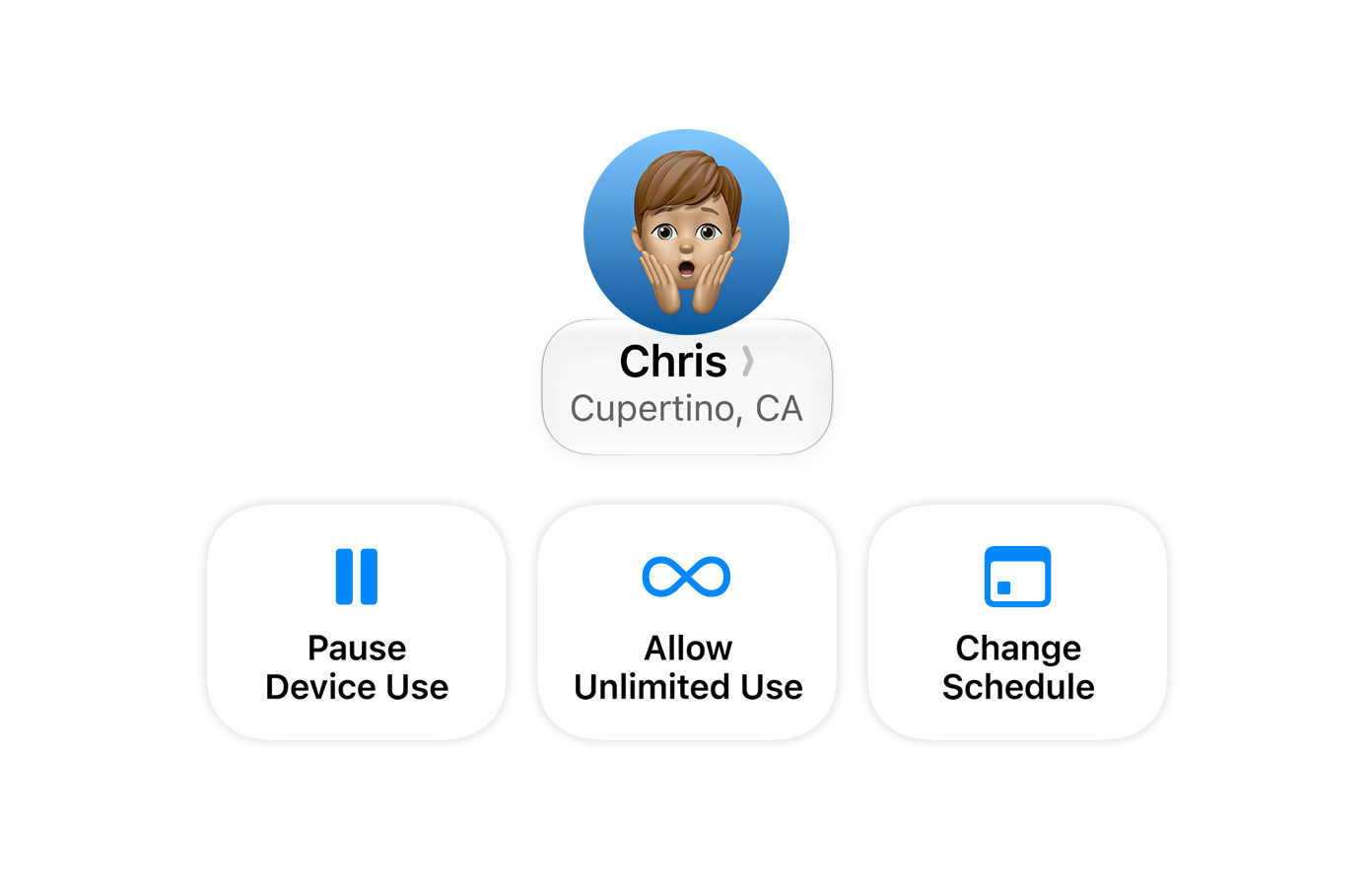
Parental controls are another area where Apple is focusing less on flashy features and more on making existing protections easier to manage.
Parents can control access to system apps, require permission before new websites are visited and manage broader restrictions around how children use their devices. iPadOS also expands controls around categories and schedules.
The part I appreciate most is the focus on simplicity.
Parental controls are useless if configuring them feels like administering the network infrastructure for a small government.
Parents shouldn’t need a twenty-minute YouTube tutorial to figure out whether a child can install an app or visit a new website.
Good safety tools should be powerful enough to matter and straightforward enough that people actually use them.
That sounds obvious.
Software has historically been surprisingly bad at it.
Should you upgrade to iOS 27 and iPadOS 27?
For most compatible devices, I think the answer will eventually be yes.
Even if you aren’t particularly interested in AI, there is enough happening around performance, Safari, Photos, security, connectivity and general usability to make the updates worthwhile.
The bigger question is whether iOS 27 becomes a reason to upgrade your hardware.
For owners of older iPhones, Siri AI and the broader Apple Intelligence features may create the first genuine software-driven reason to consider moving to a newer model. That’s very different from upgrading because the camera gained another lens trick or the processor got faster on a benchmark chart.
If Apple Intelligence becomes deeply integrated enough, the gap between a supported iPhone and a fully supported iPhone could become increasingly noticeable.
I still wouldn’t upgrade hardware purely because an AI feature sounds cool on a product page.
But iOS 27 makes the conversation more interesting than it has been for a while.