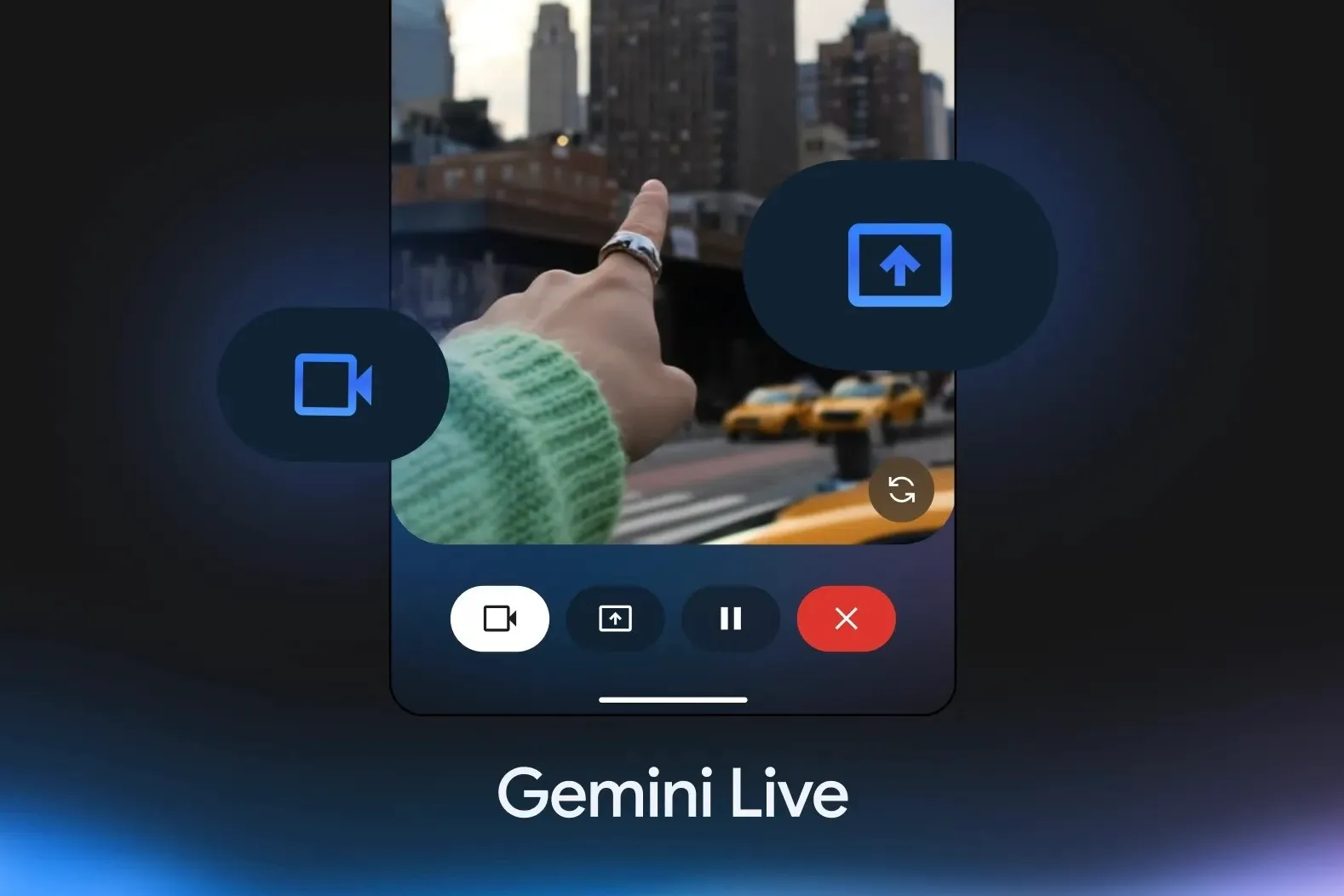
Google has officially extended Gemini Live’s screen and camera sharing features to iPhone and iPad users, marking a significant expansion of its AI assistant’s capabilities on Apple devices. Previously exclusive to Android, these interactive tools are now available for free through the Gemini app on iOS—enabling users to access AI-powered insights based on their real-world surroundings or on-screen content.
The feature allows users to initiate a live video stream using the iPhone’s rear or front camera and then interact with Gemini to identify, explain, or provide more context about what the camera sees. Whether you’re scanning a cluttered desk, a shelf of products, or a complicated instruction manual, Gemini can offer assistance in real time.
This capability complements—but goes beyond—Apple’s own “Visual Intelligence” feature introduced with iPhone 16 and iOS 18, which allows users to identify objects through the camera app. Unlike Apple’s version, however, Gemini Live supports continuous visual input and offers a more conversational interaction, backed by Google’s generative AI.
Users can also share their screen during a Gemini Live session, providing a practical way to request help with apps, documents, websites, or any task visible on the display. For instance, you can highlight a confusing interface or a detailed article, and Gemini can summarize, explain, or offer next steps.
To activate camera or screen sharing, users simply start a Gemini Live session within the app, then tap the appropriate icon to begin sharing.
Announced during Google I/O 2025, this update reflects Google’s broader effort to push Gemini beyond passive chatbot functionality and into the role of a real-time assistant with contextual awareness. The company also confirmed that Gemini Live will soon support deeper integration with core Google apps like Maps, Calendar, and Tasks. These integrations are expected to roll out in the coming weeks and will allow Gemini to interact with user data across services, enhancing its ability to provide relevant recommendations or manage tasks on the fly.
While Google’s AI tools continue to evolve rapidly across platforms, Apple’s own assistant, Siri, has struggled to keep pace. With iOS 19 rumored to open the door to third-party assistants by default, Gemini could find itself in an even stronger position on Apple’s devices later this year.
For now, the addition of camera and screen sharing to Gemini Live provides a compelling, no-cost enhancement for iPhone users looking for a more capable AI companion—whether for everyday tasks, organization, or real-world problem-solving.