
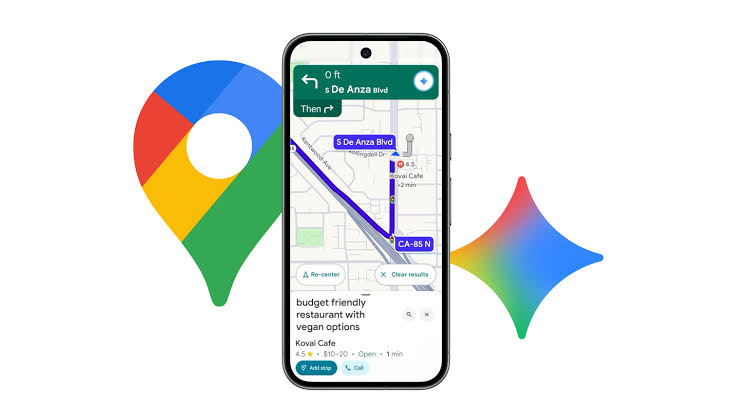
Google is turning Gemini into something closer to a location-aware assistant, at least for people using it on a phone. A new Map tool is now rolling out broadly in the Gemini app on both Android and iOS, letting users point the chatbot at a specific patch of the world before asking their question. The web version doesn’t have it.
The feature sits at the far end of the attachment carousel, after Photos, Camera, Avatar, Files, Drive and Notebooks. Tapping it opens a live map centred on your current position, with a circular focus area marking the region Gemini will consider. You can pinch to zoom, search for another location with the magnifying glass in the corner, or back out with the close button. Once the circle sits where you want it, an Explore this area button drops a Map Area tag into the prompt box, and anything you type next is anchored to that spot.
That matters more than it might seem. Location questions are among the most common things people ask assistants, and they’re also where chatbots tend to stumble, often guessing at what “near me” or “around here” means. Letting users draw the boundary themselves removes some of that ambiguity. Whether Gemini actually returns better answers about restaurants, transit or neighbourhoods as a result is another question, and one Google hasn’t clearly answered. Evidence of this tool first surfaced in app code back in February, so the rollout has been a long time coming.
The second change is quieter but hints at how Google wants people to use Gemini going forward. In beta version 17.63 of the Google app, typing a forward slash now triggers a notice explaining that the shortcut has moved to the @ symbol. Typing @ brings up a single panel listing your skills, an option to create new ones, and your connectors underneath.
Both terms are new branding. Skills are replacing Gems, with that transition scheduled for October 13, while connectors is the new label for what Google previously called connected apps. Swapping the slash for an @ mention borrows a convention most people already know from messaging and workplace apps, which should make the system easier to discover. This switch is still limited to beta testers.
The updates cap a busy week for Gemini, which also gained Guided Vision in Gemini Live for blind and low-vision users and a Wallet integration for boarding passes and event tickets. Google is clearly stacking features quickly. The open question is whether the renamed skills and connectors feel like a coherent platform by mid-October, or just another layer of rebranding users have to relearn.