TL;DR: Spotify Mix lets Premium users permanently craft DJ-style transitions inside their own playlists using BPM, Camelot keys, waveforms, and deep automation for volume, EQ, and filters. Smart Reorder gets the order right fast, then you fine-tune every handoff until the whole thing feels like a real set. It’s free with Premium, works on mobile and desktop, and once you try it regular playlists will never sound the same.
Spotify Mix
I still remember the first time I tried to DJ at a friend’s apartment party back in college. I had two laptops, a cheap controller that smelled like burnt plastic, and the kind of overconfidence only a guy who just discovered Virtual DJ can muster. The transitions were pure chaos. One second we were vibing to some mid-tempo house, the next the next track slammed in at a completely different BPM like a drunk uncle crashing the dance floor. The crowd went from nodding to side-eyeing me faster than you can say “harmomic mixing.” I swore I’d never touch a mix again unless I had proper gear and three free weekends.
Fast forward to right now, July 2026, and Spotify just handed every Premium subscriber the closest thing to a cheat code. Their Mix feature lets you bake permanent, customizable transitions straight into any playlist you create. No extra hardware. No steep learning curve that makes you want to throw your phone across the room. Just you, your favorite tracks, and a set of tools that actually understand BPM, musical key, and how energy should rise and fall across a listening session. I’ve spent the last couple of weeks living inside this thing, rebuilding old road-trip playlists and late-night coding soundtracks until they feel like proper DJ sets. What follows is everything I learned the fun way, the frustrating way, and the “holy crap this actually works” way.
Why Spotify Mix Feels Like Cheating (In the Best Possible Way)
Let’s get one thing straight. Real DJing is still an art form that deserves respect. The best selectors read a room, cut on the one, ride the EQ like a surfer catching a wave, and somehow make two songs that shouldn’t work together feel inevitable. Spotify Mix doesn’t replace that. What it does is remove the barrier between “I wish my playlist flowed better” and “damn, this sounds like I actually know what I’m doing.”
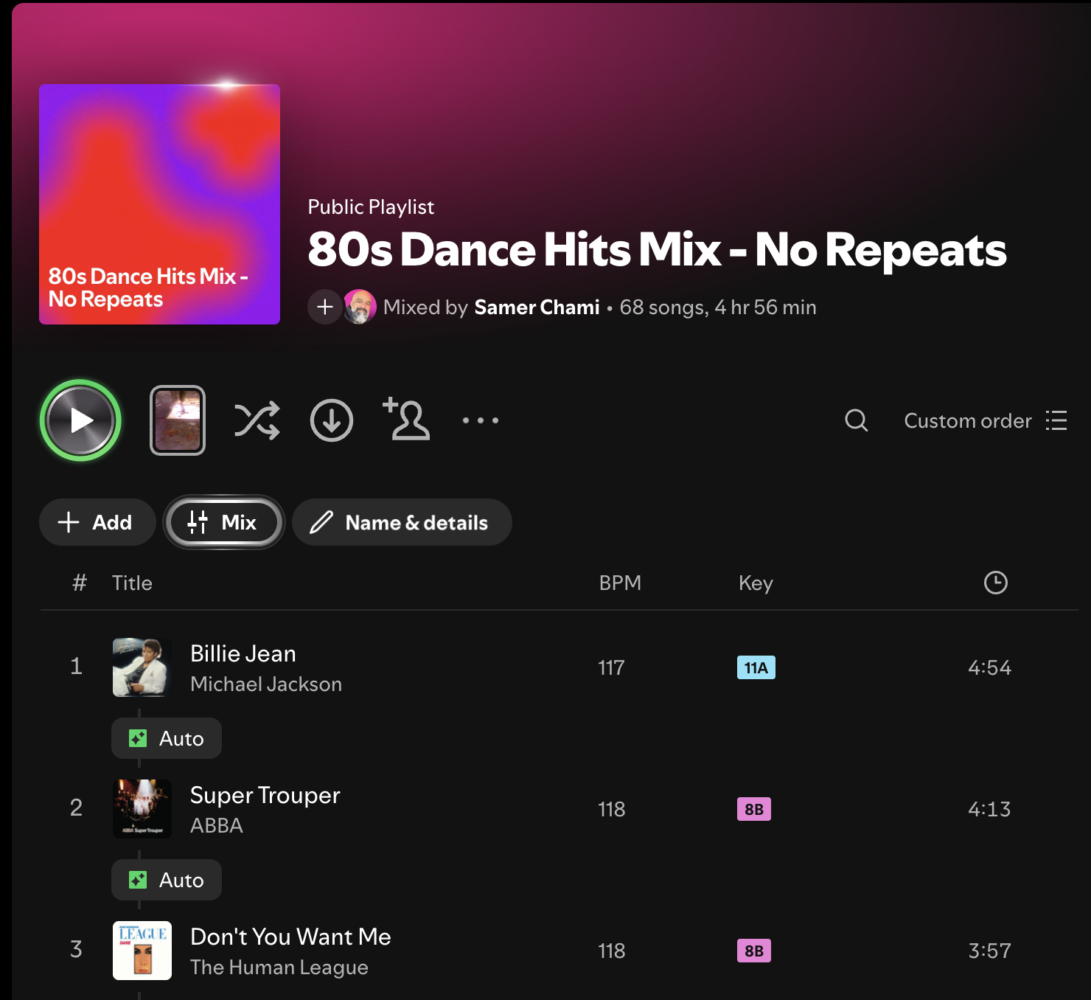
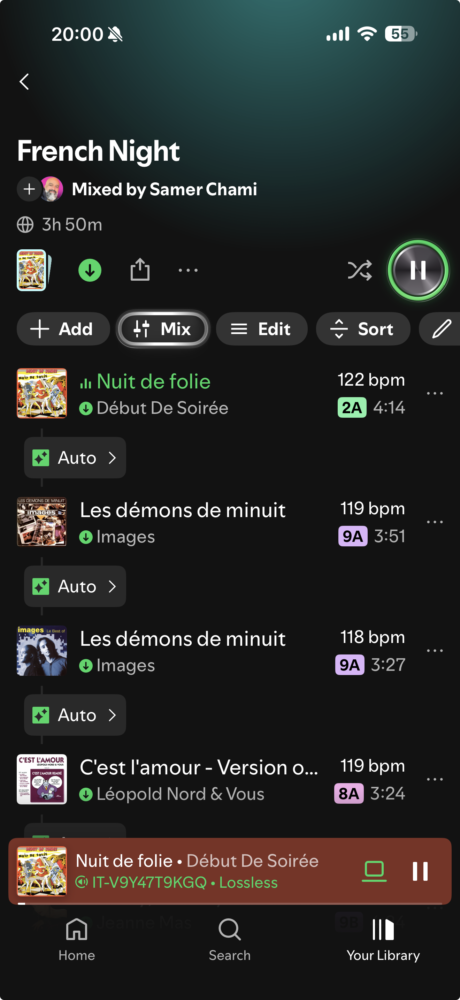
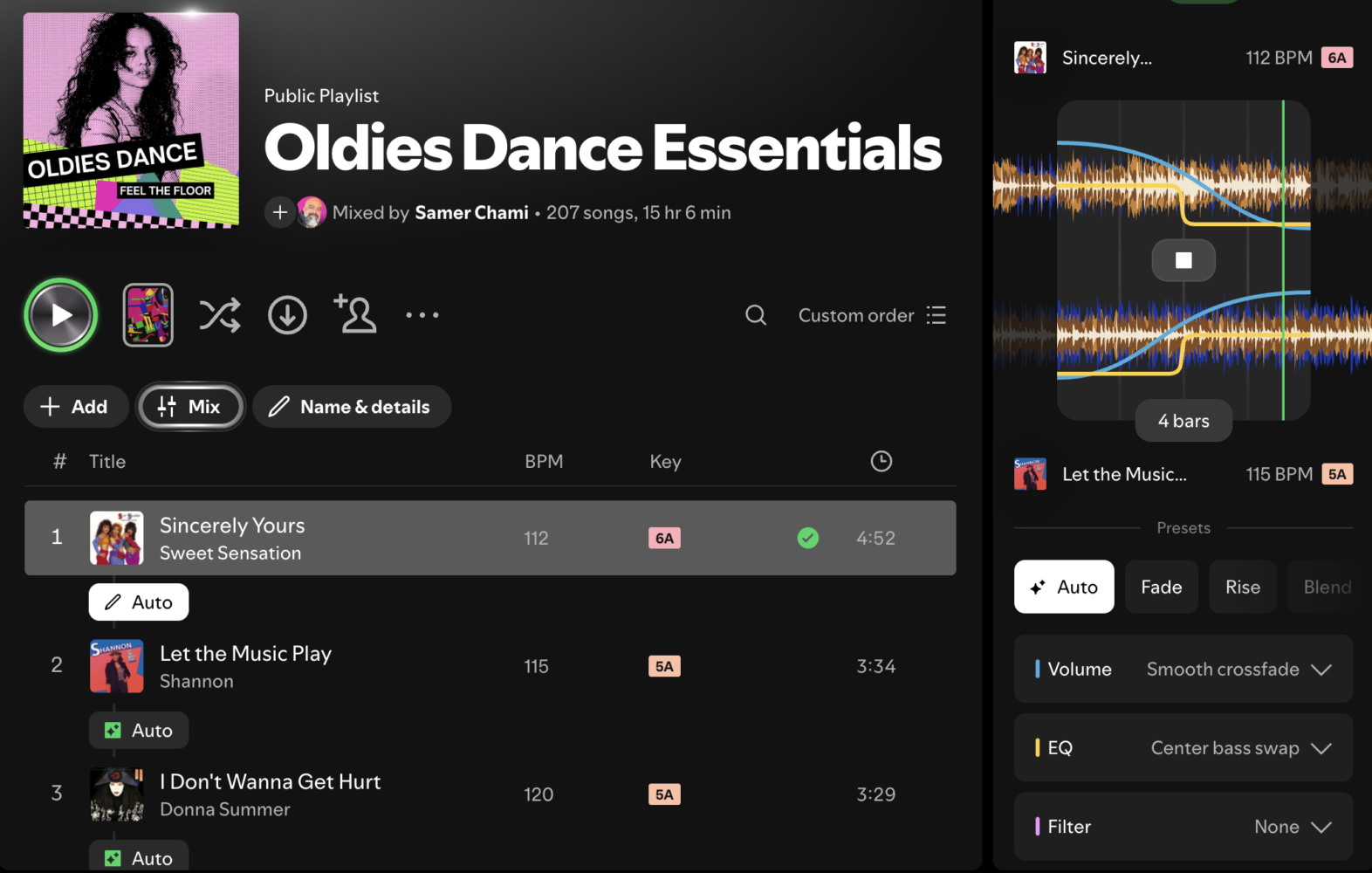
The magic starts the moment you open one of your own playlists and tap that Mix button sitting right under the play controls. Spotify instantly analyzes every track, drops in AI-generated transitions, and surfaces the two pieces of data that matter most to anyone who has ever tried to mix: BPM and key. And not just any key notation. We’re talking Camelot Wheel numbers, the same system actual club DJs swear by. Suddenly 8A next to 9A looks like an obvious energy lift, and you stop wondering why that progressive house track always felt awkward after the indie-folk number.
I used to spend hours in Mixed In Key or Rekordbox just to get this information. Now it’s free, baked into the app I already pay for, and available on both phone and desktop. That alone would have been enough to make me happy. But Spotify went further. They gave us actual waveform views, beat grids, drag-and-drop timing, volume curves, EQ sweeps, and filter automation. It’s like they snuck a lightweight version of Serato into the streaming service and then made it friendly enough that my mom could probably figure it out after two coffees.
Getting Your Playlist Ready Before You Touch a Single Transition
Here’s the part most people skip, and it’s the difference between a mix that feels professional and one that still sounds like two songs fighting in a dark alley. Before you even enable Mix mode, get your track order right. I treat this like building a set for a three-hour open-to-close gig, just compressed into a 45-minute playlist.
Start by dumping everything you want into a fresh playlist. Then hit Mix so the BPM and Camelot numbers appear next to every song. Now the real fun begins. Look for natural energy arcs. Open with something mid-tempo that has space, maybe a 118–122 BPM track in a friendly key. Climb gradually. Drop into a tension builder around the halfway mark. Bring it home with something that feels like a victory lap. The new Smart Reorder button (you’ll find it once you’re in Mix edit mode) will do a surprisingly solid first pass based on BPM and key compatibility. I still tweak it manually afterward because algorithms don’t know that I want that particular Daft Punk track to hit right after the Disclosure one for pure nostalgia reasons. But Smart Reorder gets you 80 percent of the way there in about four seconds.
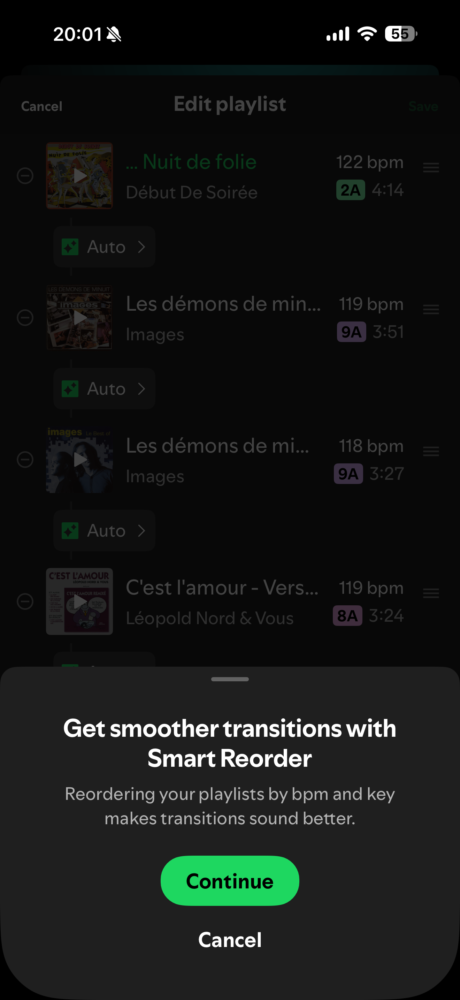
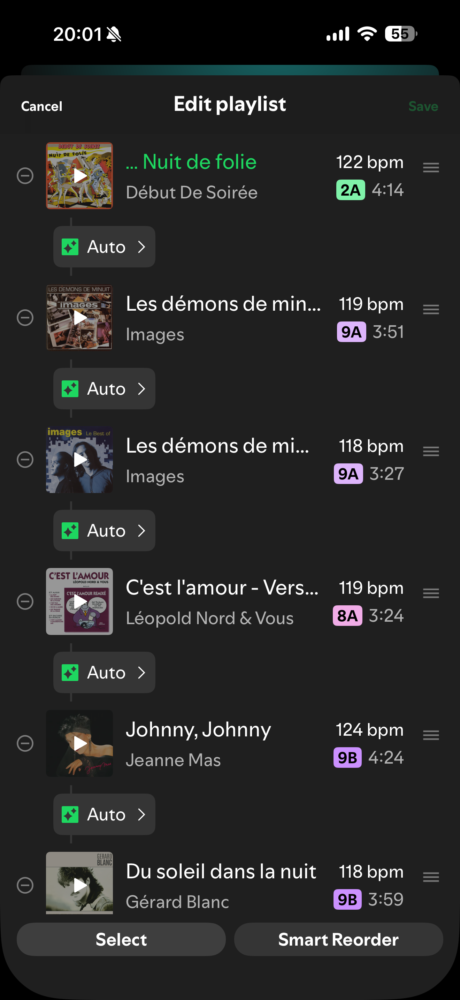
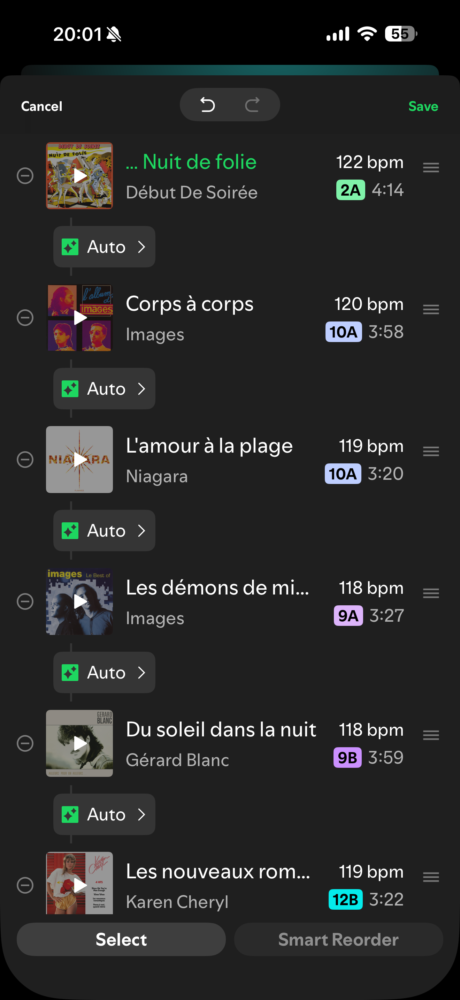
One personal rule I’ve developed after ruining three otherwise perfect playlists: never put two tracks more than four Camelot numbers apart unless you’re deliberately creating a dramatic key change for effect. And always keep the BPM difference under 6–8 beats if you want the transition to feel invisible. Anything bigger and you’ll be relying on heavy effects to paper over the gap, which can work but starts to feel gimmicky after a while.
Diving Into the Transition Editor and Actually Making Magic
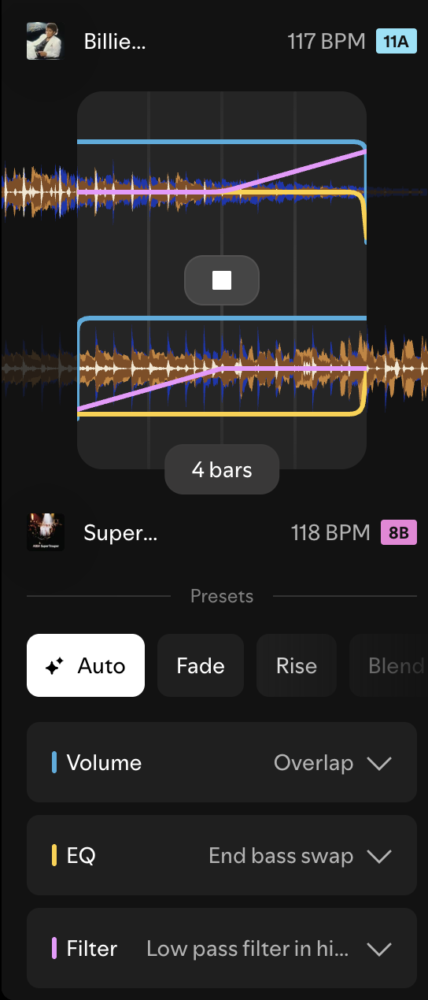
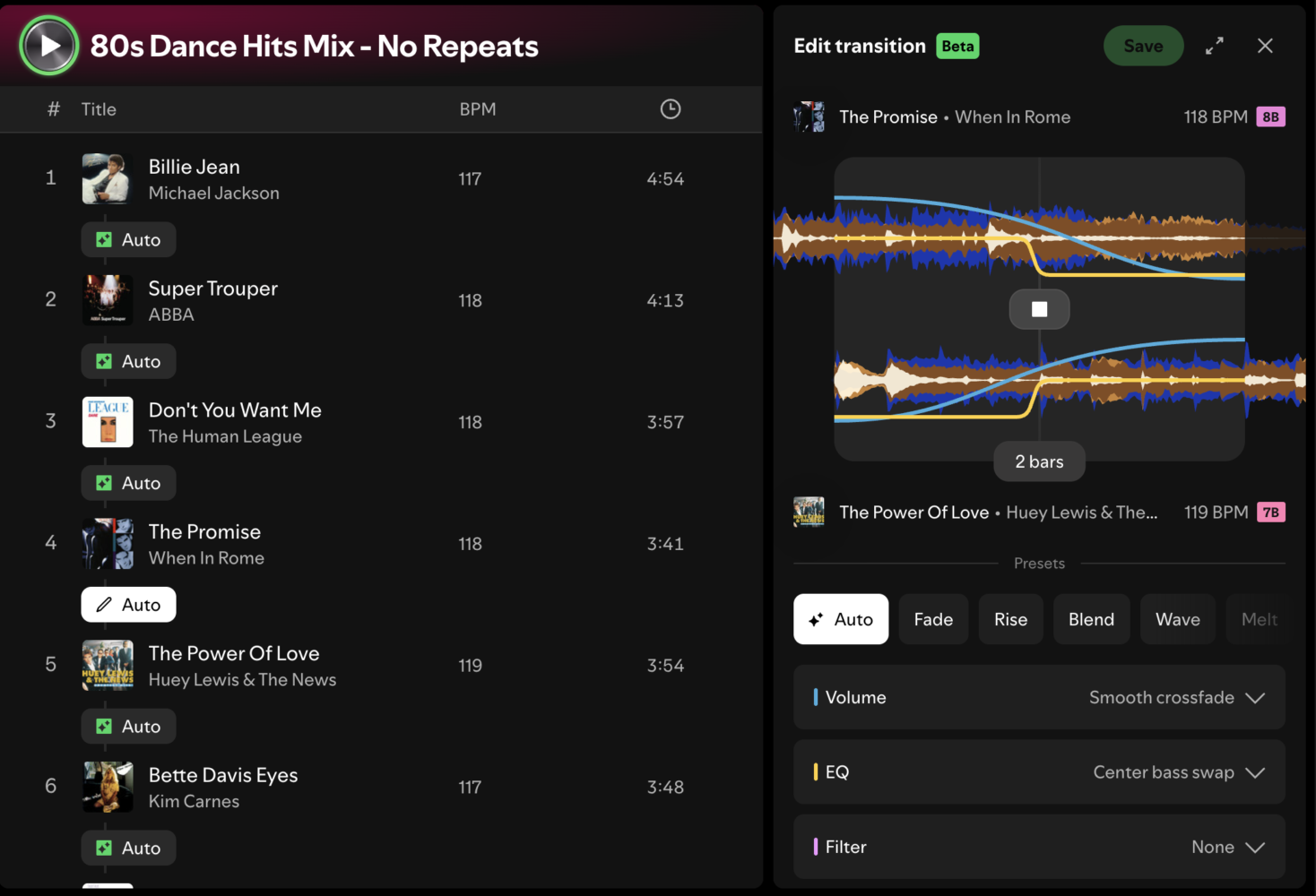
Once the order feels right, it’s time to get your hands dirty. Tap the little Auto label that appears between any two tracks. The editor slides up and suddenly you’re staring at dual waveforms zoomed right into the potential mix point. Spotify’s default transition is already playing, and more often than not it’s… fine. Serviceable. The kind of crossfade a robot would make if the robot had decent taste but zero personality.
This is where you take over. Drag the waveforms left or right until the beats lock. Most tracks now show clear beat markers, so lining up the kick drums is almost unfairly easy. I like to aim for transitions that start four or eight bars before the end of the outgoing track. That gives the incoming song time to breathe and establish itself instead of just slamming in at the last second.
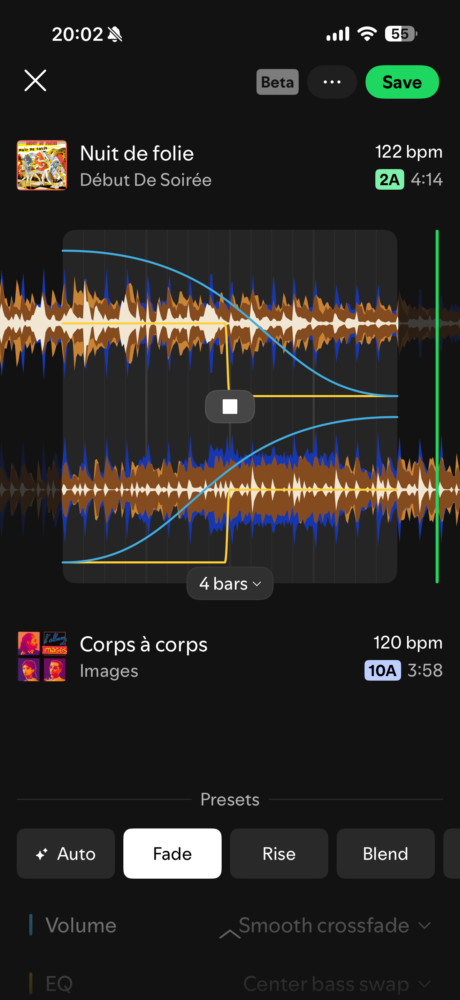
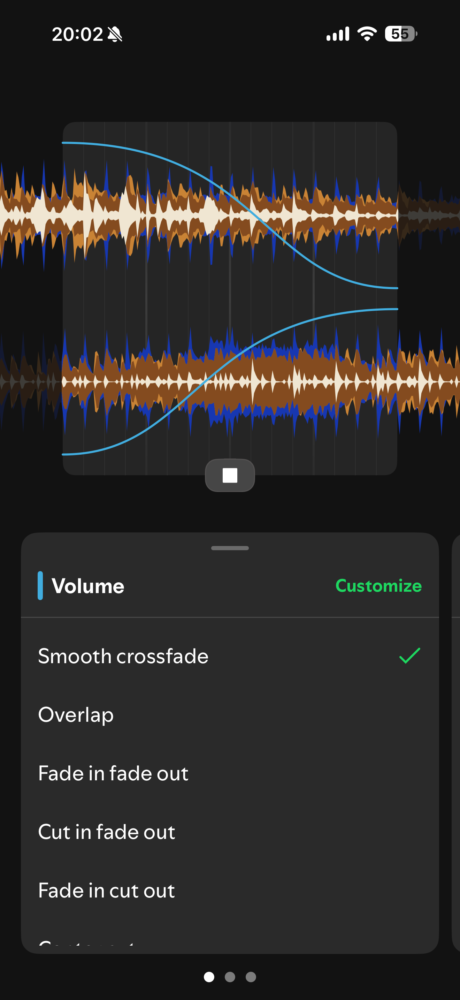
Above the main waveforms you’ll see a mini overview of both full tracks. Super useful for making sure you’re not accidentally mixing out of a massive drop or into a dead quiet intro. Below the waveforms live the real toys: preset styles like Fade, Rise, Blend, and a few others that Spotify keeps quietly adding. Fade is your classic equal-power crossfade. Rise is perfect when you want the new track to swell in with drama. I tend to start with one of these and then immediately go off-road.
The three main control lanes are Volume, EQ, and Filter. Each one offers a handful of ready-made curves, and on mobile you can dive deeper and draw your own automation by hand. Want the bass to drop out of the outgoing track two bars early while the filter opens on the incoming one? Easy. Want a quick high-pass sweep that makes the transition feel like the song is getting sucked into a wormhole before the new one explodes? Also easy. I’ve spent entire evenings just playing with the filter resonance because it scratches the same itch as twiddling knobs on a real mixer.
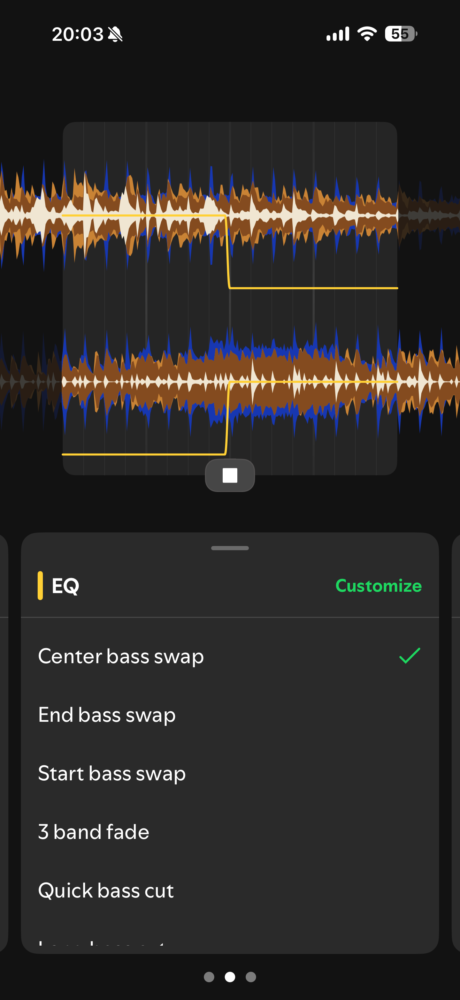
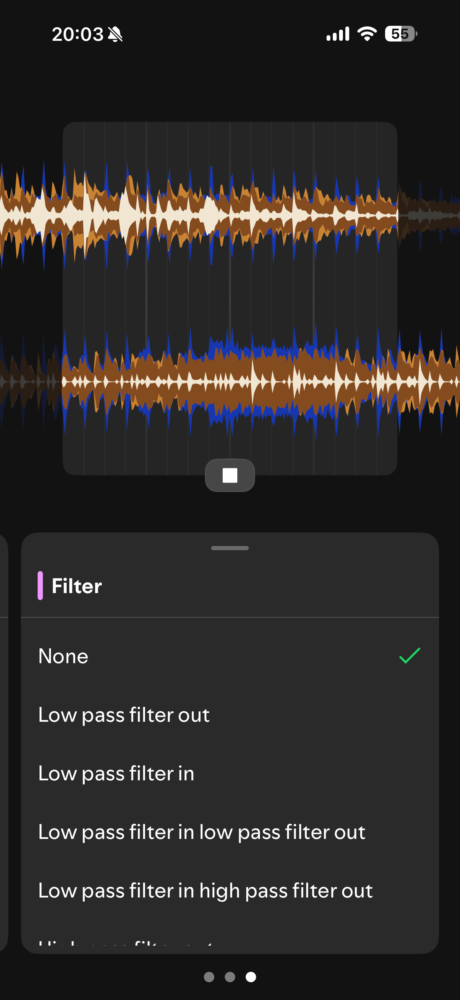
One trick that elevated every single mix I made: turn the volume of the outgoing track down about 15–20 percent right as the new track’s main motif hits. It creates this tiny pocket of air that makes the incoming song feel bigger without ever sounding like a hard cut. Combined with a gentle low-pass on the way out and a rising high-pass on the way in, the whole thing starts to feel like something a human with actual taste created.
Mobile Versus Desktop and Where I Actually Prefer to Work
I do most of my serious mixing on desktop because the bigger screen makes waveform scrubbing feel precise instead of fiddly. The mouse wheel zoom is chef’s kiss. That said, the mobile version is shockingly capable. I’ve fixed a janky transition while standing in line for coffee and the person behind me had no idea I was mid-DJ-set surgery. The touch controls for drawing custom EQ curves are actually more intuitive than the desktop version in some ways. Muscle memory from years of phone scrolling somehow translates perfectly to drawing volume rides.
The only real gotcha is that Mix only works on playlists you own. You can’t slap transitions onto Discover Weekly or a friend’s shared playlist unless you first save a copy to your own library. Once you’ve done the work, though, the mixed playlist is fully shareable. Send the link to your group chat and suddenly everyone experiences the exact same seamless journey you crafted. No more “why does the energy die right here” complaints. You’ve already solved it.
The Little Things That Separate Good Mixes From Ones That Feel Alive
After dozens of playlists I started noticing patterns. Longer transitions (six to twelve bars) almost always feel more expensive than short ones. Short fades are fine for radio-style listening, but if you want that DJ-set immersion you need time for the two tracks to live together. Also, never be afraid of silence or near-silence in a transition. A two-bar filtered pad with almost no drums can make the next kick feel enormous.
Key matching still rules everything. I keep a mental note of the Camelot Wheel rules: same number different letter is a mood flip (major to minor or vice versa), +1 or -1 number is an energy shift, and jumping to the relative major/minor is usually safe. Spotify shows the numbers right there, so there’s zero excuse for harmonic clashing unless you’re doing it on purpose for tension.
And please, for the love of all that is sacred in electronic music, turn shuffle off when you’re listening to a mixed playlist. I cannot stress this enough. The transitions are permanent and sequential. Shuffle destroys the entire point. Leave Mix toggled on, shuffle off, and let the set play the way you designed it.
Verdict
Spotify Mix is the most quietly revolutionary feature the company has shipped in years. It won’t turn you into a world-class DJ overnight, and it won’t replace the thrill of a live set with real vinyl or a proper controller. What it does do is give every music-obsessed geek the power to craft listening experiences that feel intentional, polished, and personal. After living with it for weeks I can’t go back to regular playlists. The difference is too obvious. Once you hear your favorite songs flow into each other like they were always meant to, plain old gapless playback starts to feel broken. If you’re already paying for Premium, open one of your playlists right now and hit that Mix button. Your future self (and everyone you share the playlist with) will thank you.