I have a bit of history with the HyperX QuadCast line of mics. I loved the original microphone when it launched. I loved the QuadCast S even more when HyperX added RGB and turned what was already an excellent USB microphone into something that became almost instantly recognisable on gaming setups and streams.
The original HyperX QuadCast arrived at exactly the right time when streaming, Discord, podcasting and content creation were becoming inseparable from gaming, and HyperX offered a microphone that sounded good without requiring users to understand audio interfaces, XLR connections or complicated recording software.
There was no desperate need to reinvent the QuadCast. Its fundamental design already worked extremely well. Instead, HyperX has taken the elements that made the previous microphones so appealing and improved practically every part that matters.
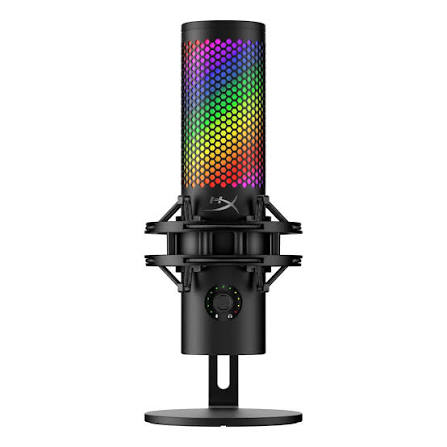
The HyperX QuadCast 2 S takes that same plug-and-play philosophy and pushes the hardware significantly further. There is still plenty of RGB, but beneath the lighting is a surprisingly capable USB condenser microphone offering 32-bit audio at up to 192kHz, four polar patterns, direct monitoring and a redesigned control system.
At $199, it is considerably more expensive than basic USB gaming microphones, but it also sits somewhere between a traditional gaming accessory and an entry-level creator microphone.
The result is a USB microphone that sounds excellent, looks fantastic on a desk and remains exceptionally easy to use. Having now used the HyperX QuadCast 2 S, I think HyperX has delivered the best version of the microphone yet.
The QuadCast Formula Still Works
Part of the appeal of the original QuadCast was that HyperX understood how people actually use microphones at their desks.
You had an integrated shock mount. You had an easy gain control. You had multiple pickup patterns. Most importantly, you had that wonderfully simple tap-to-mute sensor on the top. The QuadCast S took the same foundation and added RGB lighting, which eventually became part of the microphone’s identity. The QuadCast 2 S keeps all of that, but the entire package feels considerably more mature.
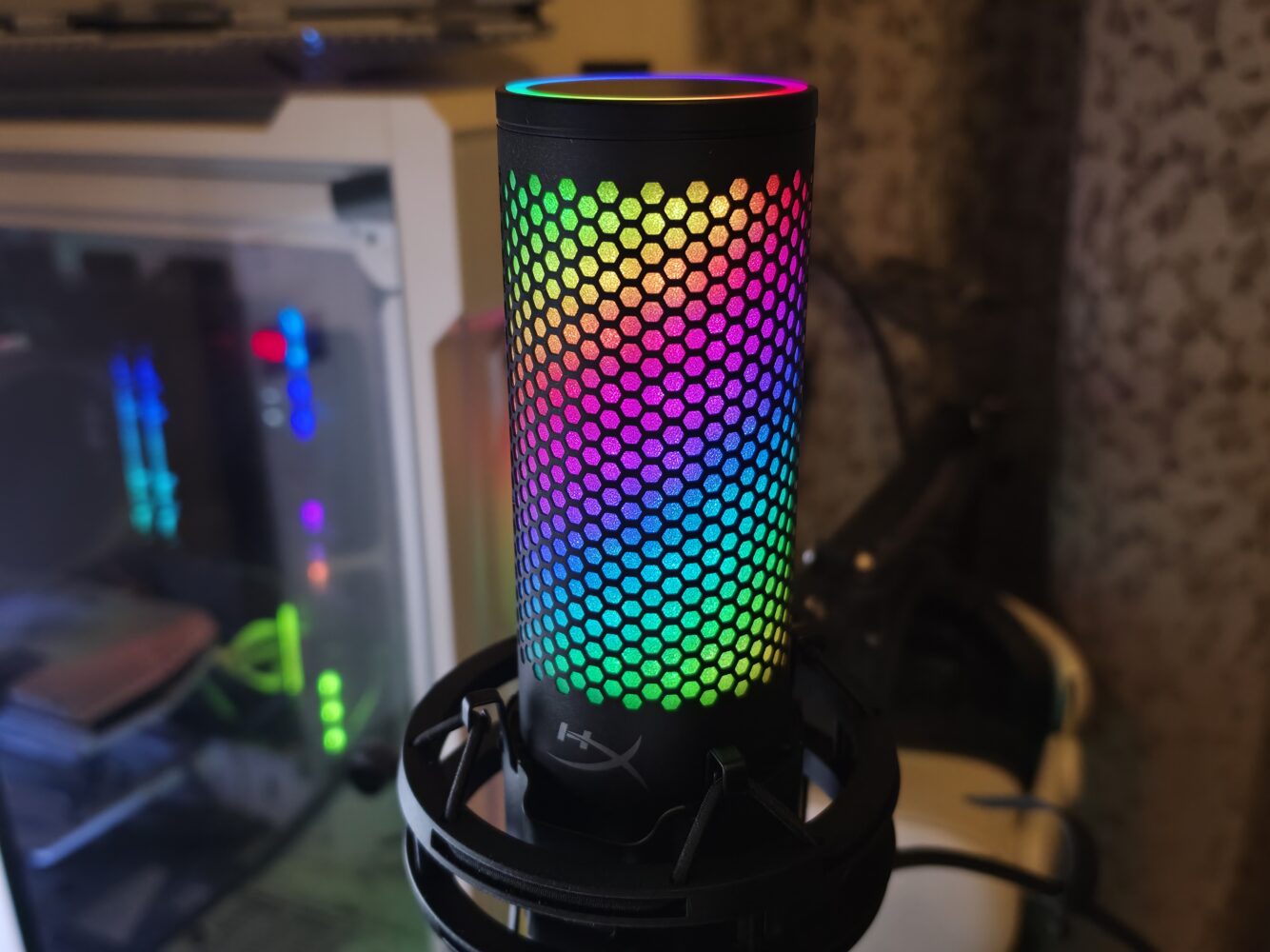
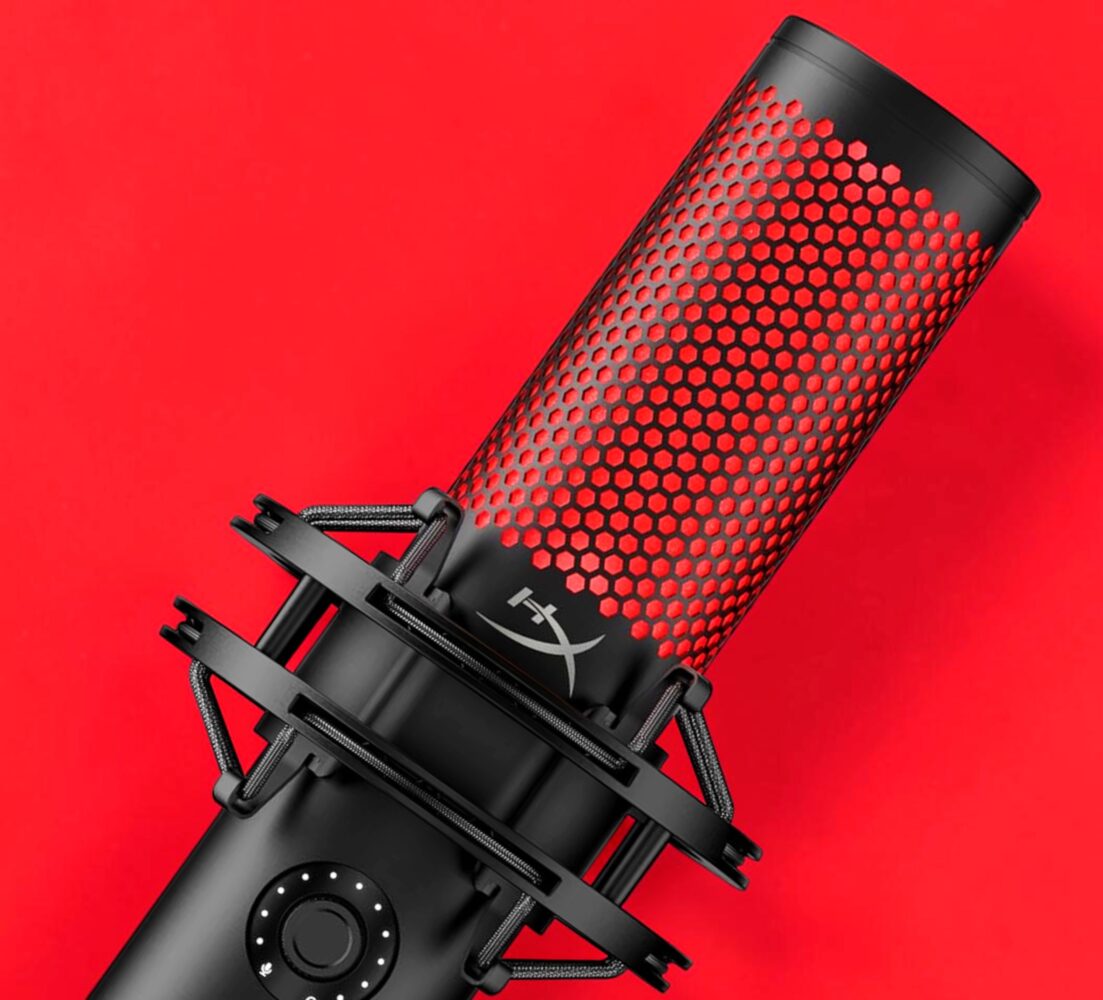
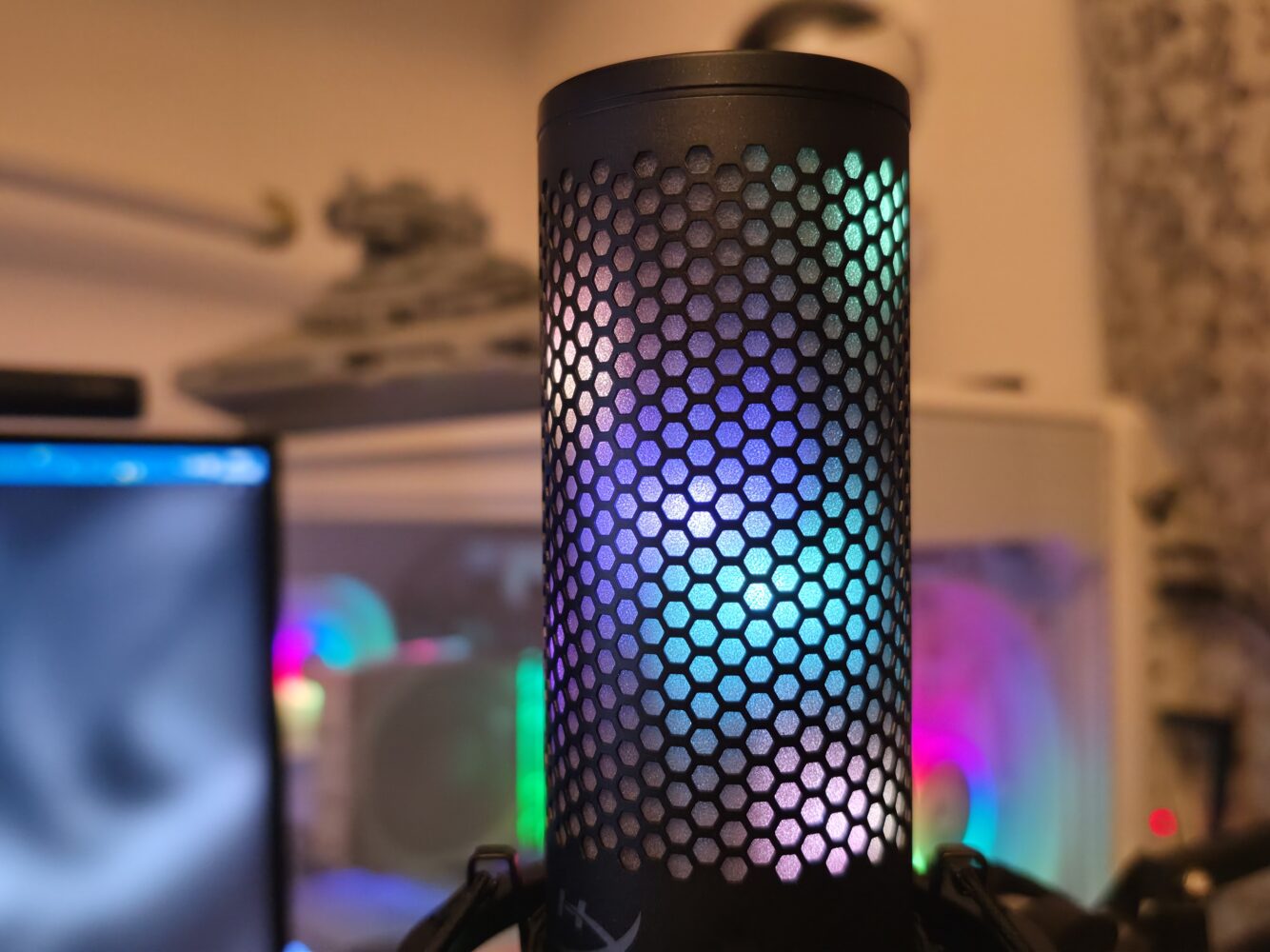
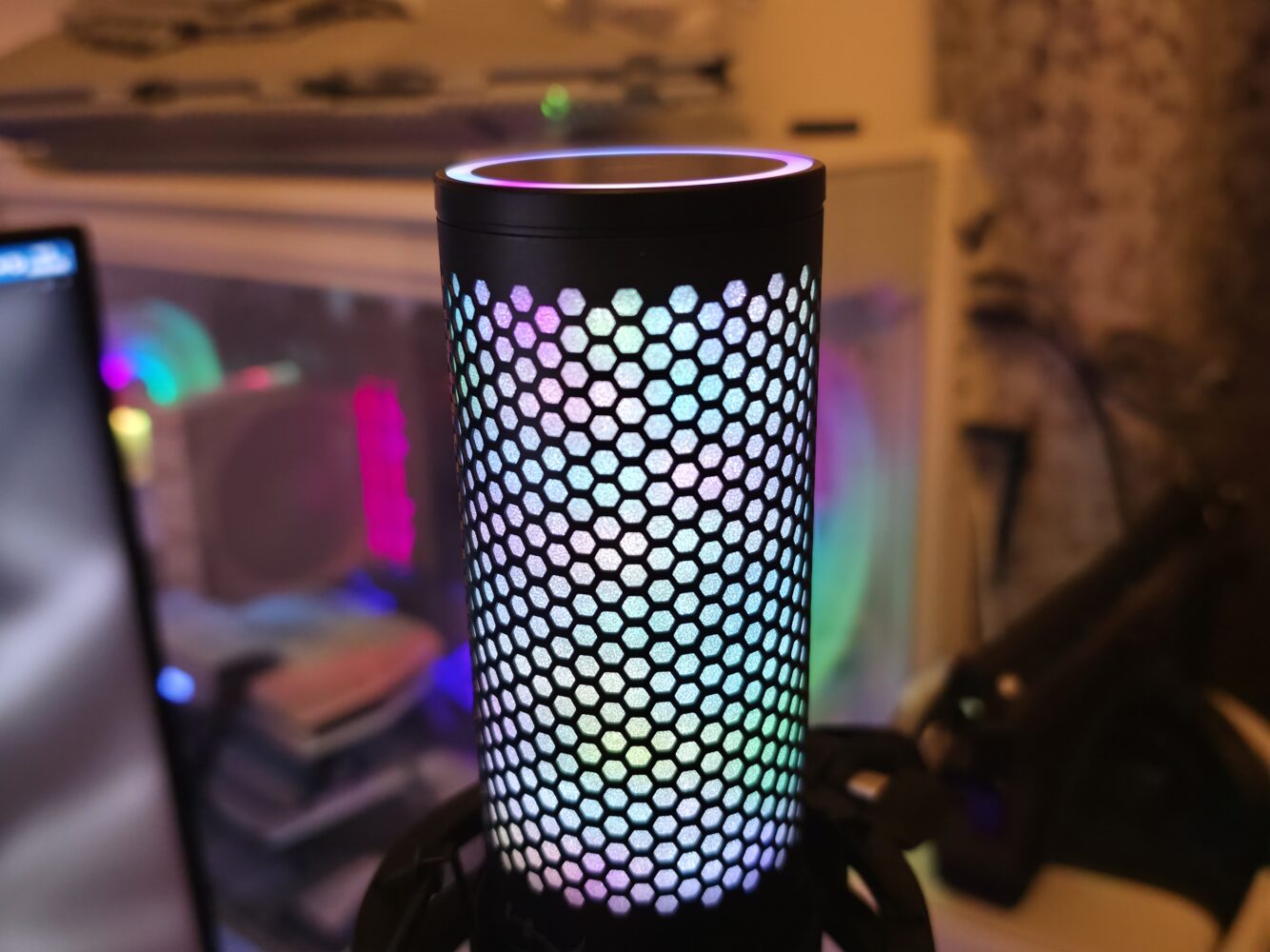
Visually it is still unmistakably a QuadCast. The cylindrical body sits suspended inside its shock mount while lighting runs throughout the microphone. HyperX has now packed more than 100 individually addressable RGB LEDs into the 2 S, allowing considerably more sophisticated gradients and lighting patterns than before.
Normally RGB lighting on a microphone could easily become a gimmick. With the QuadCast, it makes sense. This is a microphone designed to live directly in front of you. For streamers and creators, it may also be permanently visible on camera. The lighting therefore becomes part of the desk or streaming setup rather than simply another illuminated peripheral. And it looks brilliant.
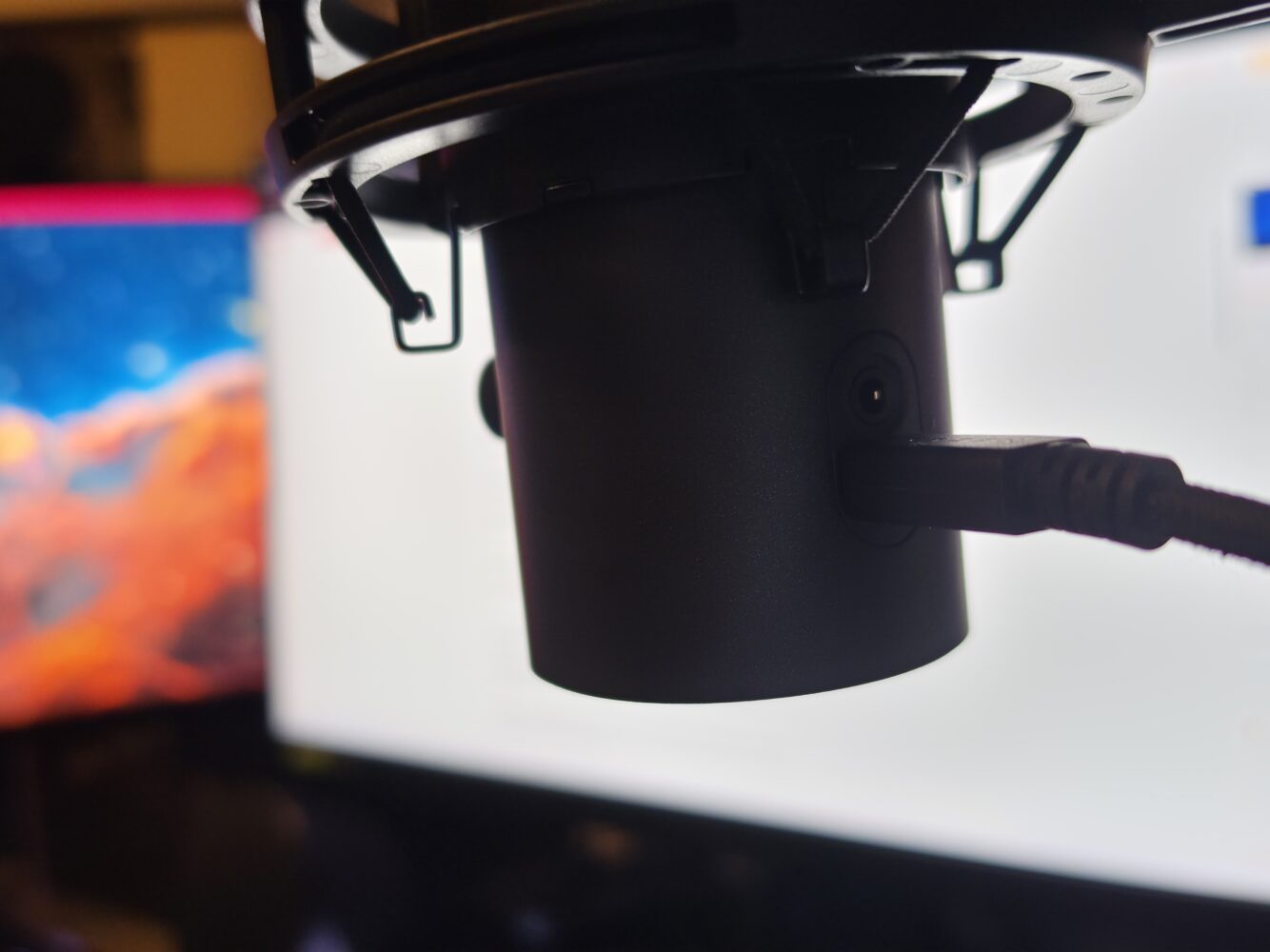
HyperX has redesigned the shock mount with a spring-loaded pin mechanism that makes removing the microphone significantly easier. The mount supports both 3/8-inch and 5/8-inch threading, allowing the QuadCast 2 S to move from its included desktop stand to a conventional microphone arm without much trouble.
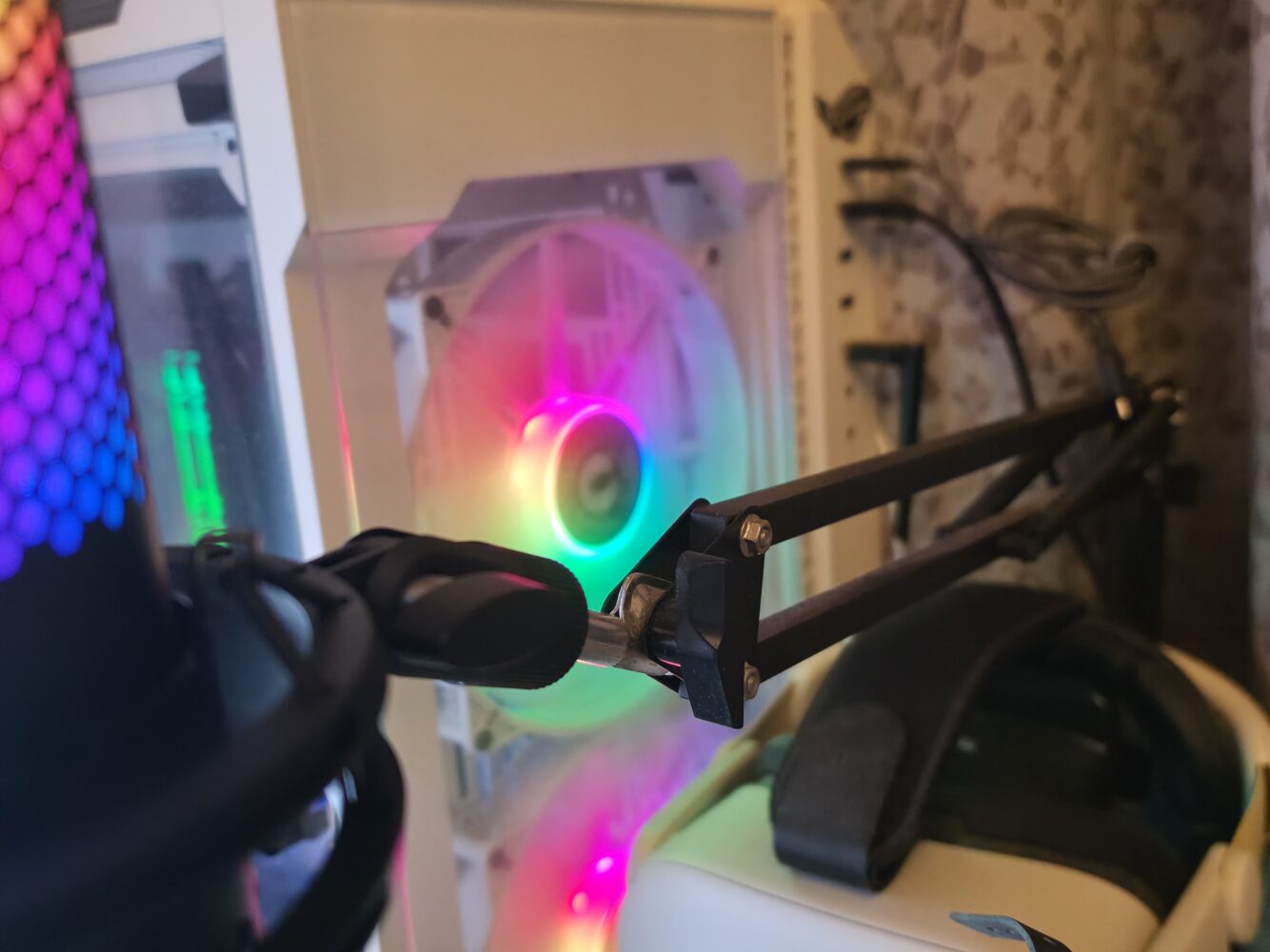
This is particularly useful because a boom arm remains one of the best upgrades you can make to almost any desktop microphone setup. Getting the microphone closer to your mouth allows you to reduce gain, which in turn helps minimise keyboard, fan and room noise. The microphone itself weighs roughly 345g, while the complete package with its stand, shock mount and cable comes in at approximately 835g.
It feels considerably more substantial than many inexpensive USB microphones, which is important for something designed to remain permanently visible on a desk or camera setup.
The Controls Are Much Better
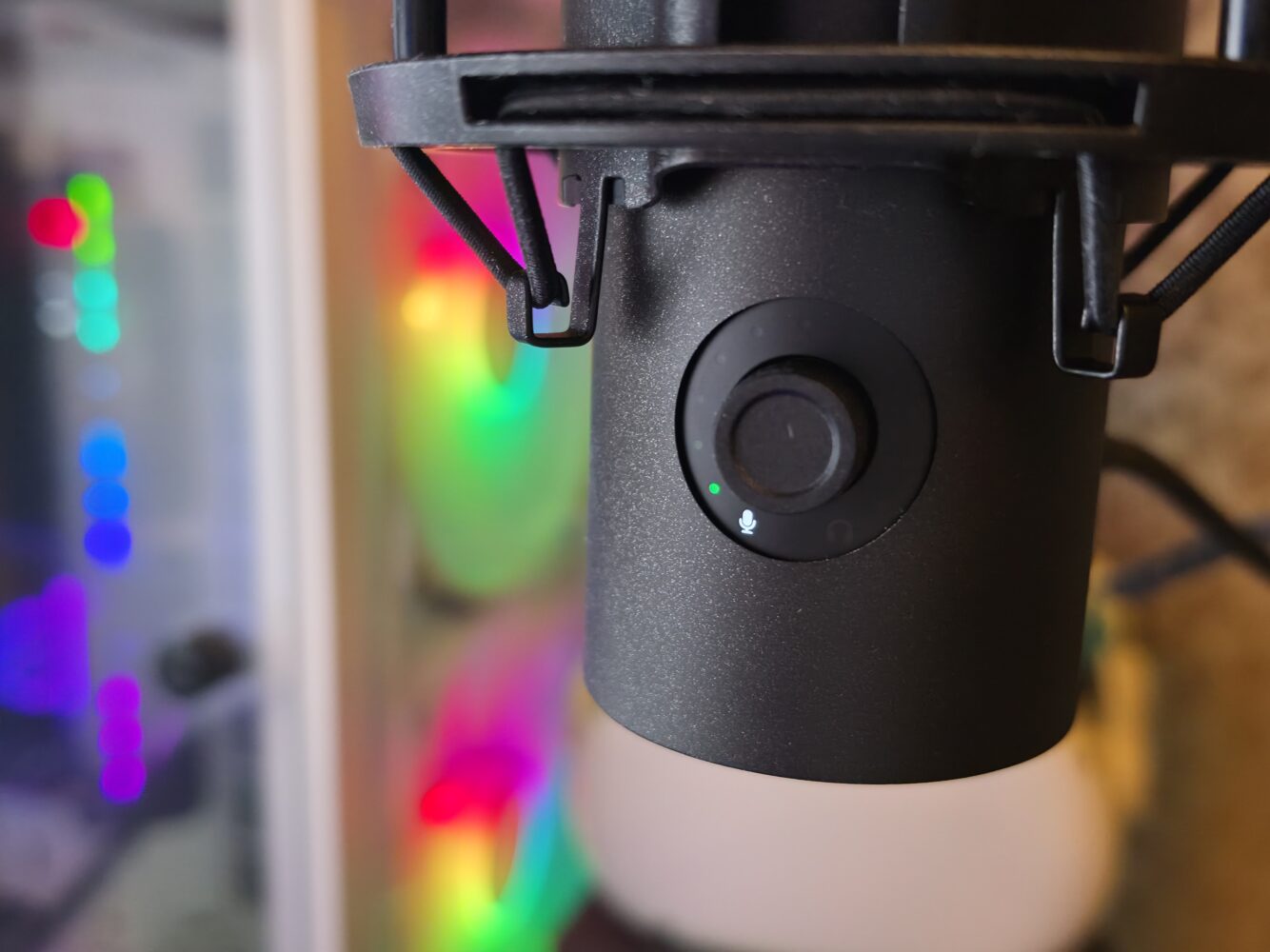
The biggest usability improvement for me is the new multifunction control. The old gain adjustment on the bottom of the QuadCast was simple and worked well, but HyperX has moved to a front-mounted multifunction dial on the QuadCast 2 S.
It controls microphone gain and headphone volume, as well as the microphone monitoring mix. More importantly, the surrounding LED indicators provide visual feedback as you make those adjustments. When it isn’t being adjusted, the lighting can function as a VU meter, giving you a quick indication of your microphone level and whether you are approaching clipping. It is a genuinely useful upgrade.
Changing polar patterns is also incredibly intuitive. Pressing and holding the control cycles between cardioid, omnidirectional, bidirectional and stereo, while the LEDs visually indicate which sides of the microphone are currently active and there is almost no learning curve.
Cardioid remains my default for normal streaming, gaming and recording, but the additional patterns make the QuadCast 2 S far more versatile if you want to record a conversation, capture multiple people or experiment with stereo recording.
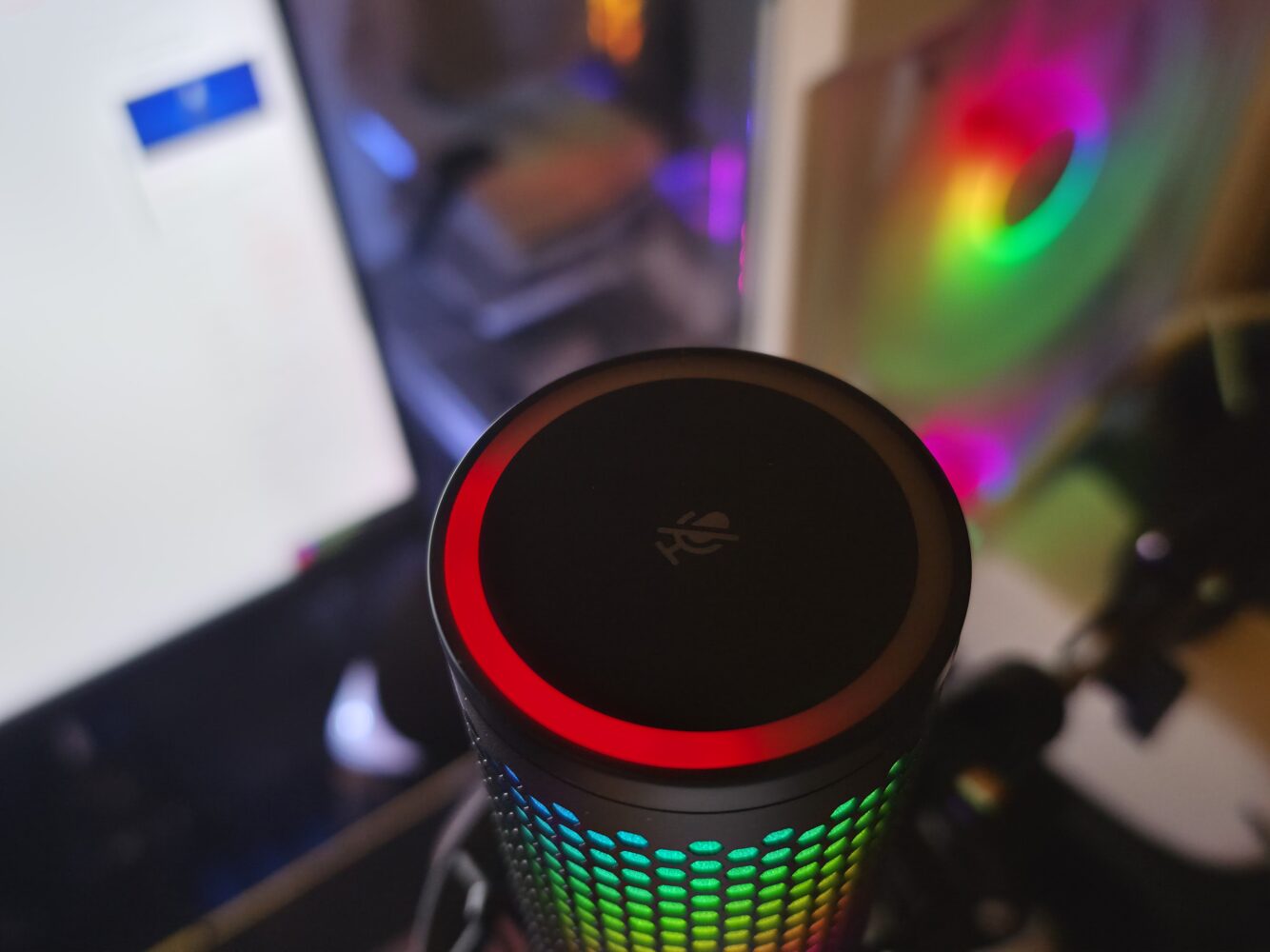
The tap-to-mute function is still here too. Tap the top of the microphone and it mutes immediately. The lighting provides an obvious visual indication of its status. After years of using QuadCast microphones, I would genuinely struggle to go back to a desktop microphone without this feature.
The Audio Upgrade Is Massive on Paper
The QuadCast 2 S also receives a substantial technical upgrade. The previous QuadCast S was limited to 16-bit/48kHz recording.
The QuadCast 2 S can record at up to 32-bit/192kHz. Inside are three 14mm electret condenser capsules with a quoted frequency response of 20Hz to 20kHz and a signal-to-noise ratio of at least 90dB.
Do you need 32-bit/192kHz audio for a Discord conversation? Of course not. Most streamers probably aren’t going to suddenly switch their entire workflow to 192kHz either.
But the extra recording capability becomes much more interesting when you stop looking at the QuadCast 2 S purely as a gaming microphone. I use microphones for considerably more than game chat. There is content recording, podcasting, voiceovers and other production work where having better source audio is valuable.
Higher-resolution recording gives you considerably more information to work with during editing and processing. WIRED made a similar observation in its review, particularly when considering voice acting and edited content rather than straightforward streaming.
And regardless of what settings you ultimately use, the actual microphone performance is excellent. Voices come through with clarity and presence, and there is enough body in the recording that speech does not sound thin or overly processed.
This was already one of the reasons I liked the previous QuadCast microphones. The 2 S takes an already strong USB microphone platform and gives creators who want more out of their audio with considerably more technical headroom.
Sound Quality and Background Noise
Specifications only matter if the resulting audio is good, and this is where the QuadCast formula continues to work. Vocal reproduction as clear and detailed out of the box, with enough warmth to avoid making voices sound unnaturally thin. The integrated shock mount also helps isolate vibrations travelling through the desk.
What it cannot completely eliminate is environmental noise.
The QuadCast 2 S remains a sensitive condenser microphone. Mechanical keyboards, nearby conversations, air-conditioning and computer fans can therefore find their way into recordings if gain levels are too high or microphone positioning is poor. Good microphone positioning remains just as important as buying a better microphone.
The internal pop filtering helps with plosive sounds, but anyone doing serious vocal recording may still benefit from an external pop filter. That is not necessarily a flaw specific to the QuadCast. It is simply the reality of using a condenser microphone in a normal gaming environment.
Yes, someone building a professional studio will eventually look towards XLR microphones, dedicated interfaces and an entirely different category of audio equipment. The absence of XLR connectivity remains one of the only limitations of the QuadCast 2 S. Then again gamers and streamers wouldn’t be too fussed about the omission
NGENUITY Software
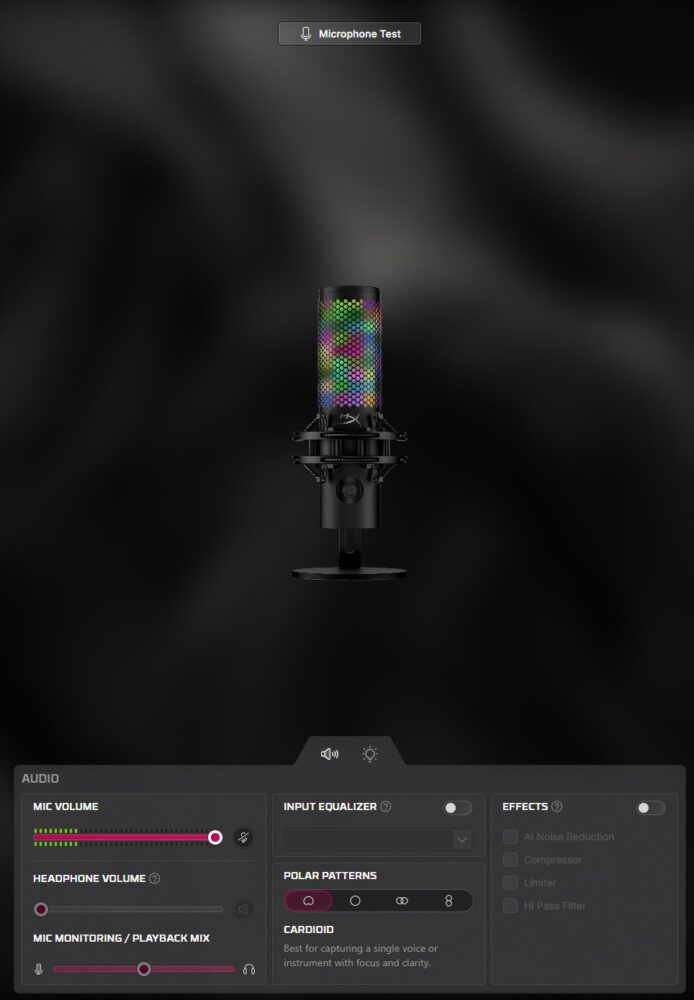
HyperX NGENUITY provides additional configuration, although the QuadCast 2 S thankfully does not depend heavily on software for everyday operation.
Most essential microphone functions can be controlled directly from the hardware and for that I am very thankful to HyperX for keeping it that way. For many users, the ability to configure the microphone once and then largely forget about the software will be a benefit.
NGENUITY becomes particularly relevant when configuring the RGB system and fine-tuning the microphone. The software is available on Windows, while HyperX lists the microphone itself as compatible with both PC and Mac.
Verdict
The HyperX QuadCast 2 S is an excellent example of what a premium USB gaming microphone can become.
The audio hardware has received a serious upgrade, physical controls are intuitive, the detachable shock mount is more practical and the four polar patterns make the microphone considerably more versatile than the cardioid-only alternatives dominating the gaming market. Its 32-bit/192kHz recording capability is technically impressive, even if most gamers will never come close to needing it. And that ultimately defines the QuadCast 2 S.
It makes more sense for someone whose PC serves as a gaming system, streaming station, podcast setup and content creation workstation. In that environment, the extra recording capability, flexible pickup patterns, direct monitoring and excellent physical controls begin to justify the premium.
The RGB remains impossible to ignore, but underneath the light show is the most technically capable QuadCast HyperX has produced yet. For streamers and creators who want one USB microphone capable of handling almost everything they do at their desk, the QuadCast 2 S is a compelling package.
Having used and loved both generations before it, this is the QuadCast I would choose today. HyperX has taken one of my favourite USB microphones and made it better in almost every meaningful way.