Apple has released macOS Tahoe beta 2, continuing its development cycle for what may be the final major update supporting Intel-based Macs. With macOS 27 expected to shift exclusively to Apple Silicon, this beta serves as a transitional marker, offering Intel Mac users a last look at Apple’s newest features before broader compatibility ends.
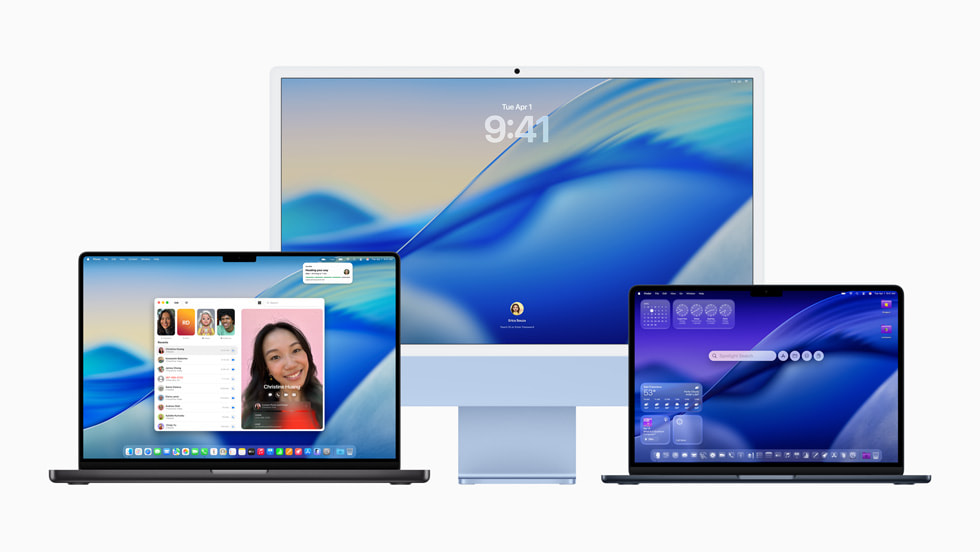
macOS Tahoe introduces several interface and functionality changes designed to unify the user experience across Apple devices. One of the most noticeable aesthetic shifts is the new Liquid Glass design language, which aligns macOS visuals more closely with those of iOS and iPadOS. This visual consistency is accompanied by expanded Continuity features, aiming to make workflow transitions between Mac, iPhone, and iPad more seamless.
Among the practical additions is support for Live Activities, a feature that provides real-time updates for apps like sports scores, timers, and food delivery directly on the desktop. The update also introduces a dedicated Phone app, enhancing call management with features like spam filtering and the ability to have your Mac wait on hold for a live agent while you multitask.
Spotlight sees notable improvements as well. It now indexes clipboard history, allowing users to access everything copied and pasted throughout the day. Additionally, Spotlight can be used to summarize documents, generate images, and run Shortcuts through Apple’s Private Cloud Compute model. These enhancements point toward a deeper integration of generative AI across the system, though some features may be limited to Apple Silicon Macs.
The update builds further on iPhone Mirroring and adds ChatGPT-based features, signaling continued investment in AI-driven productivity tools. While the updated Finder icon has drawn mixed feedback, the broader emphasis remains on streamlining search, automation, and app integration across devices.
macOS Tahoe beta 2 was released in parallel with updates to iOS 26, iPadOS 26, watchOS 26, tvOS 26, and visionOS 26. With a public beta expected soon, Apple appears focused on refining cross-device functionality and preparing its ecosystem for a post-Intel future.