Google is now broadly rolling out a Material 3 redesign for Gmail on iPhone and iPad, after earlier limited testing. While this updated visual style has become standard across Google’s Android and web apps, its arrival on iOS devices has been considerably slower, reflecting the company’s more cautious approach to iOS updates.
In the redesigned Gmail app for iPhone, the most noticeable change is the replacement of the traditional rounded rectangular search bar with a new pill-shaped version, offering a softer, more modern look. Users who have Google Chat and Meet integrated will also notice that the bottom navigation bar now uses a pill highlight to indicate the active tab, instead of simply bolding the icon.
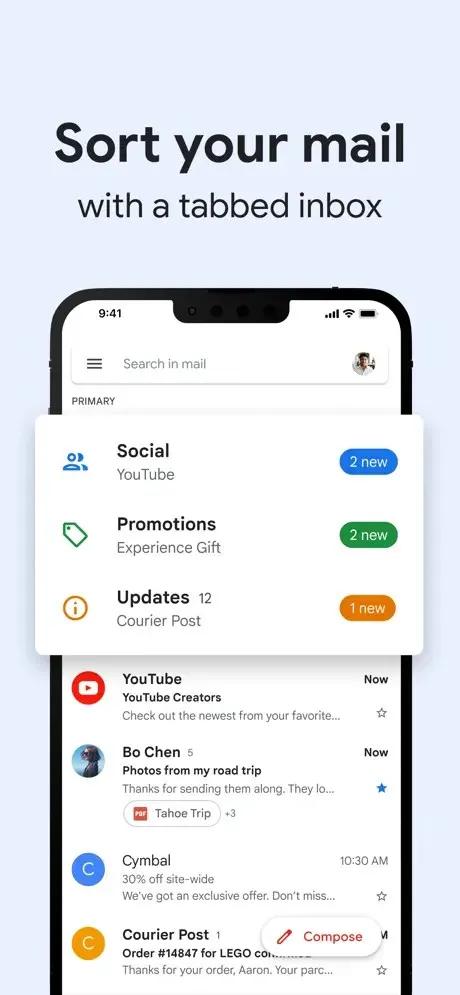
Another subtle tweak is the transformation of the “Compose” button into a rounded rectangle, aligning it with the Material 3 design language. Google’s choice to use blue as the primary accent color across the app—largely retiring the older red theme—brings Gmail in line with the broader aesthetics seen across Google’s other platforms. The navigation drawer that houses folders and labels remains unchanged, ensuring continuity for users familiar with the previous layout. However, in the message view, the traditional three-dot menu has shifted from vertical to horizontal, offering a minor but noticeable adjustment to interactions.
The intent behind these updates is to create a consistent user experience across Android, web, and now iOS devices. The rollout of the Material 3 redesign is tied to version 6.0.250413 of the Gmail app for iPhone and iPad. Overall, the update feels like a modest but thoughtful modernization, offering visual polish without overhauling functionality.
Material 3 has already made its way into other Google apps on iOS, including Google Chat, Home, Maps, Meet, Photos, and Search, suggesting a broader commitment to a cohesive design language across Google’s iOS ecosystem.
Separately, Google Calendar for iOS is also receiving a smaller update. Though still based on the previous design framework, it is adding the ability to create and modify birthday events directly within the app. Once this feature becomes available, users creating a new entry will see “Birthday” listed as an option alongside “Event” and “Task.” As of now, this Calendar update has not yet reached all users.
The gradual rollout of Material 3 on Gmail for iPhone indicates Google’s intent to maintain design consistency across platforms without drastically altering user workflows—an approach likely to be welcomed by iOS users seeking subtle improvements rather than disruptive changes.