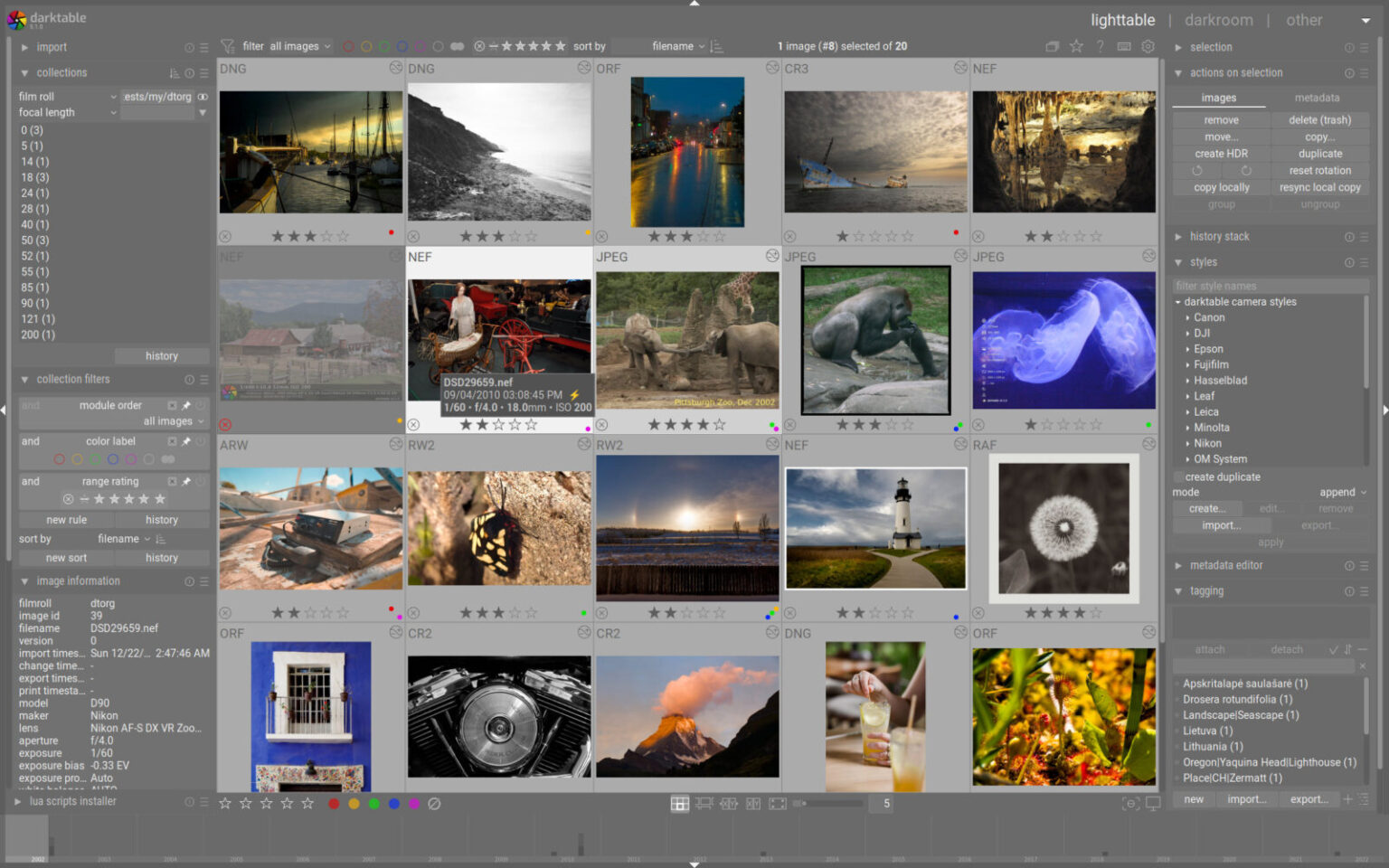
Claude Code can serve as a practical interface for photo editing when paired with the right open-source tools, turning natural language prompts into adjustments handled by professional-grade software. Rather than treating the AI solely as a coding companion, some users are exploring its ability to control external applications like Darktable, a free alternative to Lightroom known for non-destructive RAW processing and modular controls. The setup relies on an MCP server that bridges Claude to Darktable’s command-line interface, allowing the model to apply edits based on conversational instructions.
The process starts with installing Darktable, which offers strong color science and batch capabilities but carries a notable learning curve for newcomers. Users then set up a custom MCP server, such as the open-source darktable-mcp available on GitHub. This involves cloning the repository, installing dependencies, and configuring it within Claude Desktop. Once connected, Claude can access image paths, read RAW files, and generate the necessary darktable-cli commands to handle exposure, color balance, dynamic range, and stylistic tweaks. Edits are saved as XMP sidecar files, preserving full compatibility with Darktable’s graphical interface for further manual refinement.
In practice, this workflow speeds up basic corrections across batches of images. You can describe desired outcomes in plain terms—such as lifting shadows while preserving highlights or applying a specific aesthetic—and the AI translates those into parameter adjustments. For users transitioning from simpler apps, it flattens some of the initial friction of learning Darktable’s modules. Results can match or exceed quick edits in consumer tools, especially for straightforward global changes. The non-destructive nature means nothing is baked in permanently, and you retain complete control afterward.
That said, limitations remain clear. Claude cannot perform complex local adjustments like targeted masking or brushing, tasks that still require hands-on work in the editor. Over-reliance on vague prompts often yields generic results comparable to phone app filters, while detailed instructions produce better outcomes. The AI also depends on accurate interpretation of the scene; it may misjudge nuances without clear guidance. Setup requires basic technical comfort with terminals and configuration files, which may deter casual users despite the step-by-step instructions provided in the repository.
This approach reflects a broader pattern in current AI tools: they excel as accelerators for existing professional software rather than full replacements. Darktable already delivers high-quality results for those willing to invest time, but pairing it with Claude Code reduces the barrier for organizing and applying initial edits. It is particularly useful for photographers managing large libraries or experimenting with looks before diving into manual fine-tuning. Privacy-conscious users may appreciate keeping everything local, avoiding cloud uploads common in commercial AI editors.
Overall, the combination offers a thoughtful middle ground between automation and creative control. It does not eliminate the need to understand photography fundamentals or Darktable’s capabilities, but it makes them more approachable. For enthusiasts already in the open-source ecosystem, it represents a meaningful productivity gain without subscription costs.