By using this site, you agree to our Privacy Policy and Terms of Service.
Accept
Absolute Geeks UAEAbsolute Geeks UAE
  • STORIES
    • TECH
    • AUTOMOTIVE
    • GUIDES
    • OPINIONS
  • REVIEWS
    • READERS’ CHOICE
    • ALL REVIEWS
    • ━
    • SMARTPHONES
    • CARS
    • HEADPHONES
    • ACCESSORIES
    • LAPTOPS
    • TABLETS
    • WEARABLES
    • SPEAKERS
    • APPS
  • WATCHLIST
    • TV & MOVIES REVIEWS
    • SPOTLIGHT
  • GAMING
    • GAMING NEWS
    • GAME REVIEWS
  • +
    • OUR STORY
    • GET IN TOUCH
Reading: Anyone can now install iOS 17 developer beta on their iPhone
Share
Notification Show More
Absolute Geeks UAEAbsolute Geeks UAE
  • STORIES
    • TECH
    • AUTOMOTIVE
    • GUIDES
    • OPINIONS
  • REVIEWS
    • READERS’ CHOICE
    • ALL REVIEWS
    • ━
    • SMARTPHONES
    • CARS
    • HEADPHONES
    • ACCESSORIES
    • LAPTOPS
    • TABLETS
    • WEARABLES
    • SPEAKERS
    • APPS
  • WATCHLIST
    • TV & MOVIES REVIEWS
    • SPOTLIGHT
  • GAMING
    • GAMING NEWS
    • GAME REVIEWS
  • +
    • OUR STORY
    • GET IN TOUCH
Follow US

Anyone can now install iOS 17 developer beta on their iPhone

GEEK DESK
GEEK DESK
Jun 7

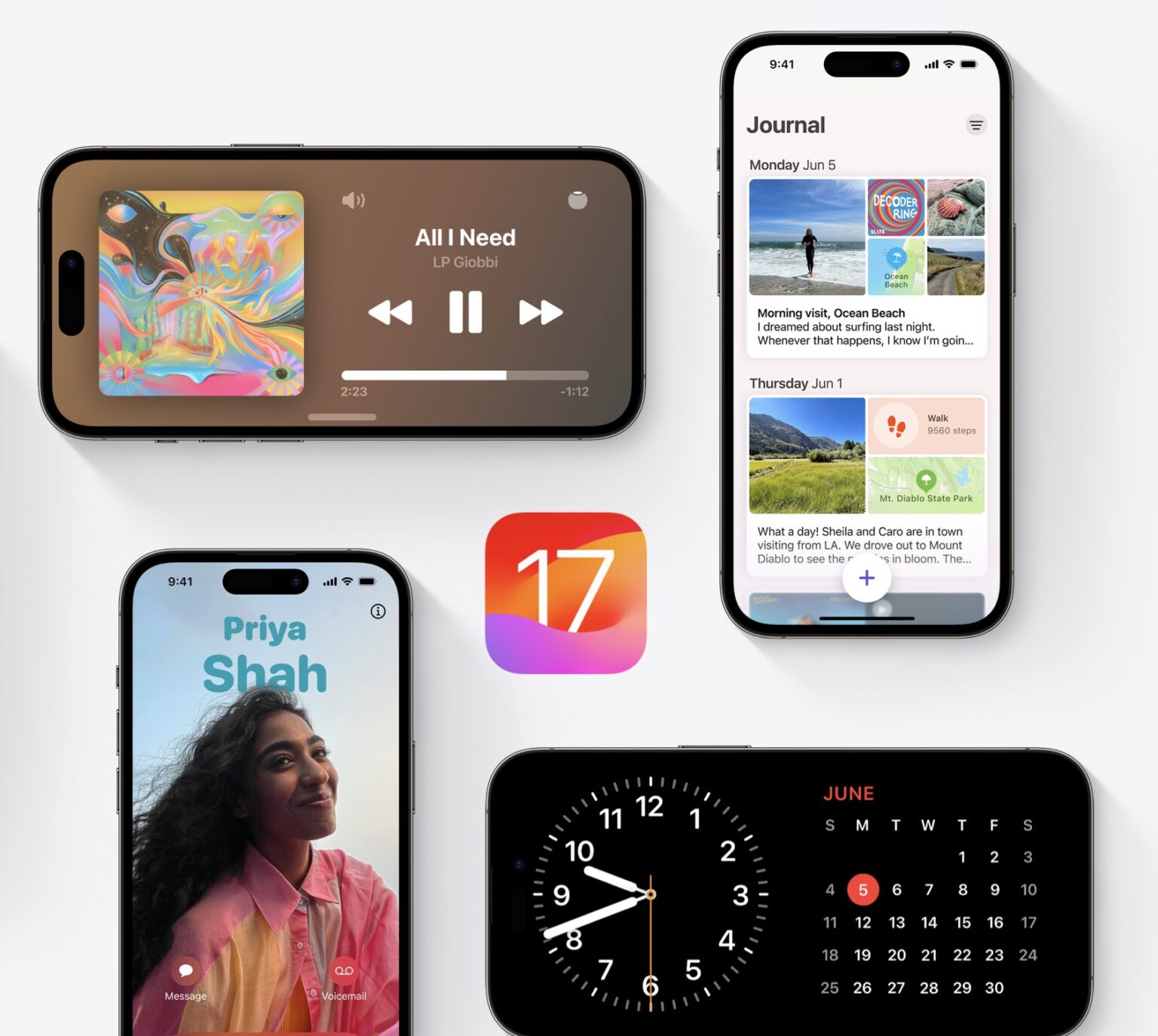
In an unprecedented move, it seems that Apple’s allowed anyone with an Apple ID to get access to developer beta releases, even if they are not paying for Apple’s Developer Program. This includes iOS 17, iPadOS 17, watchOS 10, macOS Sonoma betas, without the need to wait for the public betas expected to be released in July.

In previous years, Apple used to release the first batch of beta to paying developers only, which cost 99$/Year.

WARNING

Apple does not recommend installing any Beta version on primary iPhones, MacBooks, iPads, etc. Beta softwares are usually full of bugs and can render some apps useless as well. Backup your non beta device before updating, and / or only install on secondary devices.

How to get a free developer account

If you just want a free Apple Developer account, you can get via the Apple Developer app in iOS:

  1. Download the Apple Developer App from the App Store. 
  2. Open the app. 
  3. Tap on Account. 
  4. Tap on Sign In, and use your Apple ID to proceed.

Here’s how to see the beta releases on your iPhone (Applies as well to iPadOS 17, macOS Sonoma, and watchOS 10:

  1. Open the Settings app on iPhone. 
  2. Tap the General tab in Settings. 
  3. Tap the Software Update tab. 
  4. Press the Beta Updates tab. 
  5. Select the iOS 17 Developer Beta option in the list. 
  6. Return to the Software Update page and install iOS 17 developer beta 1.

Check out what’s new in Apple’s new software release here.
Share
What do you think?
Happy0
Sad0
Love0
Surprise0
Cry0
Angry0
Dead0

WHAT'S HOT ❰

DeepSeek releases V4 AI model previews with extended context capabilities
Spotify at 20 reveals the tracks and artists that defined two decades of streaming.
OpenAI releases GPT-5.5 with focus on coding efficiency and multi-step tasks.
Nothing’s Essential Voice tries to make speech the default way to type on phones
Assassin’s Creed Black Flag Resynced arrives July 9 with reworked combat and new story content
Absolute Geeks UAEAbsolute Geeks UAE
Follow US
AbsoluteGeeks.com was assembled during a caffeine incident.
© Absolute Geeks Media FZE LLC 2014–2026.
Proudly made in Dubai, UAE ❤️
Upgrade Your Brain Firmware
Receive updates, patches, and jokes you’ll pretend you understood.
No spam, just RAM for your brain.
Welcome Back!

Sign in to your account

Username or Email Address
Password

Lost your password?