
By using this site, you agree to our Privacy Policy and Terms of Service.
Accept
Absolute Geeks UAEAbsolute Geeks UAE
  • STORIES
    • TECH
    • AUTOMOTIVE
    • GUIDES
    • OPINIONS
  • REVIEWS
    • READERS’ CHOICE
    • ALL REVIEWS
    • ━
    • SMARTPHONES
    • CARS
    • HEADPHONES
    • ACCESSORIES
    • LAPTOPS
    • TABLETS
    • WEARABLES
    • SPEAKERS
    • APPS
  • WATCHLIST
    • TV & MOVIES REVIEWS
    • SPOTLIGHT
  • GAMING
    • GAMING NEWS
    • GAME REVIEWS
  • +
    • OUR STORY
    • GET IN TOUCH
Reading: Maximizing your iPhone battery life in 2024: two simple solutions from Apple
Share
Notification Show More
Absolute Geeks UAEAbsolute Geeks UAE
  • STORIES
    • TECH
    • AUTOMOTIVE
    • GUIDES
    • OPINIONS
  • REVIEWS
    • READERS’ CHOICE
    • ALL REVIEWS
    • ━
    • SMARTPHONES
    • CARS
    • HEADPHONES
    • ACCESSORIES
    • LAPTOPS
    • TABLETS
    • WEARABLES
    • SPEAKERS
    • APPS
  • WATCHLIST
    • TV & MOVIES REVIEWS
    • SPOTLIGHT
  • GAMING
    • GAMING NEWS
    • GAME REVIEWS
  • +
    • OUR STORY
    • GET IN TOUCH
Follow US

Maximizing your iPhone battery life in 2024: two simple solutions from Apple

GEEK DESK
GEEK DESK
Jan 22
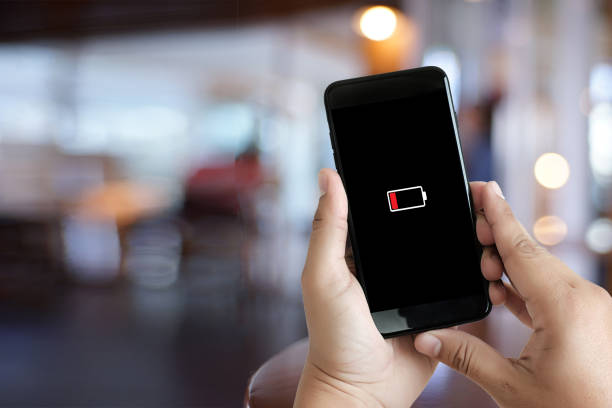
Close up man hands using smart phone battery low charged battery screen

Smartphone battery life has undoubtedly improved since the iPhone’s debut in 2007, yet concerns about longevity persist. For iPhone users aiming to extend their device’s endurance throughout the day, Apple offers two key tips, applicable to all models and without sacrificing beloved features like brightness.

The first tip focuses on the significant power draw of the display. Apple recommends adjusting screen brightness, emphasizing how even a slight decrease can make a noticeable difference. Modern high-resolution screens, while stunning, are demanding on battery life. Dimming the screen manually via Control Center or enabling auto-brightness, which adapts to ambient lighting, are effective strategies. Tech experts estimate that reducing brightness can even double device uptime.

The second tip involves leveraging Wi-Fi whenever possible. Connecting to a stable Wi-Fi network significantly reduces energy consumption compared to constantly searching for optimal cellular signals. Apple encourages users to keep Wi-Fi enabled to maximize battery life while potentially decreasing data charges. Accessing Wi-Fi settings is straightforward and can be done directly through the Settings app.

By implementing these two straightforward but impactful suggestions, iPhone users can significantly improve their device’s battery life. While battery technology continues to evolve, consciously managing settings like screen brightness and network connectivity remains a practical approach to minimizing battery drain and ensuring your iPhone stays powered throughout the day.

Share
What do you think?
Happy0
Sad0
Love0
Surprise0
Cry0
Angry0
Dead0

WHAT'S HOT ❰

UAE dirham symbol approved for unicode, arriving on keyboards in 2026
Paramount to acquire Warner Bros Discovery in $110 billion media merger
ChatGPT nears 1 billion weekly users as OpenAI reports 900m milestone
Nintendo reveals $70 Game Boy Jukebox for Pokémon’s 30th anniversary
Nothing Headphone (a) confirmed for March 5 with bold yellow finish
Absolute Geeks UAEAbsolute Geeks UAE
Follow US
AbsoluteGeeks.com was assembled by Absolute Geeks Media FZE LLC during a caffeine incident.
© 2014–2026. All rights reserved.
Proudly made in Dubai, UAE ❤️
Upgrade Your Brain Firmware
Receive updates, patches, and jokes you’ll pretend you understood.
No spam, just RAM for your brain.
Welcome Back!

Sign in to your account

Username or Email Address
Password

Lost your password?