Apple’s first foldable arrived on October 23. Its hardware story is easy to sell: a 7.6-inch inner display, a 5.4-inch outer screen, an A20 Pro with a vapor chamber, and a starting price close to $2,000. Every foldable owner learns the same lesson quickly, though. The screen is only as good as the apps you run on it. Android foldables spent years showing what happens when developers don’t bother, with stretched layouts, wasted space and apps that panic the moment you change orientation. A folding phone running lazy software is the gadget equivalent of buying a PS5 to play Solitaire.
The good news is that the Duo’s launch library looks far stronger than that. Apple added a “Made for iPhone Duo” badge to the App Store and launched dedicated collections for optimised apps and games, and developers clearly had time to prepare. The standouts don’t just fill the larger display. They treat the hinge as a switch, a game mechanic or a way to share the phone with someone across the table. Below are ten of the best iPhone Duo apps to install now, and why each one deserves space on your home screen.
How to tell real Duo support from a stretched phone app
Any iPhone app will run on the Duo, but “runs” covers a lot of ground. Older apps can appear in an enlarged window that wastes space and ignores the outer display. Basic optimisation means the app fills the inner screen properly and works with Split View, so you can run two apps side by side. Better optimisation responds to the phone’s poses: open like a book, propped up in tent mode, or half-folded in the laptop-style tabletop pose where the lower half becomes a control surface. The best apps react to the fold itself.
Release notes deserve some scepticism. Some developers write “Optimised for iPhone Duo” and stop there, which can mean anything from a thoughtful redesign to a single new landscape layout. App Store screenshots are a better guide. Look for images showing the half-folded pose or the outer display doing something useful by itself. If every screenshot is one flat rectangle, assume the app is larger rather than smarter.
Netflix: the default first download for good reason
Apple chose Netflix to show off the Duo for a reason, because it’s one of the few big-name apps that seems designed around this hardware rather than adapted for it. The outer display becomes a discovery tool, with short vertical clips you can scroll through while the phone is closed. When something catches your eye, unfold the phone and keep watching on the inner screen without hunting for the title again. Half-fold it into the seated pose and the playback controls move to the bottom half, leaving the top half clear for the picture.
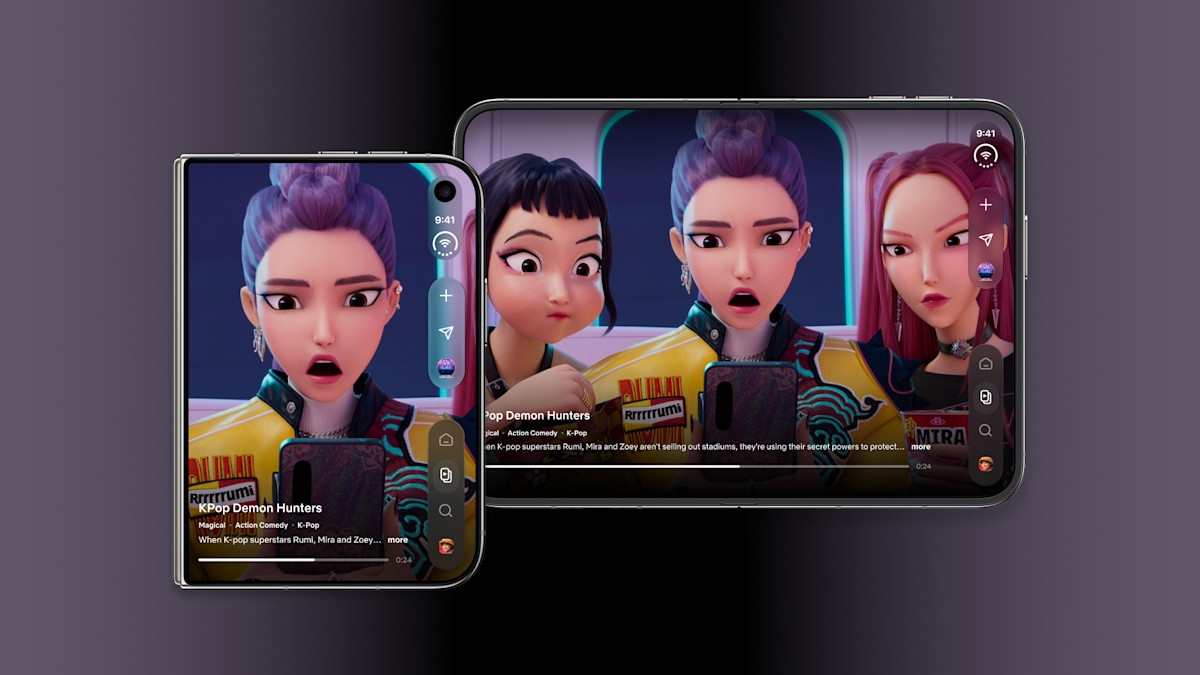
This is the app that best supports the “tablet in your pocket” pitch, because a 7.6-inch screen makes much more sense for a film than a 6-inch one. The obvious caveat is that you need a subscription, and Netflix won’t change your opinion of the Duo if streaming isn’t a big part of your day. Prime Video takes a similar approach, with video on the upper half and cast and bonus details on the lower half when partly folded, so Amazon viewers get a comparable experience.
Delta 2.0: retro gaming finally gets the right shape
Delta has long been one of the best emulators on iOS, but Nintendo DS games always involved a compromise on slab phones because the original hardware was a dual-screen clamshell. Delta 2.0 removes that problem on the Duo. A dedicated clamshell mode recreates the DS layout across both halves of the fold, and closing the phone puts the game to sleep just as the original console did. That detail shows the developer understands why people loved the hardware in the first place.
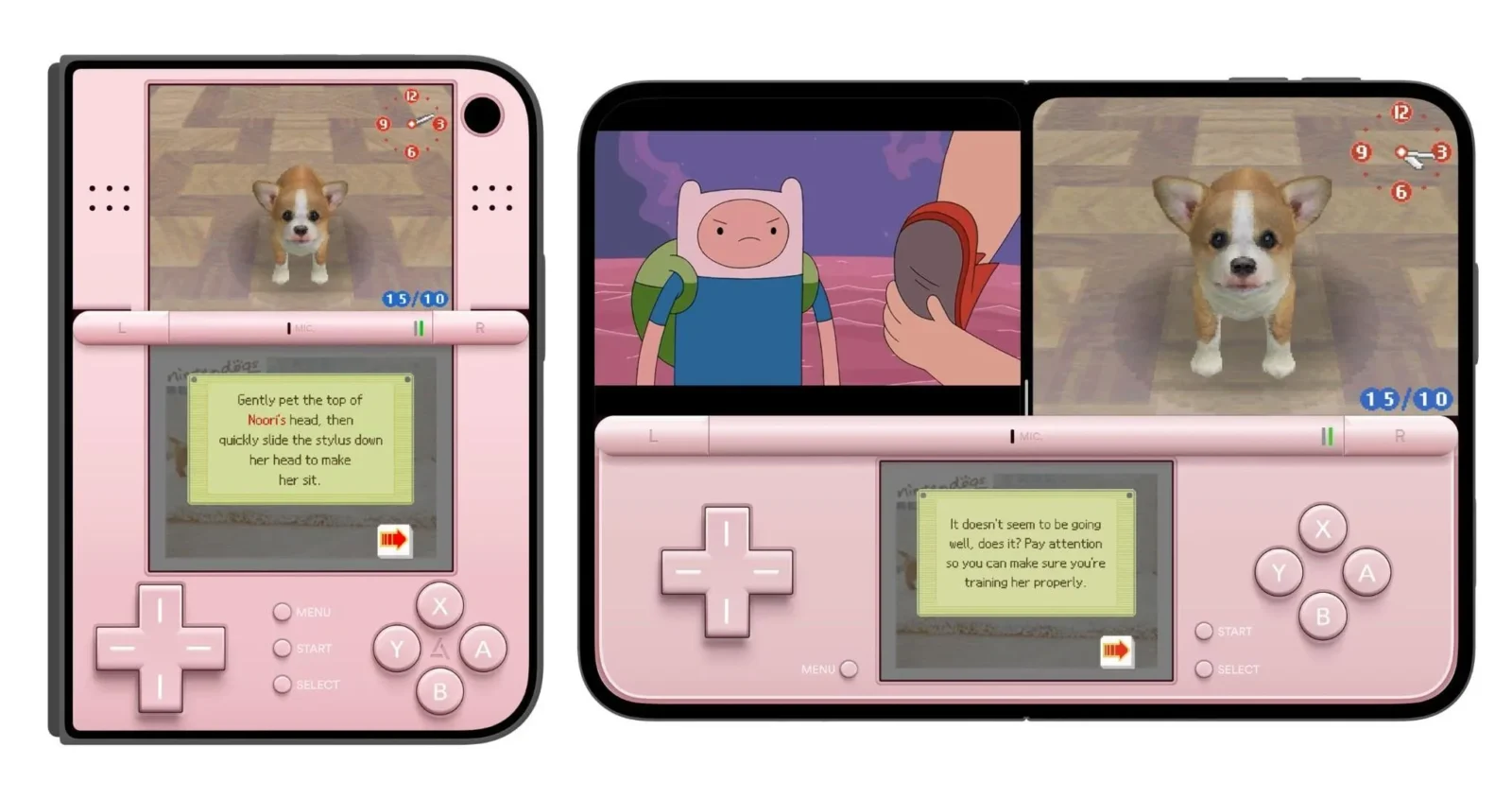
The update goes further with skins designed for every pose in both portrait and landscape, plus Split View support so you can keep a guide or wiki open next to the game. It’s free with an optional purchase, making it an easy install for anyone with a retro habit. Players who only care about modern mobile games can skip it. For everyone who grew up with a handheld clamshell, this may be the most satisfying use of the fold on the platform.
Deck-Man: a cassette deck for the Apple Music generation
Deck-Man turns the Duo into a 1980s portable tape player, and the gimmick works because the fold is part of the ritual. With the phone open, you browse your music as virtual cassettes synced from Apple Music. Close it, and the outer screen shows the tape spinning, with playback controls ready below it. It’s a small piece of digital theatre that recreates the feeling of choosing an album instead of tapping shuffle and forgetting about it.
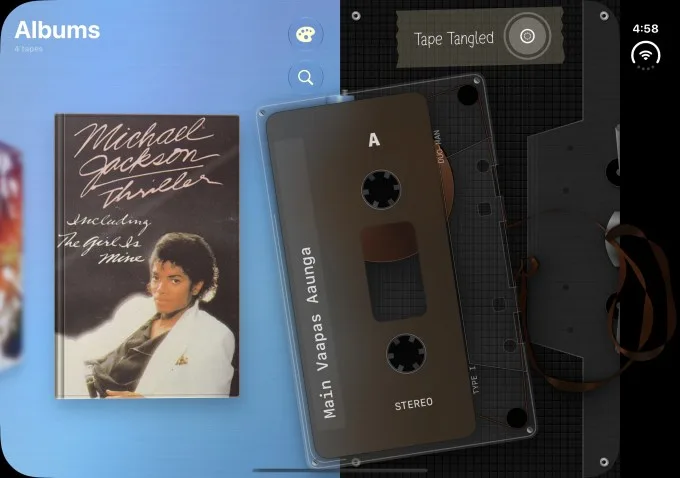
It costs $4.99 and won’t boost your productivity, but that misses the point. Deck-Man shows how the Duo can feel different in your hand, and that matters on a device whose biggest problem may be justifying its premium. The limitation is clear: it’s built around Apple Music, so Spotify loyalists will need to look elsewhere. If you care more about the feeling of a gadget than its spec sheet, it’s an easy buy.
PianoFold: a rhythm game that uses the laptop pose
PianoFold may be the clearest argument for the tabletop pose. Fold the Duo like a small laptop and coloured notes glide down the upper half toward pads on the lower half, where your fingers tap in time to keep the melody going. Anyone who has played a rhythm game will understand it immediately, but the physical setup makes it feel much more like playing an instrument than tapping a flat screen.
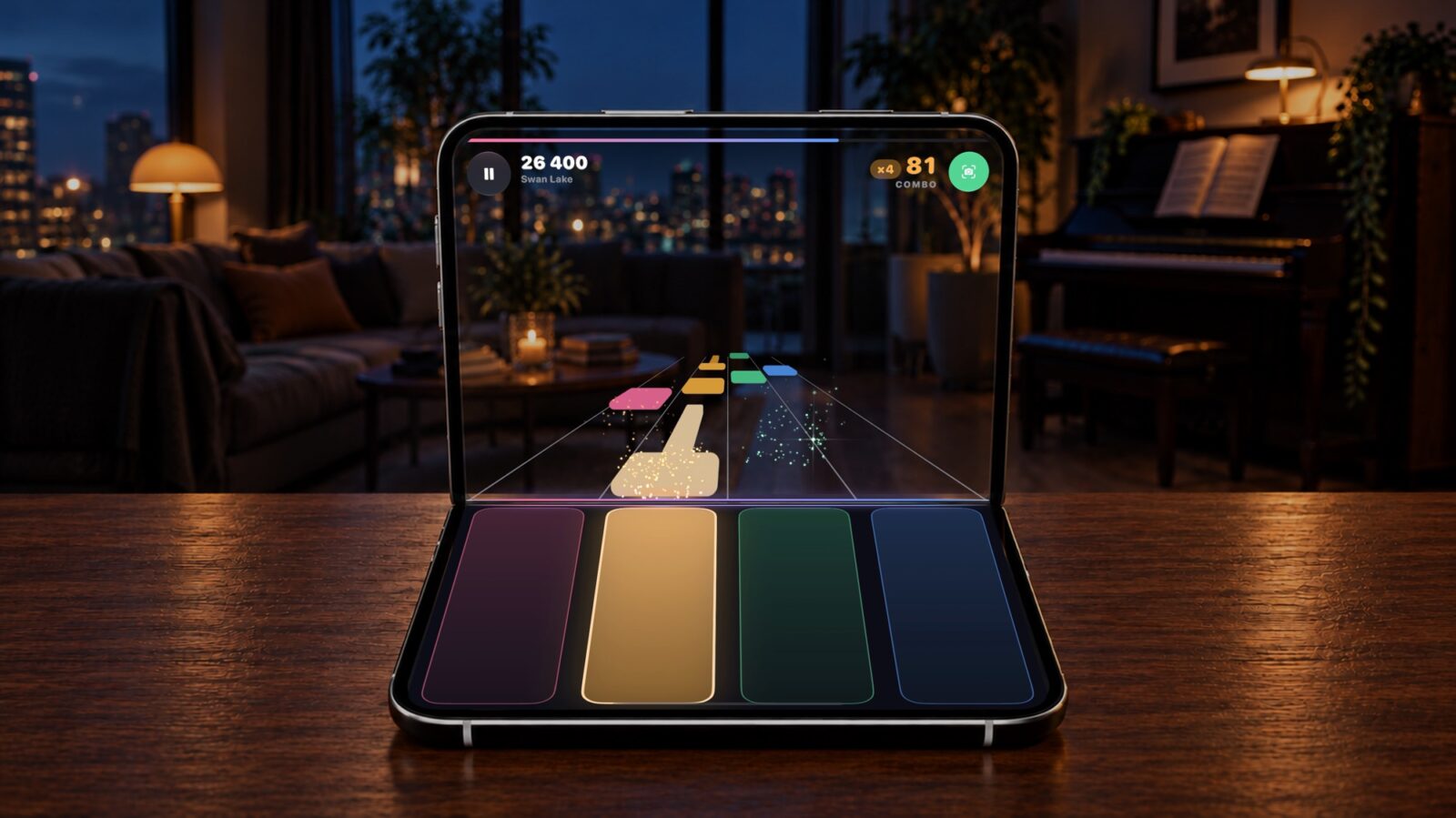
The game includes 40-plus pieces drawn from composers including Beethoven, Mozart and Bach. You can choose between a camera-powered Room view that puts your real surroundings behind the notes or a darker stage for fewer distractions. It’s free to try, with a $4.99 unlock for the full game. Casual players and anyone wanting a showpiece for friends will enjoy it, but people hoping for real piano lessons should look elsewhere, because this is a game first and a teacher not at all.
Orisuji: the puzzle game built entirely around the fold
Most Duo games use the shape of the screen. Orisuji goes further and turns the act of folding into the puzzle. You fold and unfold the display to combine and separate layers of mazes, with paths that only connect when the halves meet. The idea sounds simple, and that’s why it’s so clever, because each maze becomes a spatial problem you solve with your hands instead of your thumbs.
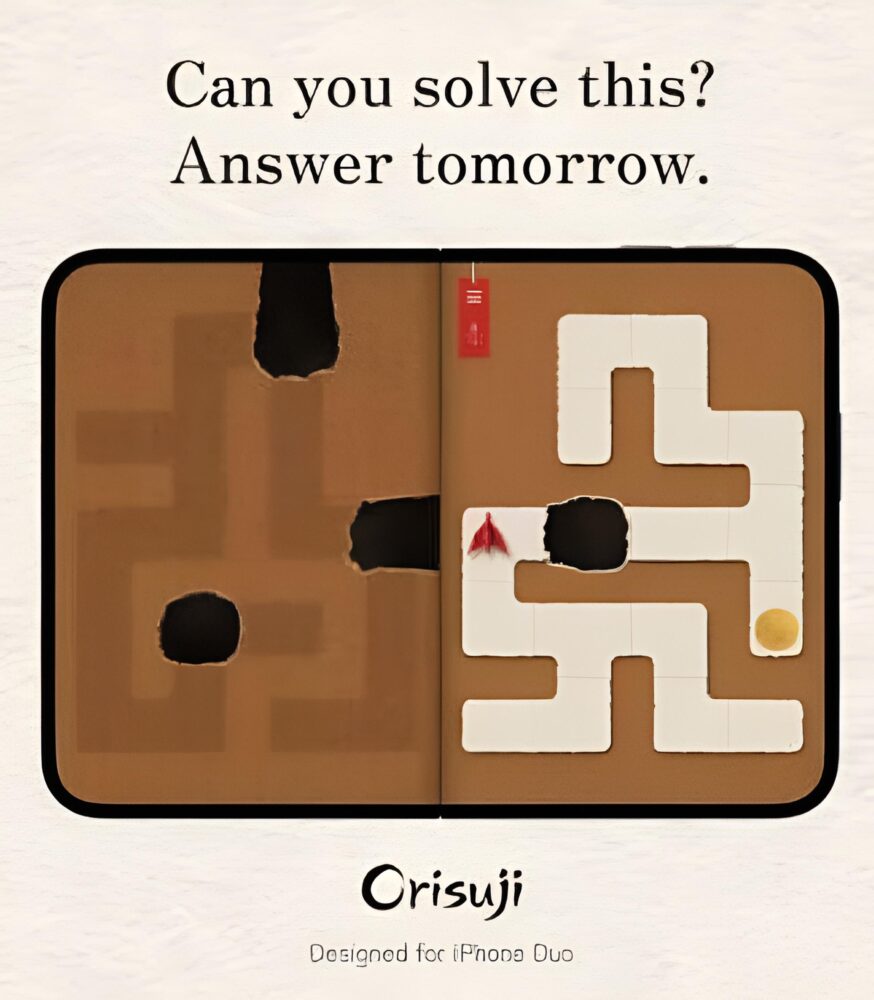
It costs $4.99, which is premium for a mobile puzzler, but you’re paying for a design that can’t exist on any other iPhone. This is the game I’d show to someone who insists foldables are just bigger phones. Be aware that it asks you to fold the device often, so anyone nervous about hinge wear will need to get over that quickly. Puzzle fans should buy it now, while players who prefer lean-back entertainment will get more from the streaming and racing picks here.
Battlefleet Duo: Battleship reborn for the half-fold
Battleship always used two grids facing each other, and the Duo’s half-open pose recreates that layout naturally. In Battlefleet Duo, your own fleet sits on the lower half while enemy waters fill the upper half, just like looking over the plastic board’s raised divider. The game adapts as you change the angle, and there’s also a full-screen mode when you’d rather play with the phone flat.
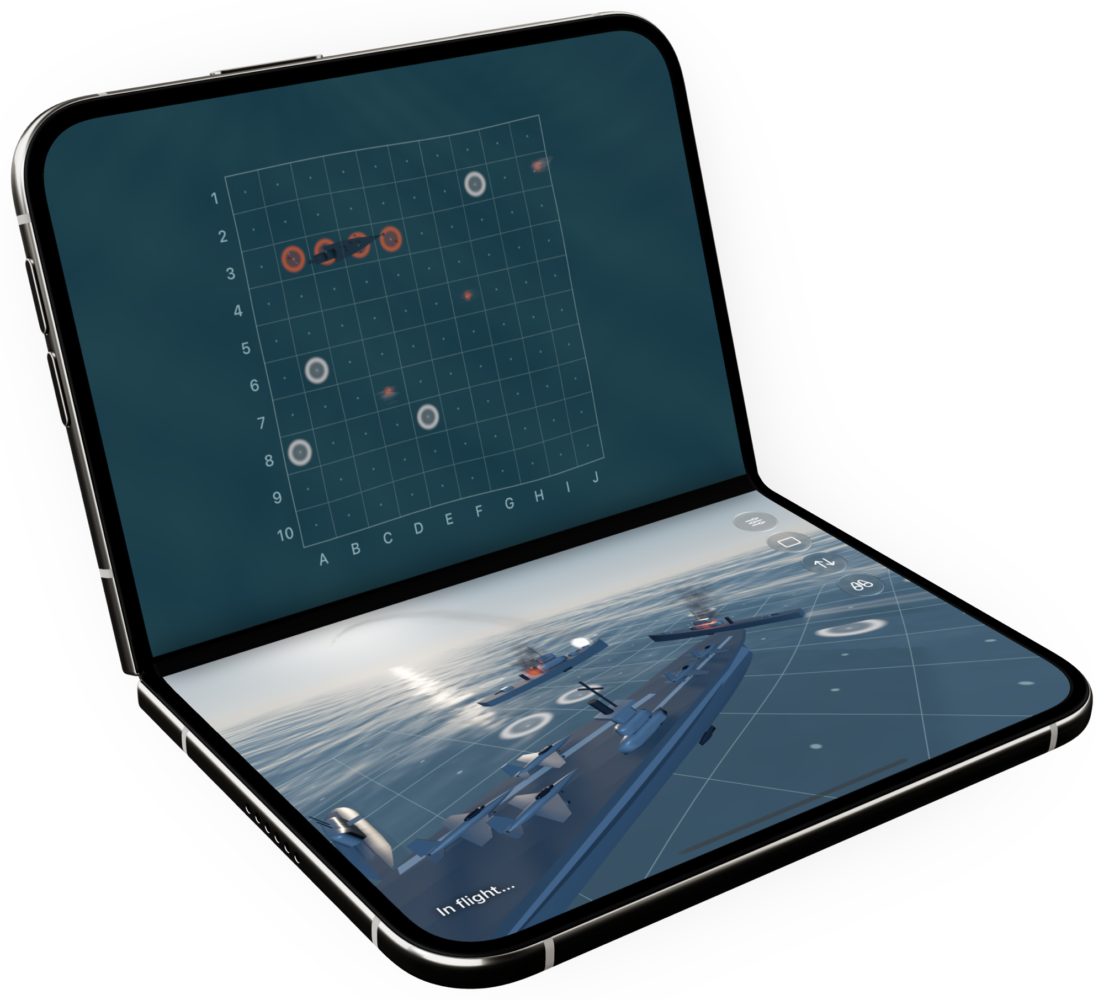
The standout feature is its face-to-face two-player mode, which lets two people share one Duo across a table. That fits the Duo’s surprisingly social design, with features like Duo FaceTime built around more than one person. Solo strategy fans may find it a little thin, since naval warfare hasn’t changed much since your childhood board game. For families, couples and competitive friends, it’s one of the best uses of the device’s shape.
Flipcorder: the fold becomes the record button
Flipcorder suggests where foldable apps could go next. It has you record short video clips throughout the day, then stitches them into a daily “tape” you can look back on later. On the Duo, opening and closing the phone works as the power switch, and the app uses all of the screens instead of treating the outer display as an afterthought.
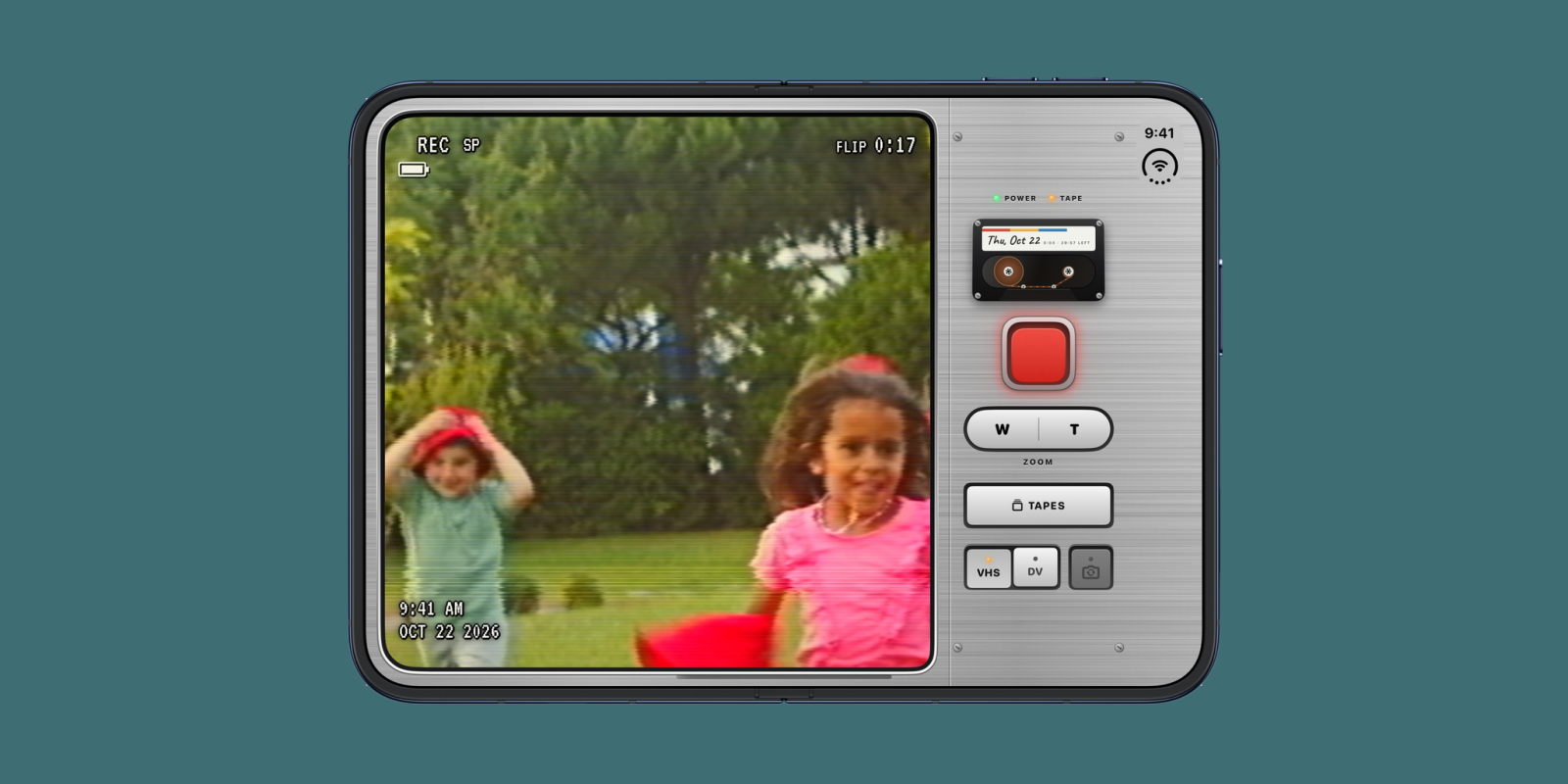
It costs $4.99, and it suits people who want a low-effort video diary without the hassle of editing. The hinge as power switch makes recording feel like using a gadget rather than navigating an app. If you rarely film your life or prefer full creative control in an editor, this won’t appeal. For people who wish they captured more small moments, it’s one of the most original Duo apps available.
Fold Party: a party game for people who trust their hinges
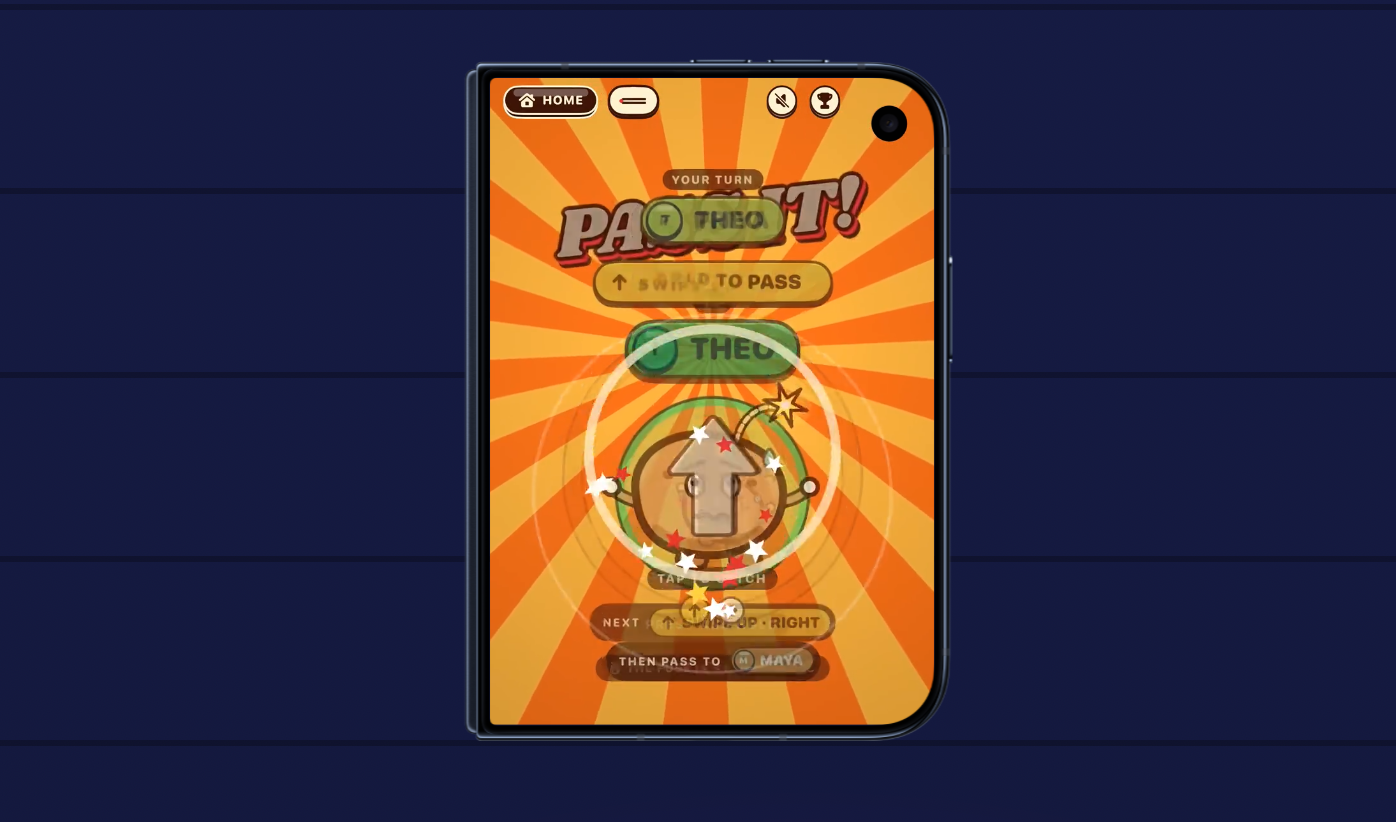
Fold Party is the Duo’s most mischievous app. It offers quick multiplayer mini-games built for groups, including a Hot Potato round where players pass the phone around and an air hockey game that uses the folding design. Think of it as a Mario Party-style collection compressed into a single, very expensive device.
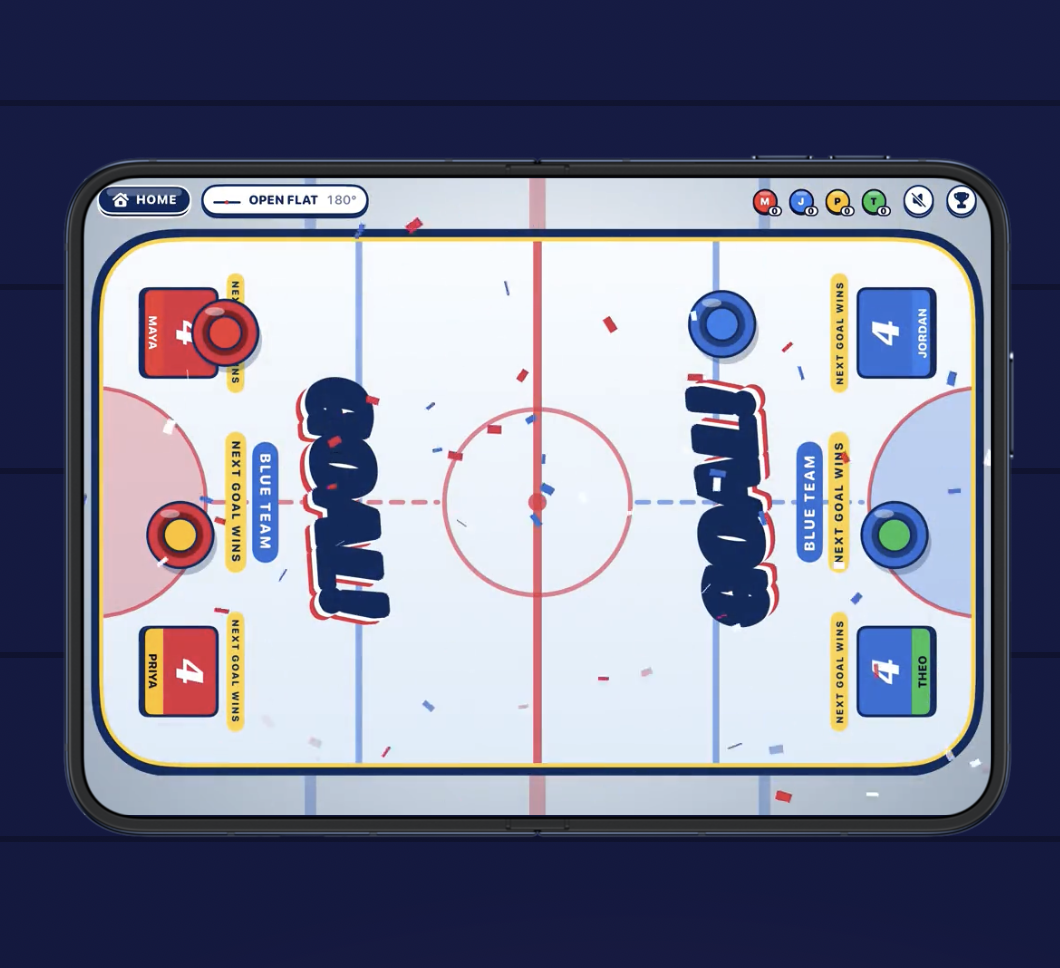
It’s free with in-app purchases, so trying it costs nothing beyond a little nerve. This is the app to open when friends ask why your phone folds, and it turns the Duo into a shared toy instead of a personal screen. The obvious warning: passing a nearly $2,000 phone around a lively room requires friends you trust, a good case and perhaps AppleCare+. It’s ideal for gatherings and pointless when you’re alone.
Asphalt Legends: what the inner display can do for big games
Fold-based gimmicks are fun, but some people simply want a big, fast game on a big, fast screen. Asphalt Legends is the Duo’s flagship racer, filling the entire inner display during races instead of sitting inside a letterboxed phone layout. It’s the most straightforward demonstration of what the larger canvas does for console-style mobile games.
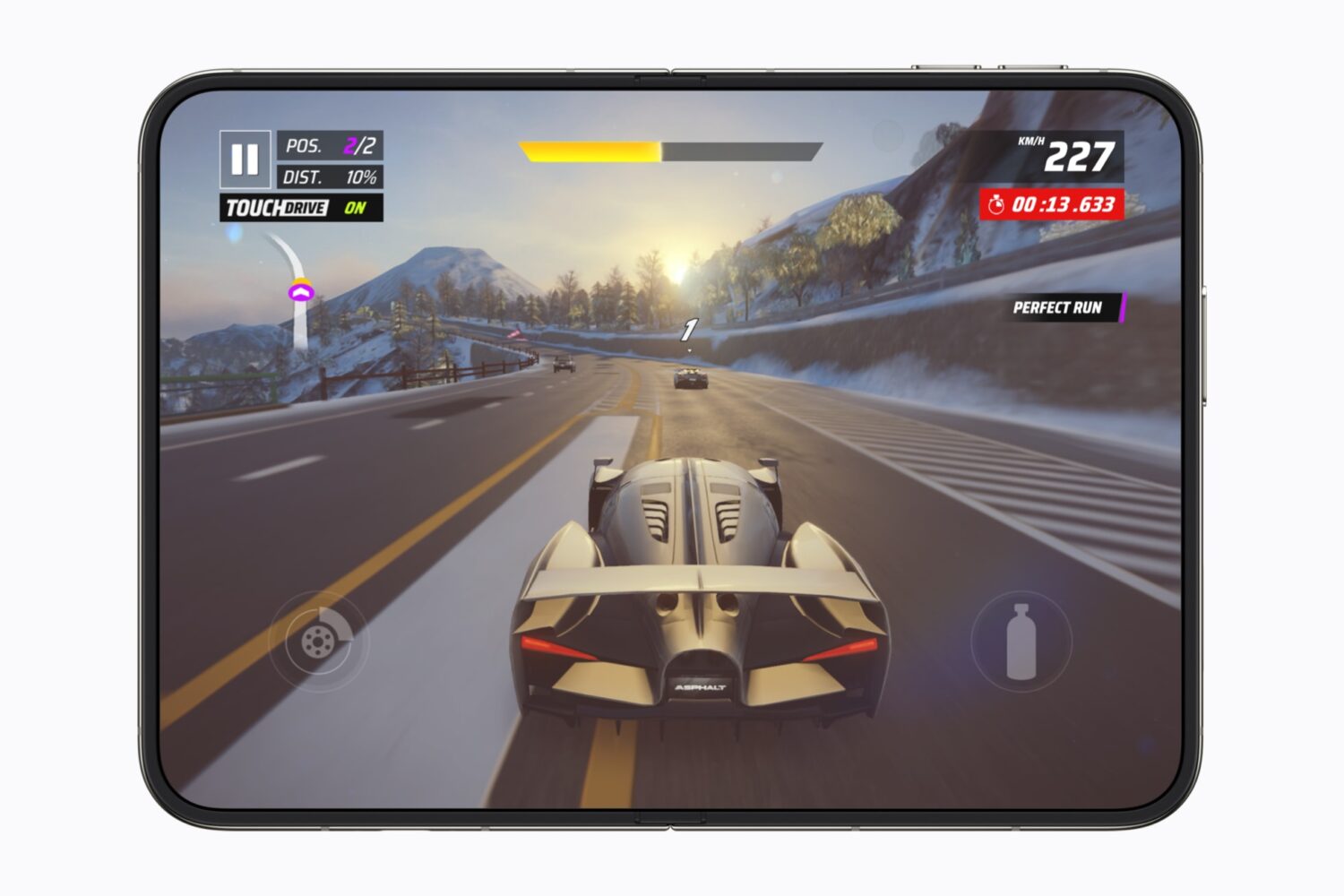
The hardware should help here too. Apple says the A20 Pro and vapor chamber give the Duo up to 35 percent better sustained performance than the iPhone 17 Pro, which matters most in longer sessions when thermals usually start to hold phones back. The game is free-to-play, so expect the usual monetisation that comes with the genre. If you want a showcase for the screen rather than the hinge, start here.
Instagram and Edits: Meta’s creator stack arrives ready for the fold
Meta was one of the first big developers to ship fully optimised Duo apps, covering Instagram, Facebook and Threads. Instagram is the most interesting of the three. The outer display gives you an immersive vertical video feed as you scroll, which suits endless Reels sessions much better than squeezing them into a letterbox on the inner screen. That matters because the cover screen is where many people will spend quick, one-handed moments, and Instagram treats it as a full-featured surface rather than a cramped preview window.
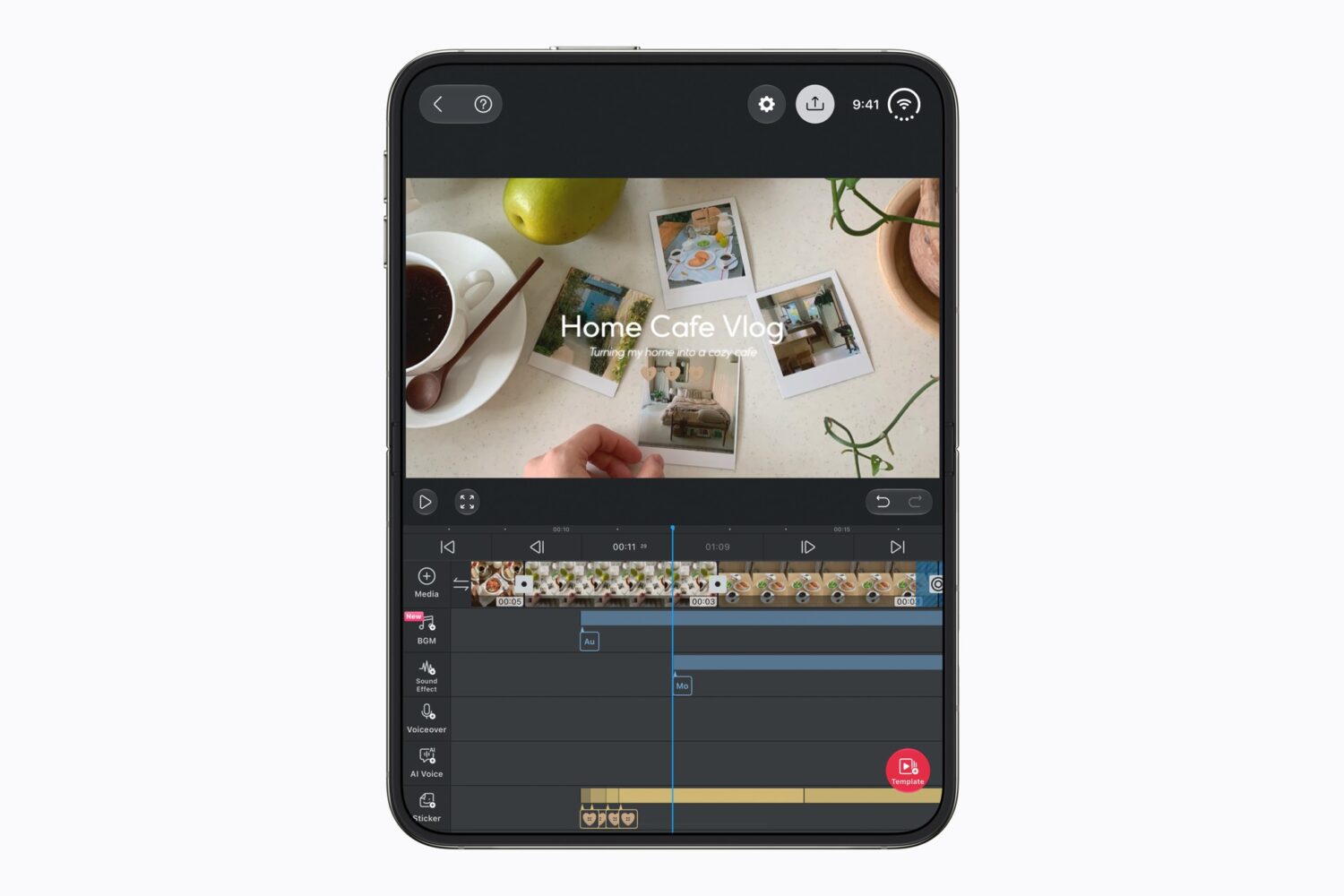
Edits, Meta’s companion video editor, completes the picture. Apple highlighted it on a partially folded Duo during its developer showcase, and editing timelines and previews clearly benefit from the extra space of the inner display. The obvious appeal is for creators who shoot, cut and post from one device instead of moving footage to a laptop. If you’re not a content creator, this pair is mostly a nicer way to scroll, so treat it as a quality-of-life upgrade rather than a reason to buy the Duo.
Honourable mentions and what’s coming next
Plenty more apps deserve a look depending on how you use your phone. MLB spreads live games, scores and stats across the full width of the inner screen, which sets a useful benchmark for other sports apps. Zoom can show shared content and participants together, while Slack, Airmail, Things and Fantastical make more sense in Split View on the larger display. Weather fans can try RainViewer and Carrot Weather, and retro computing fans should check out Tiny Computers, which turns the tabletop pose into a museum of miniature machines.
The library is still growing. Zenless Zone Zero is due for a Duo update in November, and the role-playing game UnGodly is also expected that month, with Apple promising more optimised apps throughout the year. Treat this first wave like launch-window titles on a new console: the experiments are already excellent, and the polished blockbusters are still to come. If one of your favourite apps still looks stretched, give it a few months before you blame the hardware.
Bottom Line
For most new owners, the best start is a streaming app like Netflix or Prime Video, followed by one or two fold-first experiences such as Orisuji, Delta 2.0 or PianoFold to see what the hardware can really do. Social users should keep Battlefleet Duo and Fold Party ready for game night, and anyone who loves physical rituals will get the most from Deck-Man or Flipcorder. Creators will want Instagram and Edits, while gamers who mainly want a big screen will be well served by Asphalt Legends. Productivity users should focus on Split View-friendly apps and expect the strongest work-focused updates to arrive over the coming months. If you’re still deciding whether to buy, remember that the most impressive software today is mostly playful rather than essential. That may change, but a $2,000 purchase should be based on what’s available now, not what developers might ship later.