Apple has spent years building parental controls into the iPhone, but iOS 27 changes the philosophy behind them. Instead of expecting parents to dig through Screen Time menus, configure a maze of restrictions and hope they remembered every digital trapdoor, Apple is making child safety a much more fundamental part of setting up and managing an iPhone.
More importantly, these features are no longer just something Apple showed off during a software preview. As of September 15, 2026, the new child safety tools are available through the latest updates to iOS 27, iPadOS 27 and macOS 27. They focus on the things parents actually care about: what children can access, who they can communicate with, what potentially harmful content reaches them and how much time disappears into games, entertainment and social media.
Child Accounts Are Easier to Set Up From Day One
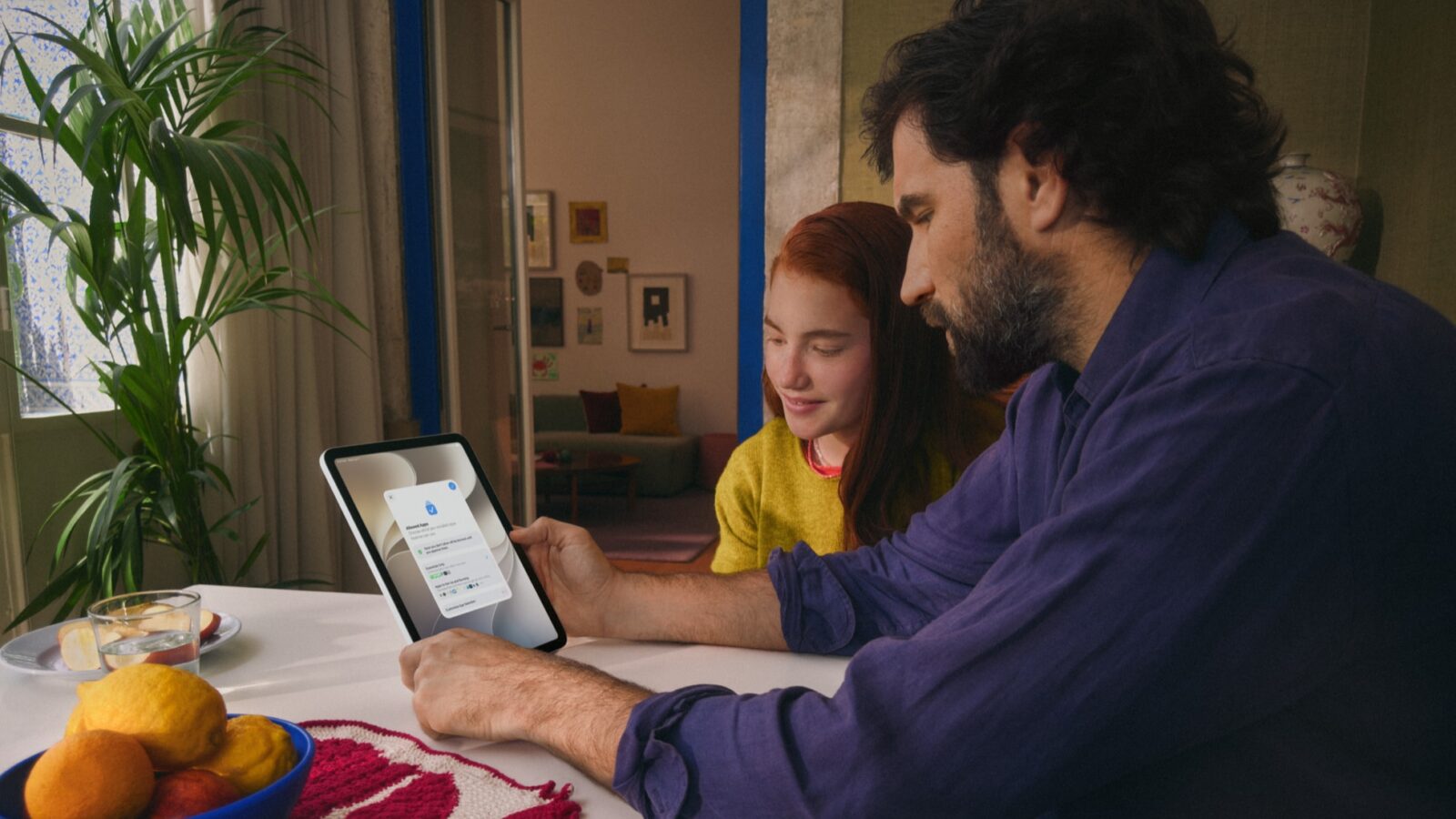
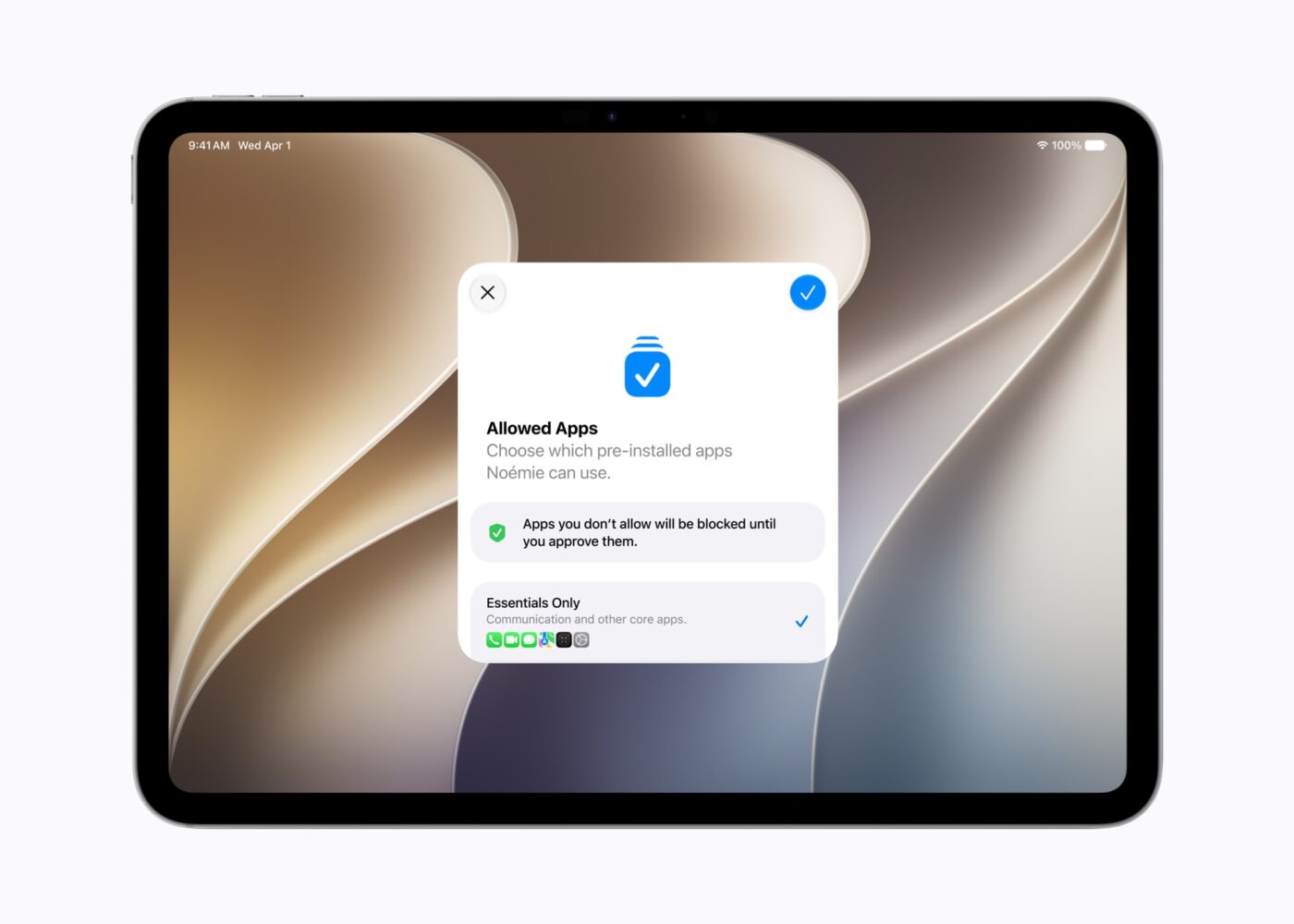
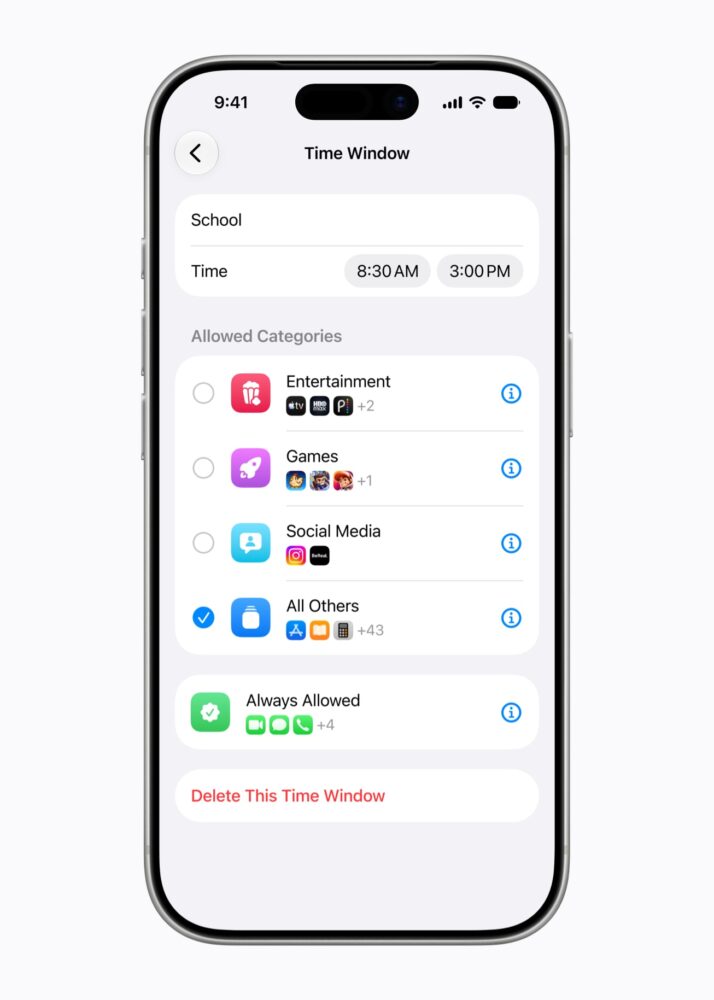
One of the smartest changes happens before a child has even had a chance to transform the Home Screen into an explosion of games and messaging apps. When setting up a new Child Account, parents can begin with a recommended collection of essential apps rather than handing over unrestricted access and trying to tighten everything afterwards.
That’s a much better direction for parental controls. Starting with a deliberately limited device and gradually expanding what a child can use makes more sense than opening every door and subsequently trying to remember which ones need locking. Apple’s existing family tools, including Ask to Buy, continue to complement this approach by letting parents approve downloads and purchases.
Ask to Browse Brings Parental Approval to Safari
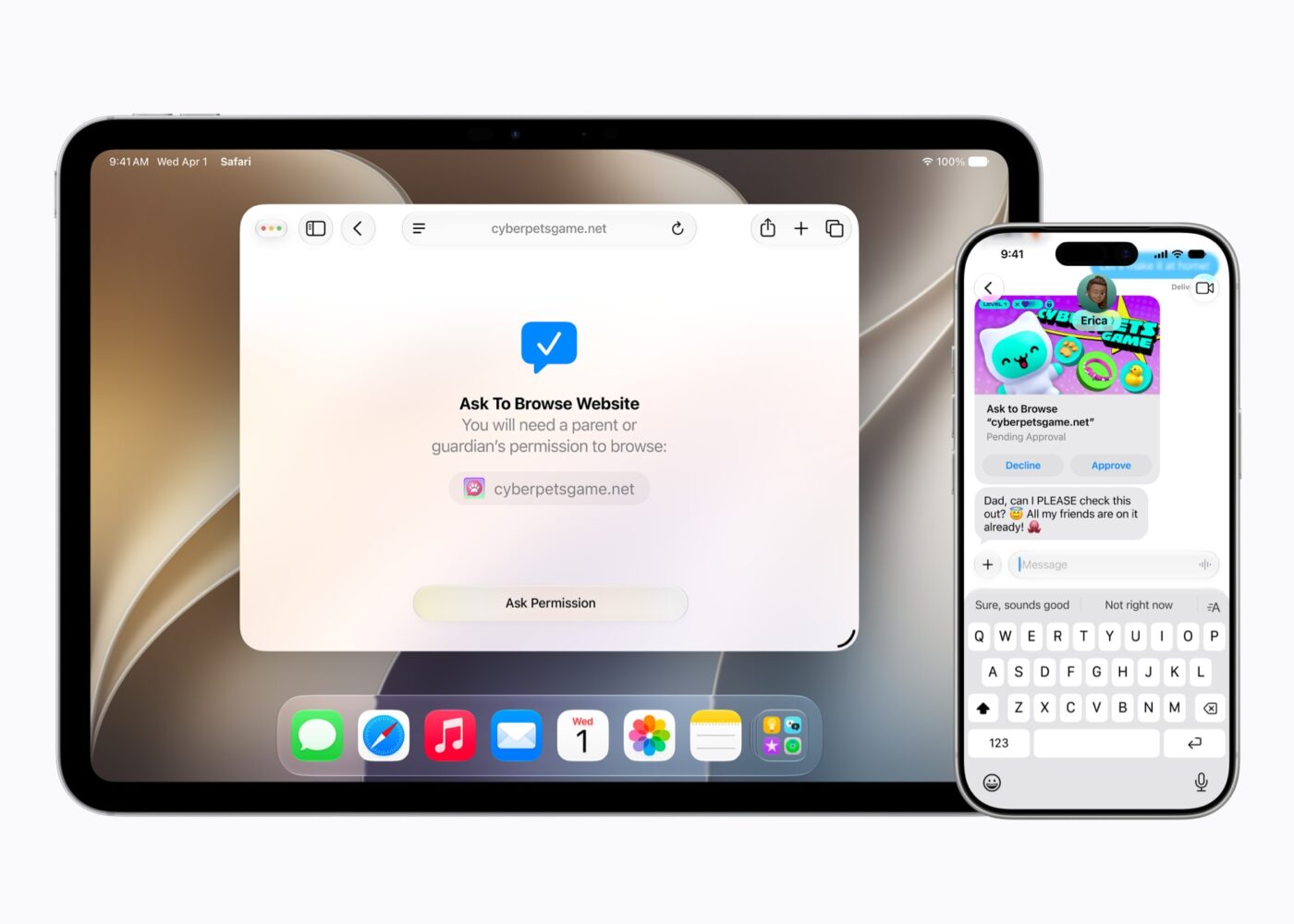
One of iOS 27’s smartest additions is Ask to Browse. Parents can require their children to request permission before accessing a new website in Safari, effectively extending the familiar approval concept behind Ask to Buy into web browsing.
That’s more useful than relying entirely on automated website filters. The internet stubbornly refuses to organise itself into perfectly convenient categories, and perfectly legitimate websites can fall outside whatever filters expect. Ask to Browse gives parents the final say while still providing a way for children’s web access to expand as they get older.
It also turns browsing restrictions into something more flexible than a digital brick wall. Instead of Safari simply saying “nope” and ending the conversation, children can request access and parents can make the decision based on the site and circumstances.
Time Allowances Make Screen Time More Flexible
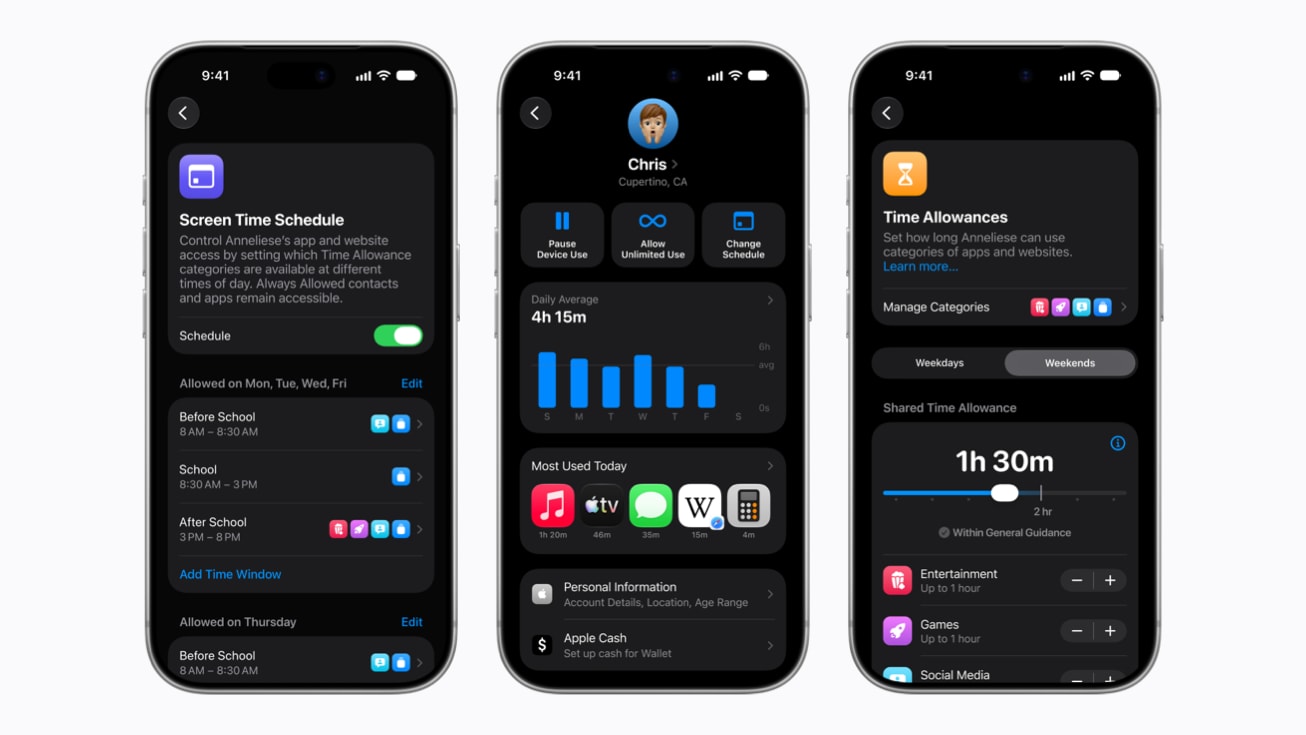
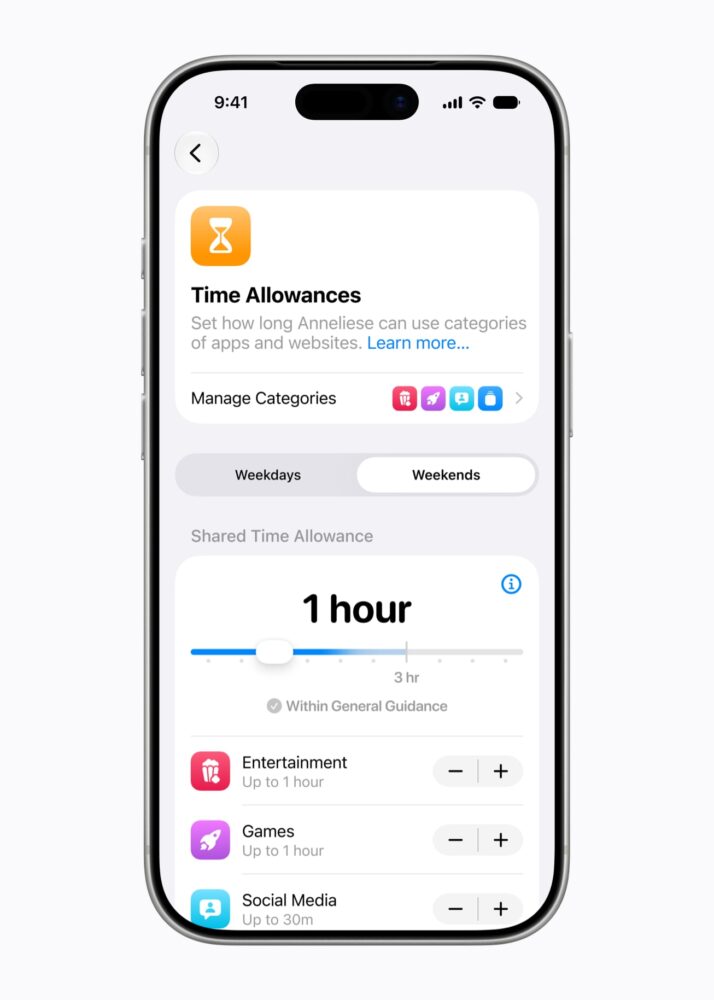
Apple is also introducing Time Allowances, which let parents manage time across broad app categories such as Social Media, Entertainment and Games. Rather than requiring parents to invent limits from scratch, Apple provides age-tailored guidance that can serve as a starting point.
The recommendations have been informed by online safety and health experts, and Apple says it is working with the American Academy of Pediatrics to adapt its Family Media Plan into guidance parents can reference when using Apple products. That’s an important distinction because Apple isn’t presenting a magical universal number of minutes after which an iPhone suddenly transforms a child into a screen-addicted goblin.
Category-based management is particularly useful because children rarely spend all their gaming or entertainment time inside a single app. Jumping between four games shouldn’t effectively provide four separate allowances. Looking at the category rather than obsessing over individual apps gives parents a more meaningful picture of how the device is actually being used.
Screen Time Gets a Much-Needed Redesign
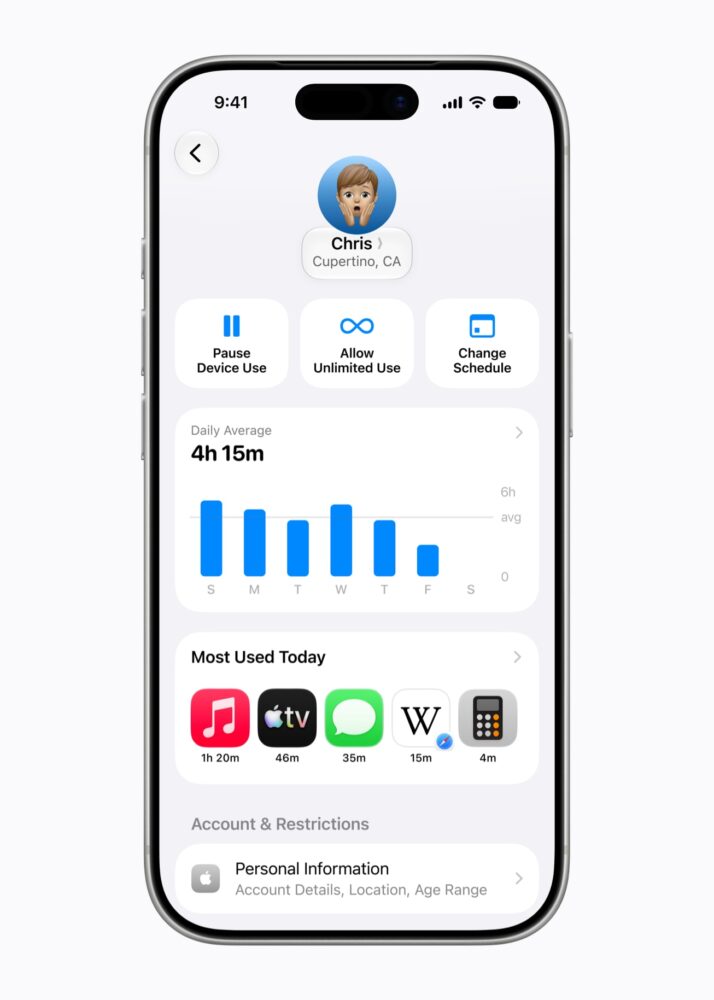
All these controls would be far less useful if Apple buried them beneath seventeen Settings menus and a sacrificial ritual involving an Apple Account password. Fortunately, Screen Time has been redesigned to make the information parents need easier to see and the controls easier to reach.
Parents now get an at-a-glance view of usage along with one-tap controls for changing access when necessary. That makes Screen Time more useful as an active parenting tool rather than something configured during initial setup and rediscovered six months later while wondering why a child has accumulated enough Minecraft hours to qualify as a professional architect.
The ability to make quick adjustments matters because rules aren’t always absolute. Parents may want to change access depending on homework, travel, weekends or other circumstances without rebuilding the entire Screen Time configuration every time.
Communication Safety Now Tackles Gore and Violent Content
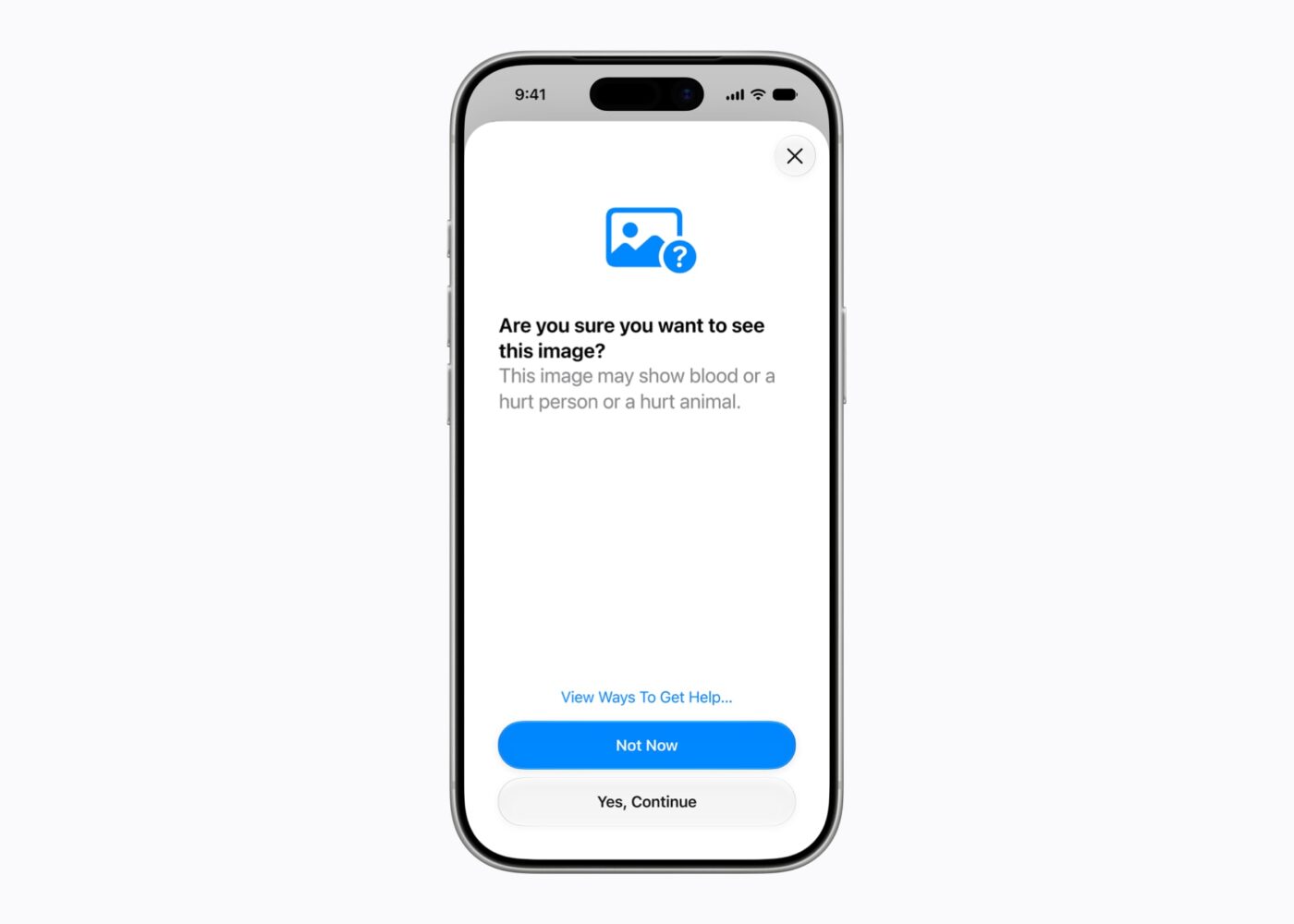
One detail that’s easy to miss is that Communication Safety is expanding beyond nudity. With the latest updates, Apple’s protections can also block gore and violent content appearing in shared images and videos.
Crucially, that protection also extends to live FaceTime calls. That’s an important expansion because potentially disturbing material doesn’t exclusively arrive as a conveniently filterable photo sitting inside a message thread. Modern communication happens through video, images and live conversations, so protections need to operate across those formats if they’re going to be genuinely useful.
The change also illustrates how Apple’s definition of child safety is becoming broader. Protecting children online isn’t only about sexually explicit material. Extremely violent imagery can be equally inappropriate or distressing, particularly for younger users, and parental controls need to recognise that distinction.
Parents Get More Control Over Who Children Communicate With
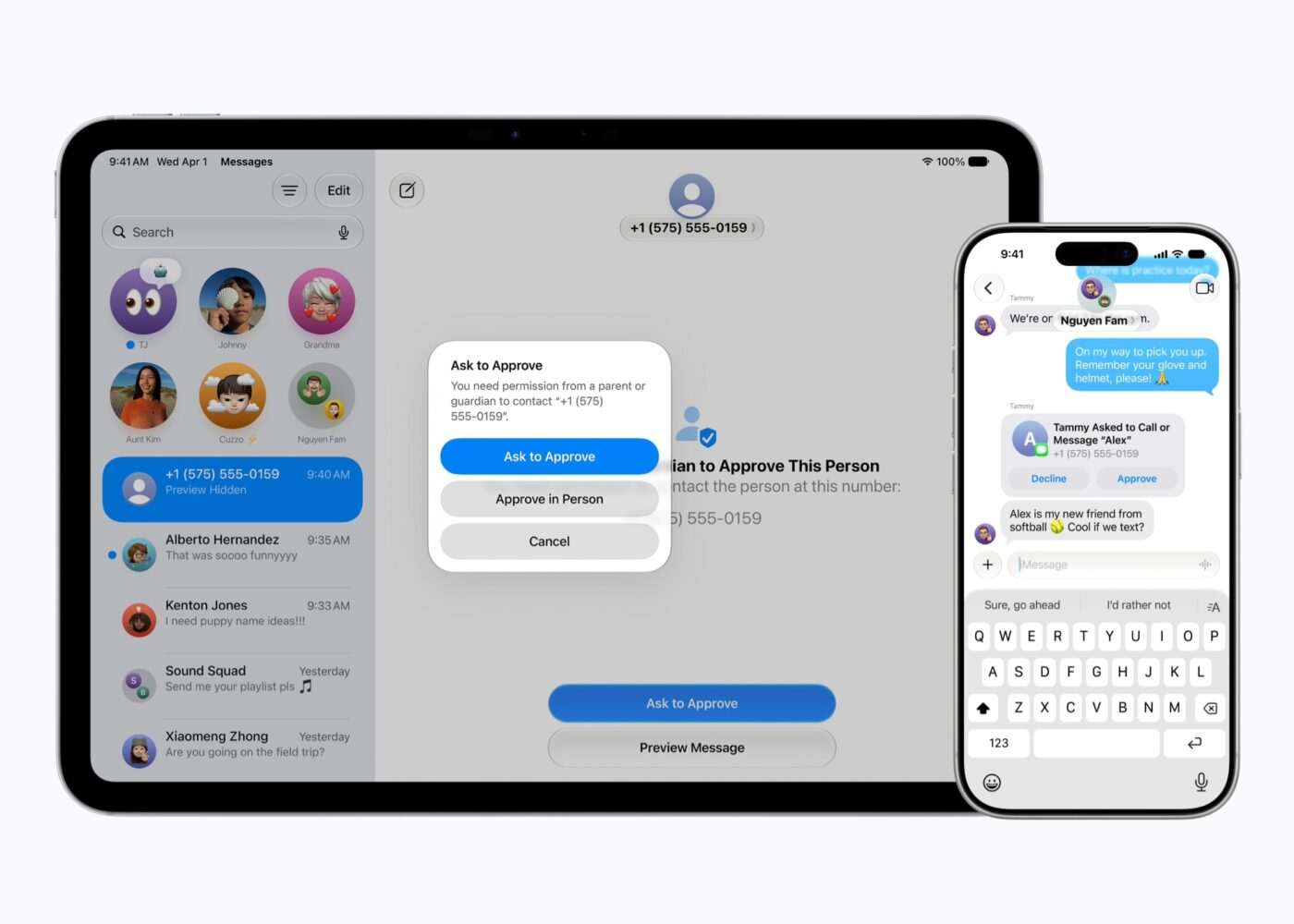
Apple’s parental-control strategy isn’t limited to deciding which apps children can open. Communication controls give parents greater influence over who their children can interact with, addressing a problem that’s arguably more important than whether someone spends an extra 20 minutes playing a game.
That matters because an iPhone isn’t merely an entertainment device. It’s a permanently connected camera, messaging platform, video-calling device and gateway to countless online communities. Screen-time limits might reduce how long a child uses a device, but communication protections can address what happens during that time.
Combined with expanded Communication Safety, Apple is attempting to protect both sides of the equation: potentially inappropriate material reaching children and potentially unwanted interactions occurring through their devices.
Apple Wants Its Parental Controls to Grow With Children
The underlying idea behind many of these changes is gradual access. Younger users can begin with tighter restrictions, while parents can expand access to apps, websites and communication features when appropriate.
That’s preferable to treating “child” as one enormous category covering everyone from a primary-school student to a teenager preparing for university. A 7-year-old and a 17-year-old obviously shouldn’t have identical restrictions, even though both technically fall under parental controls.
Apple’s age-tailored approach to Time Allowances reinforces that philosophy. Recommendations provide a starting point, while parents remain responsible for deciding what makes sense for their particular family. Technology can provide the knobs and switches; it can’t know whether those three hours on an iPad involved homework, digital art or speed-running an entire season of television.
There’s an Important Update Requirement Parents Need to Know
One easily overlooked detail could cause some head-scratching when families try the redesigned Screen Time features: every device in the Family Sharing group needs to be running Apple’s latest operating systems.
That means compatible devices within the group need to be updated to iOS 27, iPadOS 27, macOS 27, watchOS 27 and visionOS 27, as applicable, to use the Screen Time update. If one family member is still hanging around on an older operating system like it’s refusing to leave the previous console generation, parents may not get the complete experience they expect.
Apple also notes that some child safety features may vary depending on region, language and device model. Parents therefore shouldn’t assume that every feature described for iOS 27 will necessarily appear identically on every Apple device or in every country.
The New Controls Extend Beyond the iPhone
It’s tempting to describe these changes simply as iOS 27 parental controls, but Apple’s broader ecosystem is important here. The new child safety features also arrive with iPadOS 27 and macOS 27, making them relevant to families where children jump between an iPhone, iPad and Mac.
That’s exactly how parental controls should work in 2026. Restricting gaming on an iPhone doesn’t accomplish much if a child can immediately grab an iPad and continue the digital rampage there. Family controls become considerably more useful when they’re designed around the person and account rather than treating every screen as an isolated island.
The broader Family Sharing requirements also demonstrate the downside of that ecosystem approach: keeping everything working together may mean updating several devices. For families with older Apple hardware, compatibility therefore deserves checking before assuming every new Screen Time capability will be available.
Apple Is Bringing Expert Guidance Into the Equation
Another interesting addition isn’t really a parental-control feature at all. Apple says these updates have been informed by online safety and health experts and that it is working with the American Academy of Pediatrics to adapt its Family Media Plan into a guide for parents using Apple products.
That could ultimately prove more valuable than another collection of switches. Parents frequently aren’t struggling because they can’t find a Screen Time button; they’re struggling because deciding what constitutes reasonable screen use is complicated.
Guidance can provide a useful baseline, particularly with Time Allowances offering age-tailored starting points. Parents should still treat recommendations as exactly that — recommendations. A child’s age, school requirements, social circumstances and what they’re actually doing on the device matter far more than blindly chasing a universally “correct” number of screen-time minutes.
iOS 27 Doesn’t Make an iPhone Automatically Child-Safe
There’s an important reality check beneath all of this. No parental-control system can guarantee children will never encounter inappropriate material, unwanted communication or unhealthy digital habits. Automated detection can make mistakes, websites change, apps evolve and teenagers possess an almost supernatural ability to discover loopholes approximately twelve seconds after adults create them.
What iOS 27 provides is a stronger toolkit for establishing boundaries without making an iPhone practically unusable. Ask to Browse introduces human judgement into web access, Communication Safety covers a wider range of disturbing material, Time Allowances tackle categories rather than individual apps, and redesigned Screen Time makes those controls easier to manage.
That’s ultimately the right role for technology here. Parental controls should support conversations and sensible boundaries rather than pretending an operating system can outsource parenting to an algorithm.
The Bottom Line
iOS 27 represents a substantial improvement to Apple’s parental controls because the company isn’t merely adding another Screen Time timer. Ask to Browse gives parents direct control over new websites, Time Allowances provide age-tailored guidance for major app categories, Communication Safety expands to gore and violent content — including live FaceTime — and redesigned Screen Time makes restrictions easier to understand and adjust.
The September release also fills in an important piece of the story: these features are available now, rather than sitting on Apple’s future-feature list. Families will need compatible, updated devices throughout their Family Sharing group, and availability can differ by region, language and hardware, but the overall direction is promising. Apple isn’t trying to build an impenetrable digital fortress around children; it’s giving parents a better control panel for deciding when those doors should open.