OpenAI is giving ChatGPT another job beyond answering questions and generating standalone images: making stickers for your group chats. A new ChatGPT feature lets users turn photos, illustrations and text prompts into custom stickers, then export the finished results directly to iMessage or WhatsApp.
The process sits inside ChatGPT’s Images section, where users can select the Stickers option and upload one or more pictures. From there, ChatGPT can isolate subjects, create transparent backgrounds, modify individual elements or generate several variations from the same source image. Users can also provide another image as a visual reference or describe the style they want in a prompt.
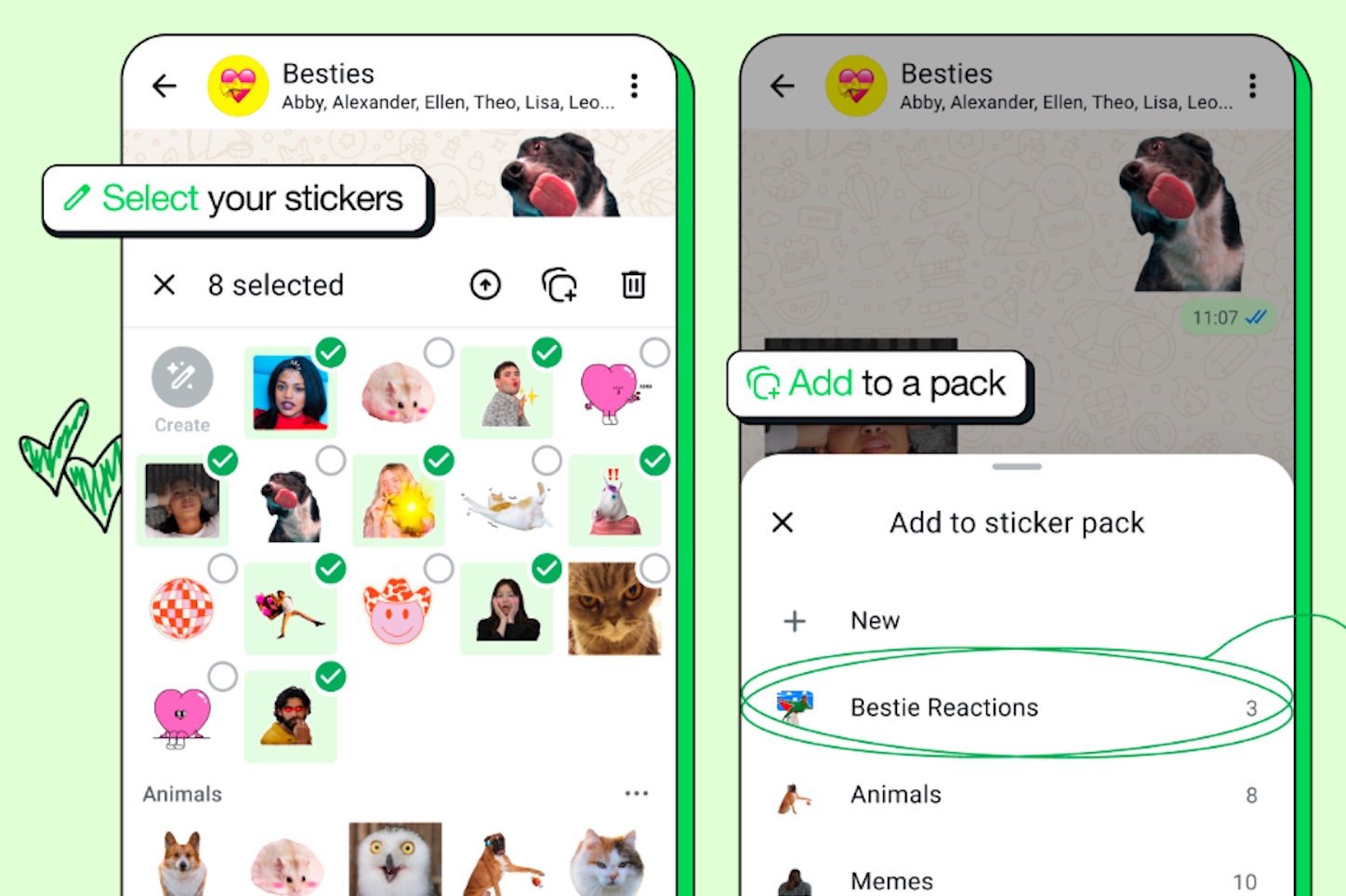
Once a sticker is ready, an “Add to chat apps” option handles the export. Current destinations include iMessage, WhatsApp and the device’s photo library. WhatsApp requires at least three stickers before a pack can be exported, a restriction tied to WhatsApp’s sticker-pack requirements rather than ChatGPT itself.
The feature is less about introducing something entirely new and more about removing several annoying steps. ChatGPT has already been able to edit uploaded images, generate new artwork and produce transparent backgrounds. What changes here is the workflow: instead of creating an image, saving it, editing or cropping it elsewhere and then importing it into a messaging app, much of that process now happens in one place.
OpenAI also isn’t entering an empty market. WhatsApp has offered tools for turning photos into stickers for some time, while Meta has expanded the app with selfie stickers and custom sticker packs. Apple similarly lets iPhone users lift subjects from photos and use them as stickers across supported apps. For anyone who only wants to cut a person or pet out of a photograph, those built-in tools may already be enough.
ChatGPT’s advantage is potentially in the editing layer. Generative tools can do more than extract a subject: they can redraw missing areas, change a visual style, combine elements and produce multiple coordinated designs. That makes the feature closer to a lightweight sticker studio than a simple background-removal button.
It is another example of AI image generation shifting away from isolated novelty images and toward small, practical creative tasks. Stickers are hardly a transformative use of generative AI, but they are something millions of people already use every day. Making the workflow faster may prove more useful than adding another elaborate image-generation demo.