TL;DR: The Mobile Pixels Duex Float 2 Pro turns a MacBook into a genuinely practical stacked dual-screen workstation, pairing a sharp 16-inch 2.5K 120Hz display with clever positioning and excellent portability. It’s expensive and adds noticeable travel weight, but serious mobile multitaskers will quickly understand the appeal.
Mobile Pixels Duex Float 2 Pro
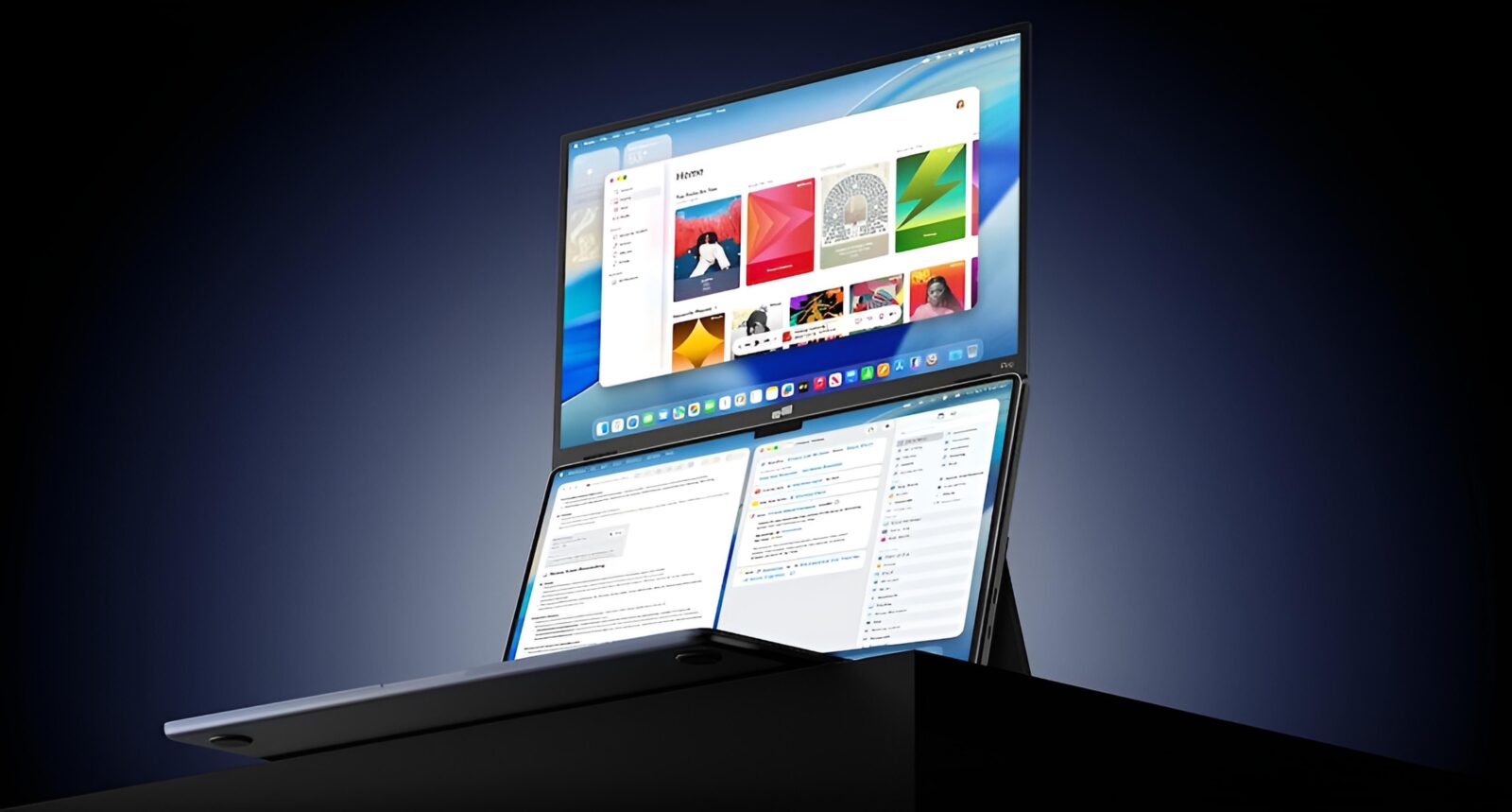
Portable monitors have spent years solving the same problem in roughly the same way: take a laptop, place another rectangle beside it, connect a cable, and pretend the nearest café table has magically transformed into a command center. It works, but the resulting setup can feel less like a workstation and more like someone playing Tetris with expensive electronics. The Mobile Pixels Duex Float 2 Pro approaches the problem differently by putting its 16-inch display above your laptop rather than beside it. That seemingly simple change gives this portable monitor a surprisingly distinct personality, particularly for MacBook users who want more workspace without surrendering half their desk. After living with the concept, the clever part isn’t simply having another display; it’s how naturally that display becomes part of the laptop experience.
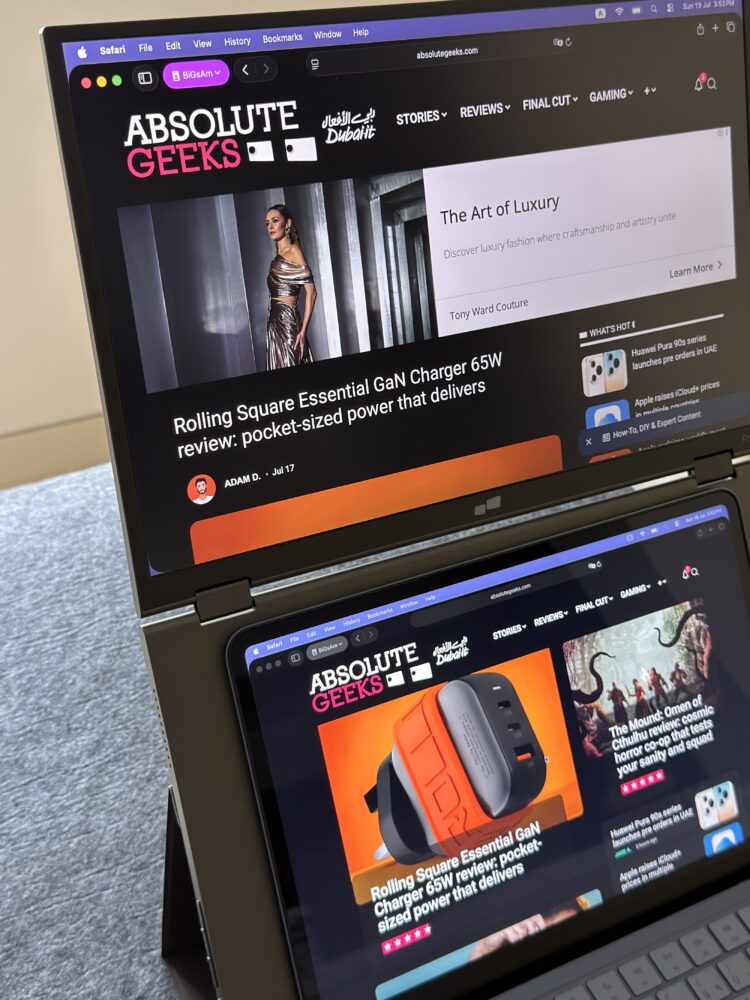
The Duex Float 2 Pro understands the portable workspace problem
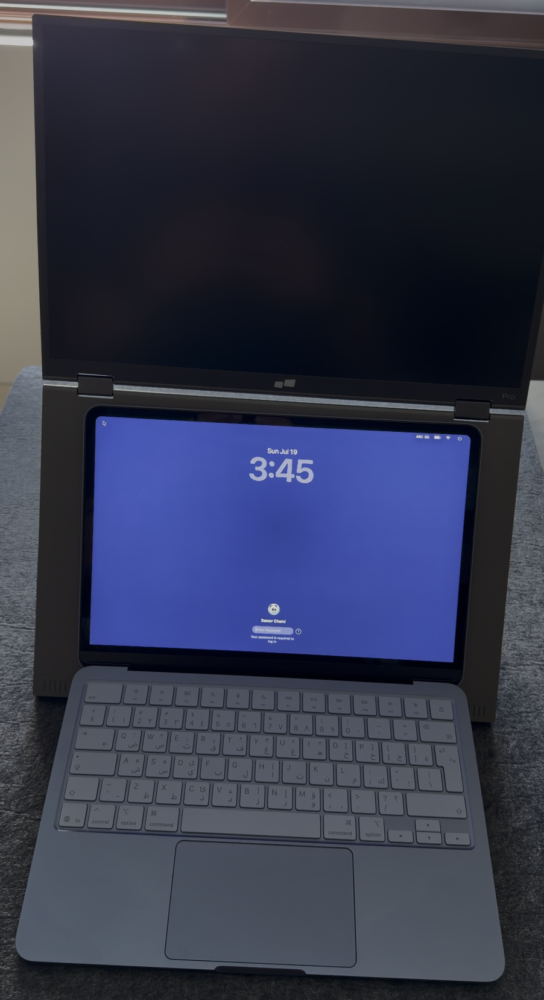
Adding a second monitor to a desktop is easy because desks generally have enough horizontal space to accommodate one, but laptops tend to be used in environments where every centimeter matters. The Duex Float 2 Pro’s stacked arrangement makes much better use of that limited territory because the additional screen occupies vertical space that would otherwise be doing absolutely nothing. Instead of repeatedly turning between two displays, your eyes naturally move between the MacBook screen below and the Float above it. It takes a little adjustment, particularly if years of dual-monitor muscle memory have trained you to look sideways, but the configuration quickly starts feeling logical. For timelines, browsers, communication apps, reference documents, monitoring tools, and anything involving multiple windows, the extra vertical workspace becomes difficult to surrender once you’ve become accustomed to it.
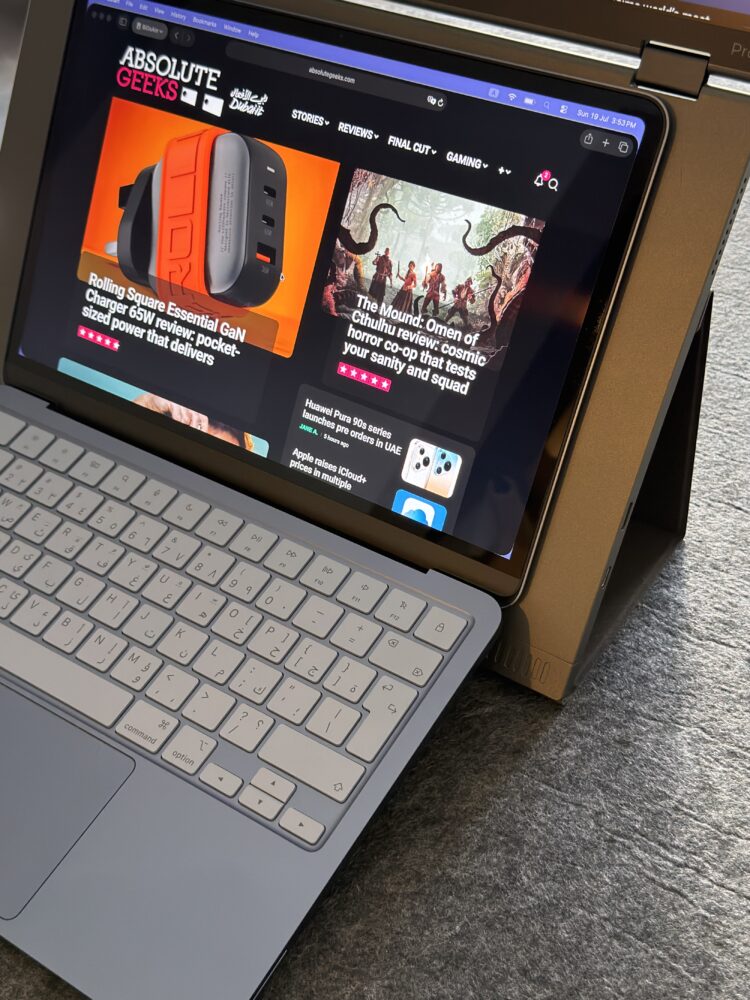
There is also an ergonomic argument behind this arrangement that goes beyond saving desk space. Laptop displays naturally encourage you to look downward, which is hardly ideal when you’re spending several hours buried in spreadsheets, editing timelines, Slack conversations, or whichever browser tab has somehow become responsible for consuming your entire afternoon. Putting another screen higher in your field of view gives you somewhere more comfortable to position the application demanding most of your attention. It doesn’t magically transform a laptop into an ergonomically perfect workstation, and proper seating still matters, but the Duex Float 2 Pro encourages a more upright working position than the usual laptop hunch. The design therefore feels less like a novelty and more like someone actually considered how portable computers are used outside perfectly arranged promotional photographs.
A 16-inch 2.5K display makes the Pro model the interesting one
The Duex Float 2 Pro uses a 16-inch, 16:10 panel running at 2560 x 1600 resolution, and those specifications are important because a portable monitor attached to a modern MacBook cannot afford to look obviously second-rate. Its 350-nit maximum brightness won’t challenge Apple’s premium displays in a battle involving sunshine and questionable life choices, but it is perfectly sensible for indoor productivity. More importantly, the combination of 2.5K resolution and 100 percent sRGB coverage gives the screen enough sharpness and color capability to feel like a genuine extension of a workstation rather than an emergency display pulled from the bottom of an IT cupboard. A claimed 1200:1 contrast ratio further reinforces its productivity credentials. There is also an anti-glare EyeCare mode, which becomes more relevant when the entire point of the product is keeping another large illuminated rectangle directly in front of your face for hours.
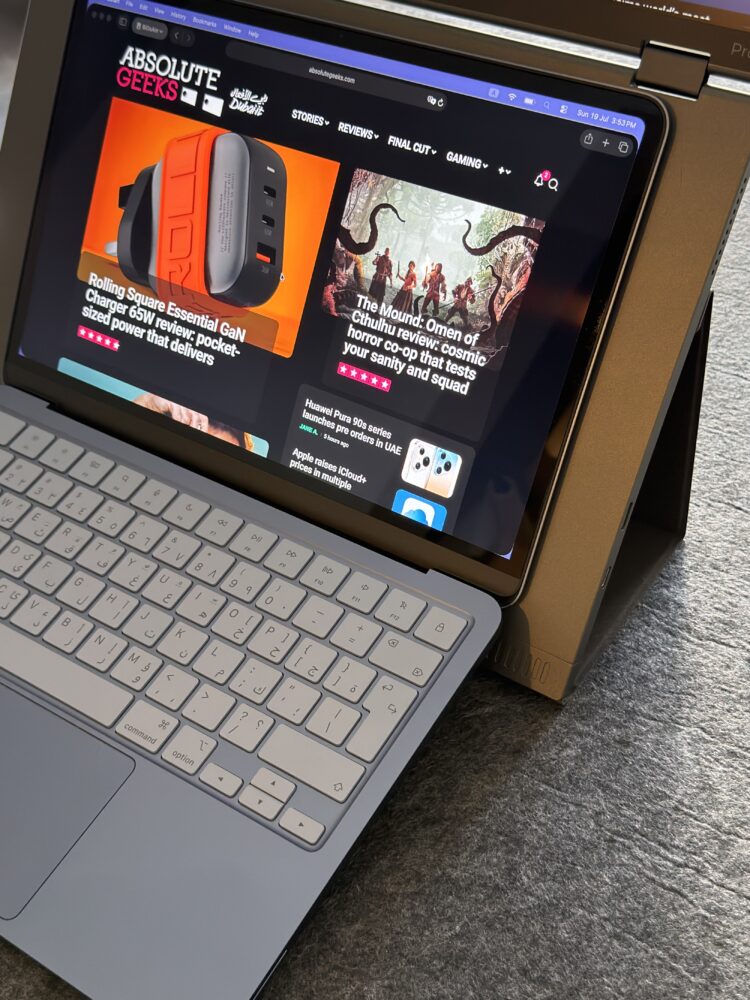
The 120Hz refresh rate is arguably the specification that pushes the Pro model beyond merely adequate territory. Nobody desperately needs 120Hz to stare at email, but smoother scrolling, window movement, cursor tracking, and general interface animation make computers feel noticeably more responsive once you’ve become accustomed to higher refresh rates. That matters when the display is sitting immediately above another premium laptop panel because differences between screens become easier to notice when they’re practically touching. The cheaper Duex Float 2 drops to a 15.6-inch 1920 x 1080 panel running at 60Hz, with lower brightness and substantially narrower color coverage. That model can still provide the fundamental benefit of additional workspace, but the Pro’s sharper and faster panel better matches the expectations created by modern premium laptops. Unless budget is the dominant consideration, the Pro is the version that makes the overall concept feel properly realized.
The floating design is clever without becoming complicated
Despite the name, no unexplained anti-gravity technology has escaped from Stark Industries; the Float 2 Pro relies on a hinged structure and fold-out kickstand to position its display above the laptop. The whole assembly weighs around 2.9 pounds, or 1.3kg, and measures roughly 0.7 inches thick when unfolded, making it reasonably manageable for something adding an entire 16-inch screen to your mobile setup. That weight still matters when you’re already carrying a MacBook, charger, cables, headphones, and whatever other technological ecosystem has colonized your backpack. The important distinction is that the Float feels transportable rather than merely movable. You could realistically carry it between working locations without immediately questioning every decision that brought you to this moment.
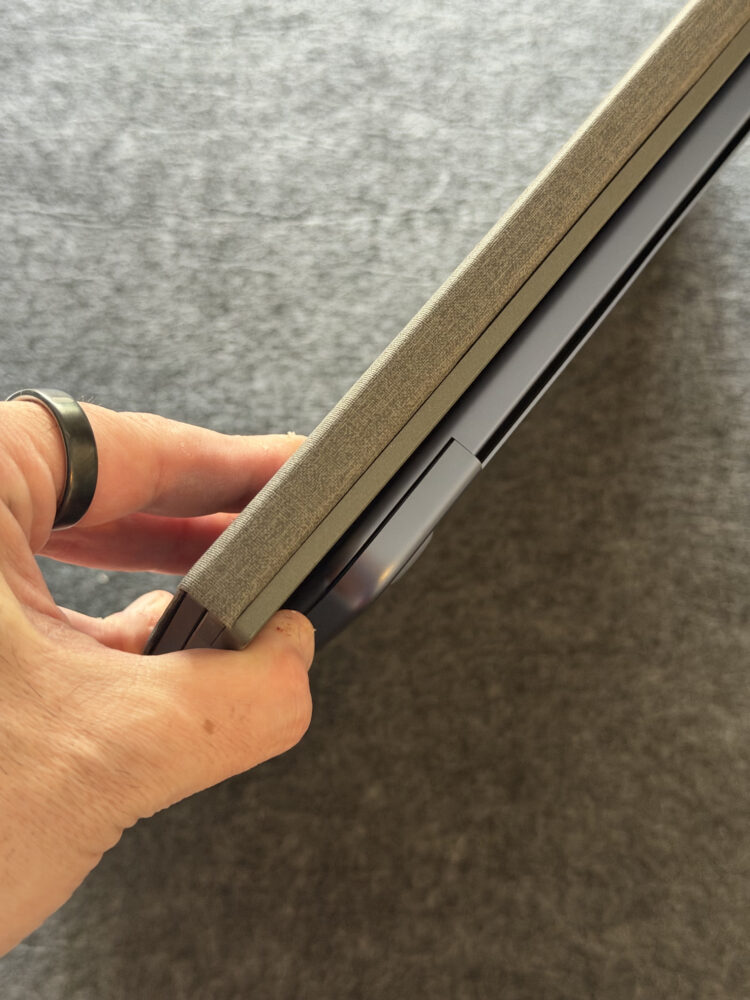
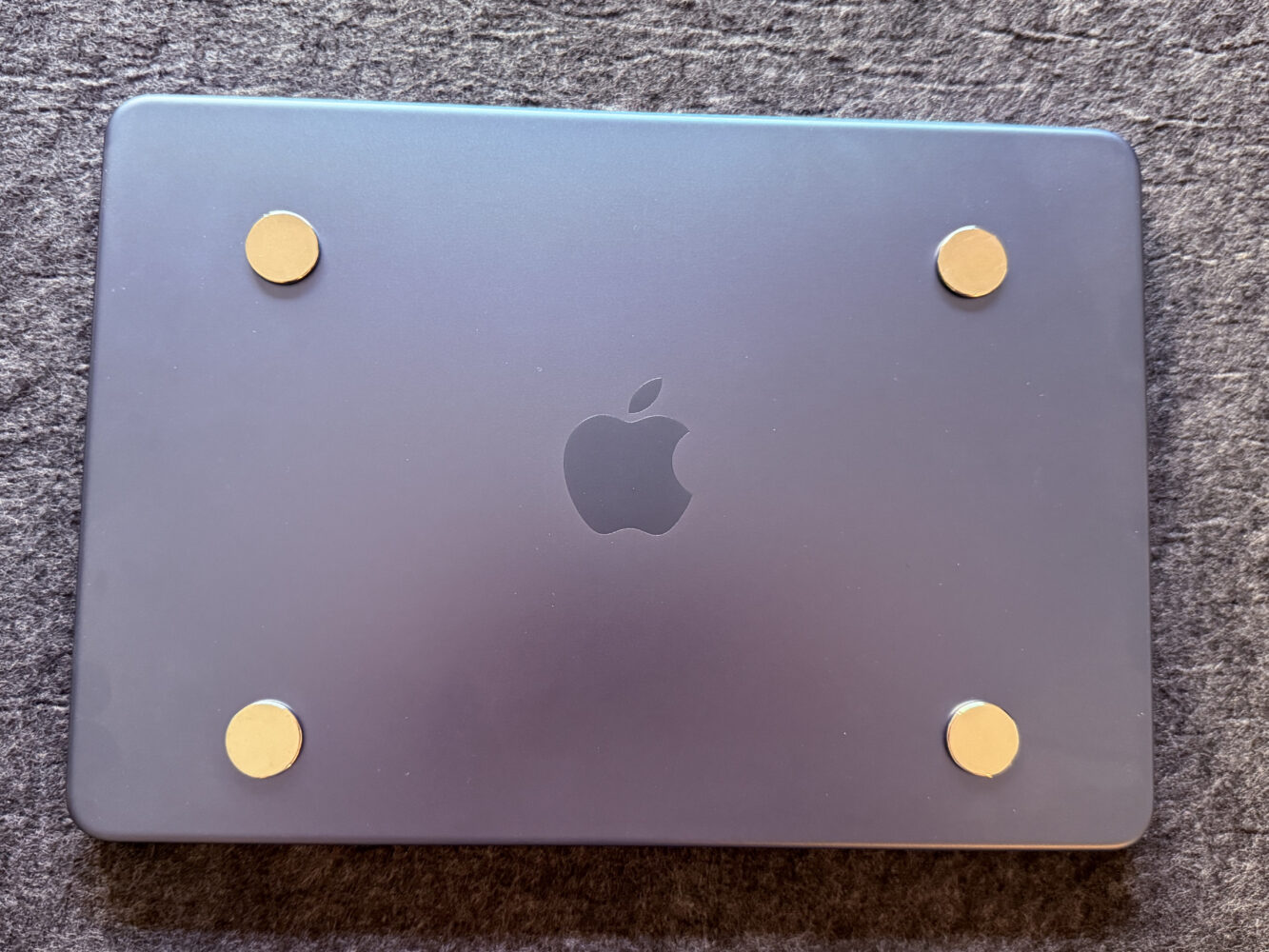
Mobile Pixels includes magnets that can be attached to the MacBook using an installation template, allowing the monitor structure to connect more securely to the laptop. The resulting setup feels considerably more integrated than simply placing two independent devices against one another, and closing everything together makes transportation easier. Anyone understandably reluctant to attach magnets to an expensive MacBook can skip them and position the laptop against the Float instead, although doing so sacrifices some stability and convenience. The rear magnetic kickstand performs much of the structural heavy lifting and keeps the display surprisingly straightforward to deploy. There is no elaborate mechanical ritual involved, which matters because a portable monitor that takes ten minutes to assemble will eventually become a portable monitor that remains permanently inside your bag.
Three display modes make it more versatile than expected
Extended Mode is where the Duex Float 2 Pro makes the strongest argument for itself, with macOS treating the upper panel as additional desktop space that can be arranged through the normal display settings. This configuration works beautifully for separating primary and secondary tasks without constantly covering windows or diving into virtual desktops. A writer might keep research above and the document below, while an editor could dedicate one panel to a timeline and another to previews or assets. Developers can separate code from documentation, and anyone cursed with a calendar full of video meetings can keep the call on one screen without sacrificing everything else. It is fundamentally ordinary dual-monitor computing, but rotating that familiar arrangement by 90 degrees changes how practical it becomes in cramped environments.
Presentation Mode is more unusual and arguably more inventive, allowing the upper display to fold backward so somebody sitting opposite you can see a mirrored version of your laptop screen. A dedicated Flip Screen button rotates the image into the correct orientation for the person across the table, turning the monitor into a surprisingly useful collaboration tool. It isn’t automatic, but pressing a button hardly qualifies as hardship, and the implementation avoids requiring software gymnastics just to show somebody a presentation. Free-Standing Mode goes in the opposite direction by letting the Float operate as a conventional independent portable display using its own structure as a stand. None of these secondary configurations alone would justify buying the product, but together they make the hardware significantly less specialized than its unusual stacked design initially suggests.
USB-C keeps the cable situation pleasantly civilized
The Duex Float 2 Pro includes USB-C connectivity on both sides alongside Mini HDMI, making it flexible enough to accommodate more than just MacBooks. For compatible Macs, a single USB-C connection is generally the cleanest option, carrying the display signal without turning your workspace into a cable-management side quest. Mobile Pixels also supplies USB-C and HDMI-to-Mini-HDMI cables, with the USB-C cable incorporating a USB-A adapter for systems that might need it. Physical controls provide quick access to brightness alongside an on-screen menu covering contrast, saturation, color temperature, volume, input selection, orientation, and EyeCare settings. Dedicated hardware controls aren’t glamorous, but they are infinitely preferable to hunting through proprietary software every time ambient lighting changes.
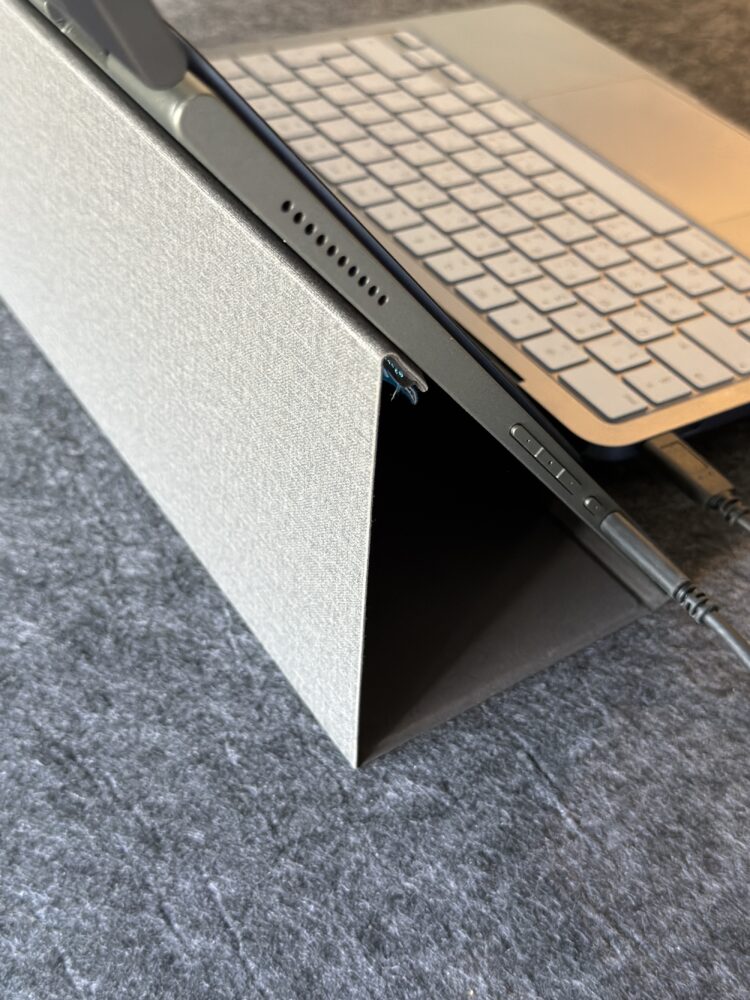
There is no internal battery, so the display needs to draw its power from somewhere, and that creates one of the more important considerations for mobile users. In its Limited Power Mode, the Float 2 Pro can draw around 7.5W from the connected laptop while limiting brightness to 80 percent, which is convenient but inevitably places additional demand on the MacBook’s battery. Connecting a 15W-or-higher USB-C PD charger unlocks full brightness and helps avoid potential flickering, while the monitor can pass through as much as 65W to the connected laptop when externally powered. That makes the cleanest desk configuration surprisingly elegant because the display can effectively sit between the charger and computer. Away from an outlet, however, users should remember that doubling their screen real estate also means feeding another display from the same finite battery supply.
The built-in speakers exist, and that’s about enough praise
Portable monitors often include features because a specification table would look suspiciously empty without them, and the Duex Float 2 Pro’s stereo speakers fall into that category. They function, they produce recognizable audio, and they can save the day if absolutely nothing else is available. The problem is that modern MacBooks already contain surprisingly accomplished speaker systems, making the thinner sound from a portable display difficult to justify using under normal circumstances. This isn’t a serious weakness because nobody should be choosing a productivity monitor based primarily on its ability to reproduce a movie soundtrack. It does, however, reinforce that the Float’s strengths are concentrated almost entirely where they should be: display quality, positioning, portability, and flexibility rather than multimedia ambitions.
Portability comes with a few unavoidable compromises
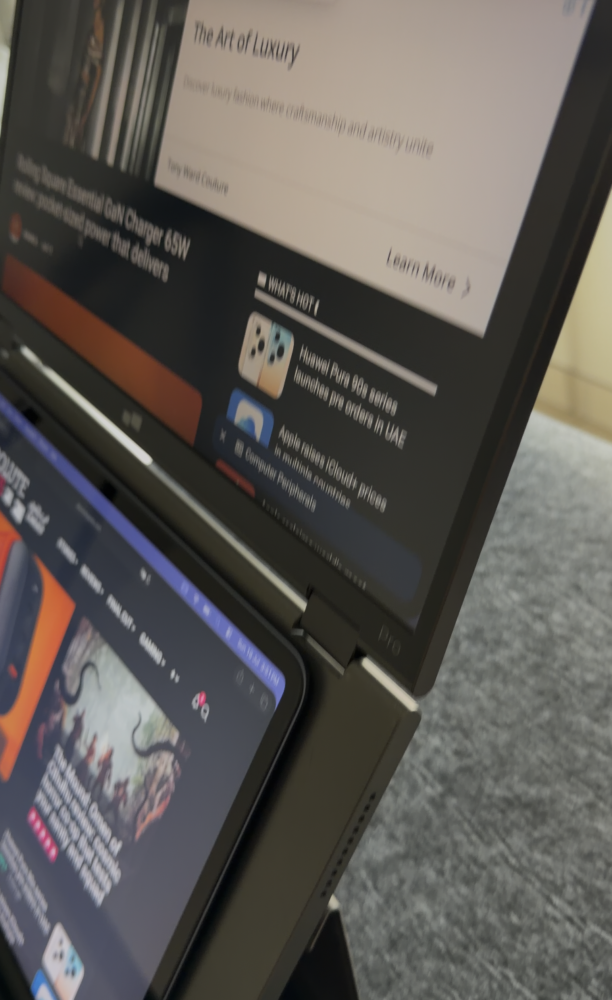
The biggest challenge facing the Duex Float 2 Pro isn’t something Mobile Pixels can completely engineer away: adding another 16-inch screen to a laptop inevitably adds bulk and weight. At roughly 2.9 pounds, the monitor is impressively light relative to its size, but attaching or carrying it alongside a MacBook substantially changes the overall travel package. Users whose definition of portable means an ultra-light laptop and nothing else may find the trade-off difficult to justify. Those already carrying a larger MacBook Pro, power adapter, accessories, and a well-equipped backpack are more likely to consider the additional weight acceptable. Portability is therefore contextual, and the Float is best viewed as portable workstation hardware rather than something intended for minimalist everyday carry.
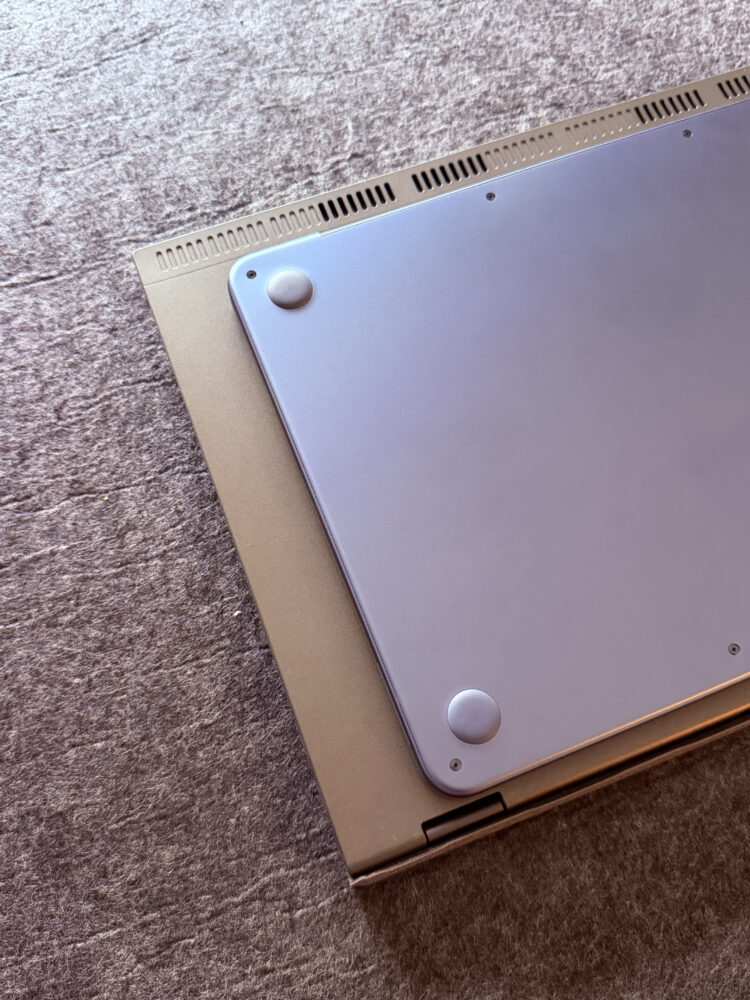
The magnetic attachment system creates another interesting trade-off because it delivers the most cohesive experience while asking users to modify how their laptop is configured. The magnets are removable, and the included installation template simplifies positioning, but some owners simply won’t want anything attached to the lid of an expensive MacBook. Fortunately, the monitor remains usable without them, albeit with less stability and a less seamless packing experience. That choice is important because it prevents the clever attachment mechanism from becoming an ultimatum. The best experience comes from embracing the full system, but Mobile Pixels hasn’t made participation mandatory.
Verdict
The Mobile Pixels Duex Float 2 Pro is one of those accessories that initially looks more eccentric than necessary until you actually consider the problem it is trying to solve. Putting a second screen above a laptop rather than beside it creates a compact, comfortable workspace that makes particular sense in places where desk width is limited, while the 16-inch 2.5K panel and 120Hz refresh rate prevent the secondary display from feeling like a major downgrade. Its flexible positioning, USB-C connectivity, power passthrough, and presentation functionality add enough versatility to justify the unusual form factor. The extra weight, mediocre speakers, and premium pricing mean it isn’t an automatic recommendation for every laptop owner, but frequent mobile multitaskers should find plenty to appreciate. If your work routinely demands two screens and your desk routinely refuses to provide them, the Duex Float 2 Pro is a clever solution that earns its place in the bag.