Apple’s fifth iOS 27 beta is starting to look less like a feature showcase and more like the kind of release you would expect as software moves closer to its public debut. Rather than introducing another wave of major additions, iOS 27 beta 5 focuses heavily on interface polish, search controls, battery information and smaller quality-of-life improvements across the iPhone.
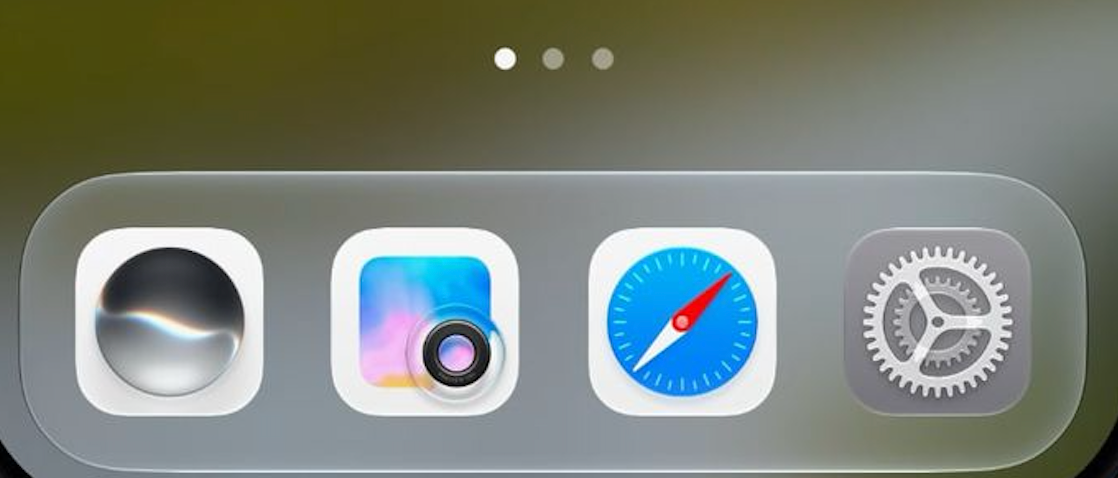
One of the more visible changes involves Apple’s Liquid Glass design language. Safari, Siri, Settings, Remote, App Store and Preview have received updated icons, with some getting broader redesigns while others gain additional visual detail. Apple has also adjusted the clearest Liquid Glass appearance to increase its transparency compared with the previous beta.
Search is getting some practical attention too. Users can now choose whether installed apps appear in search results and decide whether the interface displays four or eight apps. App results can also be disabled entirely, while a separate setting controls whether app shortcuts are shown. Apple has additionally added a “Search the Web” option at the bottom of search results and tightened the animation used when opening Search or Ask.
Siri AI is receiving a smaller but interesting personalization upgrade. Pace and Expressivity controls now work across seven American and four British voices, allowing users to adjust how Siri sounds rather than simply selecting a voice. Because the processing happens on-device, however, the feature is limited to the iPhone 17 Pro, iPhone 17 Pro Max and iPhone Air.
Elsewhere, Apple is continuing its familiar strategy of improving information visibility. Contacts associated with companies can now display the company name directly in lists and search results. Settings will show when the most recent software update was installed, while the Battery section can identify poor cellular reception as a potential source of increased battery drain. That last addition could be particularly useful, since weak mobile signals can increase power consumption without giving users an obvious explanation for faster battery loss.
There are several smaller changes scattered throughout the beta. Wallet’s Create a Pass feature is expanding beyond the US, Photos, Wallet and Music have received introductory screens explaining iOS 27 changes, and Mail now includes an optional Personalize Smart Replies setting that is disabled by default. Apple has also enabled 5G+ support in Spain and adjusted typography for alarms and timers in the Clock app.
Not every change necessarily represents an improvement. Control Center no longer displays cellular connection information while the iPhone is connected to Wi-Fi, removing a convenient way of checking which mobile network is waiting underneath the active wireless connection.
Taken together, iOS 27 beta 5 suggests Apple is entering the refinement phase ahead of the expected September release. The biggest features of iOS 27 have already been established; what matters now is whether Apple can turn those ideas into a stable, coherent update. Small interface adjustments may not generate much excitement, but this late in a beta cycle, fewer surprises are usually a good sign.