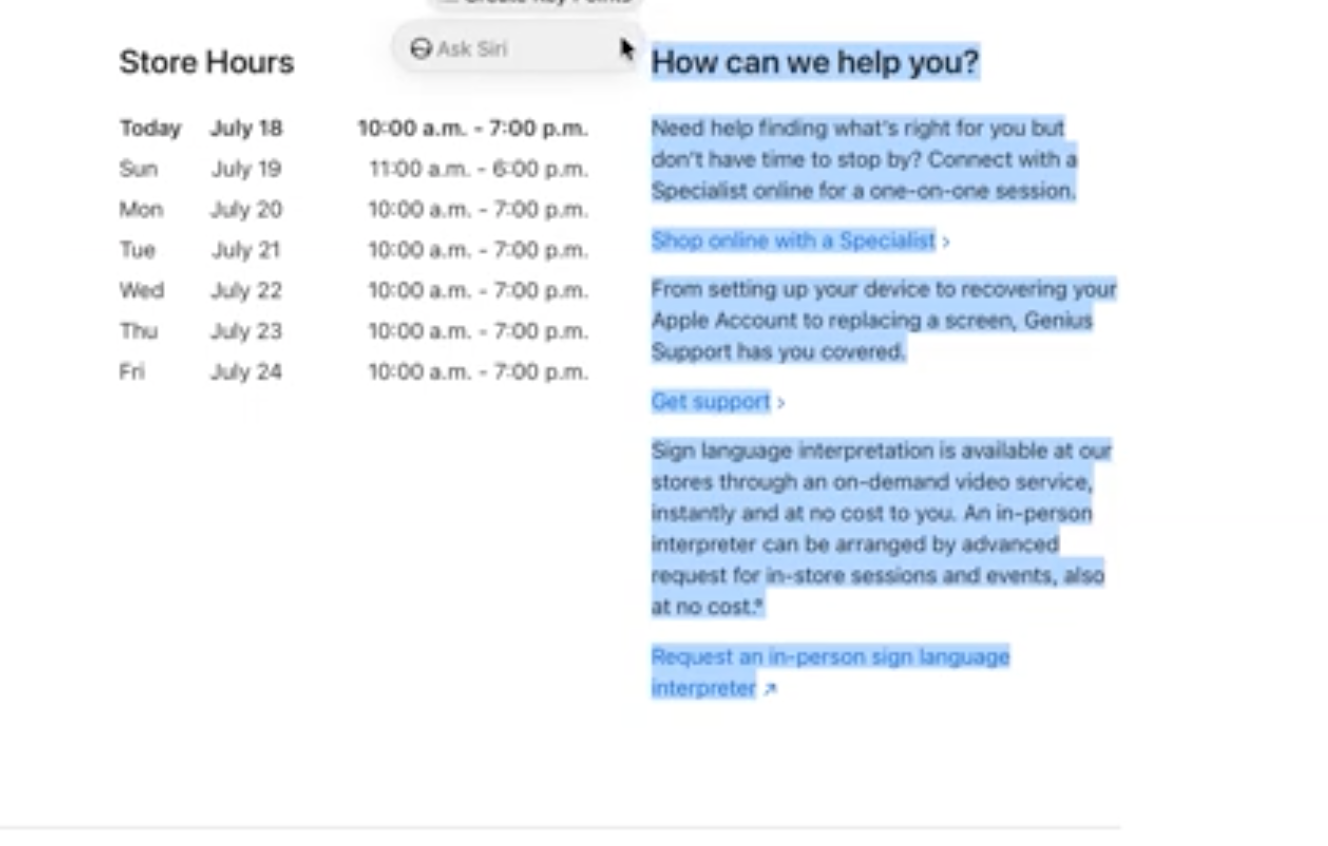
Apple’s macOS 27 Golden Gate beta hides a lightweight Siri AI interface that turns selected text into a quick menu of writing and action tools. The feature sits unfinished and disabled by default, yet a simple Terminal command unlocks it for anyone running the developer or public beta. Once enabled, highlighting almost any text brings up options such as Rewrite, Proofread, How does this sound, and Edit with Siri, along with summarization and bullet-point conversion. Context matters too. A phone number offers Add to Contacts, an address suggests Open in Maps, and other selections can trigger calendar events, messages, emails, or package tracking.
The interface arrived in developer beta 3 and the first public beta, but Apple left it turned off because several tools still fail or behave inconsistently. That unfinished state explains the secrecy. Apple has spent years promising a smarter Siri only to deliver incremental updates, and this hidden layer continues the pattern of testing ambitious AI features in plain sight while keeping them incomplete. Earlier Writing Tools in macOS already offered basic rewrites; the new menu expands that idea into a broader assistant that tries to act on the content rather than just rephrase it. Whether the final release keeps the pop-up or folds the functions into existing menus remains unclear.
macOS 27 has a hidden “lightweight UI” for Siri AI when selecting text, here’s how to enable it
by u/pdfu in MacOSBeta
Enabling the feature requires opening Terminal and pasting a pair of commands that create a feature-flag preference and set LightweightUI_macOS to true. A restart follows. The reverse command disables it again. The steps are short, yet they touch system-level preferences. Anyone unfamiliar with Terminal should treat the process with caution; a mistyped line or unexpected side effect can complicate a beta install that is already prone to instability. Apple’s decision to bury the toggle rather than expose a simple switch in Settings reflects both the feature’s rough edges and the company’s habit of controlling when users first encounter new AI capabilities.
This approach fits Apple’s longer history of quiet experimentation. Feature flags have long let engineers ship half-built code without exposing it widely, and the Siri AI menu is simply the latest example. At the same time, the tools echo what users already find in competing AI writing assistants that live inside browsers or dedicated apps. Apple’s version gains an advantage by living natively inside the operating system and reacting to system data such as contacts or maps, yet it also inherits the same reliability questions that have dogged Siri for more than a decade. The dual-battery strings in recent iOS betas and the gradual rollout of expressive voices show Apple is still assembling its AI pieces across platforms. The Mac version of the Siri AI interface is another piece of that incomplete puzzle, interesting to try, unfinished by design, and still far from the seamless assistant the company has marketed for years.