

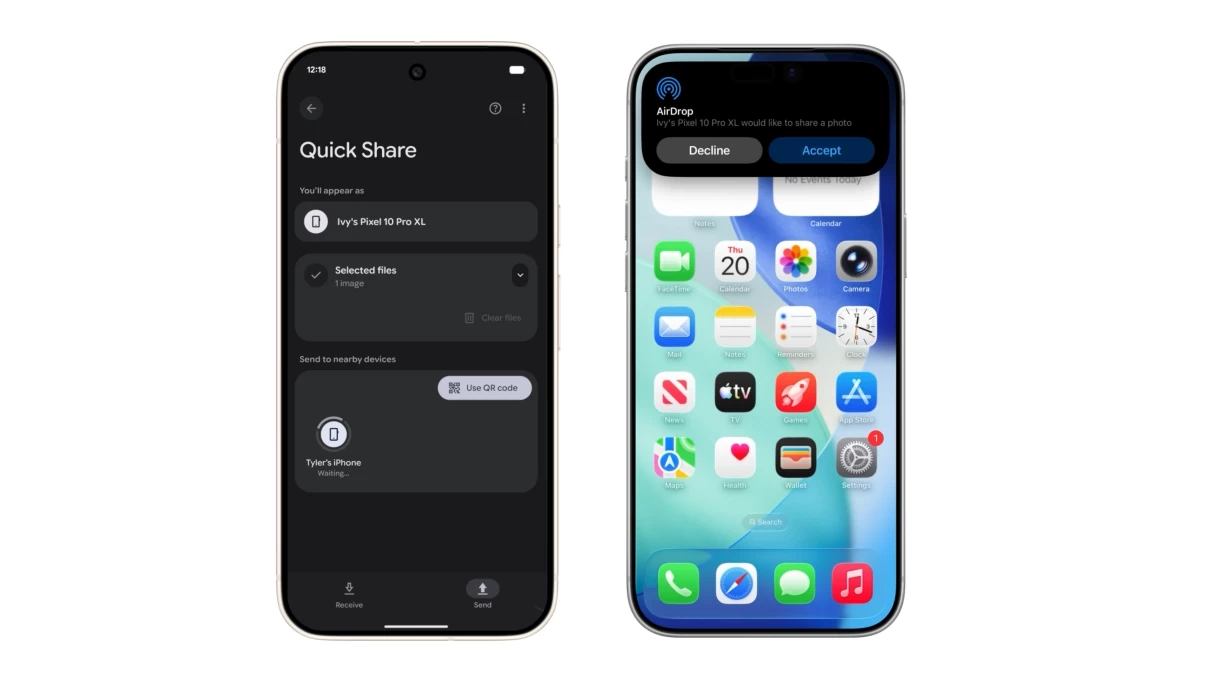
Google is rolling out a notable change to Quick Share, its short-range file transfer system, by enabling direct photo and file sharing between Android phones and iPhones. The update effectively allows cross-platform transfers that resemble Apple’s AirDrop, but without requiring users to stay within a single ecosystem. While the feature currently works only on Google’s Pixel 10 lineup, the company says broader Android support is planned.
Using the new capability is straightforward. Users on either platform set AirDrop or Quick Share visibility to Everyone for 10 minutes, after which the devices will automatically detect each other. From there, transfers work much as they do within each system’s own environment. Google has not detailed the underlying technical method that enables iOS devices to recognize Android hardware for AirDrop-style sharing, but the company emphasizes that the feature was built with standard safeguards and reviewed by independent security specialists. The move aligns with Google’s ongoing strategy to position Quick Share as a cross-device tool rather than an Android-only convenience, similar to its recent efforts involving RCS messaging and unwanted-tracker alerts.
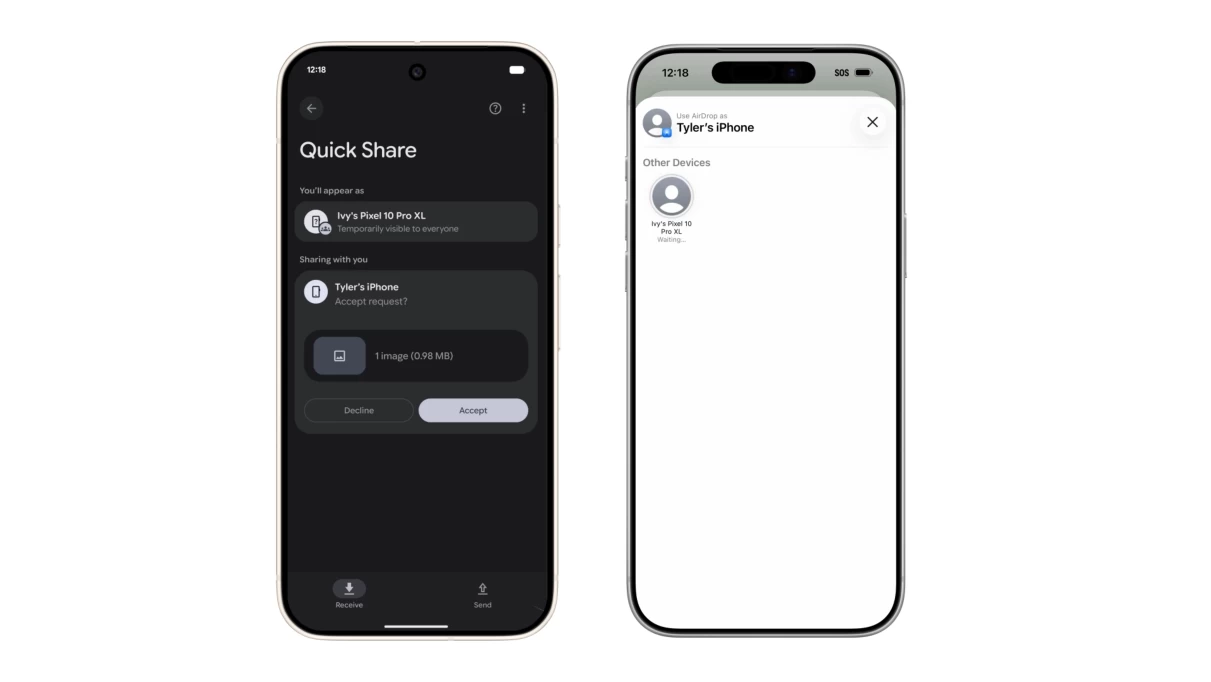
A key unanswered question is whether Apple cooperated in any way to enable this interoperability. Historically, Apple has maintained tight control over how its platforms communicate with non-Apple devices, often citing security and user experience as justification. Some recent shifts—like the adoption of RCS and the switch to USB-C—were driven by regulatory demands rather than voluntary openness. AirDrop remains one of Apple’s most influential lock-in features, giving users a fast and consistent way to move files within its ecosystem. If Google’s Quick Share update gains traction, it may test whether Apple is willing to loosen its grip on one of its most recognizable proprietary functions.
For now, the rollout is limited and experimental, and it’s unclear how widely it will expand across Android hardware or how Apple might respond. Still, enabling iPhones and Android phones to exchange files directly removes one of the most persistent annoyances in cross-platform use. As more people blend devices from different manufacturers, features like this reflect a broader push toward interoperability—whether driven by user demand, regulatory landscapes, or competitive pressure.