

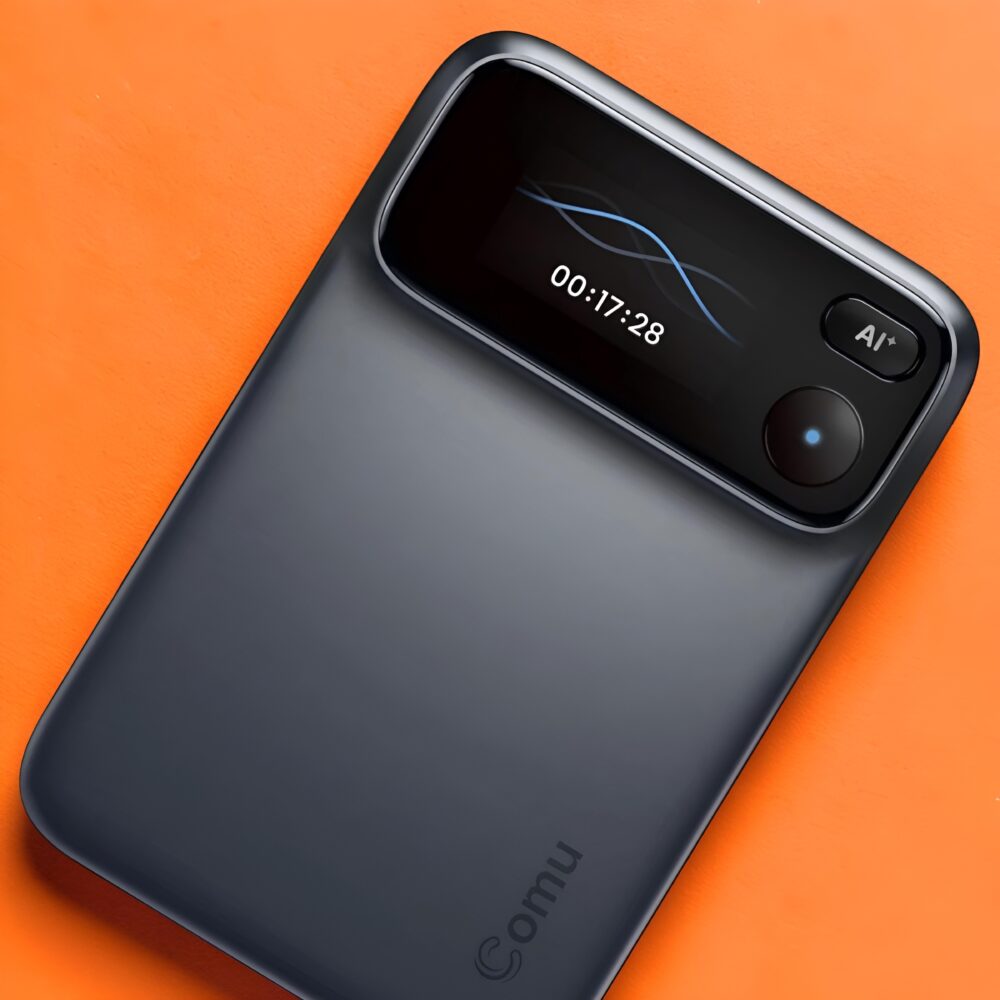
TL;DR: The Comu Action Pro is a premium AI recorder that turns meetings into emails, slides and action plans, backed by clear six-mic capture and superb battery life. It scratches easily and power users will want a subscription. A must-have for meeting-heavy professionals.
I’ve lost count of how many AI gadgets have promised to change how I work, only to end up in a drawer next to a dead smartwatch and a Bluetooth tracker I swear I’ll use someday. The Comu Action Pro is the rare exception that has stayed firmly in my daily rotation, and after living with it I think it’s one of the smartest pieces of productivity hardware I’ve used. On paper it’s a pocket-sized AI voice recorder that clips magnetically to the back of your phone, but that description undersells it badly. What makes the Action Pro special is that it treats a recording as raw material rather than the final product, turning conversations into summaries, email drafts, to-do lists, action plans and editable slide decks. Comu calls it a pocket-sized AI workmate, and for once the marketing line isn’t far off.
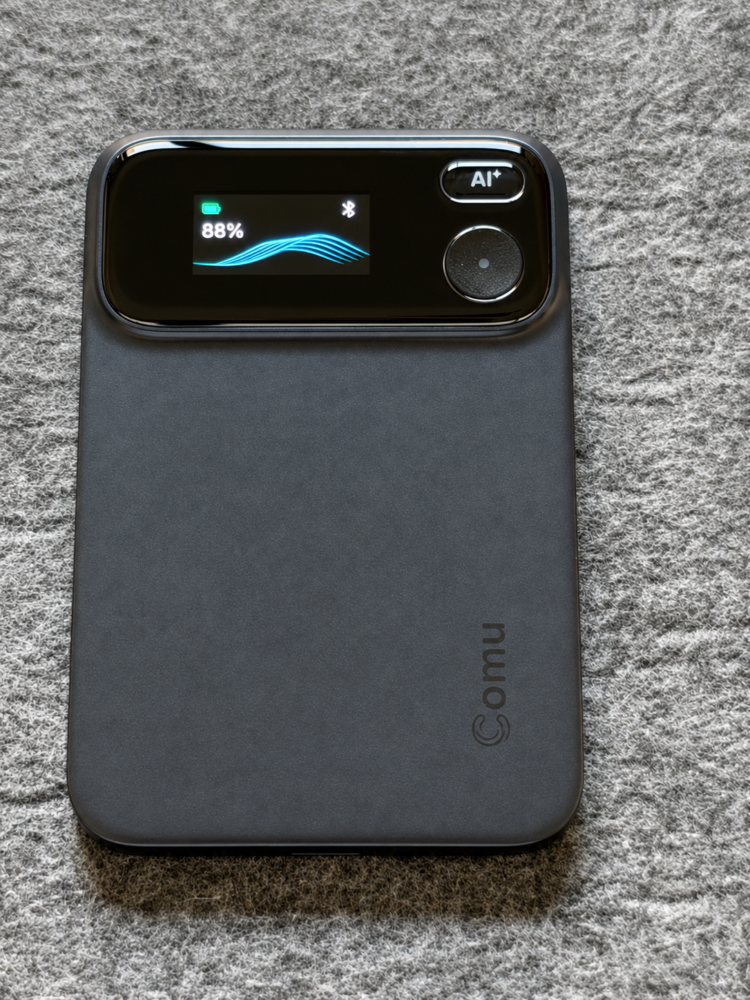
It’s also the successor to the Comulytic Note Pro, and you can feel that Comu has learned from its first attempt. The Action Pro typically sells somewhere around the $170 to $180 mark, putting it right in the thick of the AI recorder battle alongside rivals like the Plaud Note. That’s not impulse-buy money, so the obvious question is whether it earns its place over simply tapping record on your phone. Having made it part of my workflow, my answer is a confident yes, with a couple of caveats that are worth understanding before you buy.
Design and build: a recorder that feels like premium hardware
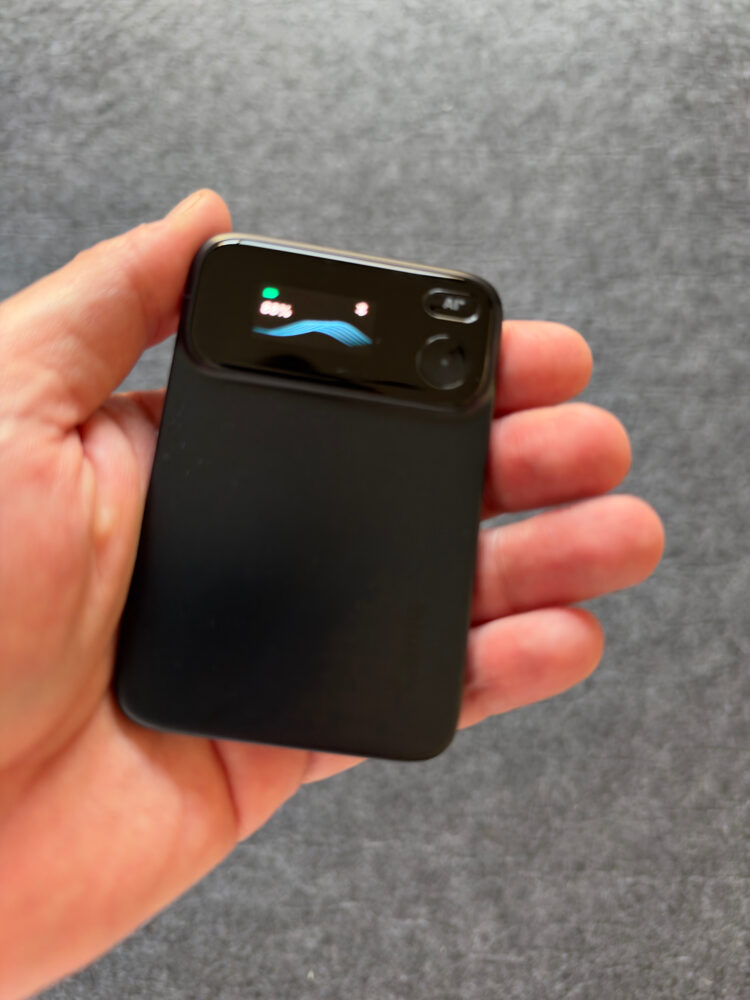
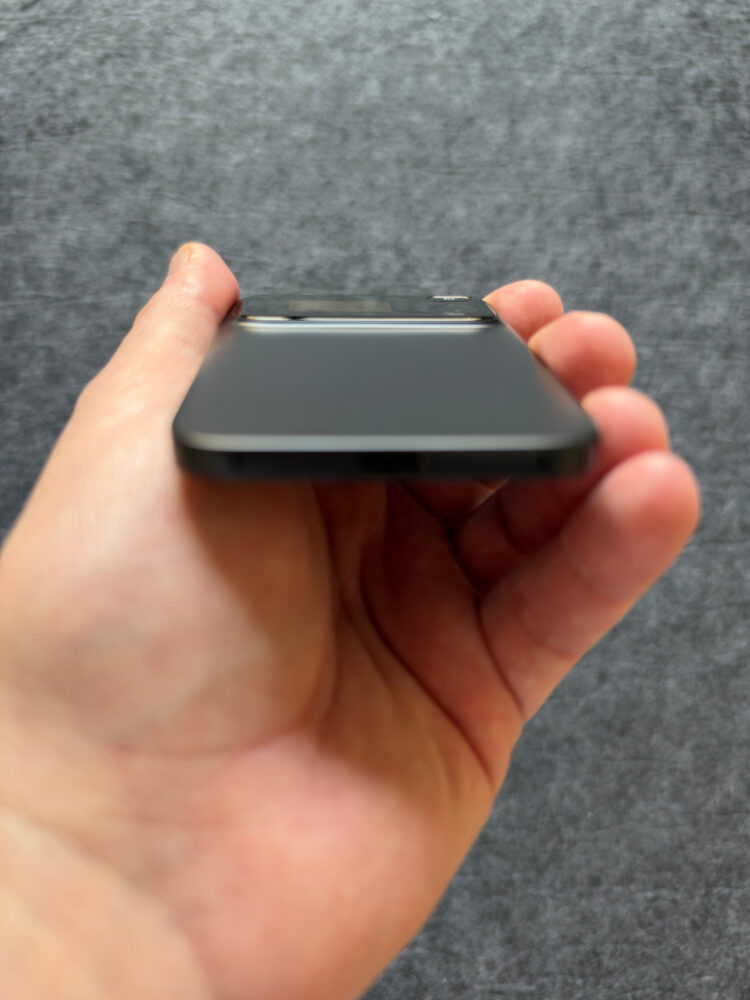
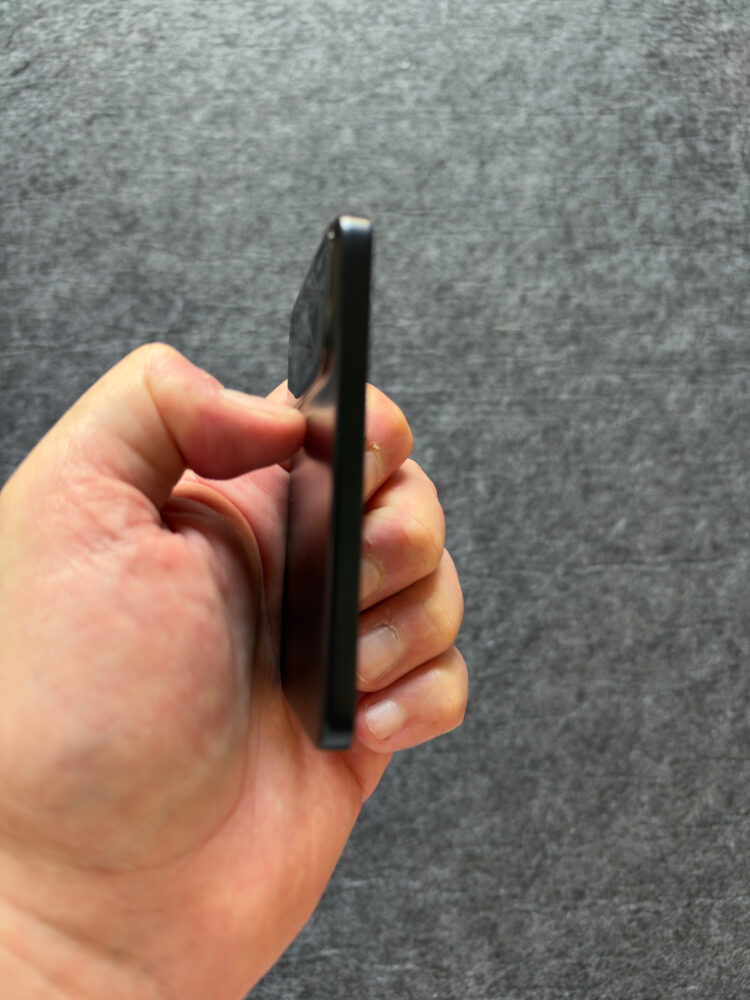
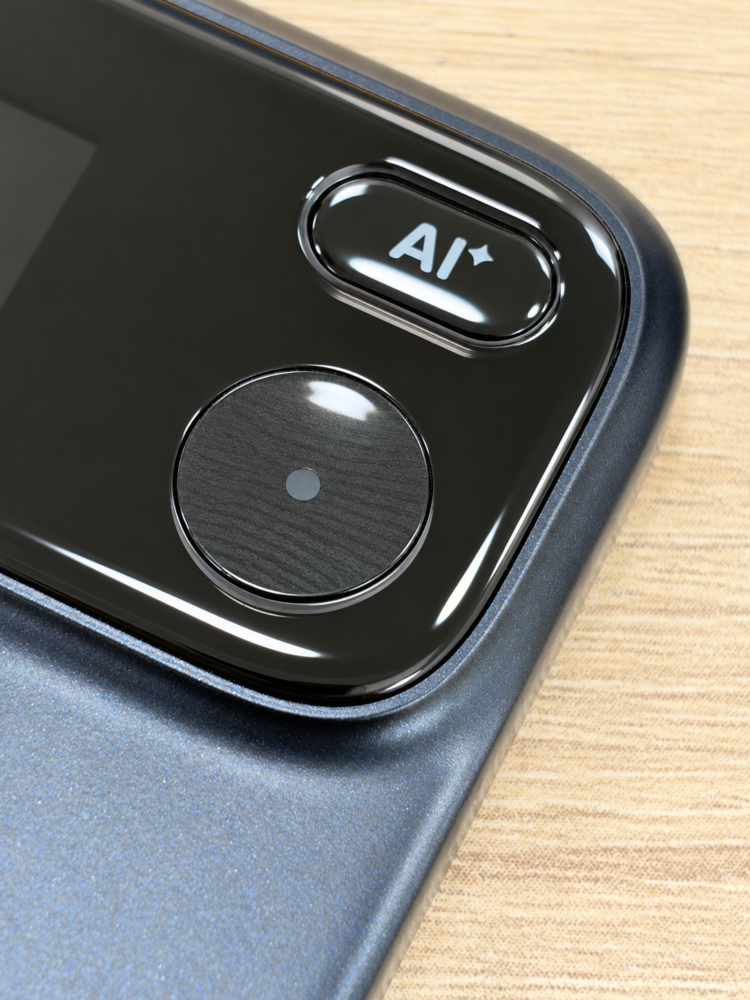
The Action Pro is machined from metal and measures 91 by 60 millimetres with a 5.5-millimetre profile, so it has roughly the footprint of a credit card stacked a few times over. It feels dense, solid and expensive in the hand, closer to a high-end phone accessory than a plastic dictaphone. The vibrant OLED display on the front is crisp and easy to read at a glance, showing connection status, a live waveform and battery level, with the battery indicator switching to yellow when it’s time to charge. The record button is recessed so you won’t trigger it by accident in a bag, and it delivers a satisfying haptic tap plus a blue glow when you’re live, which removes any paranoia about whether that important call is actually being captured. A separate AI button sits above it, keeping capture and commands physically distinct, and that separation becomes second nature after a day or two.
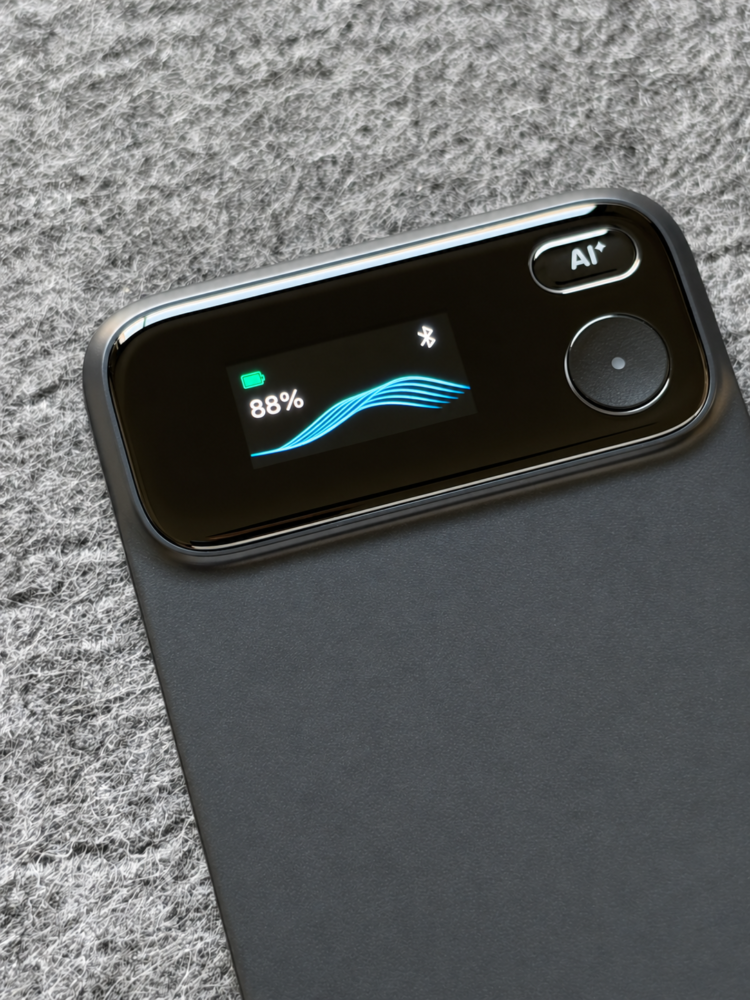
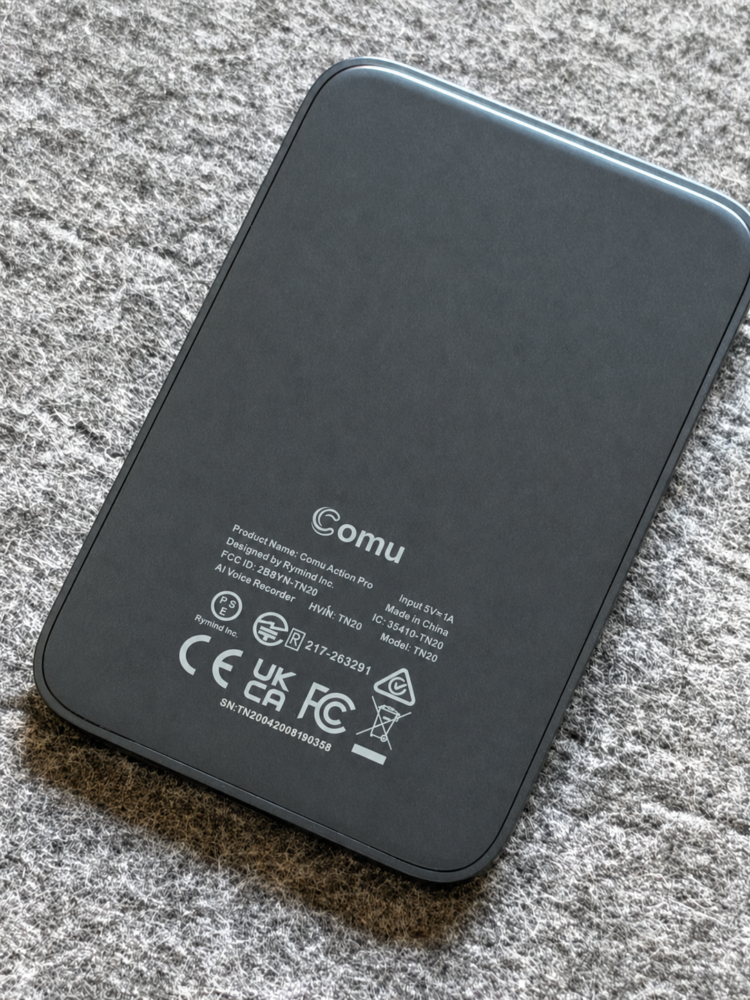
Every design choice has a cost, and the Action Pro’s are mostly cosmetic. The metal finish collects fingerprints rapidly, and because you’ll often lay it face down on a desk or conference table, the surface and screen area are vulnerable to scuffs and scratches if you’re careless. That makes the lack of an included protective case feel like a genuine oversight at this price, especially since Comu offered a magnetic leather case for the Note Pro. Once attached to a phone, the combined stack is noticeably chunkier, which matters if you’re a slim-pocket person. None of this stops me from using it daily, but I’d love to see Comu ship a proper case in the box.
Six-mic capture and audio quality that serves the transcript
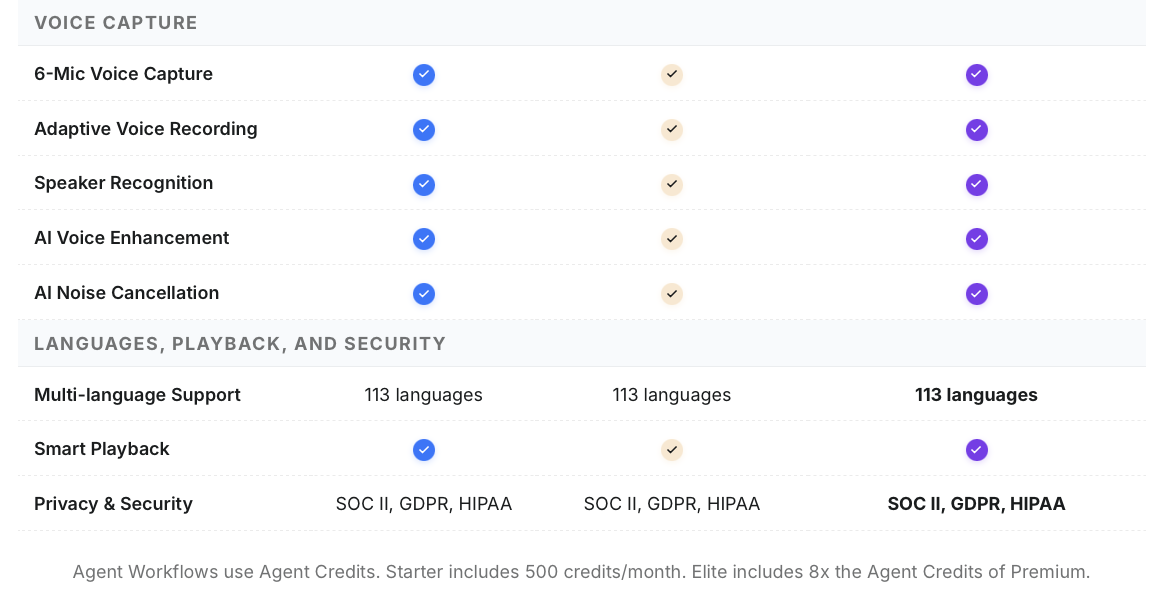
Under that metal shell lies the real hero, an adaptive six-microphone array that automatically adjusts between quick one-on-one chats and busy multi-person meetings. A directional mic on the side focuses on isolating voices, while additional openings around the body provide 360-degree coverage, and Comu rates the pickup range at up to seven metres. That range is useful in practice, because you can drop the Action Pro in the middle of a conference table rather than shuffling it toward whoever happens to be speaking. AI noise cancellation, voice enhancement and speaker recognition do the cleanup, so transcripts correctly separate who said what instead of collapsing everyone into one long monologue. Support for 113 languages and an industry glossary that helps it handle specialist terminology round out a capture system that’s clearly designed by people who’ve sat through real meetings.
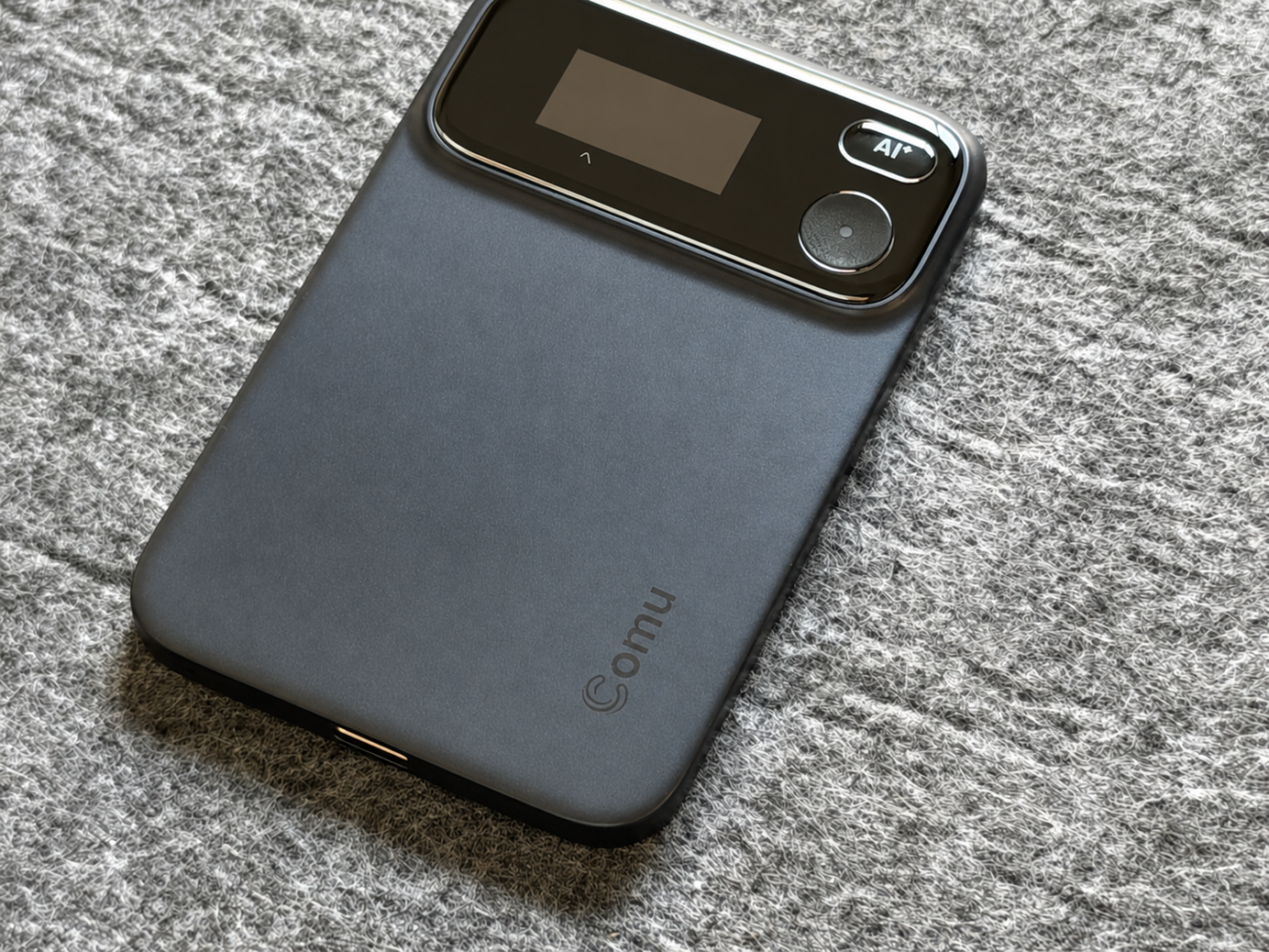
I’ll be honest about the sound character, though, because it’s the one area where expectations need calibrating. Recordings are noticeably clearer and more intelligible than my phone’s built-in mics, especially with background noise, but they have a tighter, more processed tone that can come across as slightly tinny. That’s not a flaw so much as a philosophy, since the system is tuned for transcription accuracy rather than broadcast-quality warmth. If you want podcast audio, buy a proper microphone. If you want words captured accurately enough for an AI to act on them, this is exactly the trade-off you want.
The AI Agent: where conversations become deliverables
This is the part that won me over. When a meeting ends, I get a summary almost immediately, but the Agent goes much further, generating structured proposals, documents, follow-up emails, action plans, calendar reminders and editable presentation slides directly from what was discussed. The genuinely clever bit is that it doesn’t require prompt-engineering skills, since you just talk and the system figures out what’s useful. Better still, you can ask questions across your recordings and get concise answers, which turns months of meetings into a searchable memory rather than a graveyard of audio files nobody will ever replay. Finding out who agreed to what, or what the client actually asked for, takes seconds instead of a frustrating scrub through a transcript.
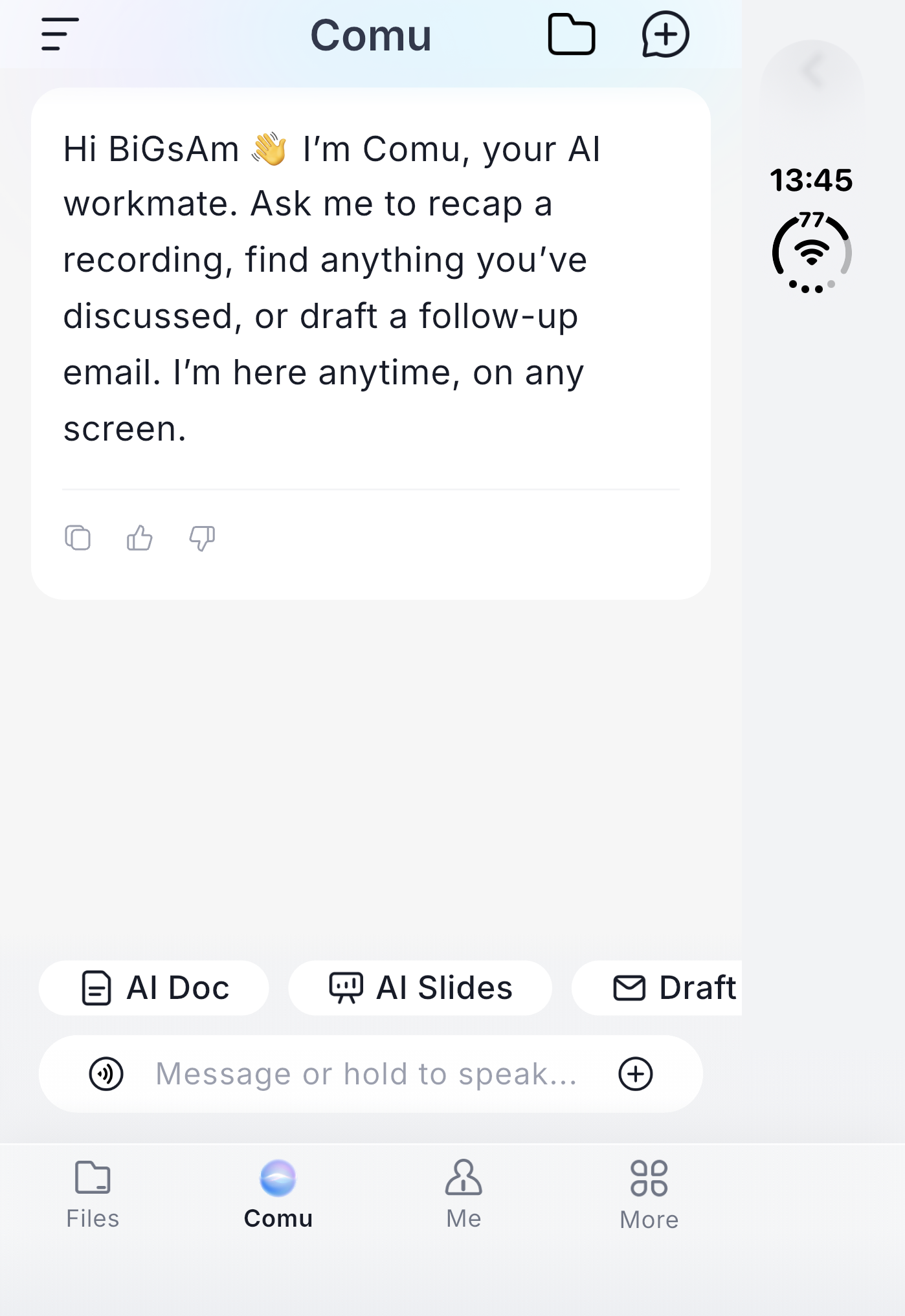
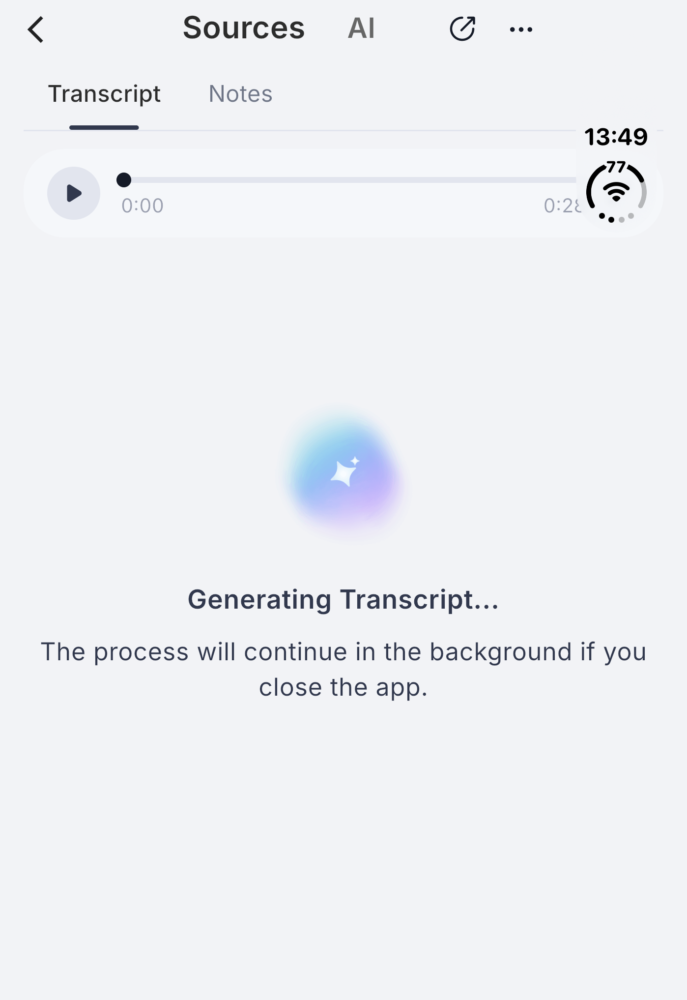
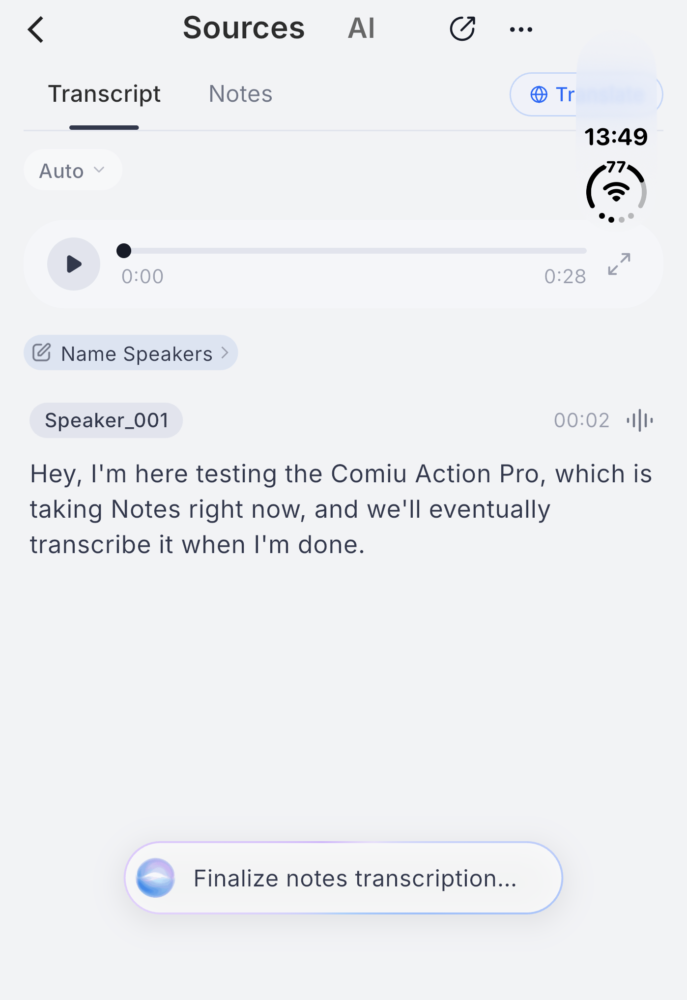
The dedicated AI button adds another layer that a basic recorder simply can’t match. Hold it, speak a request like asking for a presentation for today’s client meeting, and the app gets to work on decks, docs and emails without you touching a keyboard. It does rely on the Bluetooth connection and companion app, so this isn’t an entirely self-contained brain, but in daily use that’s rarely an issue. For longer recordings, transfers over an automatically configured direct Wi-Fi connection keep things quick, which matters when you’re moving an hour-long workshop off the device. It all feels less like using a gadget and more like having a junior assistant who never forgets anything.
Magnetic mount and everyday portability
The Action Pro attaches to the back of your phone with a built-in magnetic mount, and the box includes a magnetic ring, a USB-C cable and the usual quick start and safety guides. The ring is the key to a secure connection, because sticking it onto a phone case gives a firm, confident hold that keeps the recorder in place through a busy day. Relying purely on native MagSafe is a weaker experience, partly because the magnet sits toward the top of the device rather than the centre, allowing it to rotate if knocked. If you already use a case, this essentially stops being a concern. Caseless purists will need to either stick the ring directly to their phone or accept a less reliable hold.
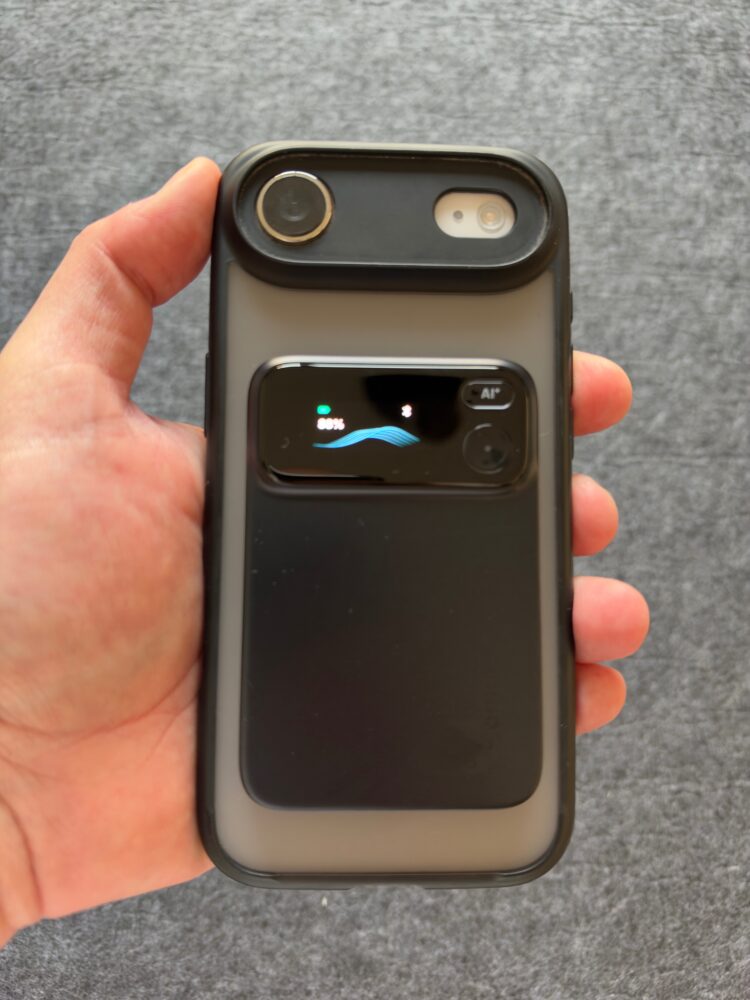
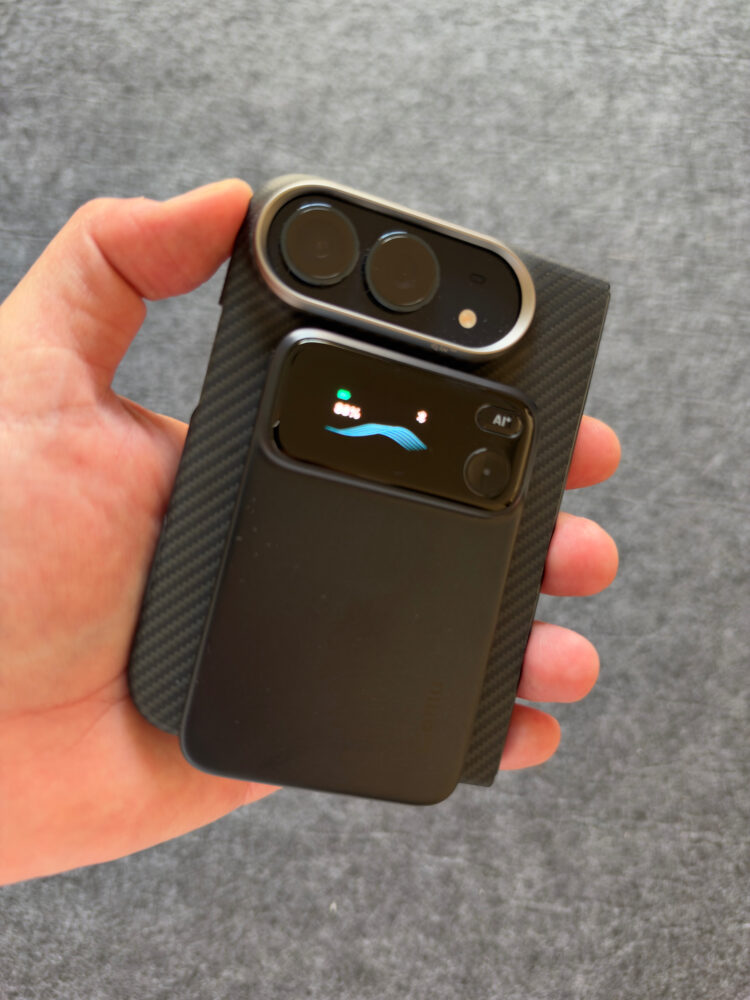
What I love most is how flexible the device is once it’s detached. It rides on my phone for calls, sits on a table during meetings and comes along to interviews without forcing my phone to be the centre of attention. Phone call recording is supported, and Comu lists earbud call recording as coming soon, which should make it even more versatile for people who live on headsets. That standalone flexibility is exactly why increasingly capable phone AI doesn’t make the Action Pro redundant, because a dedicated capture device can go wherever the conversation happens. It’s a deliberate tool you reach for when something matters, and that clarity of purpose is a big part of its appeal.
Battery life and charging
Comu claims up to 70 hours of continuous recording on a single charge, which is a seriously ambitious figure for a device this thin. In my use, battery anxiety simply hasn’t been part of the experience, and I rarely think about charging at all. The fast USB-C charging means the occasional top-up slots into whatever cable I already have on my desk, with no proprietary docks to lose in a hotel room. For anyone who juggles back-to-back meetings, that endurance is a quiet but meaningful advantage.
Owners upgrading from the Comulytic Note Pro also report better battery life, cleaner audio and faster transfers, which suggests this second-generation model is a meaningful refinement rather than a cosmetic refresh. Long-session endurance will naturally vary depending on what you’re doing and how often you’re syncing, so take any headline figure as a best-case benchmark. Still, the practical takeaway is simple: this is a device you can trust to last through a demanding workweek. That reliability is exactly what a capture tool needs to deliver.
Comu subscription plans and agent credits
The Starter plan is free and genuinely generous, offering unlimited real-time transcription and basic summaries powered by ChatGPT, Gemini, Whisper and Azure, plus 500 agent credits a month for slides, emails and documents. It does limit real-time translation to once a month and in-depth AI analysis to three times a month, with manual file classification. Premium costs $10 a month billed annually or $14.99 month to month, adding Claude to the model lineup alongside unlimited translation, auto-generated analysis, automatic classification and 5,000 agent credits. Elite runs $29.99 a month billed annually or $39.99 month to month, with the same features and 40,000 agent credits for power users who lean heavily on agent workflows. Security is taken seriously across every tier, with SOC 2, GDPR and HIPAA compliance, encryption, and a stated policy of never selling user data or using it to train AI.
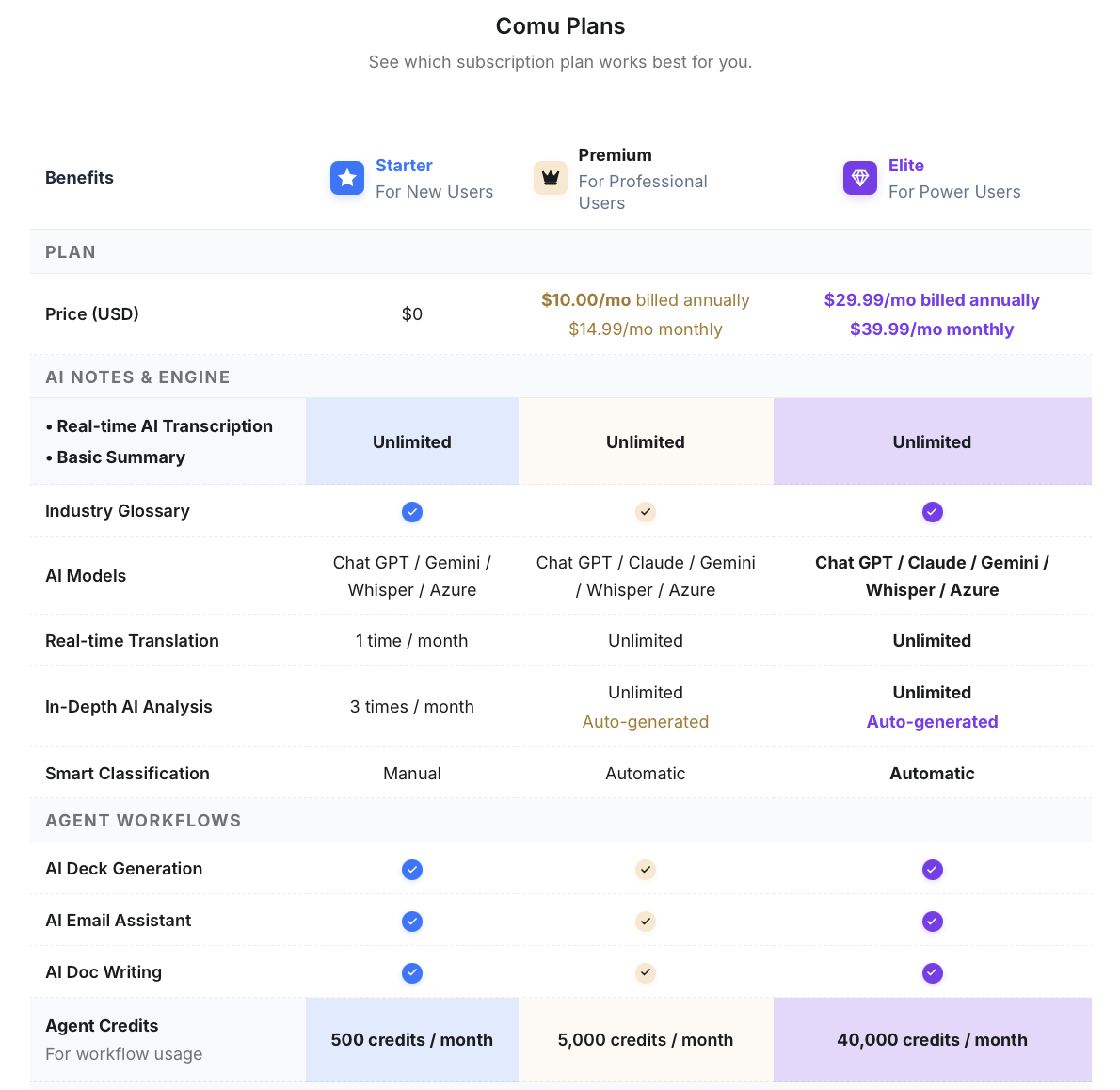
My main reservation is that the agent credits, not transcription, gate the features that make the Action Pro feel magical. Light users can live happily on the free tier, but anyone who generates decks and documents regularly will likely want Premium, so budget for that rather than treating it as a surprise. I’d also like more control over which AI model handles which task, since the app chooses automatically and doesn’t let you route work to a favourite model you may already pay for elsewhere. Some users have also found the in-app transcription view leaning toward summaries depending on how the app is set up, though recordings can be exported for full text. These are refinements rather than fundamental problems, and the free tier remains one of the better deals in this space.
Verdict
The Comu Action Pro is the most convincing AI note taker I’ve used, because it understands that recording is just the starting point. Its adaptive six-mic array captures speech clearly with impressive range, the metal build and thoughtful controls feel premium, battery life is excellent, and the AI Agent turns meetings into emails, slides, documents and action plans with almost no effort. The ability to question all your recordings like a searchable memory is the feature I’d struggle to give up.
It isn’t perfect. Audio leans processed rather than natural, the finish scratches and smudges easily with no case included, the mount needs the included ring for a secure hold, and the best agent features push heavier users toward a subscription. For professionals who spend their days in meetings, calls and interviews, though, those compromises are easy to live with. If you want conversations to turn into finished work rather than forgotten audio, the Action Pro earns an enthusiastic recommendation.