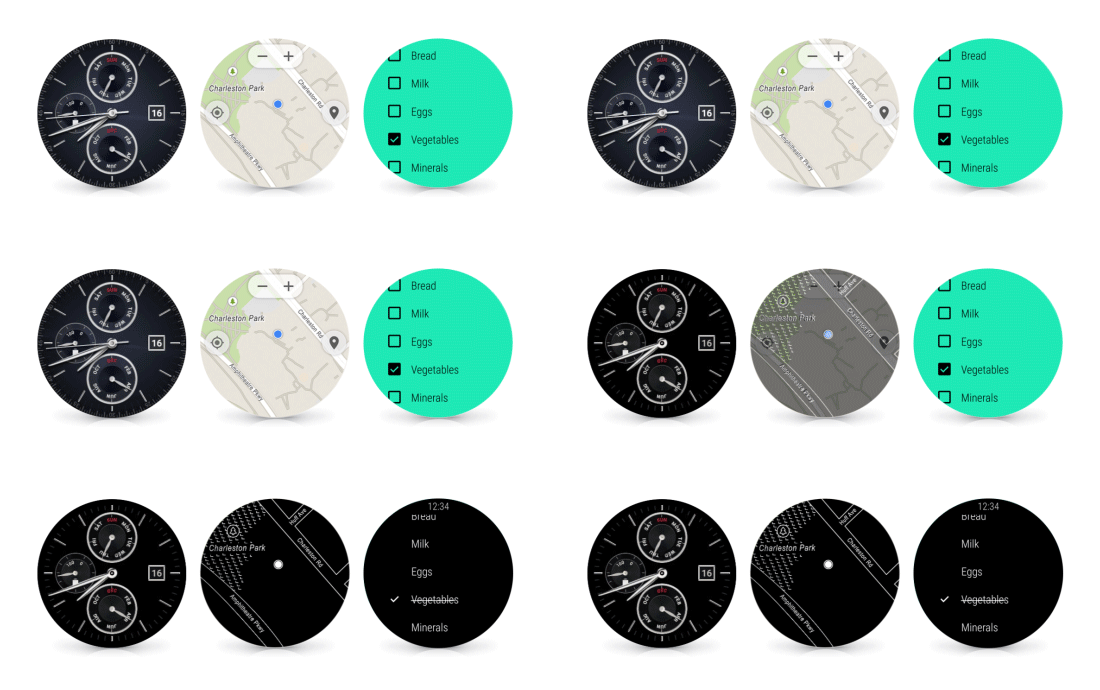

Google has introduced new features to its Android Wear OS. In a blog post, Google said it had added Wi-Fi support, always-on screen and always-on apps in the update.
The updates are set to roll out to all seven Android Wear watches over the next few weeks, starting with the LG Watch Urbane.
So what do all these new addition mean?
Always-on screen, always-on apps
When you buy a watch you want it to, well, tell the time. So most Android Wear watches include an always-on screen—no tapping, twisting or shaking required to see what time it is. Now we’re expanding this option to apps, so they can stay visible as long as you need them, instead of disappearing when you drop your arm. In either case the screen is only full color when you’re actively looking at it—so you get the info you need, and you save on battery life.
Wi-Fi support
With GPS and offline music support, you can already leave your phone at home, then go jogging and jamming like normal. Now Android Wear supports watches with built-in Wi-Fi. As long as your watch is connected to a Wi-Fi network, and your phone has a data connection (wherever it is), you’ll be able to get notifications, send messages, and use all your favorite apps. And if you really do forget your phone, you can always ask your watch where it is.Simpler, faster, and more smiley
When it comes to your watch, using apps should be as simple as checking the time. So today we’re making a number of Android Wear improvements to help you access your info, and express yourself more easily:
- Got your hands full? You no longer need them to check your news and notifications. Instead you can just flick your wrist to scroll through the stream.
- Your apps and contacts are now just a tap away from the watch face. Just touch the screen, and you’ll be able to start apps and send messages immediately.
Can’t talk? Now you can draw hundreds of different emojis, directly on the watch screen. We’ll recognize your work (no art degree required) and send it via message or text.
Source: Google