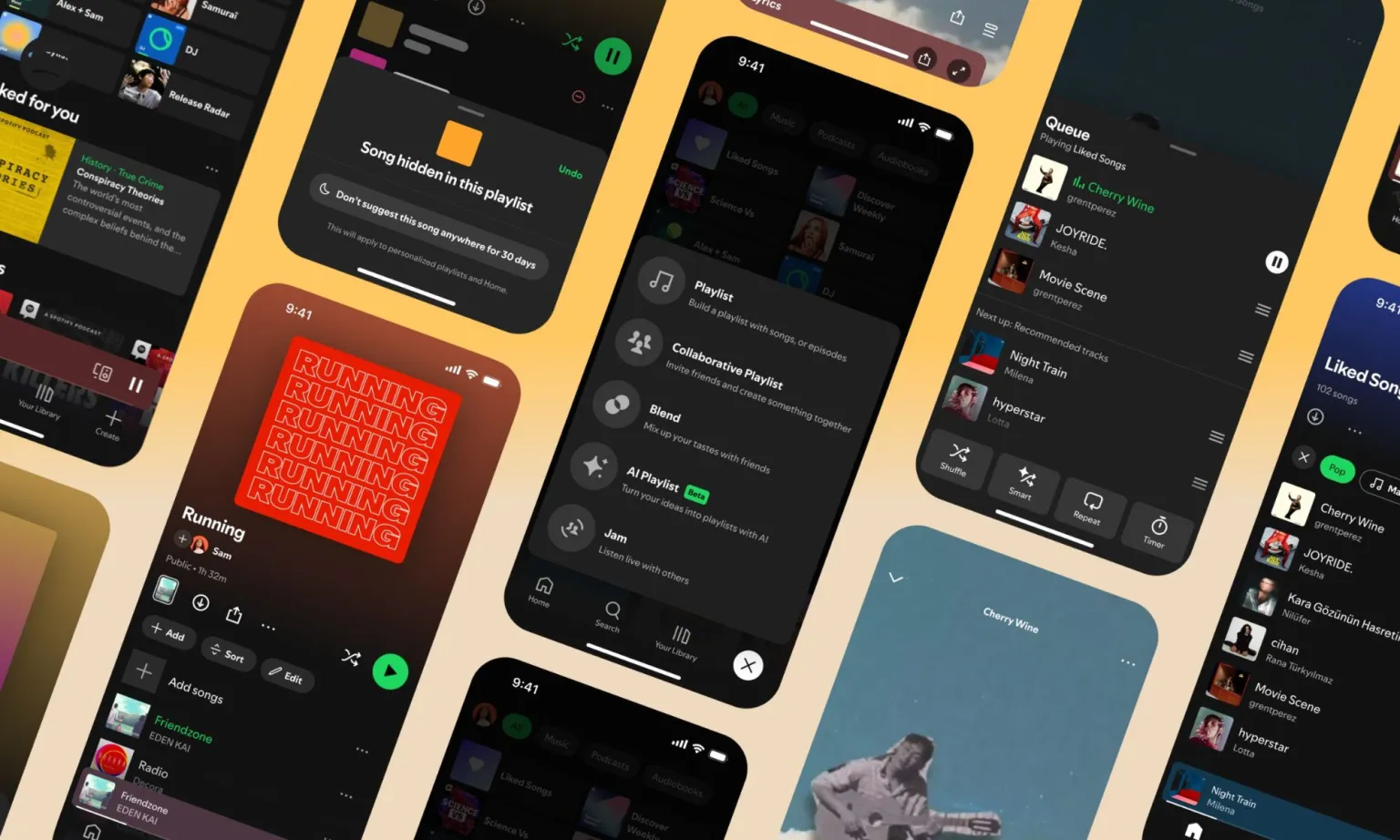
Spotify is giving its Premium users more control over how they manage and listen to music, rolling out new tools designed to tame sprawling libraries and fine-tune playlists to specific moods, genres, and activities. The update brings long-requested customization features that go beyond simple shuffling or liking tracks.
The headline feature is Smart Filters, which reorganize your library and playlists around categories like activity, mood, and genre. Within those groups, users can pick from presets such as “party,” “calm,” “romantic,” or “R&B,” letting Spotify adjust the track list to fit the moment. To use them, users head to the Your Library page, tap the filter icon, and choose from the available options. The feature is rolling out to Premium members in the US, UK, Australia, Canada, Ireland, New Zealand, and South Africa.
Spotify is also introducing new playback controls that give users more say over what they hear. A “Hide in this playlist” option will skip specific songs automatically whenever you revisit that playlist, helping avoid tracks that don’t fit your vibe without deleting them outright. A Snooze tool will let you pause songs from appearing in recommendations for 30 days—ideal for tracks you like but don’t want on repeat.
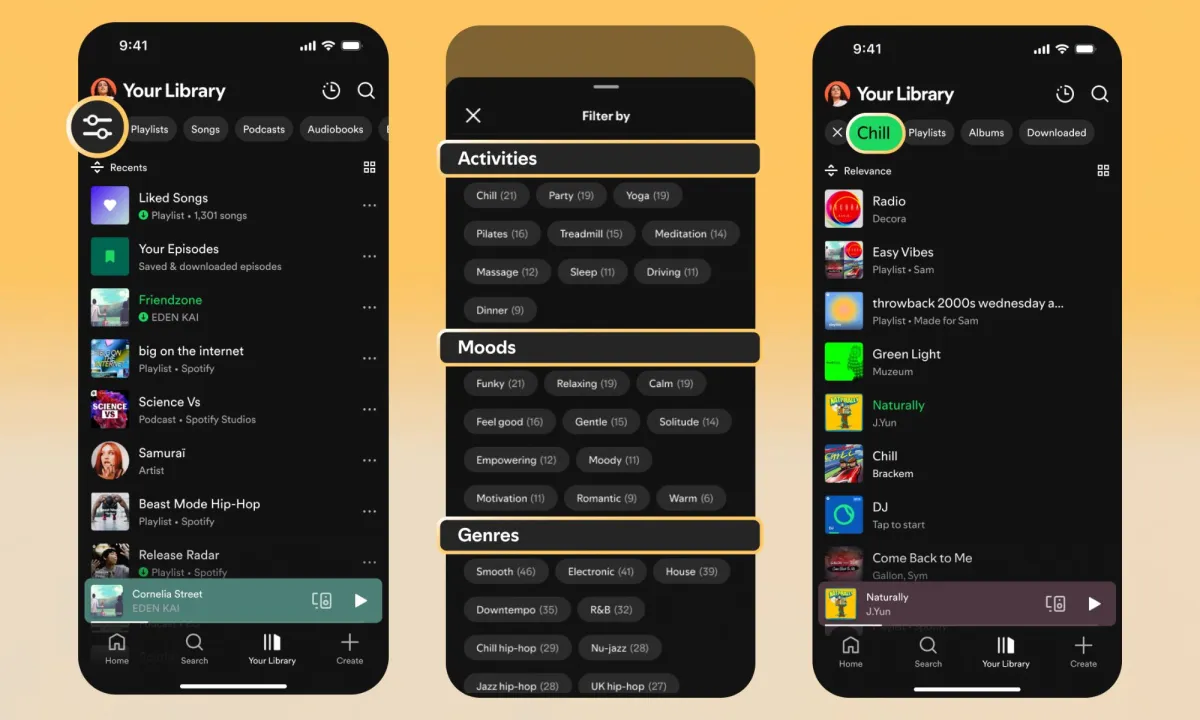
Discovery is getting smarter as well. Spotify says tapping on a genre button in the Discover Weekly feed will now generate a personalized 30-track playlist, offering a more direct way to explore music tailored to your taste. Meanwhile, playlist editing is becoming more flexible, with options to rename, change cover art, and reorder songs more easily. Based on a single liked track, you’ll even be able to spin up an auto-generated playlist focused on that genre.
These tweaks may not sound radical, but for longtime Premium users frustrated by rigid playlist mechanics, they mark a step toward more practical, personalized control. Spotify is essentially turning its playlists into living, adaptable spaces rather than static lists—a move that could help it maintain an edge against Apple Music, YouTube Music, and other streaming rivals.