
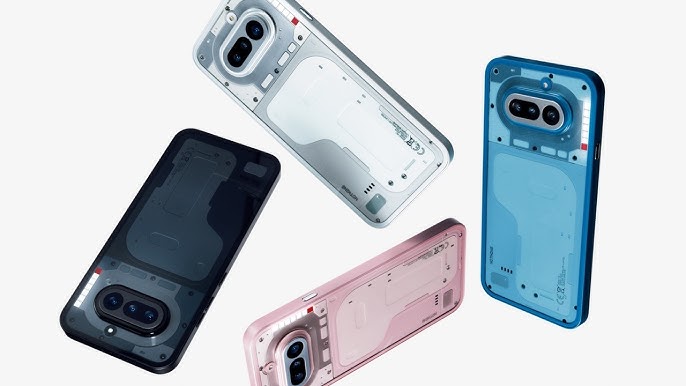
Nothing has begun rolling out the first Nothing Phone (4a) update only a few days after the handset reached buyers, an early sign that the company wants to keep the device’s software story moving quickly after launch. The update is based on Nothing OS 4.1, carries build number B4.1-260309-1830, and arrives as a 257MB download. Its main value is fairly practical: it delivers the March 2026 Android security patch, adds a handful of interface features, and makes several camera and system-level adjustments that could matter more in daily use than flashy launch claims.
For Phone (4a) owners, the software package is broad rather than transformative. On the wellness side, Nothing has added Breathing Break widgets to the widget drawer, giving users guided exercises aimed at short relaxation sessions. Live Updates are also being pushed further across the interface, now showing on the lock screen, in the notification panel, and through the Glyph Interface for supported apps such as Google Maps. That could make the feature more useful, though its real-world value still depends on app support and regional rollout, which is often where these “smart” software additions become inconsistent.
The update also changes how the phone handles connected accessories and visual information. A dedicated status bar icon now appears when Nothing headphones are connected, while Essential Notifications inside the Glyph Interface have been redesigned for clearer settings management. Nothing is also introducing a generative ringtone tool that lets users create custom sounds matched with specific Glyph lighting patterns for calls and alerts. It fits the company’s design-first identity, although features like this are more about personalization than function.
A larger part of this Nothing OS 4.1 update focuses on the company’s growing set of AI and content tools. The widget drawer now includes recommendations for Nothing Playground and community-driven AI material. Essential Space has been refreshed with a cleaner interface and reorganized into “For You” and “Library” sections, while a new Events feature is meant to help manage tasks more efficiently. Search has also been added for quicker navigation. Some of these features, however, will require separate updates through Google Play, so not every user will see the full experience immediately after installing the main update.
There are also several visual refinements. A new lock screen clock face, inspired by the Phone (3a) Community Edition and co-created with community member Jad Zock, has been added. Lock screen customization now supports a beta Depth effect alongside adjustable clock size and alignment. Elsewhere, the password entry screen gets a wallpaper blur effect, and dual network indicators are now combined into a single status bar icon to reduce clutter.
The camera side of the Nothing Phone (4a) update is just as notable. New presets include an India-exclusive Cricket watermark and an Amber portrait mode, while Playground Sync allows one-tap import of presets. Power-saving recording can dim the display during idle video capture, which may help during longer sessions. Nothing also says image processing has been improved with better exposure, more accurate color handling, and stronger HDR output. Those kinds of changes can have more impact than new shooting modes, especially on mid-range devices where camera tuning often shapes the final result more than hardware alone.
Beyond features, the update includes general stability improvements, network performance tweaks, and fixes for display-related issues. As usual, Nothing notes that the phone may become warm while the update is installing, but that the temperature should return to normal afterward. Taken together, this first Nothing Phone (4a) update is less about dramatic change and more about early refinement. It strengthens security, adds interface polish, and expands the company’s software identity, while leaving open the bigger question that matters over time: whether Nothing can keep this pace of support consistent beyond the launch window.