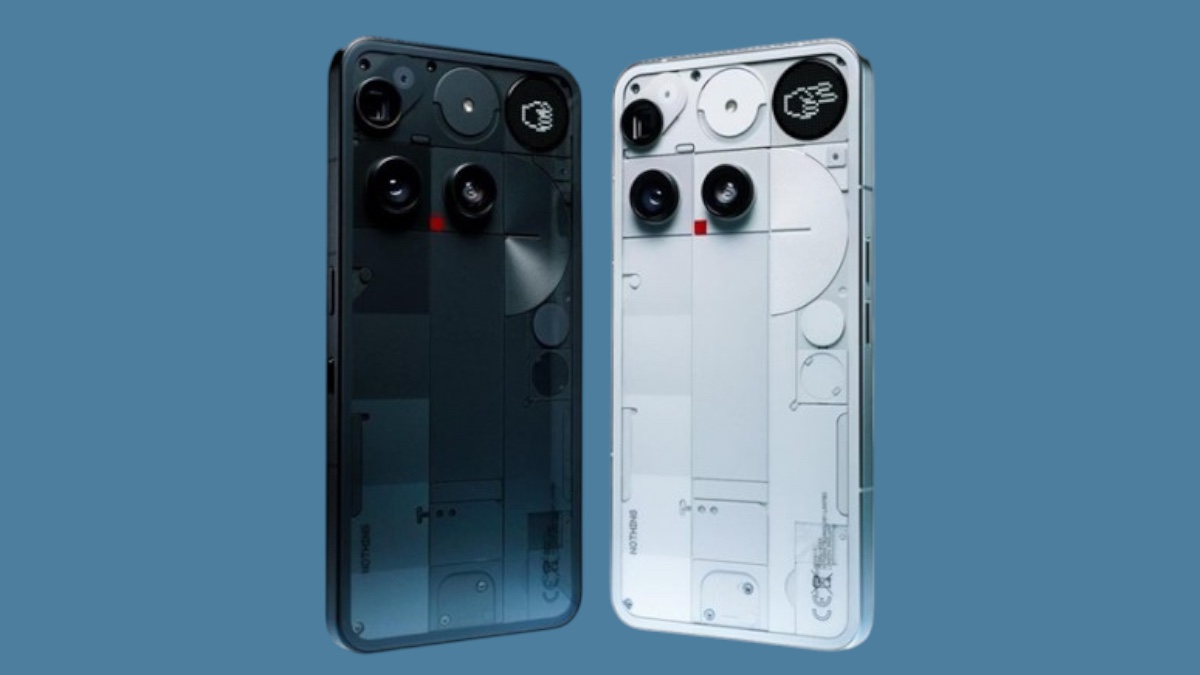
Nothing has started rolling out a new software update for the Nothing Phone (3), bringing improvements to the camera system, battery efficiency, and overall stability. The update, labeled Nothing OS V3.5-250911-2112, is being released in phases, so not all users will receive it at the same time.
On the camera front, Nothing has fine-tuned several features. Manual exposure adjustment through the slider is now smoother and more precise, while an issue that occasionally introduced unnatural tints has been resolved. The AI SuperRes Zoom algorithm has been updated to sharpen text more effectively, and Action Mode has been refined to reduce noise. Video recording has also received enhancements, with better contrast and more vibrant output, addressing complaints of hazy or washed-out footage. Additionally, third-party apps should now produce clearer images when accessing the camera.
Beyond imaging, the update addresses a range of system-level fixes. Battery management has been optimized to reduce power drain in certain scenarios, and thermal performance has been improved to minimize heating during heavy use. Connectivity also gets a boost with better Wi-Fi stability and more reliable network performance.
The update makes several smaller adjustments to the interface and notifications. The Glyph Matrix display for Always-on Glyph Toys now behaves more consistently in multi-user mode, while duplicated avatars in Essential Notification rules have been fixed. Haptics tied to Generative notifications have been corrected, Arabic text alignment in the “About phone” section has been improved, and the Bluetooth device recording interface has been upgraded for easier access.
Nothing cautions that devices may temporarily heat up or consume more power during installation, but this should normalize once the update is complete.
With this release, the Nothing Phone (3) gains refinements that address early user feedback, particularly around imaging performance and endurance—both critical factors for a device competing in the crowded Android mid-to-premium segment.