

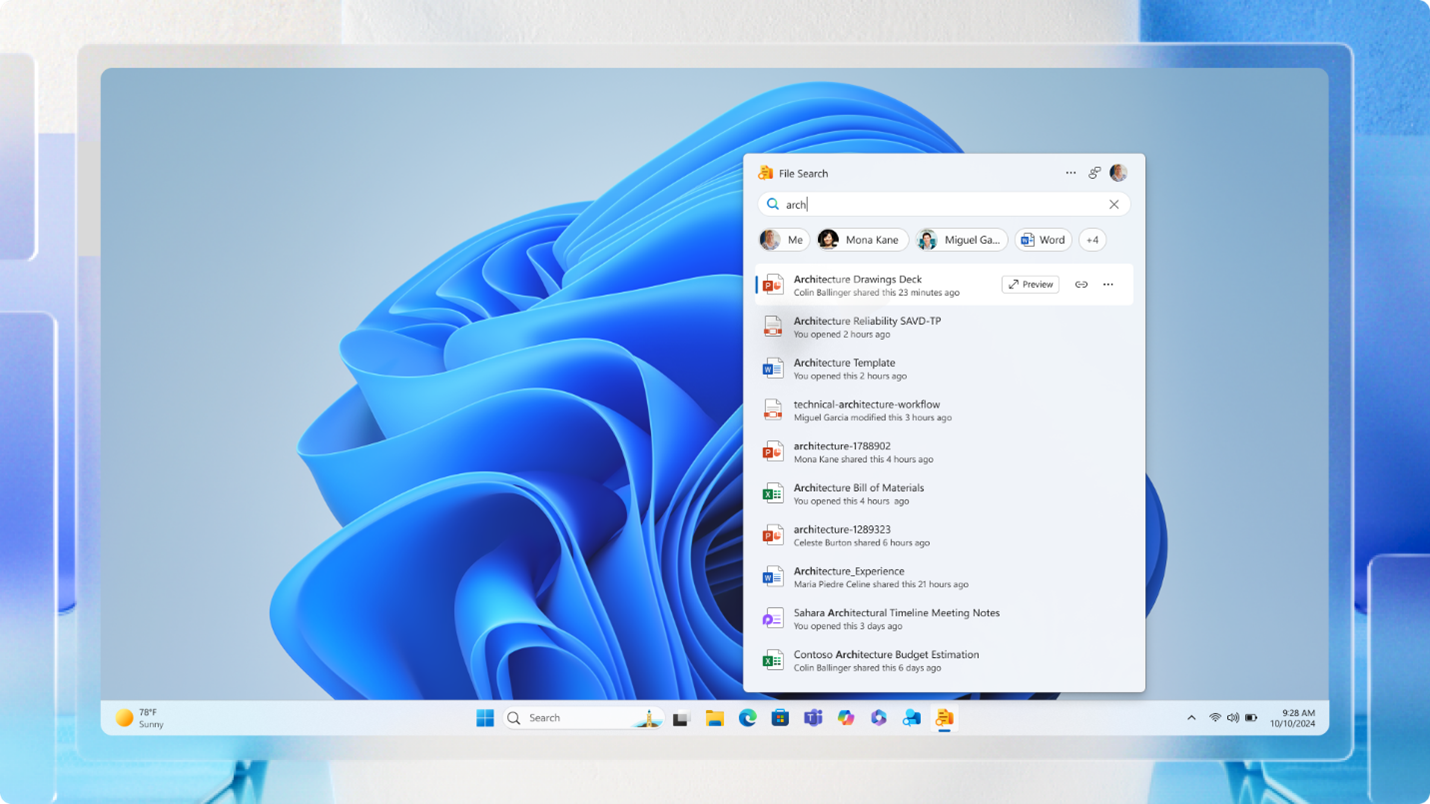
Microsoft has begun rolling out a set of lightweight Microsoft 365 companion apps for Windows 11, aimed at giving business users faster access to key productivity tools directly from the taskbar. The new apps — People, File Search, and Calendar — will automatically install and launch at startup on systems with Microsoft 365 apps installed, unless disabled by IT administrators or end users.
The People companion app provides a browsable organizational chart and lets users search for colleagues within their company. From the taskbar, users can start a Microsoft Teams message or call, or send an email without opening Outlook or Teams separately.
The File Search companion is designed for quick retrieval of Microsoft 365 documents. It allows users to search by file name, author, or keyword across OneDrive, SharePoint, Microsoft Teams, and Outlook. Additional features include file previews, filtering options, and direct sharing links.
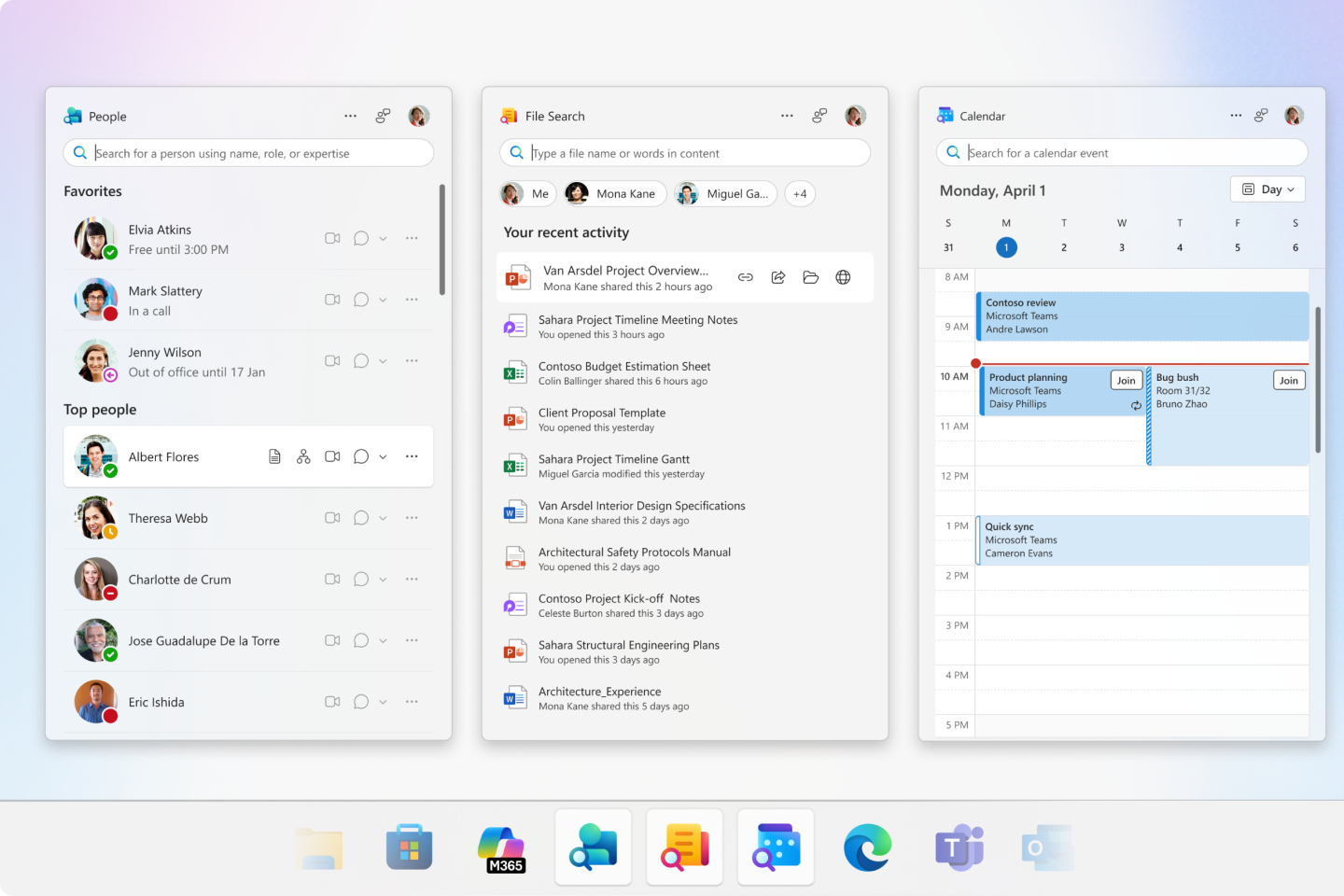
The Calendar companion offers a condensed view of a user’s Microsoft 365 calendar, enabling them to check upcoming events, search for appointments, and join meetings from the taskbar without opening the full Outlook interface.
All three apps were first announced at Microsoft’s Ignite conference last year and have been in beta testing for several months. With this month’s general availability release, they are now being pushed to all Microsoft 365 business accounts. IT administrators have the option to block the automatic installation, and users can manually disable startup launch if preferred.
The move reflects Microsoft’s ongoing effort to integrate 365 services more deeply into Windows 11, reducing the need to open full applications for quick tasks.